





lewisd19
Members
-
Joined
-
Last visited
-
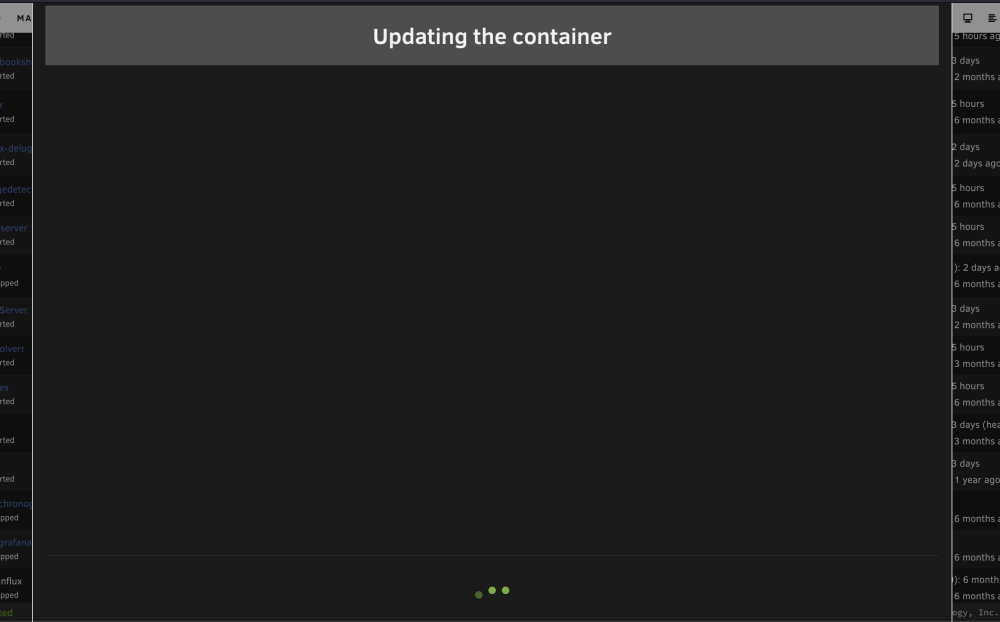
Hello all. Got a weird issue with containers not updating. When I click "apply update", I get the "updating the container" screen but nothing displays. I let it sit for 10 mins and the screen never changed. Has anyone ever come across this? I have searched a bit and didnt see any previous threads on this. I have tried switching DNS to Google, cloudflare thinking maybe it was DNS related, no change. Rebooted server also. Diagnostics are attached. Thanks in advance for any assistance tower-diagnostics-20240402-1128.zip.
-
seems like the btrfs corruption was the cause of all the issues. Once I re-formatted the cache drive and scrubbed it, everything is back to normal. Thanks @JorgeBand @Mainfrezzer for your input. This can be closed as 'solved'
-
did not think to try that yet. will give it a shot over the weekend.
-
Thank you @JorgeB
-
Thanks for your response. Yea, I've tested the cables in a laptop to confirm the cable is not the issue. Definitely been at this for the last few days trying to figure out what is going on. I agree that there may be a network issue. Tried plugging in a new switch to see if that was the issue and no change. Everything has worked fine up until a few days ago. Was getting "version not available" on all my docker containers which is when I knew there were some issues. I don't really have an issue blowing it all away and starting over but just wanted to see if I could save myself some time by asking for help here first. Ive literally hit a wall lol.
-
Hello all. Seeking some help with one of my unraid boxes. The one I am having a problem with I cannot seem to get the docker service to start. Tried deleting and recreating the docker.img per the other threads I found from searching but have not been able to fix it. I am also having another issue with the "Port 1 is down" error and have not been able fix that either. I have tried hitting the port down button and rebooting to no avail. Looking for some guidance. So far, I have tried to reset the network settings by deleting network.cfg and then rebooting. Trying to get help here before I just completely blow the installation away and re-install. Thanks in advance. unraid-diagnostics-20230919-0937.zip
-
Hi everyone, I had an update for the matrix container earlier today so I ran it. After doing so, i noticed I no longer could connect to the matrix server (bridge.domain.com) and seeing this in the logs for the container: File "/usr/lib/python3.7/runpy.py", line 193, in _run_module_as_main "__main__", mod_spec) File "/usr/lib/python3.7/runpy.py", line 85, in _run_code exec(code, run_globals) File "/usr/local/lib/python3.7/dist-packages/synapse/app/homeserver.py", line 688, in <module> main() File "/usr/local/lib/python3.7/dist-packages/synapse/app/homeserver.py", line 683, in main hs = setup(sys.argv[1:]) File "/usr/local/lib/python3.7/dist-packages/synapse/app/homeserver.py", line 351, in setup "Synapse Homeserver", config_options File "/usr/local/lib/python3.7/dist-packages/synapse/config/_base.py", line 611, in load_or_generate_config config_dict = read_config_files(config_files) File "/usr/local/lib/python3.7/dist-packages/synapse/config/_base.py", line 657, in read_config_files yaml_config = yaml.safe_load(file_stream) File "/usr/local/lib/python3.7/dist-packages/yaml/__init__.py", line 162, in safe_load return load(stream, SafeLoader) File "/usr/local/lib/python3.7/dist-packages/yaml/__init__.py", line 114, in load return loader.get_single_data() File "/usr/local/lib/python3.7/dist-packages/yaml/constructor.py", line 49, in get_single_data node = self.get_single_node() File "/usr/local/lib/python3.7/dist-packages/yaml/composer.py", line 36, in get_single_node document = self.compose_document() File "/usr/local/lib/python3.7/dist-packages/yaml/composer.py", line 55, in compose_document node = self.compose_node(None, None) File "/usr/local/lib/python3.7/dist-packages/yaml/composer.py", line 84, in compose_node node = self.compose_mapping_node(anchor) File "/usr/local/lib/python3.7/dist-packages/yaml/composer.py", line 127, in compose_mapping_node while not self.check_event(MappingEndEvent): File "/usr/local/lib/python3.7/dist-packages/yaml/parser.py", line 98, in check_event self.current_event = self.state() File "/usr/local/lib/python3.7/dist-packages/yaml/parser.py", line 439, in parse_block_mapping_key "expected <block end>, but found %r" % token.id, token.start_mark) yaml.parser.ParserError: while parsing a block mapping in "/data/homeserver.yaml", line 16, column 1 expected <block end>, but found '<block sequence start>' in "/data/homeserver.yaml", line 219, column 3 I haven't made any changes other than updating the container in the unraid interface. Has anyone else had this same experience?

