





grither
Members
-
Joined
-
Last visited
Everything posted by grither
-
Ok thanks again Squid. So to confirm, go to winter soldier through radarr, choose delete (but not delete files). Then go to add movie and search for winter and add? Does that sound correct? wonder if there is a batch way to do this given that i have over 300 to do
-
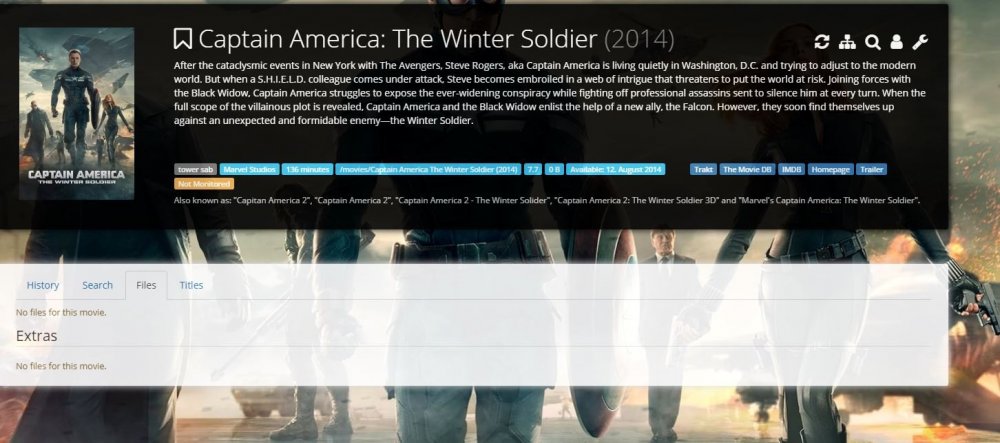
appreciate the reply. when i go to all of the above, i get 'no files for this movie' as per the attachment. its my favorite movie, its definitely there lol! any advice on what's going on ? i seem to have 360 of these situations...
-
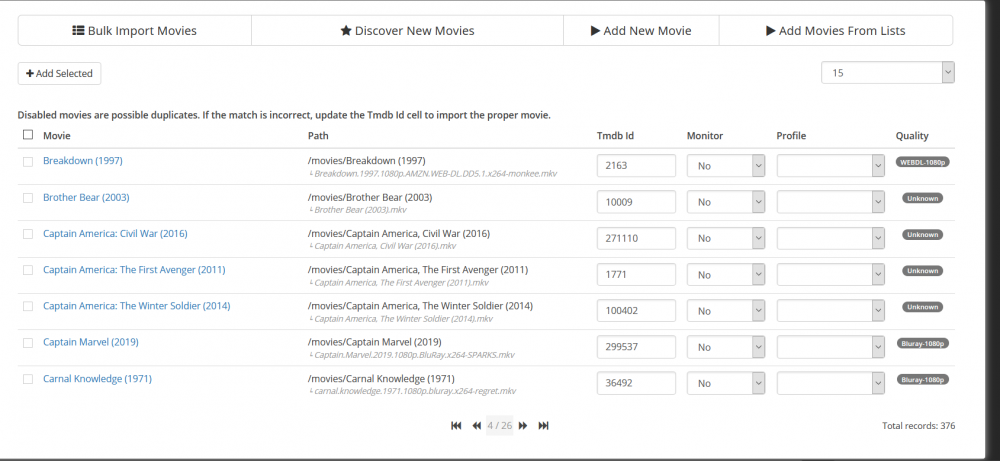
hi all, long time unraid, sab, sonarr and plex user. recently installed radarr. Imported about 8,000 movies, but about 300 (in pic) are showing as duplicates. can't figure out why though. movie appears to be identified correctly and matches file name any advice on how to resolve??
-
i had similar problems. recent plex versions have had problems. i would remove docker, and reinstall from template but using version in the key 3 field. appears to be the last stable version. my two servers are running this version without problems

-
thanks for posting. will also try tonight edit: wouldnt work for me. i do have two separate plex instances on two servers. but updated plex couldn't be seen
-
just a quick note to say that my plex is stable, once i installed an earlier version, mentioned a few pages back. won't be quick to update
-
that is 100% exactly what I have had setup for a few years now, and working perfectly until recently. two different external ports, forwarding to the same internal port, but on two different servers. i had also learned the hard way that not all routers let you forward an external port, to a different internal port. ie some routers only let you forward an external port number, to the exact same internal port number. just a watch out for anyone planning on launching a second server. so brief update- as of now, everything is working! sadly, I can't tell you exactly what caused things to come back up. I suspect it may be an access point that i installed, maybe not correctly which might have been screwing things up on the internal network. can't really be sure unfortunately, would like to help others but am uncertain how it got back to working. plus i supposed it might be temporary and everything may go offline again, but I am praying not lol. but a new problem has started! I was out briefly last night, and tried my plex app, certain it would say 'offline' because i had deleted the plex port forwards for trouble shooting (ie wanted to get things working inside network before attempting to re-setup external access). To my surprise, i was able to stream media off both servers! and yet, i have no port forwards setup for plex! now i'm wondering if i should be concerned, that i can access my internal network without a port forward?? I do have the remote access i wanted, but highly surprised its working without a port forward, and nervous. or am i missing something- is there a scenario where i can stream from plex, without a port forward?? EDIT to new problem. Ok i see that i may have indirect connection setup. so i guess i'm not connecting directly to server, but perhaps through plex service somehow?
-
Sorry just to clarify I have two instances of plex each on its own physical server (tower and chimera). Currently can access neither, perhaps due to the conflict you mention Just stepped out but when home soon I will stop the chimera plex container and see if that makes a difference for the tower plex .
-
Hate to be a nag but any suggestions? So lost here. Had two working servers for years and now neither can be accessed
-
Interesting. I have had it this way for three years with no issues. I believe tower is running on 32400 and chimera is running on 32401. Any way i can confirm or try a change? I guess one thing to note is even with one server or the other off, i have the same issue update: deleted my port forwarding rules in the router and shut off one server. Can now see other server and stresm! Interesting. update: tried putting back port forward for one server, and stopped working. deleted port forward, rebooted router, but don't seem to have it working yet any suggestions?
-
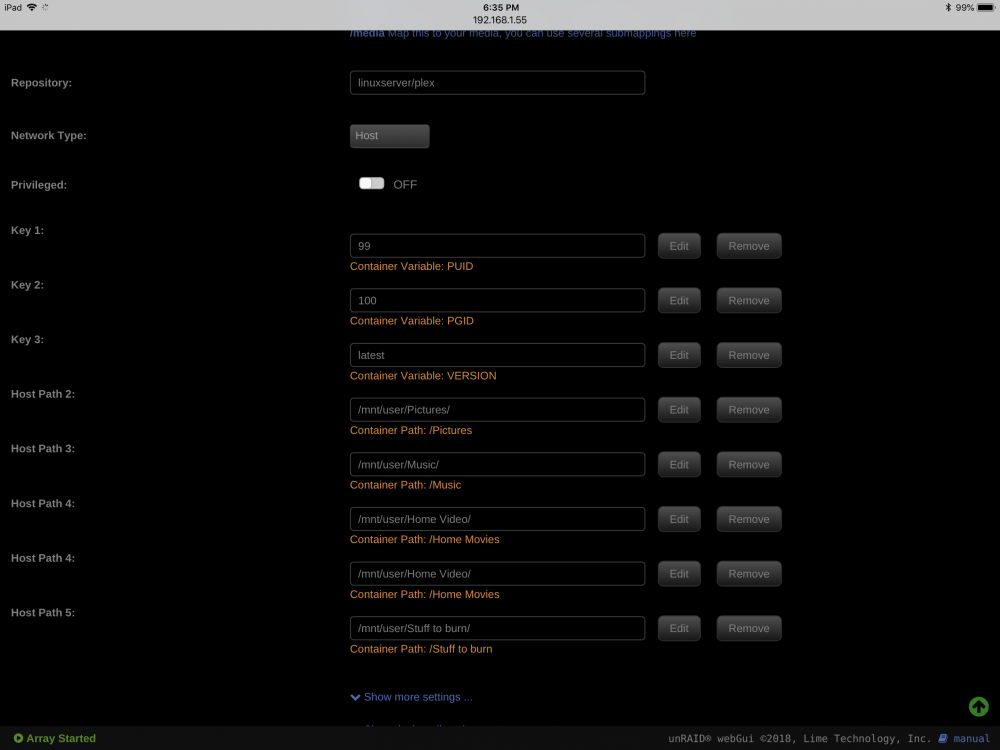
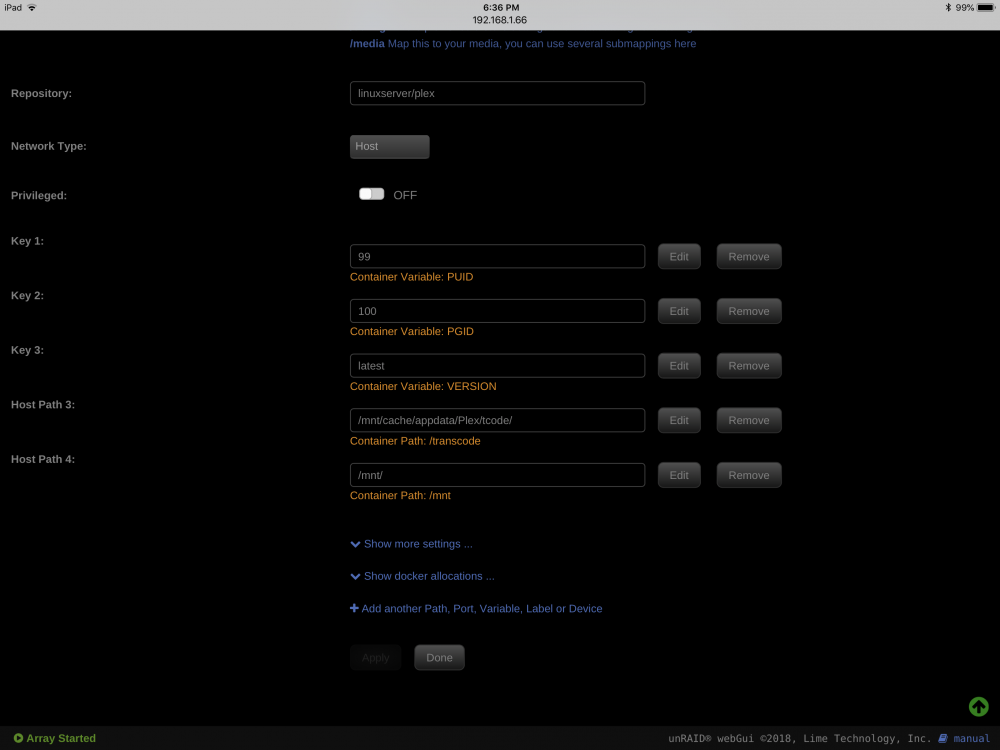
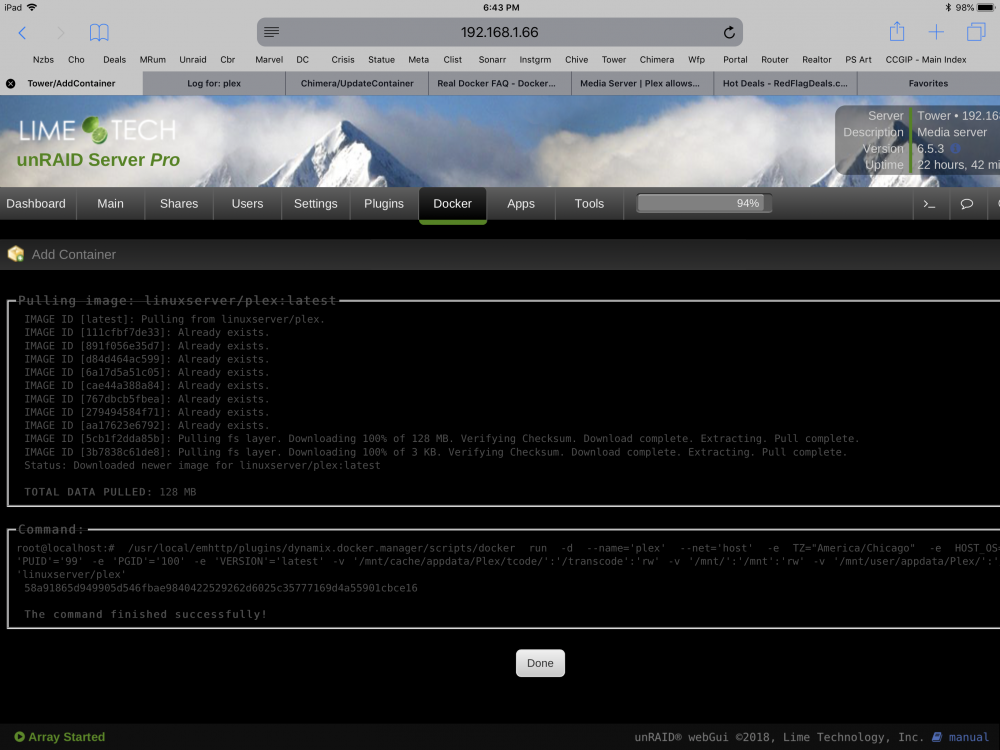
Here are the templates and run command and plex logs. Any help is very appreciated Safari - Aug 8, 2018 at 6:38 PM.pdf
-
hi sorry, can you direct to what I should post?
-
hi all, I have been using Plex docker linuxserverio for a few months, working well. previously, was on needo but moved over in last month or so, I have been having a problem where the servers (i have two) are not found. Plex apps on iphone/ipad/appletv/web for example are constantly saying 'offline' weirdest thing is i have tried reinstalling, rebooting, stopping starting, but nothing seems to help. I do update regularly (linuxserver seems to have a weekly update each saturday morning). Bizarrely, it seems to work around 5% of the time. Last night for example i opened the plex app on my phone, and everything was there, and successfully played a file from each server! but woke up this am, and everthing has been down all day one other odd thing- this problem started a few weeks ago. last week, i moved to a new home and am using a different ISP provided router (netgear ac1750). I was kind of wondering if this problem might be related to my previous linksys router, but the problem is persisting even with the new router! any pointers to set me in the right direction? have moved into new home with a great home theater, but can't access any media (first world problems, i know lol)
-
thanks for your help, mission accomplished. mover finished, i re-enabled docker, reinstalled dockers from templates. then, tried to delete files in my plexapp share, and worked no problem. Thanks again!
-
ok, everything was copied to array. reformatted to xfs. set appdata and plexapp shares to use cache disk- prefer. invoked mover. will have to wait quite a while for it to finish, then i'll enable dockers, then check to see that i can delete the garbage files in the plexapp share. will report back
-
mover is taking quite a while, I think I have 50gb in my plex library, so its just a ton of small files.... will prob take most of the day dumb question? once data is moved to array, and I reformat the cache drive, can I reinstall and start the dockers before I copy all the data back from the array to the cache drive? in other words can I use the dockers while mover is bringing data back from the array to the cache might have a family revolt if plex is down for two days!
-
thanks, running mover now. since i'm not technically replacing it, once everything is moved off, I will stop array, deselect the cache drive, start array, and the option to format the new drive will appear? or do i then select the drive as the cache? guess i'm wondering if it will prompt me to format or not. also what filesystem should i select?
-
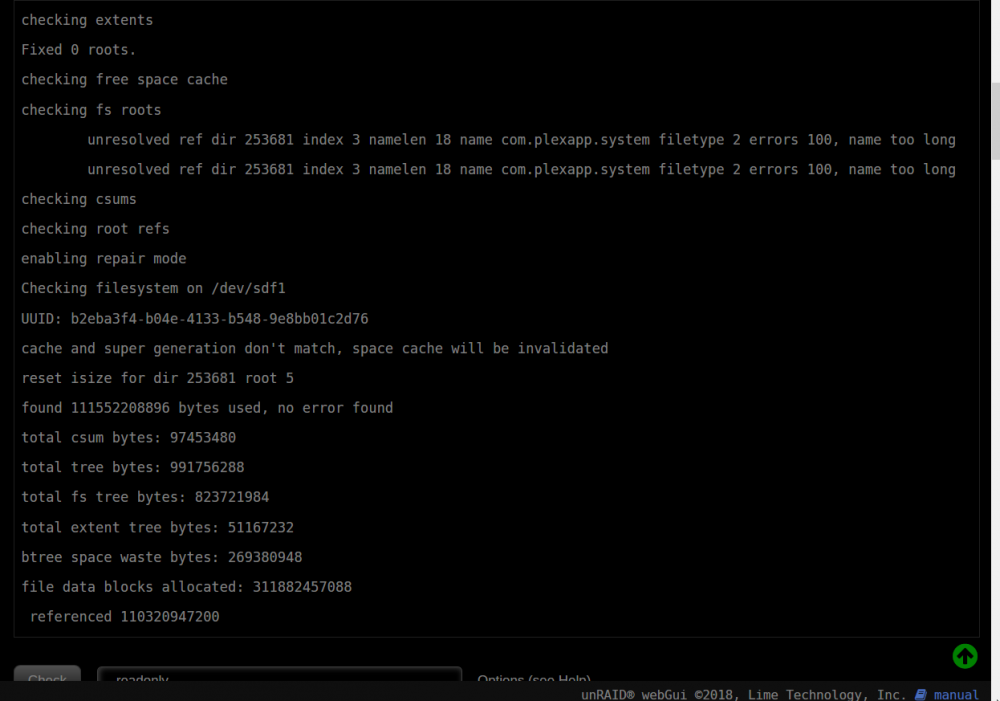
re ran with the repair option and got the below results... needless to say, still can't delete! any other suggestions?? looks like that unresolved reference might be the problem
-
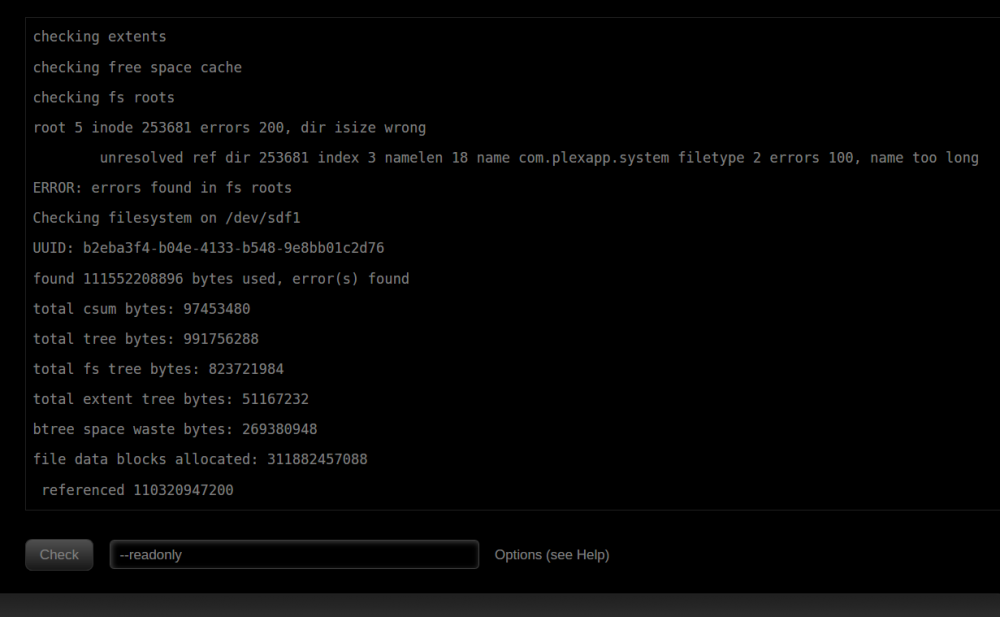
hi there, ran a file system check and it did come up with some errors. even references plex. probably related! going to try and re-run using repair option
-
hi sorry to be so helpless, but how do i run a filesystem check?
-
wonder if i should boot unraid in safe mode and see if i can delete then?
-
so weird. rebooted with autostart off for dockers (confirmed off). no VM's. only plugins installed are community applications, fix common problems, and controlIR getting same error message whether i try to delete or move. I did notice this odd bundle file within the deep level of folders... not sure if its the problem or not any other ways to see if something is using this set of folders?

-
thanks for the suggestion, stopped plex, but same error trying to delete or move
-
thanks. tried that but get same error message that can't move directory, not empty. weird
-
bump for help?


