



Skip to content
View in the app

A better way to browse. Learn more.

Unraid

A full-screen app on your home screen with push notifications, badges and more.

To install this app on iOS and iPadOS
  1. Tap the Share icon in Safari
  2. Scroll the menu and tap Add to Home Screen.
  3. Tap Add in the top-right corner.
To install this app on Android
  1. Tap the 3-dot menu (⋮) in the top-right corner of the browser.
  2. Tap Add to Home screen or Install app.
  3. Confirm by tapping Install.

Notrial

Members
  • Joined

  • Last visited

  1. That was it! in my case ttyACM0! Managed to setup Logitech C525 as well 🎉 Thanks!
  2. Hey all, I installed the container but it won't start for some reason. It throws this error: Execution error / server error... This is my configuration. Any clues? 😅
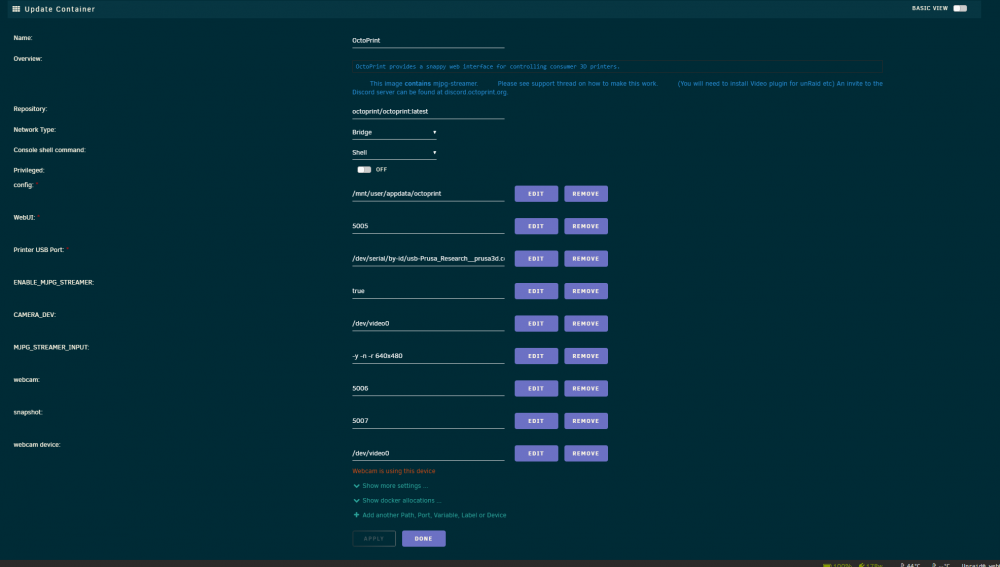
  3. Facing the same issue as I type this
  4. Thanks so much. I will test it as soon as I can access my UnRaid machine again (due to lockdown). Cheers!
  5. That would be awesome Much appreciated
  6. Hi guys, I managed to install and run Appdaemon and it's working just fine. But I'm having trouble installing pycurl through requirements.txt for an app that needs it. Anyone have any tips on if this is even possible?

Account

Navigation

Search

Search

Configure browser push notifications

Chrome (Android)
  1. Tap the lock icon next to the address bar.
  2. Tap Permissions → Notifications.
  3. Adjust your preference.
Chrome (Desktop)
  1. Click the padlock icon in the address bar.
  2. Select Site settings.
  3. Find Notifications and adjust your preference.