



Skip to content
View in the app

A better way to browse. Learn more.

Unraid

A full-screen app on your home screen with push notifications, badges and more.

To install this app on iOS and iPadOS
  1. Tap the Share icon in Safari
  2. Scroll the menu and tap Add to Home Screen.
  3. Tap Add in the top-right corner.
To install this app on Android
  1. Tap the 3-dot menu (⋮) in the top-right corner of the browser.
  2. Tap Add to Home screen or Install app.
  3. Confirm by tapping Install.

wr1williams

Members
  • Joined

  • Last visited

  1. -rw-r--r-- 1 root root 86471732 Mar 29 12:50 gitflash Commenting just to throw my hat in the ring as well since I'm also seeing what I assume is gitflash bloat. Let me know if you'd like a second case to study
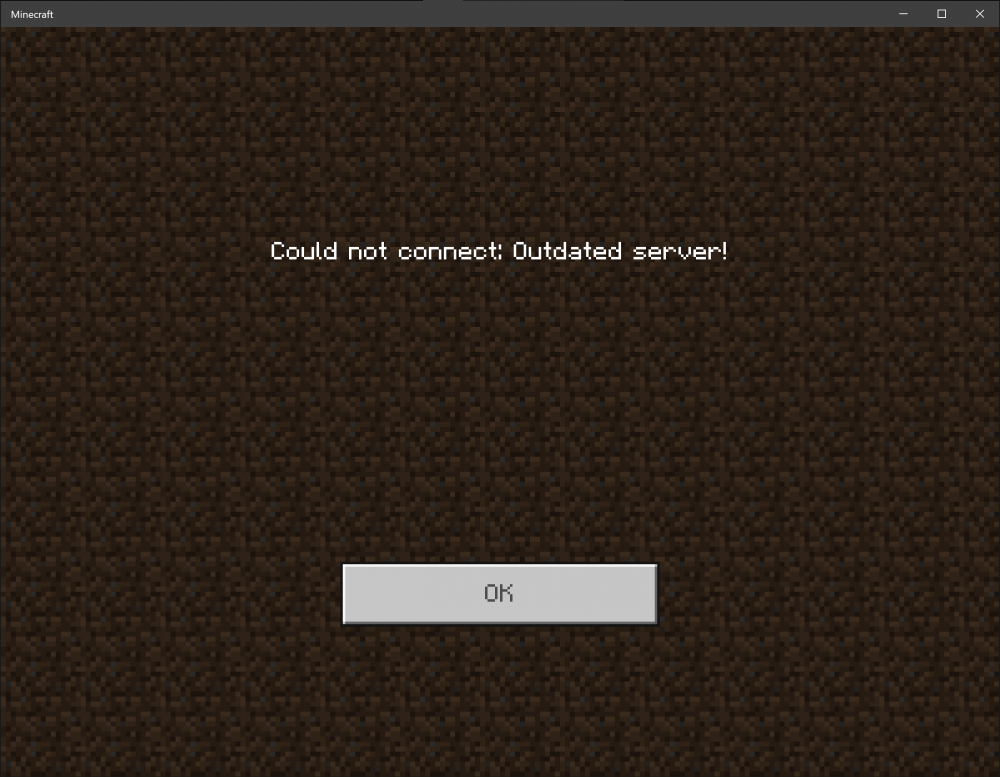
  2. I just tried to set up a server using this container and everything seems to show up correctly but when I try to join it tells me "Could not connect: Outdated Server!". Is there some process I need to go through the bring it up to date or is there just an update to the container that's necessary?
Account

Navigation

Search

Search

Configure browser push notifications

Chrome (Android)
  1. Tap the lock icon next to the address bar.
  2. Tap Permissions → Notifications.
  3. Adjust your preference.
Chrome (Desktop)
  1. Click the padlock icon in the address bar.
  2. Select Site settings.
  3. Find Notifications and adjust your preference.