





viktortras
Members
-
Joined
-
Last visited
Everything posted by viktortras
-
Hello, I have problems starting grafana container. mkdir: can't create directory '/var/lib/grafana/plugins': Permission denied GF_PATHS_DATA='/var/lib/grafana' is not writable. Which permissions does grafana folder need? Which version is the correct one? I have found some people doing chmod 777 to this folder but it does not work for me. I think the tutorial I followed from unraid webpage is out of date and it is for a previously version of grafana.
-
Hello, You can use the new auto method, it's easy to install and without so much problems. Tested. Here is the link: https://xpenology.com/forum/topic/63486-automated-redpill-loader-arpl/
-
How did you do that? Did you follow the instructions? Give me more details about the error. Enviado desde mi SM-N975F mediante Tapatalk
-
No, I think this is not normal but look into url, maybe is going to yourip:5000/wizard or something to set up it again. Also try to use other browser and clean cache and/or cookies from your main browser. When all setup is done find.synology.com must find your server and go directly to the login page. Yes you installed a .pat from 7.0 not from 7.1 but it is easy to update.
-
Try to add another vdisk and set it also to controller 1
-
What error are you receiving? It seems DSM not finding your disks. Did you set controller to 1 before start redpill??
-
Hi, You have to download .img version for redpill. Then follow steps. Redpill OS have to be loaded, not the screenshot you attached.
-
Hi, You have to select the hardware according to your pc (unraid hardware). which processor do you have?
-
Hi, You can edit your user_config.json and change the MAC here before make the build instead of generate it randomly.
-
No, you should download one of the .pat in the original post from official repo or my direct mega link. It should works with this. Also make sure to follow steps correctly, if you not set correctly VDISK2 with controller="1" option before start tiny red core first time when you make the build it will not recognize the second vdisk and it will make the build wrongly.
-
I can't help you with AMD but it seems you have reached to find synology webgui so it should works...have you checked previously post?what .pat are you using?
-
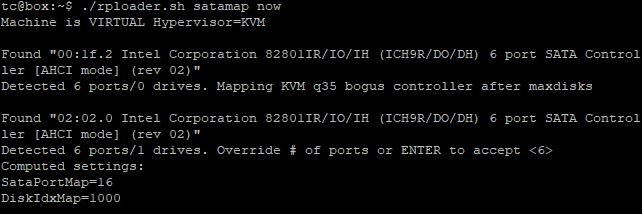
This problem "corrupted PAT error" often happen due to VDISK2 or corrupted pat file. You have to use the version according to your unraid processor, not whatever you want. Did you change controller"0" to "1" in XML mode before start the VM first time? If you don't set this option when you do ./rploader.sh satamap now, command will not recognize second device VDISK2 and it will not write correctly the build so it will not works. ./rploader.sh satamap now result is this: Also make sure you change the MAC address in VM template (always in XML advanced mode, I repeat if you save MAC address in normal mode, previously change on controller"1" will be removed) after create the build and stop the machine. Which *.pat are you using? Ok, I have just discover *.pat downloaded from /home/tc/redpill-load/cache/ is not working. Download official release. I used this. https://mega.nz/file/5YI2yCYL#oNR6Cq5FmIdySL1cdUm_8vm2A-BSuj2NqbP_7ywTe_A
-
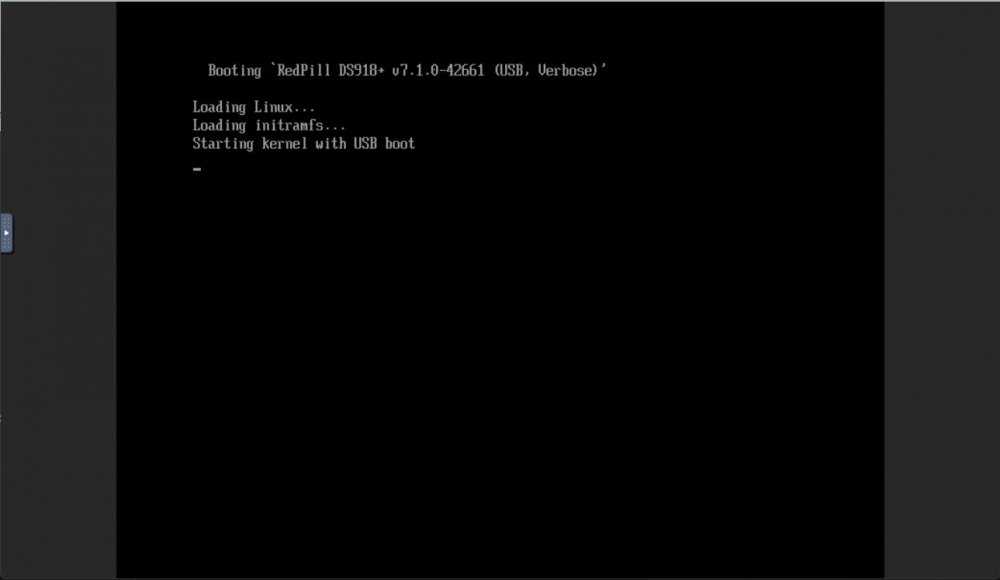
Hi, You have to edit vm template in XML advanced mode to put the MAC generated when you did ./rploader.sh serialgen DS918+ on STEP 2. If you edit the MAC in normal mode, modifications done on XML will disappear (in this case the only modification in template we did is change controller="0" to "1" for VDISK2 so if you save MAC in normal mode controller, the modification will disappear and you will have to edit it again in XML advanced mode). After that, save template. When you start the vm and select the USB option, nothing appear except this. This is the expected behaviour. You have to find IP from Synology Assistant or find.synology.com and then install the *.pat.
-
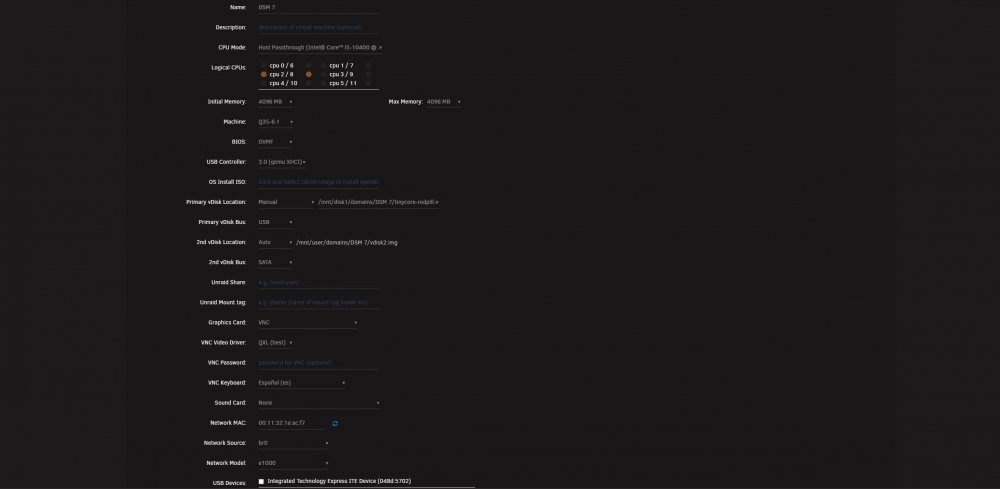
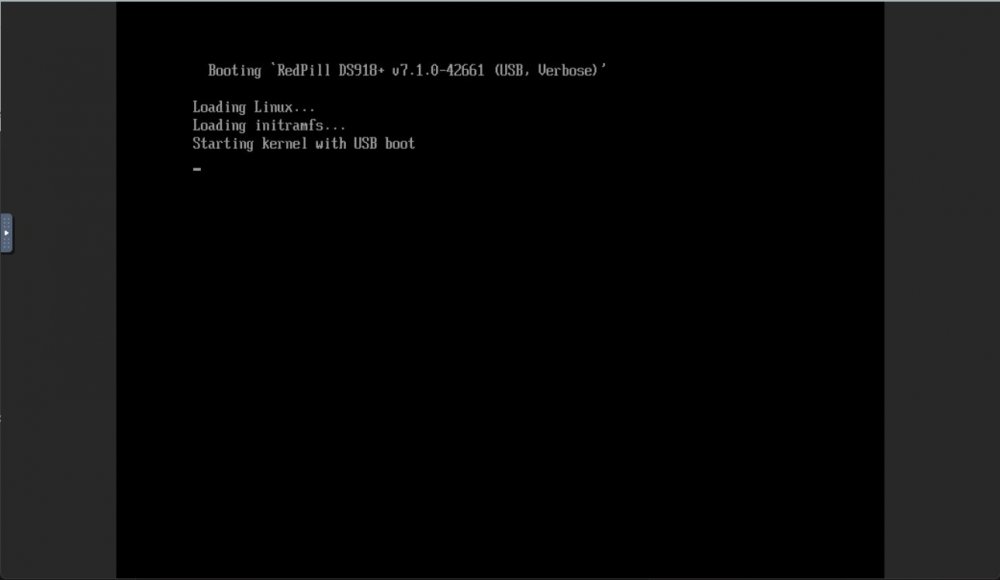
Installing DSM 7.1.0.-42661 on UNRAID 6.10.3 I have been trying to install DSM 7.1 on my unraid server for the last night. After some problems and testing I have created this guide to install DSM 7.1 on unraid working perfectly. This is my vm config: STEP 1-Virtual machine creation: Download tiny core from https://github.com/pocopico/tinycore-redpill Select CentOS VM Template and apply correct options from the attached image. Select Q35-6.2 Select 3.0 (qemu XHCI) Load tiny red core as vdisk1 USB by selecting manually (you can create previously the name of the folder for the VM inside /domains and upload the tinycore img ) Create secondary disk 50G or whatever you want (this is your data storage for synology) as vdisk2 SATA Select Network model: e1000 Save. Uncheck "Start VM after creation" Edit again vdisk2 in the advanced xml template (top right corner) to controller='1' (if we don't do this tiny red core will not detect the disk properly when doing the satamap and will not install DSM correctly and will ask you to reinstall the *.pat infinitely) STEP 2-Start VM and connect via SSH Start VM and load tiny red core Once the OS is loaded, open the terminal and enter ifconfig to find out the ip of the machine Connect via ssh (with Putty) to the obtained IP address. user: tc password: P@ssw0rd STEP 3-Run the following commands: To update tiny red core with the latest data ./rploader.sh update now ./rploader.sh fullupgrade now To generate random mac and serial numbers (copy mac address generated to set on unraid vm template later) ./rploader.sh serialgen DS918+ (or whatever version you want, you can see all versions available with command info ./rploader.sh) To map the connected disks ./rploader.sh satamap now To record the vid/pid from usb ./rploader.sh identifyusb now To install NIC drivers (sometimes it loads the e1000e module instead of the e1000 and it doesn't work, adding this command will make sure that the e1000 module for the NIC is loaded correctly) For e1000 Network Card run: ./rploader.sh ext apollolake-7.1.0-42661 add https://raw.githubusercontent.com/pocopico/rp-ext/master/e1000/rpext-index.json NOTE: change version according your selection for CPU and DSM version For virtio-net Network Card run: ./rploader.sh ext apollolake-7.1.0-42661 add https://raw.githubusercontent.com/pocopico/rp-ext/master/v9fs/rpext-index.json NOTE: change version according your selection for CPU and DSM version To build the image ./rploader.sh build apollolake-7.1.0-42661 STEP 4-Download your .pat for your correct cpu architecture from official repo or mega download for this version apollolake , we will need it to install DSM later. https://global.download.synology.com/download/DSM/release/7.1/42661-1/DSM_DS918%2B_42661.pat - Offical repo https://mega.nz/file/5YI2yCYL#oNR6Cq5FmIdySL1cdUm_8vm2A-BSuj2NqbP_7ywTe_A - DSM 7.1-42261 apollolake STEP 5-Edit VM settings on advanced xml mode and install *.pat After doing all the above we shut down the machine. Edit the virtual machine on xml advanced mode (if we change mac address in normal editing mode you will lose controller="1" option set for vdisk2 we did previously so you will have to set it again everytime you change and/or save a setting from normal mode, try to edit always in xml advanced mode), look for MAC address and set the MAC generated by tiny red core. Save. Start VM Select the first option USB and leave it a few minutes like below image until we find it with synology assistant Open WebGui and install *.pat We now have DSM 7.1 working on unraid. There is other method with SATA boot but I have to test it better. Hope this guide help someone. Regards.
-
any help please?
-
I have problem with this too, I am unable to open webUI correctly, log tell me that : 'Error: Unable to find Mongodb Oplog. You must run the server with oplog enabled' What I have to do please help!



