





vmax5000
Members
-
Joined
-
Last visited
Everything posted by vmax5000
-
Ok, that sounds easier and if all else fails I can just rip them from the dvd's again. So about the shares, in the system folder I have my docker vd and it is on the array, should it be on the cache disk instead? Also do you see anything else I can do to straighten out my server?
-
Luckily I do have backups, I thought on the gui of the tv show and bluray movies that I could use the move command and put them on the cache disk then have the mover put them back. Does that sound like it would work?
-
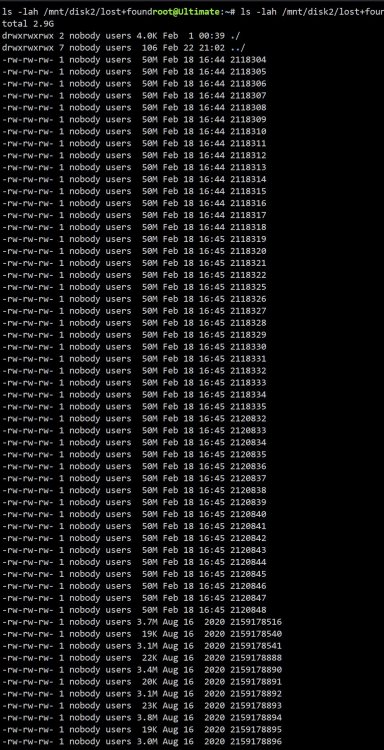
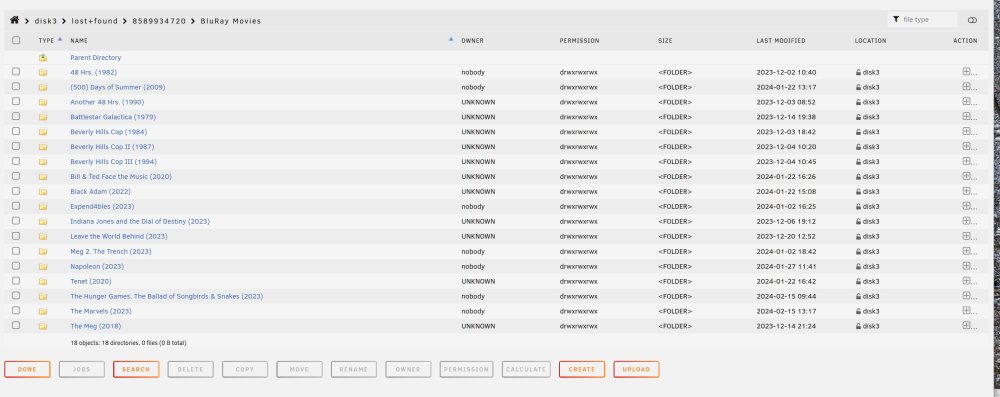
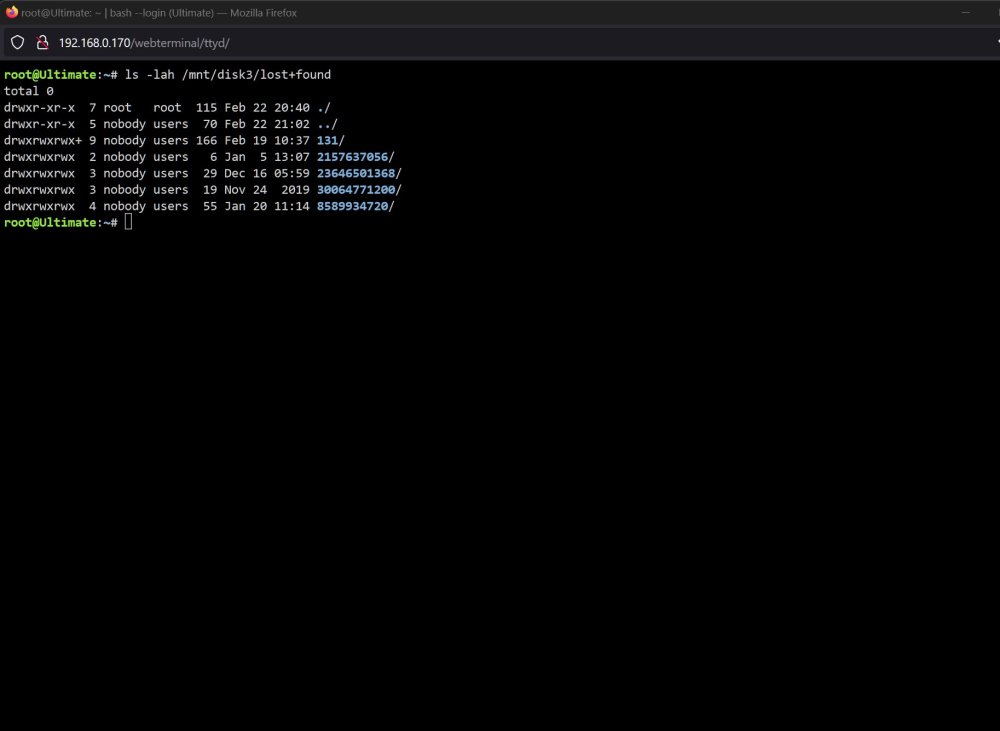
here are the results of the cmds you asked for, and I found lots of movies and tv shows using the gui. There are 177 folders in the TV shows section so I didn't screenshot it but the movies one was much shorter. Anyway here are the results

-
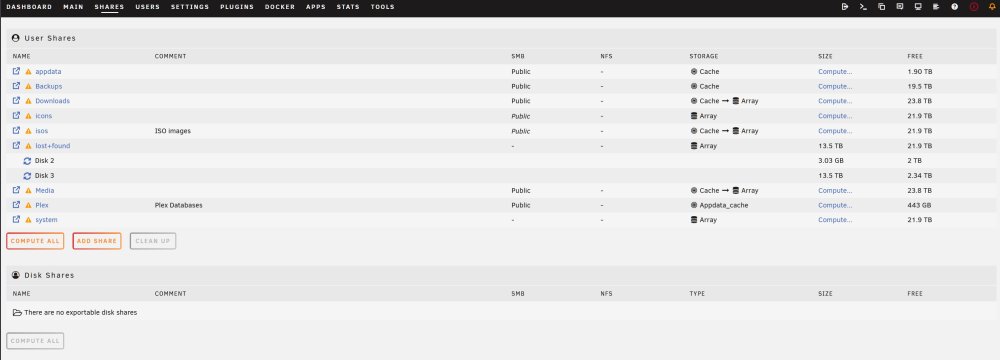
Ok, here is the screenshot of the compute Yes, I find the shares and appdata part of unraid a bit hard to understand. I added the second pool to move plex from the main pool because everything was running at a snails pace, after moving plex everything started running much faster.
-
It looks like I will need to replace the old hardware, is it hard to move everything to a new motherboard? Also, I do have a lost & found folder, can that help with the recovery? How do process those files? I was surprised as how much of my data was still there! Thanks for sticking with me though this disaster! ultimate-diagnostics-20240223-1322.zip
-
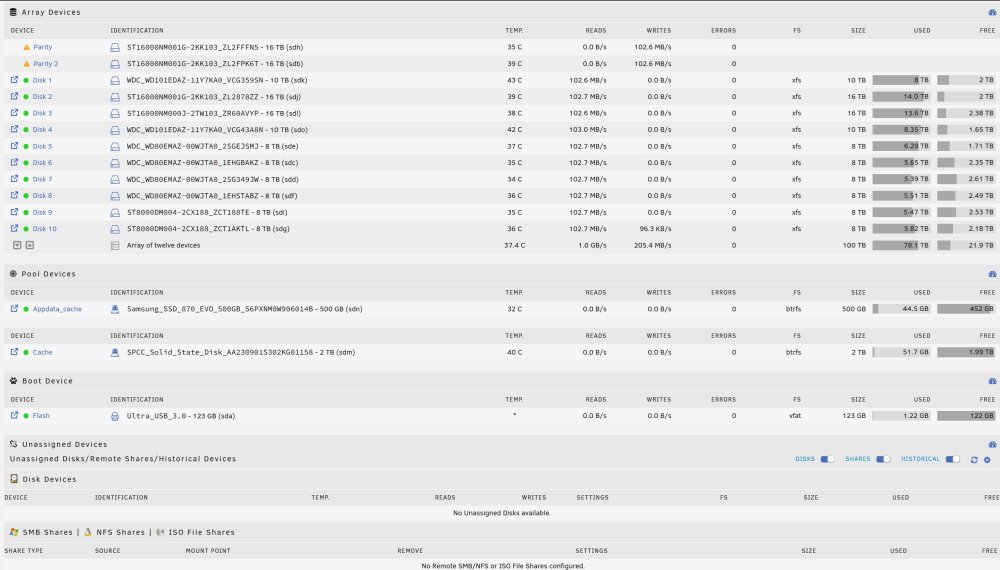
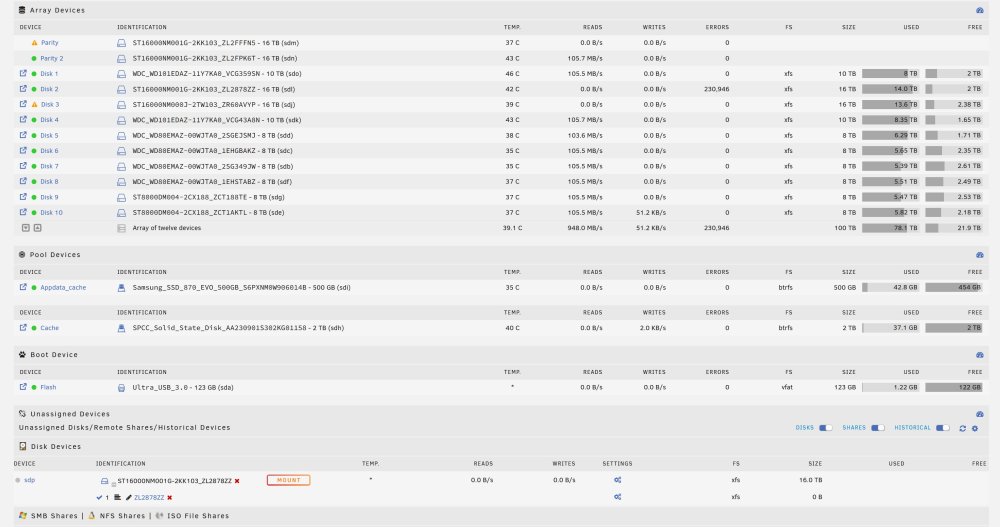
Hope you had a good sleep! I finally found out what my trouble was, I have a bad pc express slot and that's what was causing all of the trouble. I now have everything going the way it should, the parity drives are rebuilding. I will get you a new diag tomorrow, but I thought I would share a screenshot showing the good stuff! Thanks again
-
I rebooted and started the new config. Disk 3 is disabled and disk 2 is emulated. but I'm not seeing io errors now. Should I stop the system again? I really don't know why I am getting any errors, the drives all passed without error. The only thing I can do is shut down and move those drives back on to the mother board, should I do that, or just let things run for now? ultimate-diagnostics-20240222-1914.zip
-
I could not stop the parity check and it wasn't doing anything so I rebooted and I am going to do the new config, sorry I should have listened to you in the first place. I will post a new diag after the new config and parity check.
-
Well, the parity check is not going well, I am seeing lots of errors, should I just stop the parity check and create a new config? Here is a dump ultimate-diagnostics-20240222-1840.zip
-
would it be better to do a new config?
-
Just thought I would try copying my backup of the config folder to the flash drive and booted up, everything came up except drive 3, I looked on disk 2 and there is a folder with lost & found, can I fix that data?
-
Sorry, I missed that, ok, I will clench my teeth and go for it! Thanks for your help.
-
Ok, I do have a full flash drive backup from when the system was working, can that be of any help? If not how do I create a new config? Thanks
-
Ok, all the 16tb drives passed with no errors. I put the drives back in the system and booted up, the array did not start due to an invalid configuration. So I went no farther, this diag dump is after installing the 2 drives and booting up. Thanks ultimate-diagnostics-20240222-1610.zip
-
ok, will do. Thanks for all your help and patience! I won't have the drives back in until tomorrow.
-
Ok, I have 2 drives out of the system right now, running the disk scan on them, so this diag dump will be missing those disks. ultimate-diagnostics-20240221-1824.zip
-
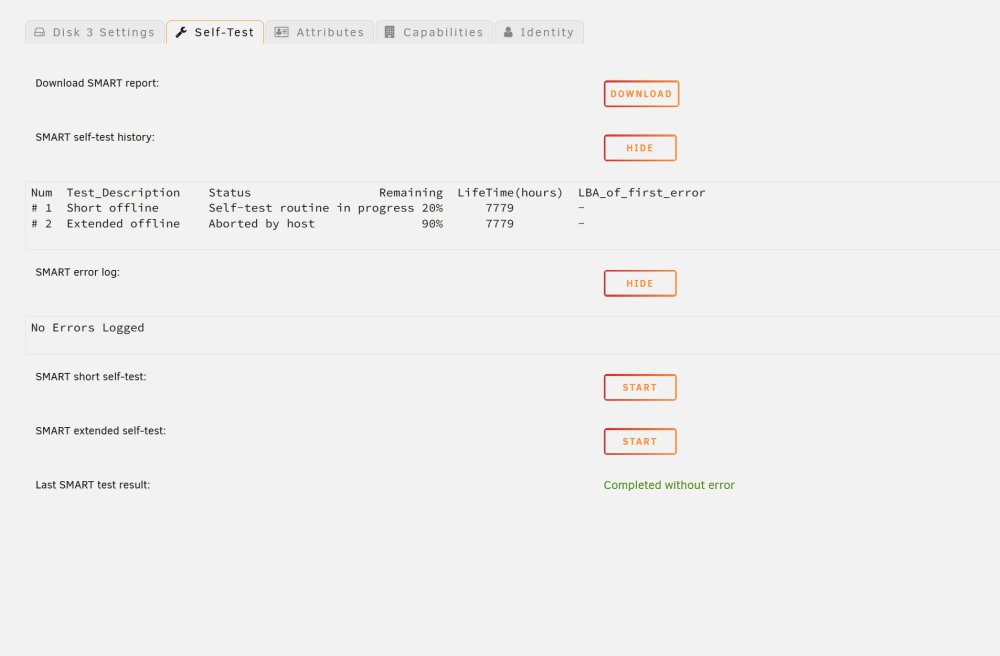
Just a quick update, I ran a short self test on the drives that were giving me read errors and the all passed, I was going to run the long test but it would take about 30 hours. I have also been running spinrite on parity drive 1 and it is almost complete and found no errors, so I don't know why I was getting the read errors. The sata cables off of the broadcom card are brand new and had no issues in the beginning. I can connect the drives back to the motherboard but I was getting lots of random errors. Should I use the flash backup on the flash drive? I have never done that before, is it just a matter of extracting it to the flash drive? I plan on running disk 2 on spinrite level 2 to check for errors but it will take 21 hours to complete. If you aren't familiar with spinrite, check it out at grc.com if you want, it's an incredible piece of software. I can see that the data is still on the drives, so if I can get the array running again with no drive issues how can I recover the data? Thanks
-
Thanks, I do have a complete Flash drive backup I made a few days ago when everything was working properly.
-
Well, it has gone from bad to worse, I rebooted the system the first time and the array had not started so I started the array and got flooded with read errors on drives 2 and 3, then I powered down and pulled drive 2 and looked at it from another computer and it seemed to be fine so I put it back in and booted again, this time it came up with parity 2 disabled and the array was not started, so I set parity 2 to unassigned and started the array in maint mode, then I stopped the array and selected the same drive that was in that slot and it showed the drive was now enabled but I could not start the array because I am now getting an invalid configuration. So I powered down the system again removed the broadcom card and attached the drives back on the motherboard, but again after boot I still get an invalid configuration and I can't start the array. I don't know what happened or why I was getting flooded with read errors on 2 drives, but now the system is completely unusable. Is there any hope of getting this working again? Would it be better to wipe everything and start over from scratch. The only thing that I really need to keep is the Plex data that has all my users etc and I have all of that data on one of the cache drives, so if I have to start over I should be able to install plex and still have all of the data right? Can all of this trouble be because of the broadcom card? Let me know how bad this is... Thanks ultimate-diagnostics-20240220-2029.zip
-
Ok, I have someone on the system right now when they get off I will reboot the system. It's getting late here now so I don't know if I will be able to get much done tonight, but I will get on it tomorrow morning. I will see if I can get the drives working tonight. I just looked on my plex app and I have lost almost my entire library, I do have the actual dvd's but it will take me months to restore everything. I really appreciate your help, hopefully there might be something of value in the new dump after the reboot that will maybe help with some recovery?!? Anyway, I will post the new dump as soon as I get a reboot so that you can have a look at it before I do anything with it tomorrow.
-
I did upgrade the power supply a while ago to an 850 watt, I don't think I have too many drives on on psu cable, I have 3 psu cables off of the power supply with about 4 empty connectors on one.
-
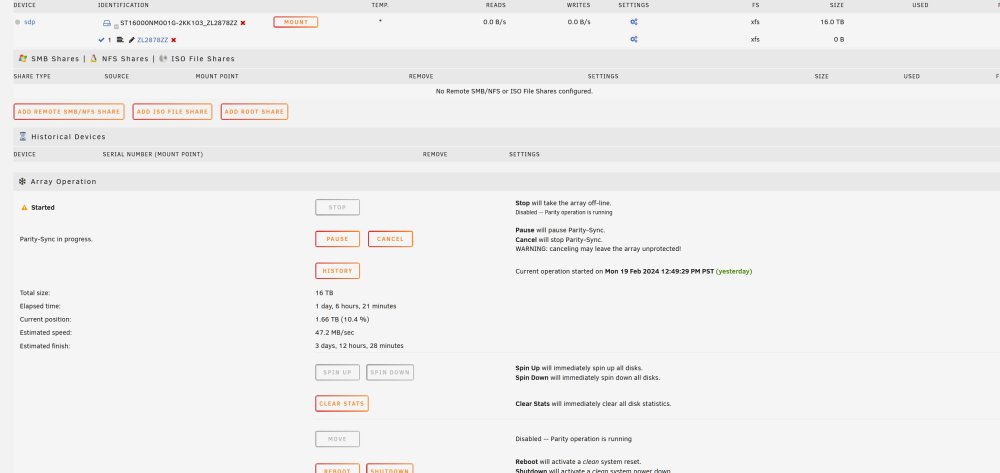
Ok, I just tried to cancel the parity check but it doesn't seem to be doing anything. Here is the part you couldn't see in the clip. I just put in a Broadcom SAS 9300-8I 8-Port 12Gb/S SATA+SAS Pci-Express 3.0 Low Profile Host Bus controller and moved all of the 16tb drives and a couple of cache drives onto the controller. I was having lots of disk errors before putting in the broadcom, I think I changed the sata cables on all the drives prior to putting in the broadcom card at least 10 times and the errors continued, after I put in the new card all be it a day ago, I stopped getting drive errors. Any suggestions as to what I should do to try and fix the current problem? Thanks
-
Well, just looking at the drives now, I can't find the lost & found but it was there at one point, and the non rw drives show invalid path when I try to look at them. Not sure what happened, everything seemed ok yesterday!
-
Actually I do, as well as some other very strange things. It looks like it's doing a parity check but 1 parity drive is not doing any reads or writes and I have 2 other drives not doing any r/w. I also have 1 drive that says it's mounted in one place but unmounted in another place. I really don't know what to do at this point. I checked yesterday and all of the data seemed to be there, but today I'm missing lots of data! I was going to shut down the parity check tomorrow and try and figure out what to do about the 3 drives. Here is a dump that I just took, if you can give me any advice that might help me keep my sanity I would really appreciate it! Thanks again ultimate-diagnostics-20240220-1842.zip
-
Thanks I never noticed the link at the bottom right!





