The_Athereon
Members
-
Joined
Everything posted by The_Athereon
-
I'm not really sure how to report this "error" I can't even be sure it is one. My Plex Streams plugin works as intended. However. It sometimes takes 3 minutes to find active streams on the Dashboard Tab. And viewing active streams through the Plex Streams Tab freezes my browser entirely for 3 minutes. (Both on PC and Mobile) Is this a known bug? Is there a fix? I've tried uninstalling and reinstalling the plugin but that didn't help.
-
A little help please. My binhex-plex container isn't outputting to the network. No port mappings appear in docker.
-
Okay, that's sent. Please let me know what to do next.
-
Hi, I can't seem to get my Android App to discover my sever. Automatic shows no results And manual does nothing. I've triple checked everything. The details are correct. So why can't my phone see my server?
-
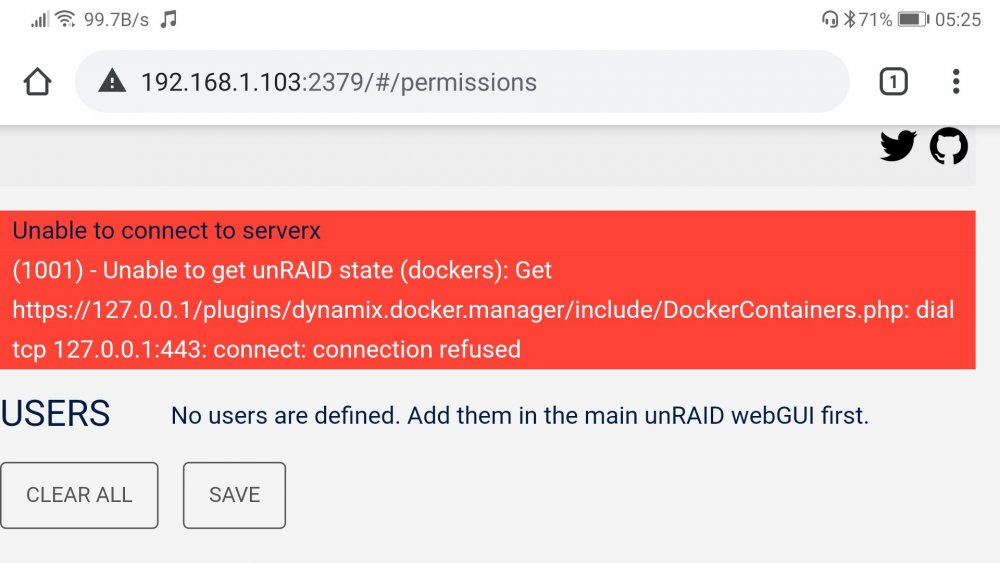
Can someone explain what's causing this? It's preventing my phone from connecting. (Was previously working before motherboard upgrade and general system tweeks.)