





Goodboy428
Members
-
Joined
-
Last visited
-
That fixed this issue. Thanks!
-
So, I got my array rebuilt and my shares are still there, my docker containers are still there, but I can't update my docker containers. When I try it says "Configuration not found. Was this container created using this plugin?" Do I need to uninstall these dockers and reinstall them? And on my SMB shares, they are still there and all the data is still in them, but I can't access any shares from a networked device.
-
I do know which drive is my parity, but not 100% on the other drives. That shouldn't matter though, right? It should still rebuild the array? Also, my array was encrypted, so as long as I enter the same encryption code, it should rebuild ok, correct? Thanks for the above link! Much appreciated!!!
-
My flash drive crashed. Can't access it at all. Can I use the key for that flash drive for a new flash drive? If so, how do I get the key to install? I'm going to Tools>Registration>Key File URL>entering my link, but it's coming back with "error 8". Also, my backup is seriously out of date. Is there any way I can mount the array without losing all the data on it? Thanks, Kevin
-
FYI, I stopped the array and started it in "Maintenance Mode". Clicked on Disk 2, scrolled down and removed the -n in the "Check Filesystem Status" box and then clicked "Check" button. It completed and I stopped the array and then restarted in normal mode and the drive is being mounted now.
-
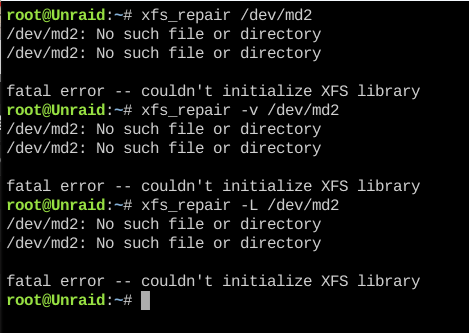
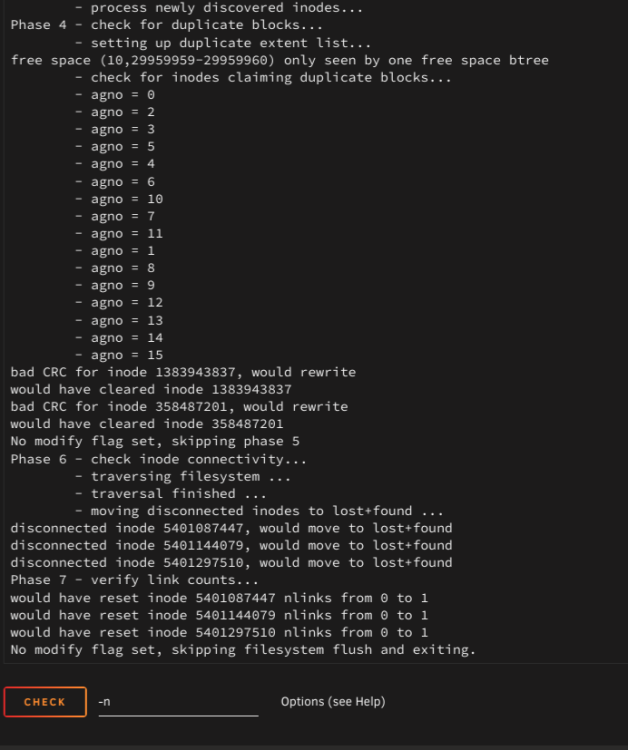
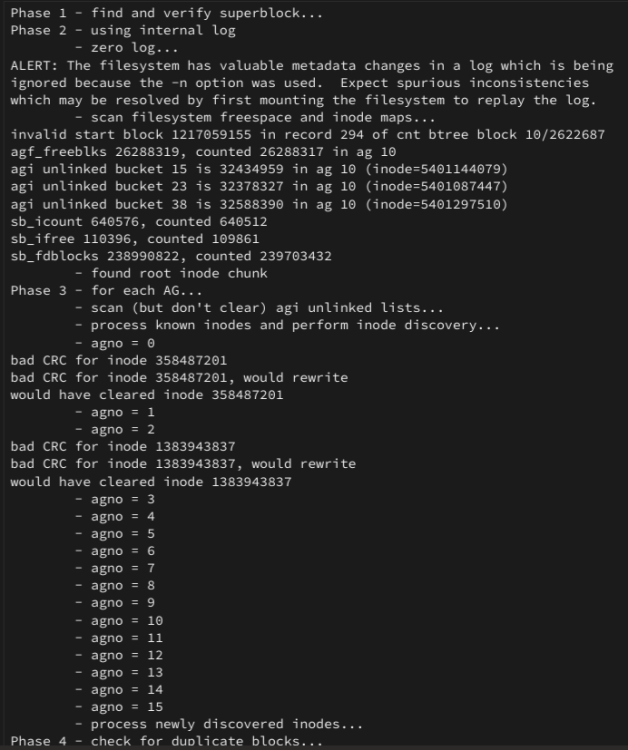
I've got the same issue. I started the array in maintenance mode and am running the above commands via the command prompt through the webgui. Here's a screen shot of the responses I'm getting... I also attempted the webgui repair first by starting in maintenance mode and then click on Disk 2 and then selecting check with -n in the "Check Filesystem Status" section
-
I just lost my IP port mappings for the plexpass docker. I have tried to restart the docker. I just removed the docker and reinstalled and still don't have the IP port mapping. Got any suggestions?



