





MatthewD
Members
-
Joined
-
Last visited
-
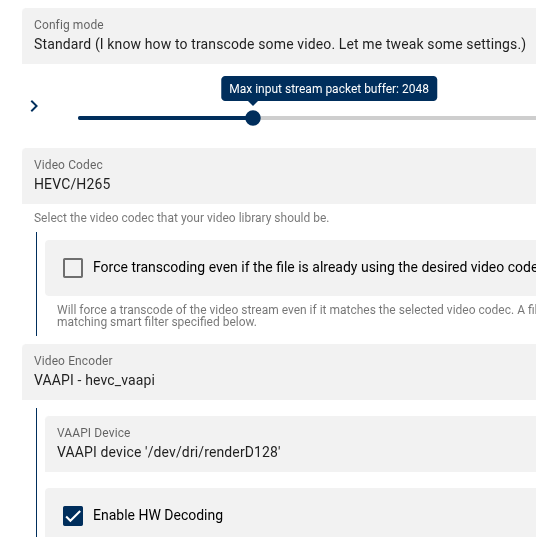
I've been trying to get gpu acceleration working for ages, found others with same problem but no solutions that I can find. My CPU is a 5825U which should support h265 decode/encode and I already pass this through to plex, steam, and immich containers fine. I have the usual extra parameter --device=/dev/dri added, within the container I see /dev/dri/card0 and /dev/dri/renderD128 which is usually a good sign. looking at ffmpeg in the container, it seems to be set up for hardware acceleration showing vaapi at the end of the following command: ffmpeg -hwaccels ffmpeg version 6.0.1-Jellyfin Copyright (c) 2000-2023 the FFmpeg developers built with gcc 11 (Ubuntu 11.4.0-1ubuntu1~22.04) configuration: --prefix=/usr/lib/jellyfin-ffmpeg --target-os=linux --extra-version=Jellyfin --disable-doc --disable-ffplay --disable-ptx-compression --disable-static --disable-libxcb --disable-sdl2 --disable-xlib --enable-lto --enable-gpl --enable-version3 --enable-shared --enable-gmp --enable-gnutls --enable-chromaprint --enable-opencl --enable-libdrm --enable-libxml2 --enable-libass --enable-libfreetype --enable-libfribidi --enable-libfontconfig --enable-libbluray --enable-libmp3lame --enable-libopus --enable-libtheora --enable-libvorbis --enable-libopenmpt --enable-libdav1d --enable-libsvtav1 --enable-libwebp --enable-libvpx --enable-libx264 --enable-libx265 --enable-libzvbi --enable-libzimg --enable-libfdk-aac --arch=amd64 --enable-libshaderc --enable-libplacebo --enable-vulkan --enable-vaapi --enable-amf --enable-libvpl --enable-ffnvcodec --enable-cuda --enable-cuda-llvm --enable-cuvid --enable-nvdec --enable-nvenc libavutil 58. 2.100 / 58. 2.100 libavcodec 60. 3.100 / 60. 3.100 libavformat 60. 3.100 / 60. 3.100 libavdevice 60. 1.100 / 60. 1.100 libavfilter 9. 3.100 / 9. 3.100 libswscale 7. 1.100 / 7. 1.100 libswresample 4. 10.100 / 4. 10.100 libpostproc 57. 1.100 / 57. 1.100 Hardware acceleration methods: cuda vaapi qsv drm opencl vulkan within the settings I see the VAAPI device correctly. But when the transcoding starts it just hits the CPU. No GPU is used at all (according to radeontop). Does anyone have any ideas, or other tests I can run? I can't add a GPU as this is in a little minipc setup, so I need to do the best with what I've got! I just ran a ffmpeg decode to test on the console, and noticed this: Driver does not support some wanted packed headers (wanted 0xd, found 0x1)
-
I'm also getting same error relating to /sys/devices/platform/coretemp.0/hwmon - that path doesn't exist on my unraid server - is there a dependency on something else? OK, I figured it out. I edited (more settings) container and host path (by clicking the edit button to see the expanded dialogue box) to set both to: /sys/devices/platform/it87.2608/hwmon I have the ITE IT87 drivers installed.
