





ndetar
Members
-
Joined
-
Last visited
-
Title says it all. I'm just curious if the ARM support will open up the possibility of running Android/Android TV in a VM without having to rely on an x86 version, and make the process much easier. I know ARM support isn't full implemented, yet just wondering if in the future for the full release if this is something that would be possible.
-
Further modifications are beyond what I am able to help with. You may have better luck posting or searching on the Deepstack forum. Sorry I can't be of much help. From what I can see it seems like the face recognition in Deepstack doesn't support the newer version of pytorch.
-
Glad you were able to figure it out. You might be able to run two instances of deepstack, one GPU and one CPU, and run as much as you can on the GPU one. It would require more configuration in the end but it should lighten the load on the CPU.
-
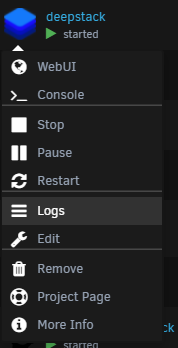
With only one did the logs output the same errors? In extra parameters did you add: --runtime=nvidia Try removing the container image completely and pulling it again, and try the template I made in the app store fallowing the instructions for GPU use. I'm curious what the logs show when you use the template.
-
So if I understand the logs correctly I think that your GPU doesn't have enough vRAM for all the recognition processes you are trying to run. For me, just object detection takes half a gig of vRAM. Try running deepstack in GPU mode with fewer recognition APIs enable. Maybe just try object recognition by its self first and see if it runs.
-
I have been using it with a GPU for a while now and its been working great. Could you provide some additional information such as the log output from the container, maybe a screenshot of your config, etc. It's hard to troubleshoot without more context.
-
I recently ran into an issue I need help troubleshooting. I originally posted in the general support (HERE) but doing some troubleshooting myself I realized it was wireguard causing the issue. I had wireguard setup for remote LAN access only. To summarize when I restart the docker service from the WebUI while wireguard was running all networking on Unraid would break. I wouldn't be able to ping the server from a separate PC and when I tried to ping anything from Unraid it was unable to reach anything. Everything would work fine as long as I didn't try to stop the docker service. I run a windows 10 VM with a GPU passed through and the VM would continue to function normally, it would even still have internet access, but was also not able to to access Unraid in any way. Troubleshooting was kind of a pain because I run Unraid headless (primary GPU is passed through to VM) so when the networking would go down I was unable to see the console (I could plugin a keyboard and blindly run commands, which is how I was able to get diagnostics and cleanly shutdown). I posted the log in my original post. Any help would be appreciated since I would like to have wireguard setup.
-
Both the Nvidia drivers and the vender-reset are working; there were no issues booting up. Thank you so much for your help and hard work, I really appreciate it! If you need someone to test future changes or updates don't hesitate to reach out.
-
I also just tested shutting down and starting up a VM and the gnif/vender-reset seems to be working correctly! The only thing left would be to figure out the Nvidia drivers issue. I have a second Nvidia GPU I use for transcoding. Should I try building the kernel with the Nvidia drivers built in rather than the plugin?
-
So I just booted up without the Nvidia Driver Plugin and it started up with no issues.
-
I use the Nvidia driver plugin and no other modifications. I'll try it again without the Nvidia driver plugin.
-
So I rebuilt the image and tried it again, same problem as before. This time I tried to ssh into the server and was able to grab the syslog, the diagnostics command never completed. I've also attached the log from the build. syslog.txt 2021-01-14_09.16.44.log
-
Here is my syslinux.cfg I've only marked some cores for isolation. kernel /bzimage append isolcpus=3-7,11-15 initrd=/bzroot I agree it is likely the build, I'll be rebuilding it later today and post the log. Thanks for the input.
-
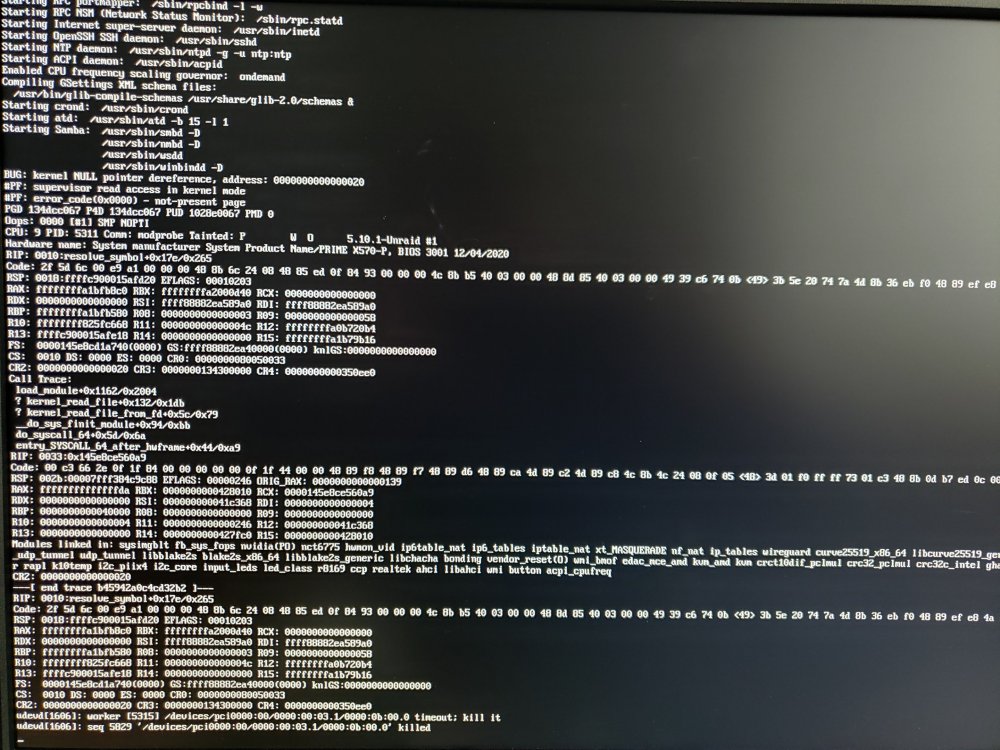
I have a 5600XT. This is my first time trying the gnif/vender-reset (in the past I used the navi reset patch), but when I tried it Unraid failed to startup, it just stopped at this point. I am pretty sure the compile completed correctly, got the usual all done message. More than willing to do more testing/troubleshooting.
-
ndetar changed their profile photo
-
I also had to remove the ":ro" from UDEV. However, I also have an issue where only 4 of my drives are showing up on the dashboard. Edit: I have two controllers in my server and it looks like only the drives connected directly to the motherboard are showing up on the dashboard.



