





elcapitano
Members
-
Joined
-
Last visited
-
Can also confirm everything is working again.
-
My setup is with custom network. Changed to Bridge, and everything is working.
-
Just this morning, I woke up to: 2024-07-05 08:24:21.483430 [info] Host is running unRAID 2024-07-05 08:24:21.509093 [info] System information Linux 9ee71f27f85b 6.1.79-Unraid #1 SMP PREEMPT_DYNAMIC Fri Mar 29 13:34:03 PDT 2024 x86_64 GNU/Linux 2024-07-05 08:24:21.536989 [info] SHARED_NETWORK not defined (via -e SHARED_NETWORK), defaulting to 'no' 2024-07-05 08:24:21.564598 [info] PUID defined as '99' 2024-07-05 08:24:21.658361 [info] PGID defined as '100' 2024-07-05 08:24:21.726102 [info] UMASK defined as '000' 2024-07-05 08:24:21.750883 [info] Permissions already set for '/config' 2024-07-05 08:24:21.783939 [info] Deleting files in /tmp (non recursive)... 2024-07-05 08:24:21.823027 [info] VPN_ENABLED defined as 'yes' 2024-07-05 08:24:21.849435 [warn] VPN_CLIENT not defined (via -e VPN_CLIENT), defaulting to 'openvpn' 2024-07-05 08:24:21.874125 [info] VPN_PROV defined as 'pia' 2024-07-05 08:24:21.908755 [info] OpenVPN config file (ovpn extension) is located at /config/openvpn/xxxxxx.ovpn 2024-07-05 08:24:21.964167 [info] VPN remote server(s) defined as 'xxxxxxx.privacy.network,' 2024-07-05 08:24:21.982392 [info] VPN remote port(s) defined as '1198,' 2024-07-05 08:24:21.999744 [info] VPN remote protcol(s) defined as 'udp,' 2024-07-05 08:24:22.023728 [info] VPN_DEVICE_TYPE defined as 'tun0' 2024-07-05 08:24:22.052279 [info] VPN_OPTIONS not defined (via -e VPN_OPTIONS) 2024-07-05 08:24:22.079941 [info] NAME_SERVERS defined as '8.8.8.8,1.1.1.1' Error: error sending query: Error creating socket Error: error sending query: Error creating socket Error: error sending query: Error creating socket Error: error sending query: Error creating socket Error: error sending query: Error creating socket Error: error sending query: Error creating socket
-
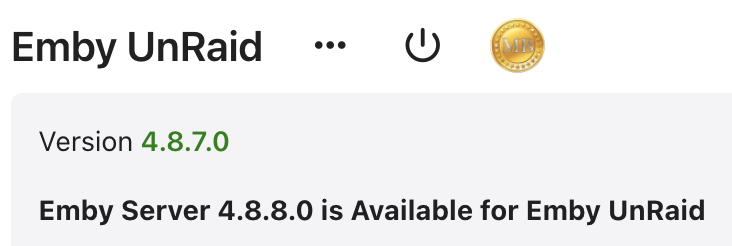
Where do I find the new version?
-
Update from 6.12.6 without stopping the array and ran the Docker patch. 4-5 min total - no issues. Thanks guys.
-
Busy processor. Advanced view in Docker doesn't reveal anything. master-diagnostics-20230705-1406.zip
-
Moving appdata, system and domains libraries to upgrade cache drives
-
I am having the same problem. Startet moving approx 230GB from Cache to Array 8 hours ago. Still 172GB to go 😞 Why is Mover this slow?
-
@ EDACerton Love this plugin - helps me a lot . . THANKS
-
I have the same question . .
-
Yeah, I saw that, but I don't seem to be able to get it working . .
-
Great Plugin. Can files be Taildroped FROM unraid?
-
I travel a lot, and use WireGuard all the time, to connect to my home network, and to surf freely, when visiting China. Is there a way to use Remote Tunneled Access, to gain unlimited Internet access, but without allowing LAN access?
-
Lost contact to the UnRaid WebUI . . Logged in via ssh and ran -> /etc/rc.d/rc.php-fpm restart WebUI came back, so I ran Fix common problems, that identified a Out of Memory issue. Dunno what is going on. I have attached my diagnostic from after rebooting the server. Unable to collect them before the reboot. master-diagnostics-20230102-1757.zip
-
I made a copy of the Ip's, and put in 1.0.0.1 and 8.8.8.8 - All my problems solved

