





Profezor
Members
-
Joined
-
Last visited
-
So is anyone having success with this app? Looks cool.
-
Thanks. There is a problem seeing all the drives I have installed, but this has not been a problem with the docker, only with my storage. So unfortunately, this is not teh current docker problem.
-
Dockers stopped starting All was well and then when I woke up - Docker Service failed to start. Attached Diagnostics. I have appdata backups and such, but hopefully that is not needed. (The fact that unraid can see all my drives is a persistent problem and not the cause of the docker issue.) Thanks in advance galaxy-diagnostics-20240706-1154.zip
-
1.Yes, it certainly would be. Did n't. even think of that 2.I don't know how to find the controller information 3.Attached Thanks galaxy-diagnostics-20240216-1254.zip
-
sorry it is an iPhone image
-
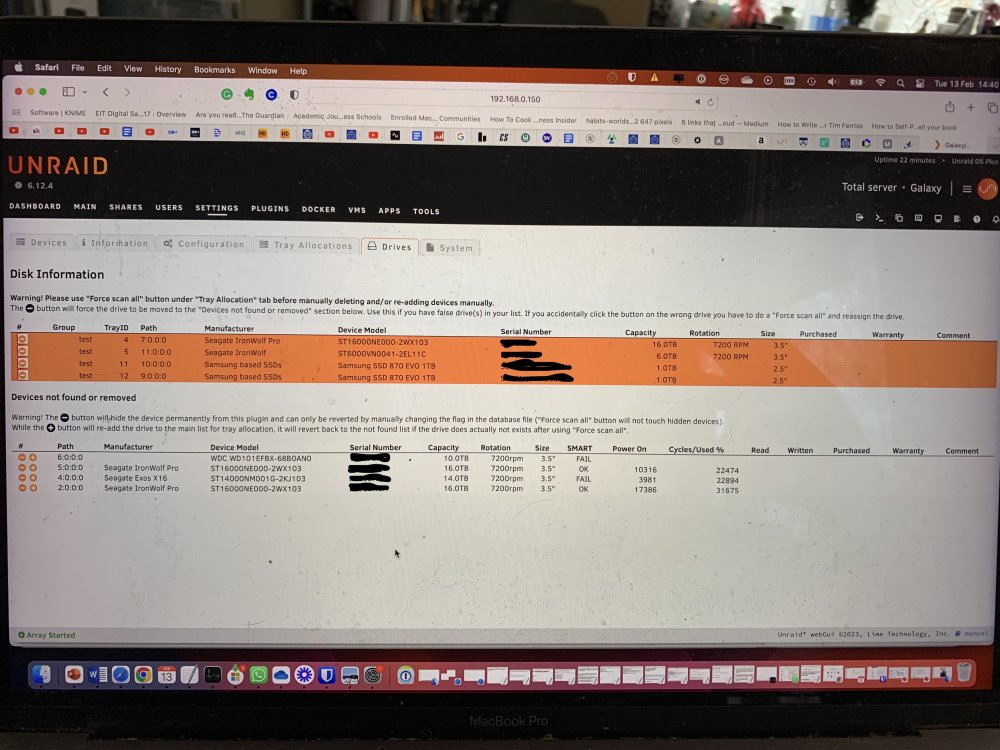
OK here is a bit more info. I added the Disk Location plugin. The two 16 TB Seagate drives (one is data and one is the parity) in the Not Found Section passed the SMART test, so they have power and they both have new SATA cables as well. However, they both don''t show up in the array (or as unassigned drives). Any ideas on how to get them to appear? This is last issue from rebuilding. What I am I missing? Thanks in advance. IMG_7915.HEIC
-
Have not checked the power cables and the motherboard is straight out of the box, which of course does not. rule out a defect. Taking the machine to repair show so they can test everything.
-
No they don't show up in the Bios either, I just see the 2 drives plus the 2 cache drives. It must be a power connection or bios setting or?
-
I will check and get back to you. But at least 3 of 5 were visible after I switched cables, but now I just see 2.
-
Ok, I have made progress. i have all my dockers back. i also changed all my Sata cables with brand new ones, But now the system can’t see three drives. Could it be not the sata cables but the power cables? Or…?Diagnostic attached. galaxy-diagnostics-20240128-1820.zip
-
Thanks. Resolved
-
I made some shares exportable and some not. How now to I get to the invisble shares?
-
any advice with this. one? Given, I am not using my backup usb as it would not boot, I am using a fresh unraid install. So it doesn’t have my old containers. Do you think I could copy the docker templates from the unbootable usb? If so where are the templates and associated files located? if it Docker.man and docker folder within the plug-in folder? Or should I copy over more?
-
Given, I am not using my backup usb as it would not boot, I am using a fresh unraid install. So it doesn’t have my old containers. Do you think I could copy the docker templates from the unbootable usb? If so where are the templates and associated files located? if it Docker.man and docker folder within the plug-in folder? Or should I copy over more?
-
thanks. Cables. so I should probably replace all the SATA cables to be sure? I wasn’t hiding anything. I thought that the two forums would reach different people who would have different perspectives.
