





Linium
Members
-
Joined
-
Last visited
-
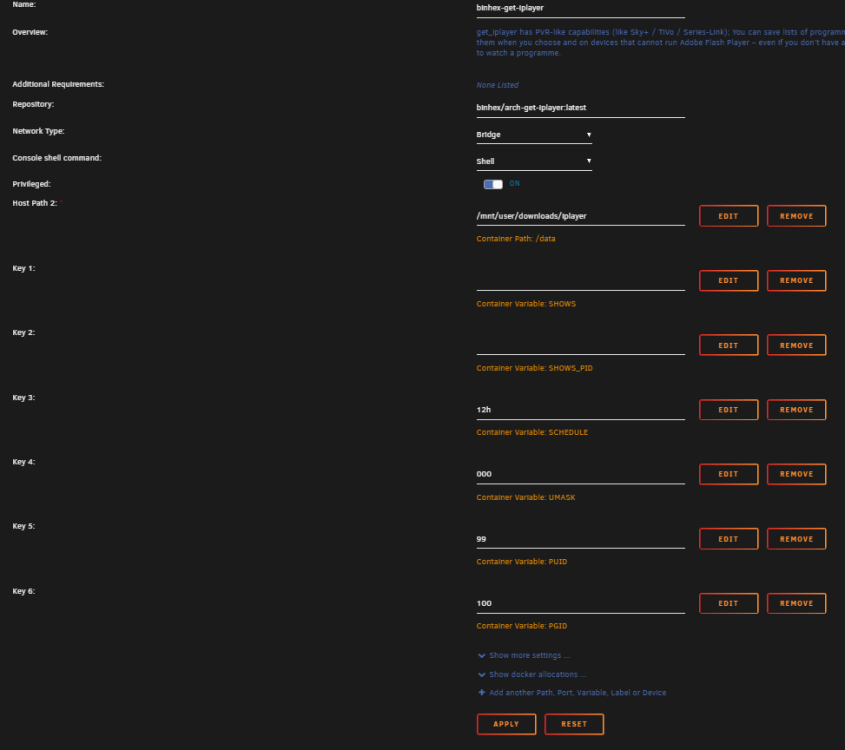
This makes it work for me: get_iplayer https://www.bbc.co.uk/sounds/play/m001whx3 --atomicparsley /usr/sbin/atomicparsley --output /data thanks!
-
Having trouble pulling some radio content down and I have an error with Atomic Parsley. sh-5.2# get_iplayer https://www.bbc.co.uk/sounds/play/m001whsp get_iplayer v3.35 Copyright (C) 2008-2010 Phil Lewis, 2010- get_iplayer contributors This program comes with ABSOLUTELY NO WARRANTY; for details use --warranty. This is free software, and you are welcome to redistribute it under certain conditions; use --conditions for details. Episodes: 6 Music Artist in Residence - The Smile, Thom, Jonny and Tom, BBC Radio 6 Music, m001whsp INFO: 1 total programmes INFO: Processing radio: '6 Music Artist in Residence - The Smile, Thom, Jonny and Tom (m001whsp)' INFO: Downloading radio: '6 Music Artist in Residence: The Smile - Thom, Jonny and Tom (m001whsp) [online]' INFO: Downloaded: 150.97 MB (01:00:04) @ 25.70 Mb/s (hlshigh1/bi) [audio] INFO: Converting to M4A WARNING: Required AtomicParsley utility not found - cannot tag M4A file What have I done wrong?
-
Thanks, I will try that.
-
unRAID Server OS version 6.10.2 IPv4 address: not set ETH 0 not found seems to be the issue but I am unable to solve this. Server is set to dhcp and has 2 inbuilt nic cards (DELL T340 tower) Logs attached, any help greatly apricated. atlas-diagnostics-20220530-1124.zip
-
Thank you very much.
-
Is there a way I can add a new database to Influxdb?
