FoxyNC
Members
-
Joined
-
Last visited
Everything posted by FoxyNC
-
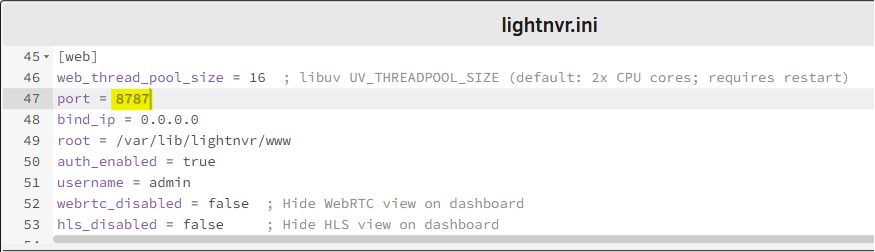
Same issue here with the Web port not working after initial setup. I had to change the value in the lightnvr.ini file and then it worked. In my case I set it to 8787 because port 8080 was already taken by another app. Are you guys able to auto-discover ONVIF cameras? I always get the "Error discovering ONVIF devices: Not Found" error message whenever I try to discover cameras, both set to "auto" or my actual CIDR.
-
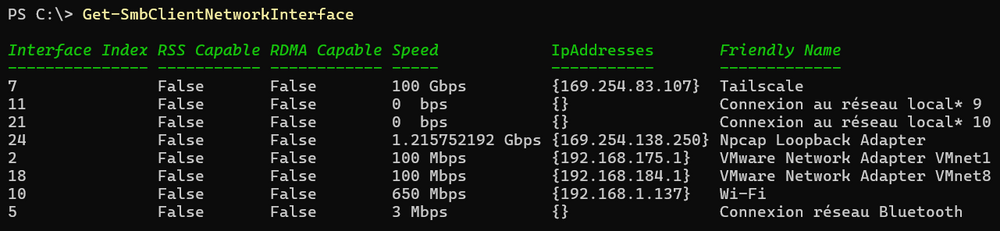
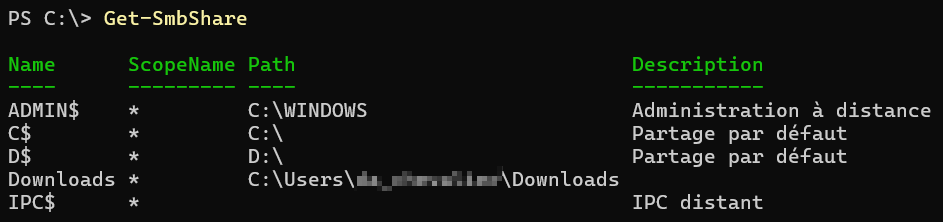
Thanks for the findings. These commands might be helpful too: Get-SmbClientNetworkInterface Get-SmbShare
-
This is a very old topic and you might have found a solution by now. For the others still wondering, SMBv 1 is deprecated by Microsoft OSes and is disabled by default on newer versions of Unraid. Moreover Guest/Anonymous shares are not permitted anymore in last versions of Windows 24H2: New Windows changes may result in loss of access to Public shares There are workarounds but as a best security practice I would recommend creating a user credential as mentioned in the release note above. Or use a command-line : cmdkey /add YourUnraidServerName /user:YourUnraidUser /pass:YourUnraidPassword Or even PowerShell script : $Unraid_SMBUsername = "YourUnraidUser" $Unraid_SMBPassword = ConvertTo-SecureString "YourUnraidPassword" -AsPlainText -Force $Unraid_SMBCred = New-Object Management.Automation.PSCredential ($Unraid_SMBUsername, $Unraid_SMBPassword) Install-Module -Name TUN.CredentialManager -Scope AllUsers -AllowClobber -SkipPublisherCheck -Force -AcceptLicense -PassThru -Confirm:$false Import-Module -Name TUN.CredentialManager New-StoredCredential -Credentials $Unraid_SMBCred -Target "YourUnraidServerName" -Type DomainPassword -Persist LocalMachine
-
Je suis du même avis que toi. 😊 Voyons ce que les autres en pensent.
-
Hi @SpaceInvaderOne, The icon URL in your template is broken : https://shinobi.video//libs/assets/icon/apple-touch-icon-57x57.png You can use this URL instead from their Website: https://shinobi.video/assets/img/favicon.ico Or this one for the original GitLab project: https://gitlab.com/uploads/-/system/project/avatar/6947723/mstile-150x150.png?width=48
-
Ok donc les termes Matrice et Grappe semblent plus indiqués. Il faut aussi garder à l'esprit que le terme francisé se retrouvera tout seul, sans contexte... ou pas 😁 On peut aussi dire qu'on traduit systématiquement Array par Matrice de disques / Grappe de disques... mais il me semble plus judicieux de ne conserver qu'un seul mot. Alors Matrice ou Grappe, ou... ? PS: dans la traduction espagnole ils ont gardé le terme Array 😅
-
Je n'arrive pas à trouver d'autres traductions que celles-ci : Baie de disques Groupe de disques Matrice de disques Par exemple si on souhaite traduire la phrase "Start the Array" je trouve que le meilleur terme serait "Démarrez la Matrice". Baie et Groupe étant trop "génériques" à mon sens. Qu'en pensez-vous ?
-
Bonjour à tous, Ayant contribué à la traduction française d'une partie de l'interface Web de Unraid, j'ai été amené à traduire à quelques reprises le terme "Array" par "Baie" (baie de disques). Cependant je me demande si le terme "Baie" est vraiment adapté. Il faudrait tout de même arriver à traduire "Array" par un terme français. Mais avant de remplacer "Array" dans toutes les traductions j'aimerais l'avis de la communauté afin d'être sûr que cela fasse consensus 😊
-
Hi, I think it would be nice to advise people that a DB and a user must be created (ie with phpmyadmin) before installing this container. Question: could you explain me how to upgrade Dolibarr to version 20 since this container seems "outdated" (version 19)?
-
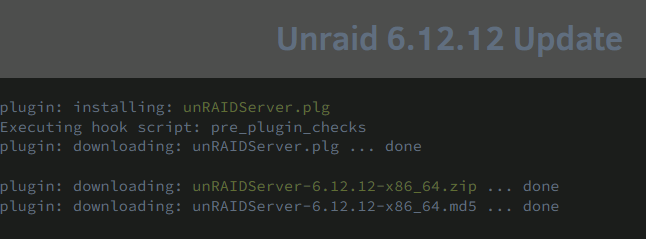
Thanks for that new release. Update from 6.12.11 went smoothly. Something weird I'm trying to figure out is when downloading the "https://stable.dl.unraid.net/unRAIDServer.plg" file it still shows version 6.12.10 🤔 During the update it does seems to download that same unRAIDServer.plg file though. Maybe not from the same link? So what would be the up-to-date URL for unRAIDServer.plg file?
-
Have you managed to find a solution?
-
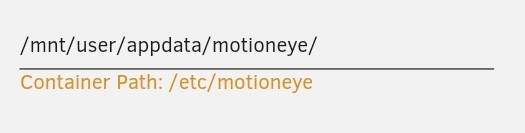
I remember also having a bad time making this container to work. Oddly I managed to start it by using small caps in paths:
-
Can you show the settings of your container?
-
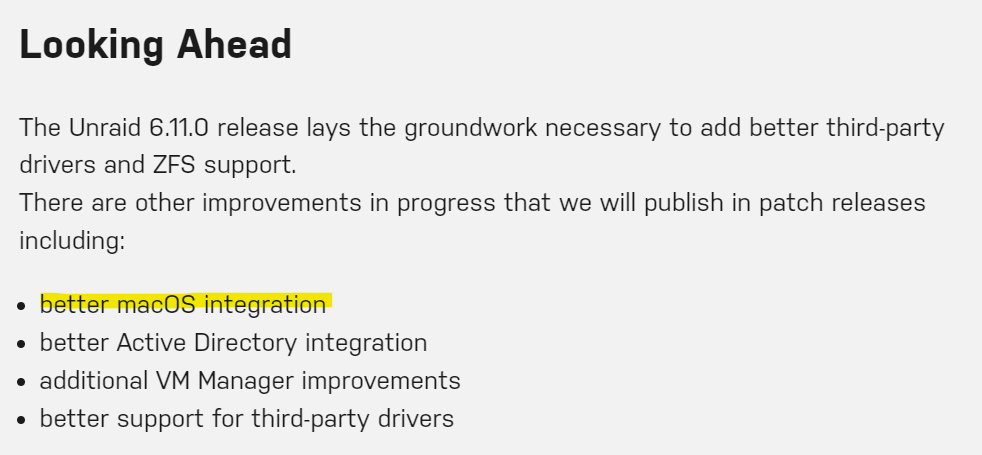
Je ne sais pas si tes problèmes sont résolus avec le SMB mais la version 6.11 de Unraid intègre la version 4.17 de SAMBA avec une augmentation des performances. A tester donc. Voici le changelog de la version 6.11 : Unraid 6.11.0 Stable Now Available Samba has also been updated to version 4.17 and we're seeing some significant performance increases. Mais les prochaines MAJ de Unraid vont également apporter une "meilleure intégration avec MacOS". Je croise les doigts pour toi
-
Curieux de voir tes retours de benchmark. J'utilise le plugin "VM Backup" qui copie les vdisks et config XML des VMs mais dans le cas d'un disque en passthrough je ne sais pas comment il va sauvegarder le dsique de la VM... Est-ce que tu as pu tester ?
-
Not sure you can achieve it that way since Tailscale creates a tunnel from the container itself, not the host... but I can be wrong. I guess you'll have more chance using the VPN Manager integrated into the last versions of Unraid.
-
I had to delete and reinstall the container and it works now. Thank you🙏
-
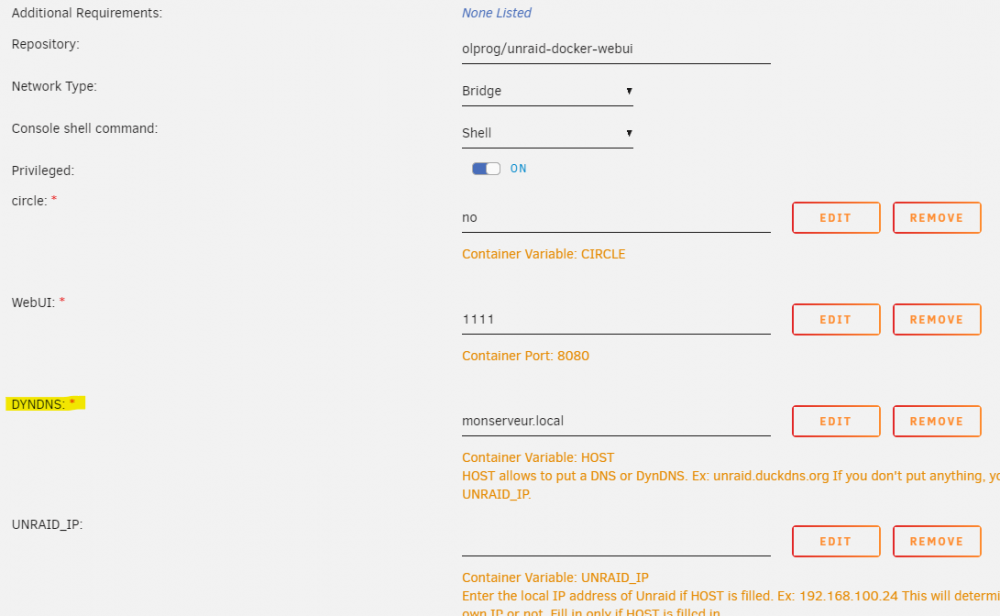
Strangely the DYNDNS variable seems mandatory on my setup (fresh new):
-
Just enable 2FA on your Google account and it will be active whenever you need to log into it. It's not specific to one external app.
-
I would suggest creating a dedicated email address for this specific use. That would limit the risk. In my case I use Microsoft authentication with 2FA when connecting to Tailscale so it's more secure. You can do it with Google too.
-
Since this fix has been integrated to version 6.10 RC4 it is now FIXED
-
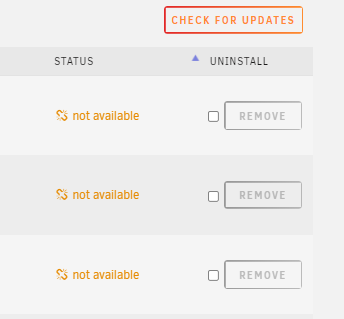
Since version 6.10 RC... I've noticed troubles updating plugins, docker containers and OS using the GUI. I'm getting a "not available" error message each time. Same issue reported with Docker containers here : https://forums.unraid.net/topic/108643-all-docker-containers-lists-version-“not-available”-under-update/ The "CA Auto Update Applications" is working fine though so it was not a big deal but still, annoying. I could't find any answer on Google nor this forum so I started digging and found what seems to be the culprit. The script /usr/local/emhttp/plugins/dynamix.plugin.manager/scripts/checkall implements a connectivity test trying to reach http://www.msftncsi.com/ncsi.txt but fails to do so : ... // check connectivity first echo _("Checking connectivty")."...\n"; if (exec("wget --spider -nv -T10 -t1 http://www.msftncsi.com/ncsi.txt 2>&1|grep -o 'OK'")) { $check = popen('plugin checkall','r'); while (!feof($check)) echo fgets($check); pclose($check); } else { echo _("No response, aborting")."!\n"; } ?> Running the command below shows the error The fix is quite simple, at least for manually updating plugins through GUI: try reaching using HTTPS instead of HTTP and ignore the certificate Now we get the "OK" response which will make the script work again. Still trying to figure out where to fix the docker update through GUI...


-
I guess you need to start the command like this : ./tailscale up...
-
I couldn't find that information but I saw you can share a device with your Tailscale network to another user. That user will only have access to that specific device you shared. And that works with the personal free plan.
-
Any plan on getting this container (version 0.42) updated with the last version 0.42.1 ?