






scolcipitato
Community Developer
-
Joined
-
Last visited
Everything posted by scolcipitato
-
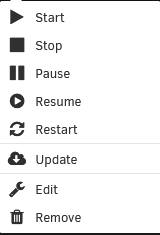
The remove button should be in the menu of the folder. If you don't see it, check the browser console for errors.
-
Implementing this would be hard, the plugin is coded to run on the client side, so checking container status is possible only through the docker API. As you mentioned you can use script, the plugin support running custom script from the user script plugin. I think the scripts are a better way to implement this kind of stuff, as it gives the user the flexibility to run everything. If you need help building scripts, feel free to reach me in DM.
-
What I can see is that the "[IP] is being replaced with an empty string, this should not be possible, the only way for it to be possible is because the server don't see a driver for that docker network, I'm not sure but maybe in the PHP logs you can find an error (Tools > PHP Settings), either way I need the debug file (first port for instruction).
-
I pushed a fix for everything you reported, update the plugin and you should be fine.
-
WebUi link is obtained from the docker template, and not the label, I'll fix it as soon as I have time.
-
My code generate an error (GET https://10.0.0.77:81/undefined), but what I think it is causing the issue is the error above, the CreateDocker. I don't make that request, so I don't think my code is causing the issue, but I'll gladly help. You should be able to expand the error with the arrow beside it, then click on the button (stack), you should be able to see what plugin (or maybe the standard WebGui) is causing the error. What I can suggest is try to take a look at the PHP logs in the Tools > PHP Settings, so you can pinpoint the issue.
-
The latest version didn't change much in the code, for this I need a screenshot of the browser console (here on in DM).
-
The unlock button is in the toolbar on the docker page (green padlock).
-
Long time since last update, but I found a bit of spare time, I implemented the ability to see the output of the scripts (if enabled in the settings) and added the translation for the description on the plugins page.
-
If I remember correctly, that field takes the content of the README.md file inside the actual plugin folder (this), so it might be possible to add a script tag and load the translation to change the text. The question is, is it worth the effort?
-
Here is my answer, if you need any help with my plugin please post there, I tend to be more active there because I have notification active for that thread.
-
I'll respond here and link this post there. To see the order, you have two way: cat /var/lib/docker/unraid-autostart Paste this in the unraid terminal and you will see in what order the container will start. Object.values(JSON.parse(await $.get('/plugins/folder.view/server/read_info.php?type=docker').promise())).filter(el => !(el.info.State.Autostart===false)).sort((a, b) => {if(a.info.State.Autostart < b.info.State.Autostart) {return -1;}if(a.info.State.Autostart > b.info.State.Autostart) {return 1;}return 0;}).map(el => el.info.Name); Paste this into the browser console, this is exactly the code that the plugin runs, so if there is a problem you will likely encounter this. Then take a look at your container on the docker page, yes even container inside folders, then if the order you see don't match what you got this is the issue. As I said in the post on that thread, you have to reorder, not the container inside the folder, but something in the docker page. Here is an example. 20231022-2320-49.9623986.mp4 Note: that in some cases you may not see all the containers inside the folder just in the preview. If you want to check, you can either expand the folder and check that by running this command in the browser console. $('.ct-name .appname').map(function() {return $(this).text()}).get();
-
You can reorder folder in the docker page like containers, unlock the padlock then drag and drop, for the containers inside the folder, you can do that in the editing page just by dragging and dropping the containers.
-
I'm out of ideas, I don't really know what is not working with chrome.
-
Fixed it, I don't know why but the browser didn't like the paragraph, so it closed it before the first list, replaced with a span and now it works. If you want to, I can add you on GH as a contributor, so you can commit whenever you want.
-
If you want you can use the API that my plugin use, just write your code or use an external service, and you are done. Bear in mind that unraid require a csrf_token you can get it by opening the console then paste csrf_token, then you got it. Just to warn you if you want to get down this route, the response may seem confusing, for the most part is just a plain copy of the docker API. If you want to check the code, you can do it here.
-
It depends on the type of implementation you want, with the current status of the plugin you get events only for containers that are inside a folder, and the code run on the browser. This means you can't track changes in status if you don't have the page open, and you don't refresh. Speaking of other limits, I don't think you can send emails with JS from your browser, for discord you can use webhook. tldr you can integrate everything that have some sort of HTTP API, the rest I don't know, and even with this you have to store data persistently in your browser (nothing wrong with it, but I find it a bit inconsistent). I don't think I will never do it, as you said, there are other ways to monitor the container status.
-
I may have spotted the problem, when I have time I will fix it, it shouldn't be that difficult.
-
You have to use the resume button for that, the start button will only work for stopped containers.
-
This is intended behavior, docker recognize paused containers as started, and I only check that, not the paused state. I did this way because there is no clear way to tell in one line that, for example, 2 containers are started and 1 is paused, and you can't just flag them as stopped because they are not. They should be recognized as paused because I will not check the folder but the containers individually, so if the started state and the paused sate is detected it will resume the container (the code for that). This is hard to catch for me, I use Firefox, and it seems that Firefox don't have these problems. I make test on chrome but very limited and to major functions, so when I have time I will look into that.
-
Great, I made an update to include that.
-
The current translations are English, Italian, German. If you want to translate, check the first post for instructions.
-
New version out with some various fixes for the custom actions. I'm sorry if this took this long, but I have other project to make and didn't have time to do much.
-
This is a bug, I need the debug file (first post for instructions).
-
In the add/edit page, you can drag and drop the containers.


