





BTPBen
Members
-
Joined
-
Last visited
-
Worked perfectly!
-
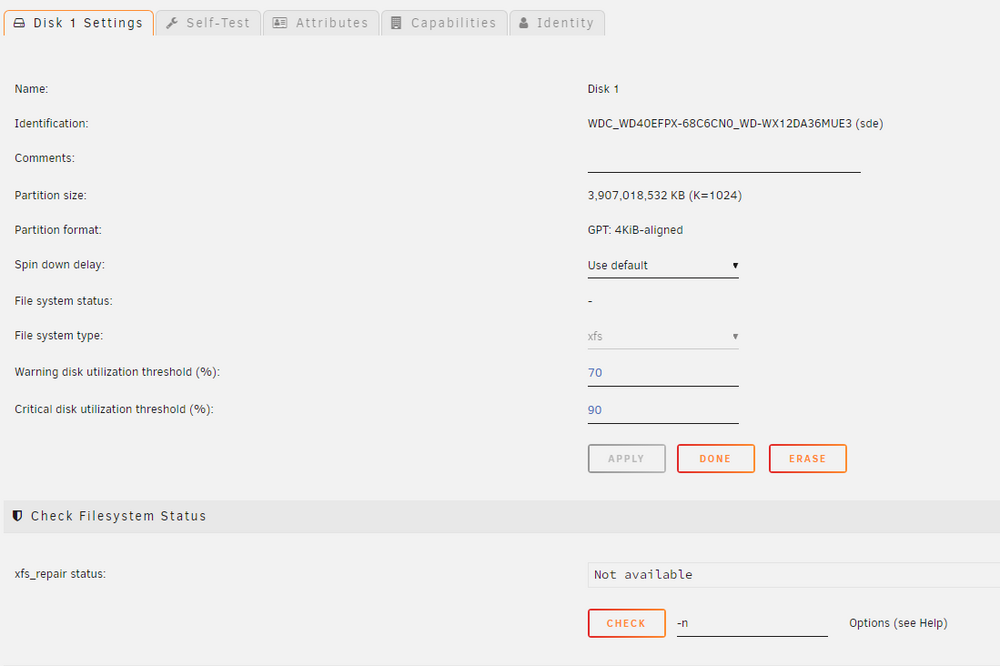
Okay, I see my confusion: I got confused by the instructions in "checking and repairing" because I was trying to read it all before doing anything. Ran the repair with the -n, then tried to run it with no options. Edit: Here are the results of the -n run: Phase 1 - find and verify superblock... Phase 2 - using internal log - zero log... ALERT: The filesystem has valuable metadata changes in a log which is being ignored because the -n option was used. Expect spurious inconsistencies which may be resolved by first mounting the filesystem to replay the log. - scan filesystem freespace and inode maps... - found root inode chunk Phase 3 - for each AG... - scan (but don't clear) agi unlinked lists... - process known inodes and perform inode discovery... - agno = 0 - agno = 1 - agno = 2 - agno = 3 - process newly discovered inodes... Phase 4 - check for duplicate blocks... - setting up duplicate extent list... - check for inodes claiming duplicate blocks... - agno = 0 - agno = 2 - agno = 1 - agno = 3 No modify flag set, skipping phase 5 Phase 6 - check inode connectivity... - traversing filesystem ... - traversal finished ... - moving disconnected inodes to lost+found ... Phase 7 - verify link counts... Maximum metadata LSN (1:281984) is ahead of log (1:281875). Would format log to cycle 4. No modify flag set, skipping filesystem flush and exiting. and without -n Phase 1 - find and verify superblock... Phase 2 - using internal log - zero log... ERROR: The filesystem has valuable metadata changes in a log which needs to be replayed. Mount the filesystem to replay the log, and unmount it before re-running xfs_repair. If you are unable to mount the filesystem, then use the -L option to destroy the log and attempt a repair. Note that destroying the log may cause corruption -- please attempt a mount of the filesystem before doing this. I am thinking at the point since it's "unmountable" when I start the array I should just run with -L?
-
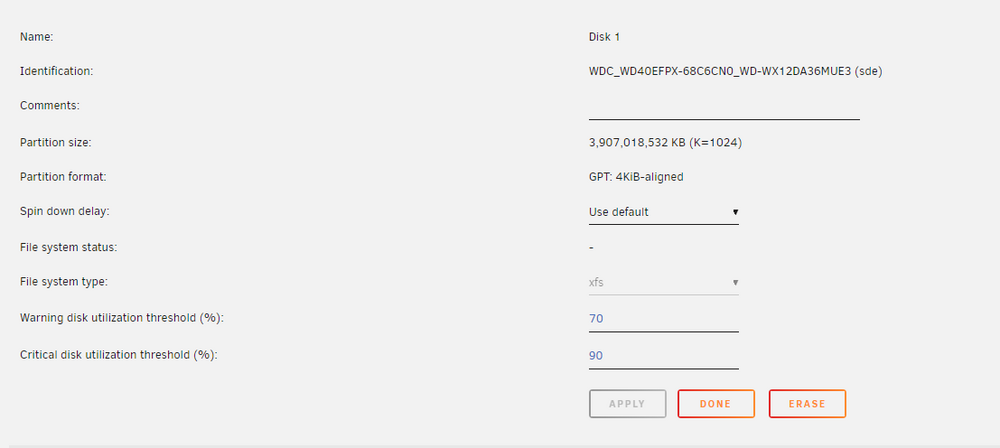
Thank you, my File system type says xfs but I don't see an mdX xfs_repair -v /dev/mdX should I use sde instead of mdX? xfs_repair -v /dev/sdX1
-
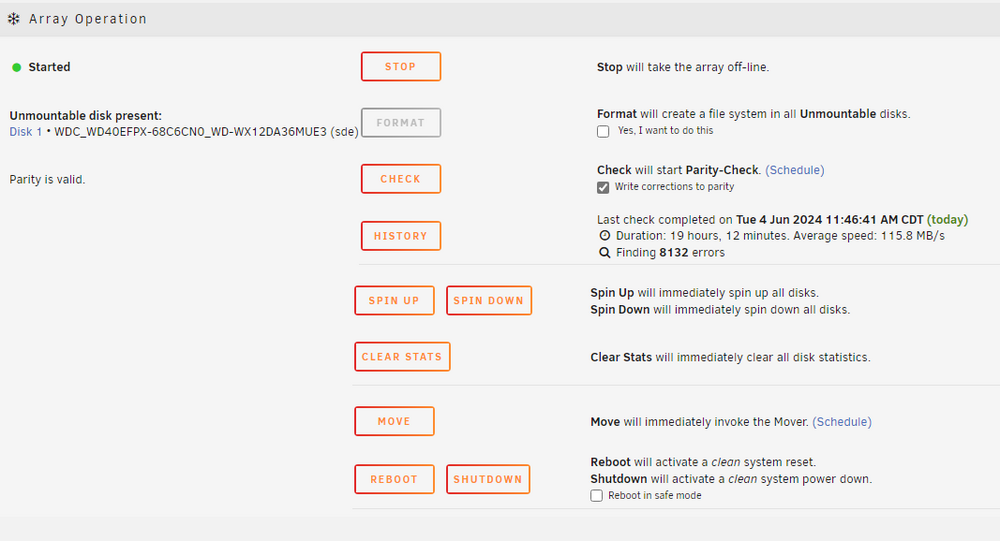
My Disk1 on my Array started acting up the other day. I am not really sure the precursor. But now it is showing up as an Unmountable drive. When I start the array I only get an option to Format the drive. I really don't want to lose all the data on my drive again. I've tried restarting the array in Maintenance Mode and I have run a parity check which came back 8132 errors so, I am kind of hopeful the data is still there. I am just not sure how to recover at this point. And my brain just said 'if the drive wasn't working and I left "write corrections to parity" checked all my disk1 data is gone isn't it?
-
Thank you! this solved my issue. I am having some other array issues, but I think I am going to plan to get a new MOBO, new SATA cables and maybe a new case entirely. It might be time to retire the 20 year old NZXT phantom.
-
I've seen a few threads on this, but I haven't seen any resolution. I have the "Docker Service Failed to Start" and the following messages on repeat in my Logs Jun 1 19:50:11 TheForge unraid-api[29186]: ✔️ UNRAID API started successfully! Jun 1 19:50:12 TheForge unraid-api[29186]: ⚠️ Caught exception: connect ECONNREFUSED /var/run/docker.sock Jun 1 19:50:12 TheForge unraid-api[29186]: ⚠️ UNRAID API crashed with exit code 1 This started after I installed a new CPU cooler, All my disk are showing good. I have been getting some weird sata errors lately and I am wondering if I am having MOBO problems. I don't want to go changing things 'hoping' so I came here looking for some help and guidance. Diagnostics Attached. theforge-diagnostics-20240601-1947.zip
-
Would it be possible to create an Empyrion - Galactic Survival Docker? Here is a link to someone who built one using WINE: https://github.com/BitR/empyrion-docker
-
Thank you sir, that solved my issue.
-
I am trying to get mining started I keep getting the error below: 20210310 01:19:20 Using protocol: stratum3. 20210310 01:19:20 Extranonce is set to: a9 20210310 01:19:20 Authorizing... 20210310 01:19:20 WARN: failed to stratum2-authorize on kp.unmineable.com:3333: { config -backup.json
-
Hey, wondering if anyone can help. My MongoDB docker might be installed to my cache and I want to ensure the database files are going to the array. I assume I could just create a share that doesn't use the cache then change the storage parameter in my mogod.conf to aim at a folder in that share. Then I would stop mongodb, move the *.wt files to the new share. storage: dbPath: journal: enabled: true would I just configure storage: dbPath: /mnt/user/<databaseshare>/<mongodb>/ journal: enabled: true
-
I want you to know my Valheim server has been rock solid and my friends and I are loving it. Thank you sir!
-
Followed the guide, found out that my ISP is what's blocking port80 and SWAG won't work if I setup a dynu port redirect to something like 40080. So I guess I will never get a certificate
-
That's what I can't seem to figure out what's blocking the connection. Based on the line below. If I open the UnRaid terminal should I be able to telnet to port 180 on the UnRaid server and get a response from SWAG before I get a certificate? telnet 192.168.0.xxx 180

-
So, at this point I am trying to figure things out. In my router I have configured port 80 and port 443 to forward to my UnRaid server on ports xx080 and xx443 which are the same ports on my SWAG configuration. I am getting timeouts try to renew my expired cert. I tried to telnet into unraid on xx080 and it tells me it cannot open a connection. If I can't establish the connection to the SWAG container how can I renew my cert?
-
but shouldn't I be about to access https://abc.def.ghi.jkl:xx443 even if the cert isn't any good?



