





AndiAUT
Members
-
Joined
-
Last visited
-
Thanks both of you. I think it was the RAM. I ran a memtest which failed so I checked every stick and it seems one of them is faulty. Will use three sticks for the time being, because of the insane prices currently. In the next days I wont be able to do a full run, so it will be a while until i can try preclearing the disks again, or I will just yolo it and add the disks. Thanks again!
-
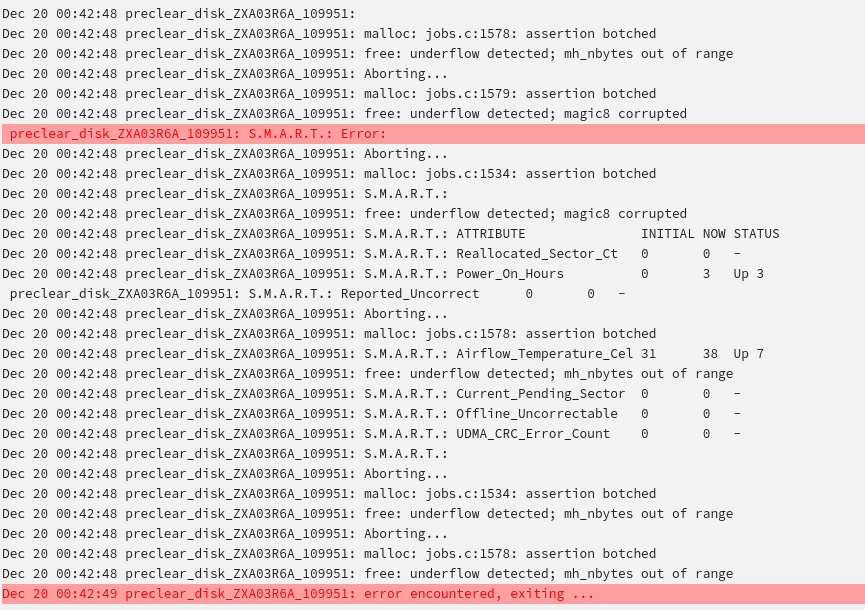
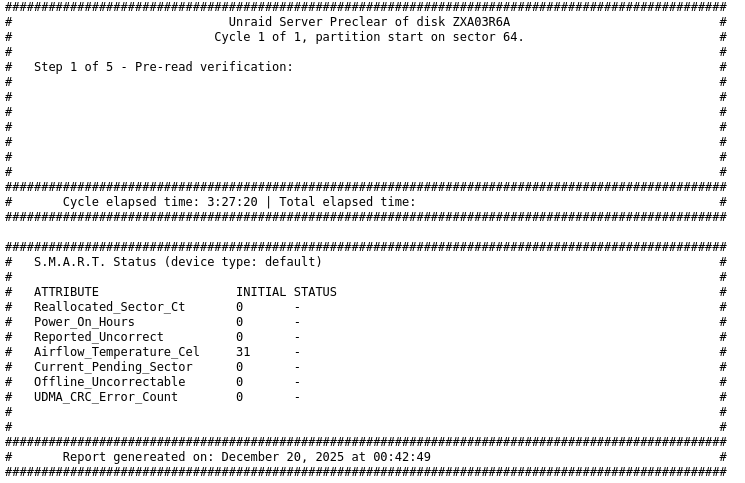
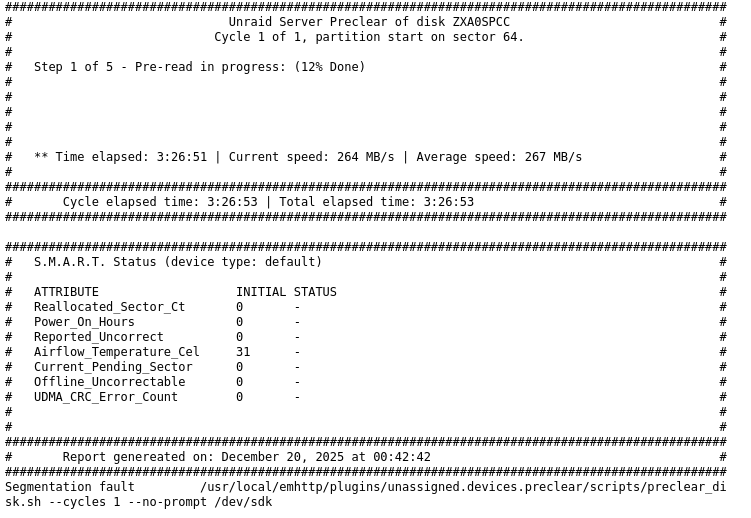
Hi! I recently got two refurbished/recertified 26TB Seagate drives and started a default preclear run on them. One had an error and the other looks like it's still running in the GUI but seems to have also stopped, since the report hasn't updated in the last hour. Unraid Version 7.2.1 Disk 1 - error Disk 2 - warning Any idea what the problem might be?

-
You could set it in the conf file, but you can also set it in the GUI. It's in the advanced peer settings of the tunnel.
-
I'm not using PIA but when I moved from Mullvad to ProtonVPN I just imported the file they provided and while the connection worked, my docker containers behind the vpn lost the connection from time to time. You might have already tried it, since in hindsight it seemed obvious, but what worked for me was to set a persistent keepalive of 20 seconds. Didn't think of it at first, because it didn't look like the actual connection itself was lost and when I manually made some search queries inside the docker containers it worked again for some time.
-
This would be ideal, but why do I get Mullvads DNS if I use the dns parameter (tried it with 1.1.1.1, same result) and my ISPs DNS without the parameter? I would normally expect to get Mullvads DNS with and without the extra parameter set, if it the parameter does nothing.
-
First of all, thanks for this feature, it was the only thing Unraid lacked for me. I upgraded to RC7 and was able to use two tunnels at the same. One for all the Docker containers that go through Mullvad and another one that connects Duplicati to a Raspberry Pi in another location for backups. That's all I ever wanted and now I can finally do it without additional Wireguard Docker containers. After I testet that everything worked, I tried to figure out which DNS the containers connected to Mullvad use. So I installed the linuxserver firefox docker and also connected it to the Mullvad tunnel. The results were the same as described in the last few comments: It always uses the Unraid DNS which is the one set in my Router, regardless of what is set in "Peer DNS Server". So I tried to use "--dns=8.8.8.8" as extra parameter in the firefox docker container. I figured if use this parameter and go to https://www.dnsleaktest.com/ i should see the nearest Google DNS after a Standard test, but instead I see the DNS that Mullvad would use if I used the Mullvad PC app. As if the --dns setting deletes the Unraid DNS setting for that container and so it reverts to the Mullvad DNS. I even made another tunnel with a different config file for another country, with the same result. Am I doing something wrong and how can I make sure that I don't use my normal DNS which Unraid uses?

