Splash
Members
-
Joined
-
Last visited
Everything posted by Splash
-
Hi!, I did use the boot initrd option, which seemed to have helped. nvme_core.default_ps_max_latency_us=0

-
Hi, I seem to have fallen victim to the same ill fate. Woke up this morning to find the server unresponsive. I had to force a reboot for the OS to come back online.
-
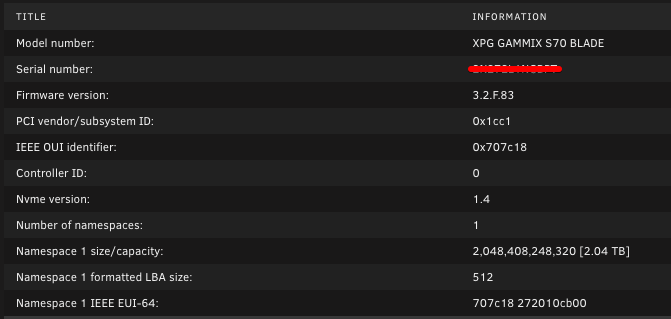
I dont have the drives (I have in RAID1 BTRFS) being dropped by the UnRaid OS, but I do see a lot of these in my dmesg logs. I am also going to try the kernel option to see if it helps. [320250.699810] nvme 0000:03:00.0: VPD access failed. This is likely a firmware bug on this device. Contact the card vendor for a firmware update [320250.829812] nvme 0000:06:00.0: VPD access failed. This is likely a firmware bug on this device. Contact the card vendor for a firmware update
-
Issue is that the app is trying to user a UID and GID of 13001:13001 instead of 99:100
-
Awesome, appreciate the consideration! I guess you are right...
-
Probably as I cant duplicate the error now that its updated the files. Any thoughts on adding the option to modify the mount attributes?
-
Is there a way to sync data between servers using luckybackup over rsync in only one direction. Currently it's doing it in both directions
-
Let me give it a go with a manual mount 1 option at a time to see which one is triggering it. Thanks for the help!
-
There is no warning provided within unraid, the docker app is reporting that it is unable to set a modified time... Is there an option to set the mounting attributes? Eg remove ,default_permissions,noatime etc
-
Here you go with no disk currently mounted... Note: I am using FreeFileSync container to sync between the array and a NTFS mounted disk. vault-diagnostics-20230907-1248.zip
-
I have a disk mounted using the plugin to sync backups to for off-site storage. With the current mount attributes it is proving a warning due to not being able to update the file modification time. (futimens). Mounted through the plugin: /dev/sdm1 on /mnt/disks/Primary type fuseblk (rw,nosuid,nodev,noatime,user_id=0,group_id=0,default_permissions,allow_other,blksize=4096) Mounted through the cli using defaults: /dev/sdm1 on /mnt/disks/test type fuseblk (rw,relatime,user_id=0,group_id=0,allow_other,blksize=4096) Mounting the disk through the CLI works with no errors or warnings. Is there a way to change the attributes when mounting a disk (ESATA in this case) for example to allow for the modification of the file times?
-
It was suggested to install the "docker update patch" plugin which resolved the issue.
-
I see there is a new version of HomeBox but UnRaid is reporting "not available" in the list of containers when checking for updates. The repo url seems to still work.... Am I the only one with this issue?
-
I found the renaming my Sandisk 16Gb Cruzer Fit USB Flash Drive to UNRAID while the creator was running did the trick. A note the creator was last updated in May 2019. Even running the creator as Administrator made no difference on my windows 10 PC. Deleting Partitions etc also did nothing to solve this issue.