nicolas246
Members
-
Joined
-
Last visited
-
Hi, The IP address was not the problem, it must have been something I did wrong in Maria DB as you said. I uninstalled Maria DB, then wiped it using cleanup Appdata, after that, the installation worked fine. Thx, Nicolas
-
Hi, I am trying to install Nextcloud, following the Spaceinvader one video: I have an issue trying to install, I am stuck at 8:35 The error i get in Nextcloud is: SQLSTATE[HY000] [1045] Access denied for user 'nextcloud'@'172.17.0.1' (using password: YES) I think, the issue is that on my server, the Maria DB docker is on 172.17.0.9. and thus is not looking on the right IP. I dont know how to tackle this, any suggestions?
-
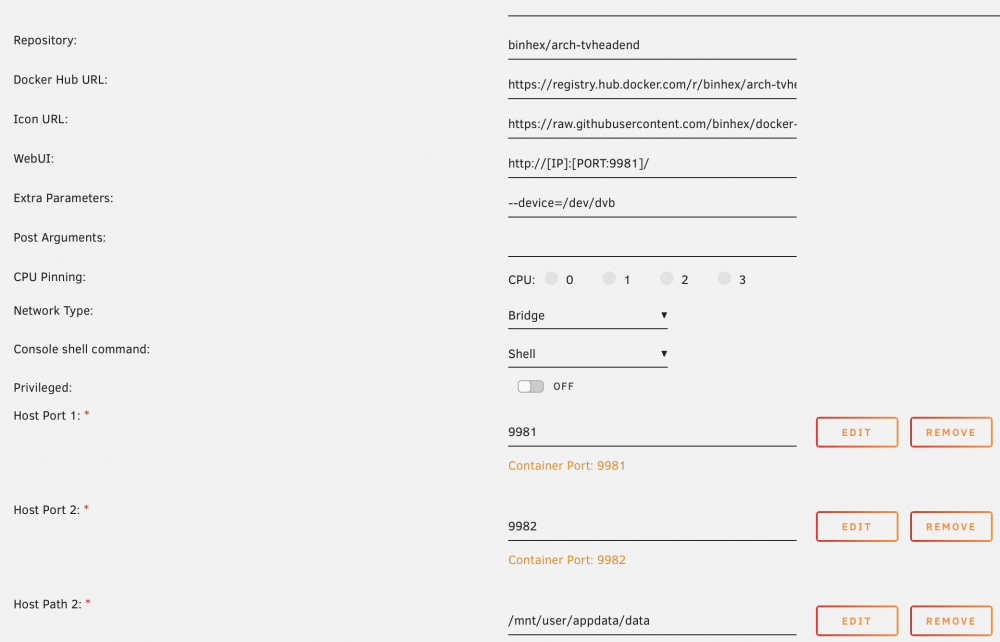
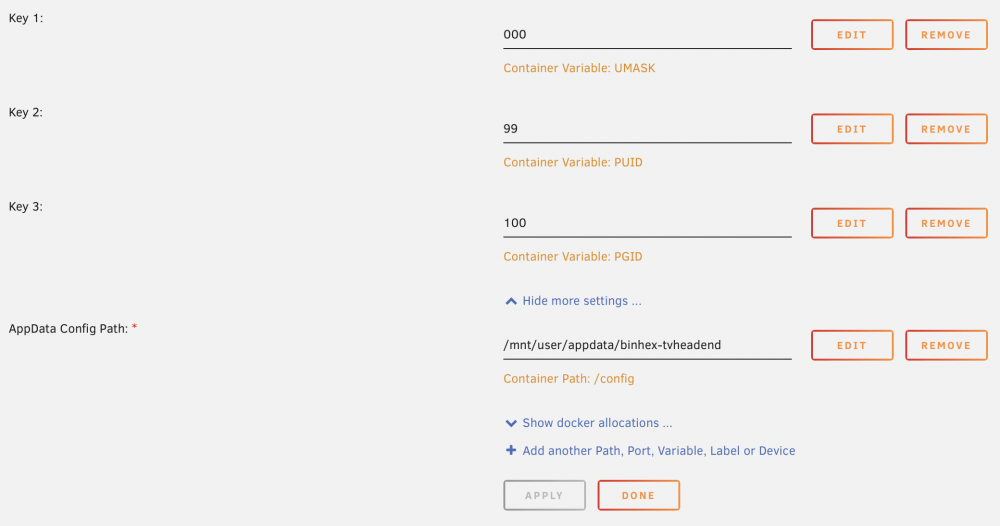
Hi all, I cannot get the application to start: docker: Error response from daemon: error gathering device information while adding custom device "/dev/dvb": no such file or directory. I have no tuner card, I want to get my IPTV stream onboarded in Tvheadend so I can connect Kodi to it. Not even sure if this is the right way to go about it.
-
SUCCESS!!! What I Did is the following: Uninstalled the my servers plugin, reinstalled it, to fix the automatic reloading of the Unraid OS in the management. Then I was able to log into my server (top right) then able to turn on SHH. I also update the DNS record. After running this command rm -rf /boot/config/ssh rm -rf /boot/config/ssl powerdown -r The server didn't boot correctly, I manually rebooted again. Now I can log in normally. Thank you for the support. Kr, Nicolas
-
Hi, Small update, I have reinstalled the Myserver plugin and now I can stay logged in and change the settings. I was able to update DNS, which didnt do much. Turned SSH on and will try your commands Kr, Nicolas
-
Hi, So, Issue number 1, i cant SSL into my unraid server, as us SSH, use telnet, use UPnP is set to NO. When i connect to the GUI, to go to Settings, management access, then i cant change anything as the page keeps reloading. In the top right hand corner is keep seeing Sign in, then it reloads and i see that i am logged in. Back and forth, about every 1.5 seconds. Meanwhile i cannot change a single setting on the page. This happens only in the management access page. the rest of the settings works well. I deinstalled the my server plugin and rebooted, no changes, same behaviour. What do i do? Kr, Nicolas
-
Hi, Thank you for the help so far, I will try tonight. I don't think it will be subnet related (then again, what do I know). I can access the content and the applications on the same IP, using the correct ports on all devices. I don't use VLAN or anything else. Kr, Nicolas
-
Hi, I can't find how to do this: then deleting the contents of /config/ssh and /config/ssl on the flash drive and then rebooting will recreate them. Can you direct me? The small cellphone screen doesn't help Kr, Nicolas
-
Hi, I did try that, the https://IP and then accepted the cert, but it still didnt work. The diagnostics pack was already attached, or i did it incorrectly. I am not using a customer certificate...I think... I did dabble around with duckDNS, but I dont think I did anything. I will see if i can delete those files. Kr, Nicolas
-
Hi, I connect through my browser, type in the internal IP. Then there is a translation from my internal IP to the string that is connected to the DNS. This happens on all devices, also on my phone, and there it works. I go to manage access to click the update DNS button, but for some reason, the page never stops reloading. If i am able to update the DNS, will then the Certificate subject update and change? As this stays the same for the moment. Kr, Nicolas
-
Hi All, I have the issue where I can connect to my Unread GUI, but only through my iPhone. No other device, iPad, Macbook, desktop PC can connect. All are used in the same network, either wired or wireless. I think the issue started when I added an Nvidia P1000 and installed the drivers. The card and the drivers have both been removed. I can access Sonarr or Radarr individually on each device, no issues, but not the main GUI. I have read through multiple forum posts, but none are the same as mine. Where should I start? Diagnostics attached. Kr, Nicolas hp-diagnostics-20220130-1647.zip
-
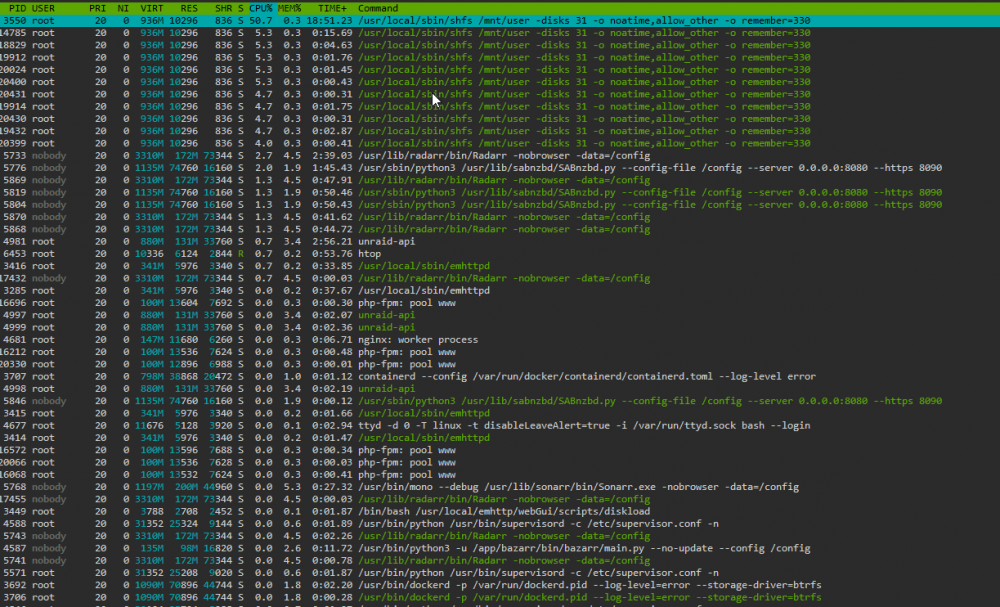
Hi, The issue for me was caused by an app running on my osmc TV. The app Watchdog was monitoring new movies and series and apparently tried to mount something. As soon as i turned of NFS i noticed that the CPU load dropped dead, which as good. Then i figured out its not a process on the NAS, but something else triggering it.
-
Hi, I had the exact same issue. For me the reason was the Watchdog application i run on my OSMC media player. Once i disabled that, the issue was gone. It didnt matter if i used NFS or SMB.
-
Hi, I have the same issue, I also have no technical knowledge to that degree, I dont even know whats going on. The NAS usses ressources for doing ... somehing... is this normal?