





BenP511
Members
-
Joined
-
Last visited
-
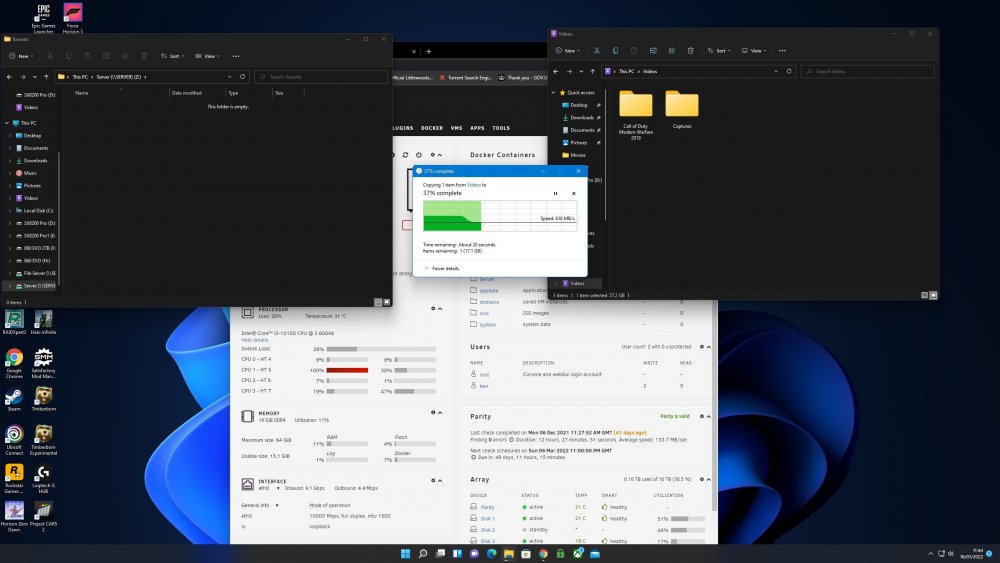
Hi having successfully moved over to 10gbe network, my speed seems to be dropping from 1.10GBps to around 500-600MBps after a few GB of transfer on large files? cache drive is 500GB 970 EVO and should be more than capable of taking a 28GB file at the full speed. Any ideas? thanks server-diagnostics-20220116-1144.zip
-
Just as a follow up, incase anyone else has the same issue. In the end I had to dissemble the entire system end remove the wifi card under the IO shield. Most people with gigabyte aorus master z590 boards with this issue, might have todo the same. Let me know if update fixes this. Thanks Again.
-
Thanks for the speedy response! Tried modprobe -r btusb it removes it but then it emedietly readded it again? Z590 aorus master so no option to disable WiFi/bluetoothn the bios either, do you think removing the WiFi card will help? Last resort as it means disembling the server again!
-
hi I have just finished switching mother board to one that includes a 10g Eth port however I'm getting the same recurring error? any ideas? I have attach DIAG File Thanks in advance. server-diagnostics-20220113-2319.zip
-
Currently having the exact same issue thought I had messed up somewhere as I was only trying 4k movies and was only standard transcode no HW but then tried 1080p and thats hw transcoding... running i3 10100.... dont know where to go from here
