





Stratto
Members
-
Joined
-
Last visited
-
Hi hello i have came unstuck a couple of times running unbalance where no matter what i can do i get something went wrong and cannot kill the error by going out and connecting back in to the plugin. The only way i can get it back working is to reboot the server how can i kill any services and start it again without rebooting the server tia
-
Hi all can I ask what folks are doing when they have only 4 SATA ports on the motherboard and need more for say cache drives.
-
Hi Guys just a check-in about Toshiba Enterprise drives dilemma. I have many of these drives I bought new from Amazon UK . The last 14tb I purchased as Amazon renewed. Well this drive is newer to me but must be older than the new drives I bought as Toshiba warranty check says out of warranty. The drives I bought new are in warranty until 2027 and I have no issues. The refurbed has shown a smart error in Unraid and is 14 months old from Amazon not sure how old it is historically. Anyway lesson learned after speaking to Amazon on chat they will accept a return the original window was March 2025. i will then purchase a new 5 year warranty drive from Amazon for 20 to £30 more
-
great news old missing drive now missing the first time it never came up as successffully removed it did this time. cache pool back to normal thanks again
-
I will have to wait until the parity check finishes long story short I got a new ATX power supply and the iec cable is intermittently shutting the server down so I have replaced the power cable which fixed the issue but Unraid wants to run a parity check due to unclean shutdown ☹️
-
Sorry been pre-occupied with health issues 🙂 Diagnostics attached with Unraid running asusmicro-diagnostics-20250420-1242.zip
-
diagnostics latest asusmicro-diagnostics-20250412-2038.zip
-
Ok I followed the instructions but when I start the array cache 2 not installed
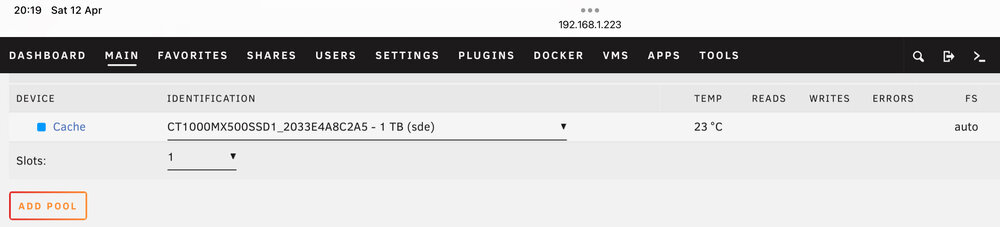
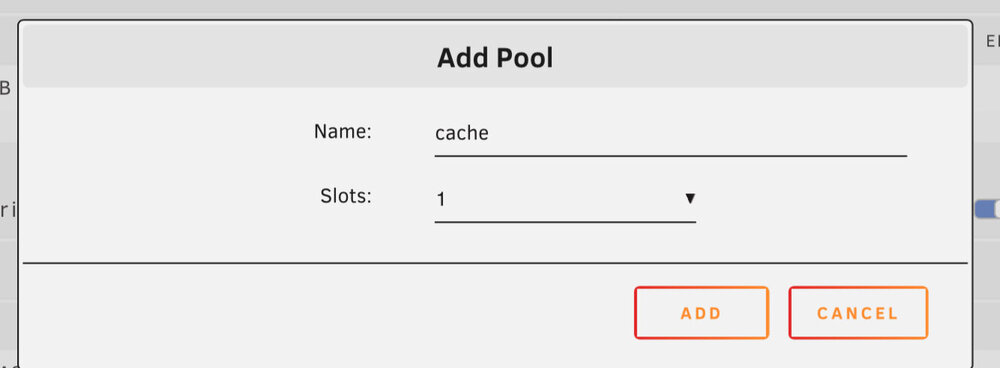
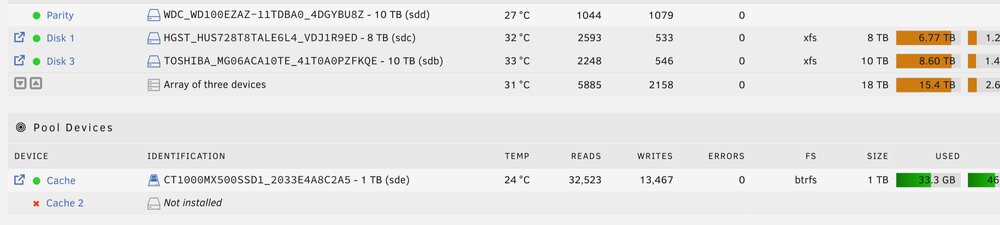
-
This is what I typed and this is what I get Unraid array is running

-
Yes thanks sorry forgot to attach them attached them now asusmicro-diagnostics-20250412-1103.zip
-
I added the NVME and it made it part of the existing ssd cache pool so I shut down the array and used destructive mode UD to delete the drive I then restarted the array and had a deleted drive listed showing 2 slots no option to go back to one. I removed the NVME physically and now I have a cache 2 not installed with a Red Cross device is missing disabled how can I remove it

-
It’s ok just forgot to set the ip address it’s fine now
-
It’s ok I was being stupid could not see the wood for the trees just ignore me 🤭
-
I installed Zoneminder but when I access the webui I just get a Zoneminder Privacy Statement anybody where do I go from here
-
I have installed the Tasmota device and I can connect to the web interface but I do not get any data on the Unraid plugin what am I doing wrong do I need to set a password in the plugin that matches the Tasmota config ?



