Sonophis
Members
-
Joined
-
Last visited
-
Upgraded to 7.0 stable from 6.12.14 without issue, everything is xfs.
-
Hello Idem ici, j'étais en 6.12.3 pendant 1 mois sans problème, sauf l'occasionnel loop sur un disque qui ne veut pas s'arrêter au reboot. Un shutdown depuis l'UI résoud le soucis. Je viens de passer sur la 6.12.4 et tout semble ok.
-
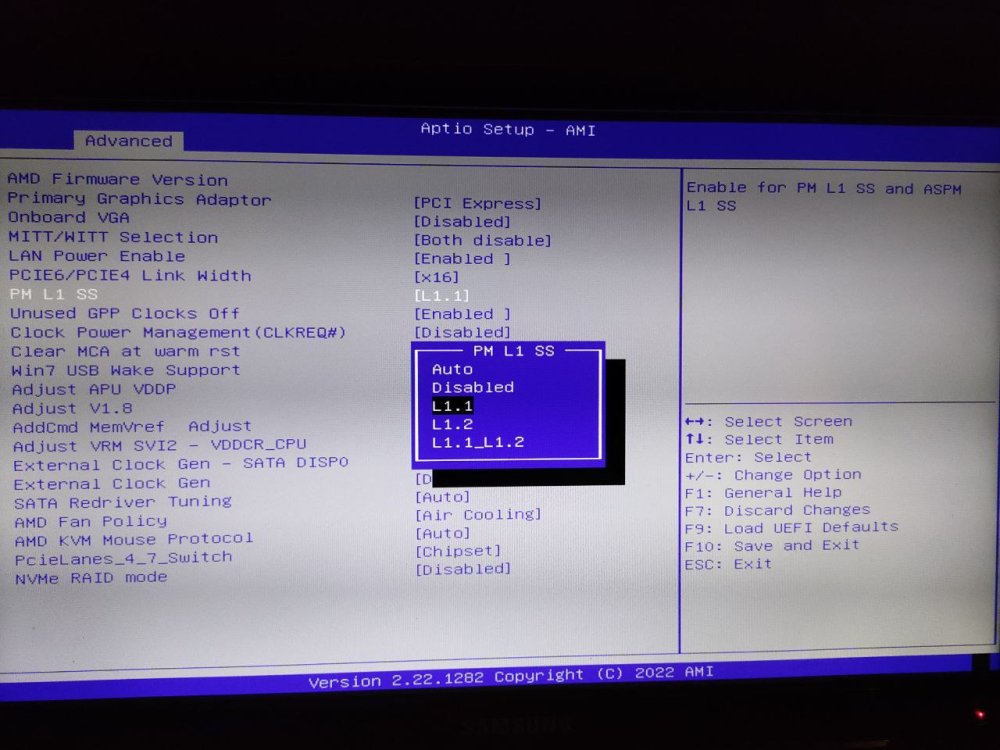
Hello I am trying to set the best settings on my motherboard and I am confused as to what is the best option in this case. I am using the ASRock X470D4U which has multiple options for the ASPM (screenshot below). I've read the differences between L1, L1.1 and L1.2 here https://www.synopsys.com/designware-ip/technical-bulletin/reduce-power-consumption.html but I am still unsure of what could be the best option. As for the "L1.1_L1.2" option, I don't understand what it could mean. A mix between L1.1 and L1.2 ? No explanation whatsoever in the bios or in the motherboard manual, but it's not a surprise coming from ASRock. Thank you, any help appreciated.