





CrazyBoyS
Members
-
Joined
-
Last visited
Everything posted by CrazyBoyS
-
Version 6.11.5 VENDOR="intel" GPUID="0000-00-000-000000" TEMPFORMAT="C" DISPCLOCKS="1" DISPENCDEC="0" DISPPCIUTIL="1" DISPTEMP="1" DISPFAN="1" DISPPWRDRAW="1" DISPPWRSTATE="1" DISPTHROTTLE="0" DISPSESSIONS="0" UIREFRESH="1" UIREFRESHINT="1000" DISPMEMUTIL="1" DISP3DRENDER="1" DISPBLITTER="1" DISPVIDEO="1" DISPVIDENH="1" DISPINTERRUPT="1" DISPEVENT="1" DISPVERTEX="1" DISPTEXTURE="1" DISPSHADEREXP="1" DISPSEQUENCER="1" DISPSHADERINTER="1" DISPSCANCON="1" DISPPRIMASSEM="1" DISPDEPTHBLK="1" DISPCOLORBLK="1" DISPGFXTRANS="1"
-
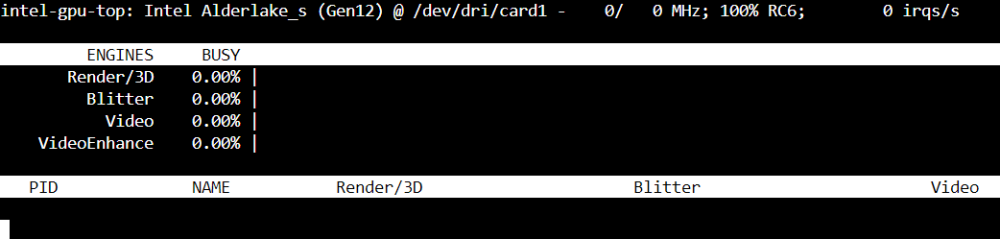
Yes GPU TOP is installed as I just upgraded the hardware this AM from AMD to Intel.
-
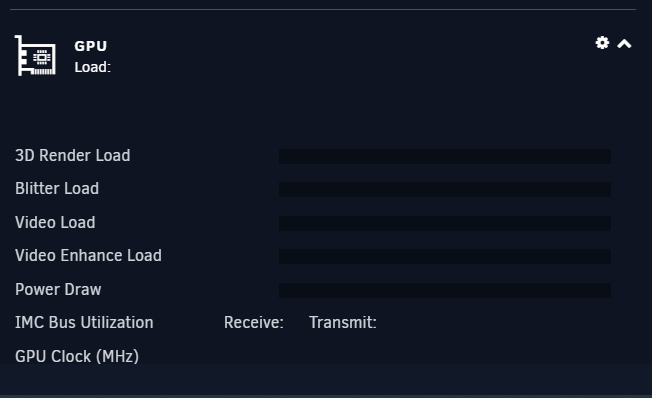
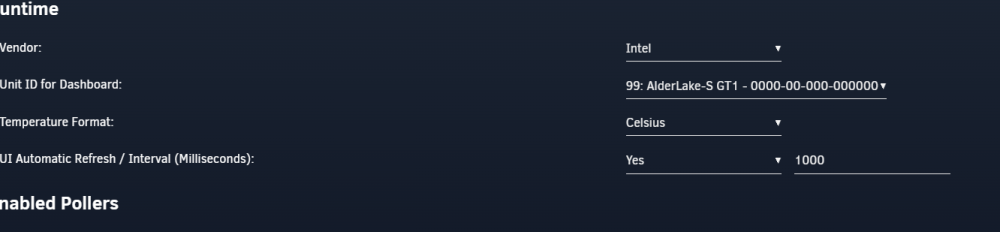
I just installed 13th gen mobo and cpu. Was using Nvidia P400 before but now I am using the Intel Onboard 770 chipset. I have reset my GPU statistic and also reinstalled and it sees my Intel chipset but It does not show any decoding. Plex is also setup with Intel settings. Screenshots for comparison. So i am not sure why I am not seeing anything. I have tested and noting shows. Also plex is setup to do Hardware Transcoding also.


-
actually tried this and its not pulling. Says errors. **** Server already claimed **** Atempting to upgrade to: linuxserver/plex:1.30.0.6486-629d58034-ls147 ######################################################## # Upgrade attempt failed, this could be because either # # plex update site is down, local network issues, or # # you were trying to get a version that simply doesn't # # exist, check over the VERSION variable thoroughly & # # correct it or try again later. # ########################################################
-
I was able to get this working. It actually was as you said plex itself. It corrupted my DB. Just stopped plex container -> Went to the DB in plex folder structure -> Backed up current DB and then restored one from a few days ago -> Started Plex Container and boom started scanning and loading my missing stuff. Appreciate the guidence.
-
Hello, So after the newest release of the plex docker i have been having issues. Some shows wont play, Audio plays but no video, also now it wont scan my new files. I have added a bunch of new stuff and its not scanning like it has always. I have had no issues updating the plex docker from Linuxserver.io and really like it but this is a first. Not sure what is happening. I have had a few family members let me kow about the play back issues which was fine until i did the update yesterday. Any help on this? Also i have tried to revert back to the one from Dec but the logs keeps saying : ######################################################## # Upgrade attempt failed, this could be because either # # plex update site is down, local network issues, or # # you were trying to get a version that simply doesn't # # exist, check over the VERSION variable thoroughly & # # correct it or try again later. # ########################################################
-
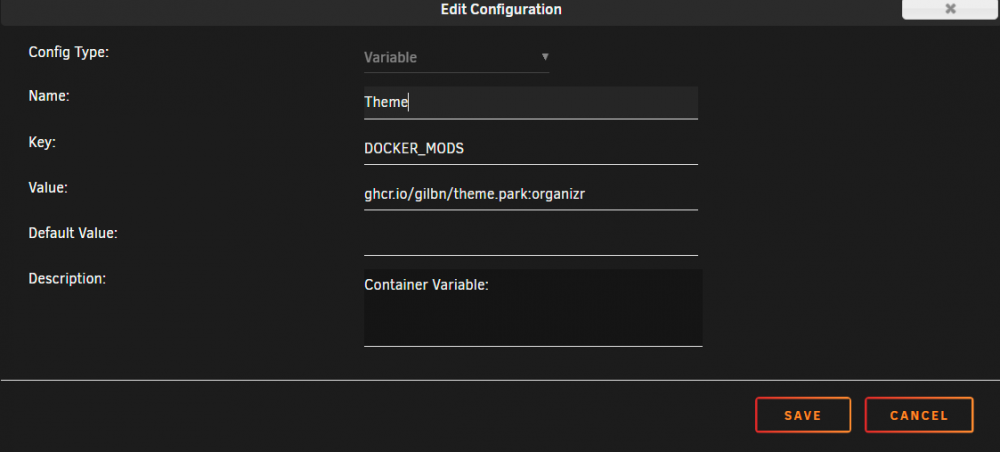
So i am wonderign if someone has screenshots or a video of how to modify plex, sonarr, radarr, etc with different themes using theme Parks docker method? I add the variable etc which is fine but the part im stuck with is the coding. Where do i go etc? So example i have this : So passed this im lost as the inside coding you need to do for each add that supports the docker. This is all local and no NGIX etc needed. Any help?
-
So does anyone under stand this error?
-
Attached. king-koopa-diagnostics-20210701-0851.zip
-
Hello, I just started getting this error: /boot/config/plugins/dockerMan/templates/zigbee2mqtt.xml corrupted - A corrupted xml file will wind up having unRaid display numerous php errors in various tabs on the UI. You will need to delete or edit and fix the file manually I have seen some threads about it but is it because my Stick is corrupted? I have rebooted the server and it boots fine and I dont see any PHP errors anywhere.



