Ctek
Members
-
Joined
-
Last visited
Everything posted by Ctek
-
Wanted to see if someone could point me in the right direction on why this keeps restarting randomly. Thanks! xeon-diagnostics-20250502-1724.zip
-
Same thing, disk5 shows up when I restart the array without any errors. I click start arry and then it starts to rebuild and shows disk 2 and disk 5 as unmountable.
-
I replaced disk 2 with a 16tb drive and the rebuild has been insainly slow. Also, disk 5 started to show as unmountable but the array loads and tries to rebuild. Not sure where to go from here, any advise is much appreciated
-
FIXED! Thank you so much! ❤️
-
There is a msg in the bottom right of the app that says electrum 4.5.5 is available. The about in the app says it is at 4.5.3

-
Is there a reason that the container version is on 4.5.3 and the newest version is 4.5.5?
-
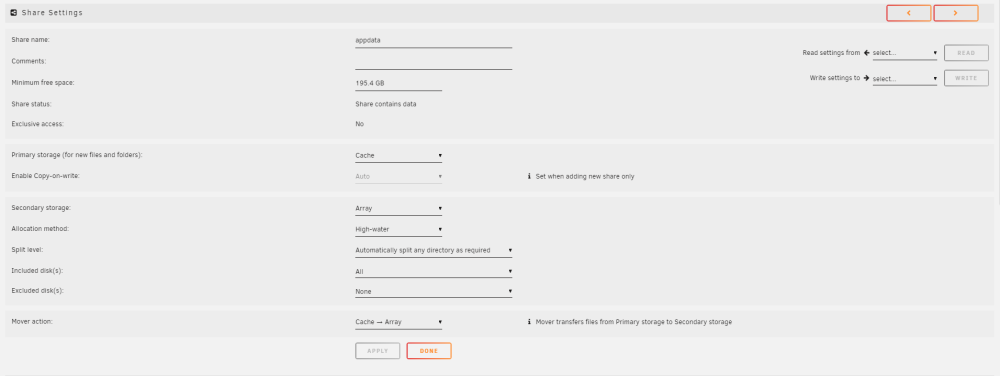
Correct, I did not understand. I changed mover action, it was Array ---> Cache before..
-
it was array to cache before for app data but that didn't make sense to me... I changed it and now I got some errors but my parity is rebuilding so I'm not sure I can do anything to fix: * **Default docker appdata location is not a cache-only share** * **Invalid folder nvme contained within /mnt** * Share dump set to cache-only, but files / folders exist on the array * Share Ubuntu set to not use the cache, but files / folders exist on the cache drive * Share Windows 11 set to not use the cache, but files / folders exist on the cache drive
-
Wanted to see if someone can point me in the right direction on how to setup appdata in new unraid 6.12.4. I have a 2x 2tb BTRFS cache drives as my cache. Why would I want the mover action to be from Array to Cache? It was cache preferred before.. Thanks!
-
Fixed with that, thank you!
-
Started to get a bunch of errors when I start unraid up, not sure if an nvme drive is going bad. Attached diag's. Please let me know if you need anything else to troubleshot this. Thanks! oohwee-diagnostics-20230911-0853.zip
-
Does it matter the parity showing 1.5 GB? (see below)

-
I just rebooted and now the parity drive shows 6 Gb but now ONLY disc 1 is @ 3 Gb. Nothing changed, Disk 1 was @6 Gb before the reboot...
-
Parity and drive 4 showing incorrect Sata speeds. Seems like I always have a drive or two showing slower speeds. I stop the array and reseat and then it shows the correct speed. I'm wondering if there is anything I can do to fix this problem permanently. Diag's attached. Thanks! oohwee-diagnostics-20230110-1205.zip
-
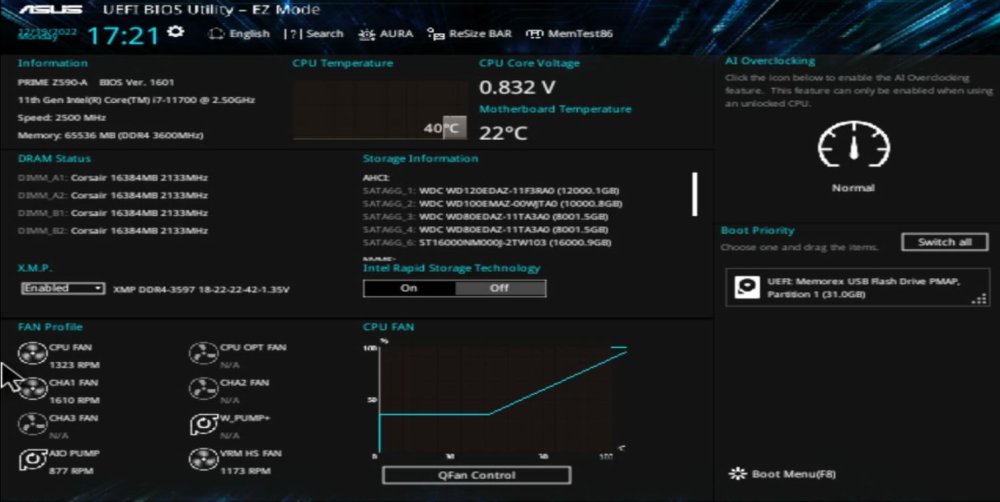
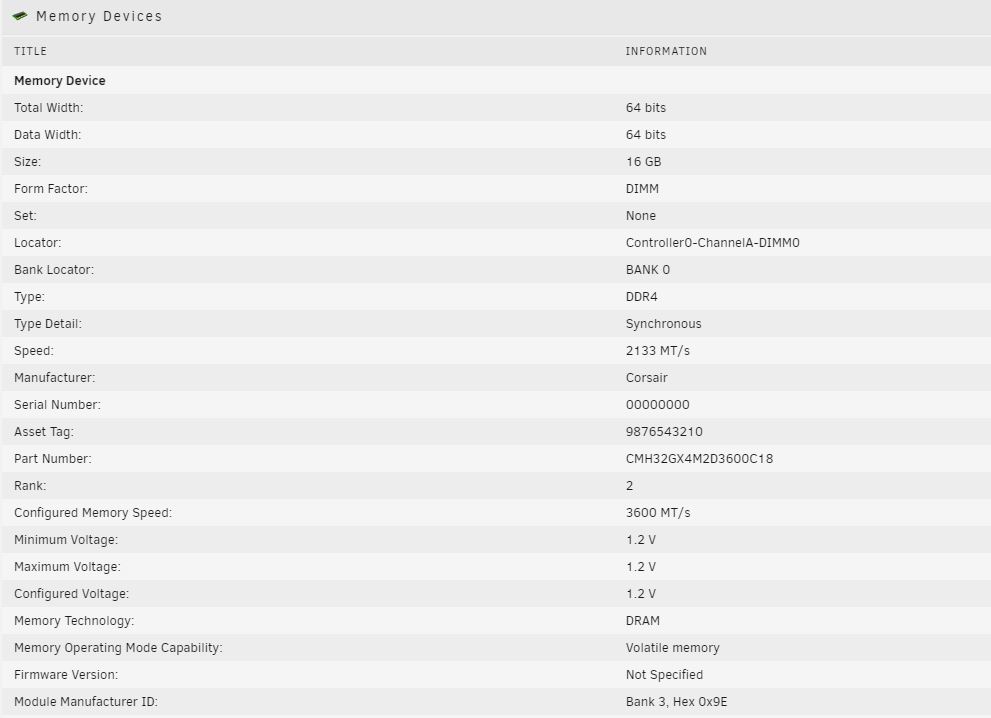
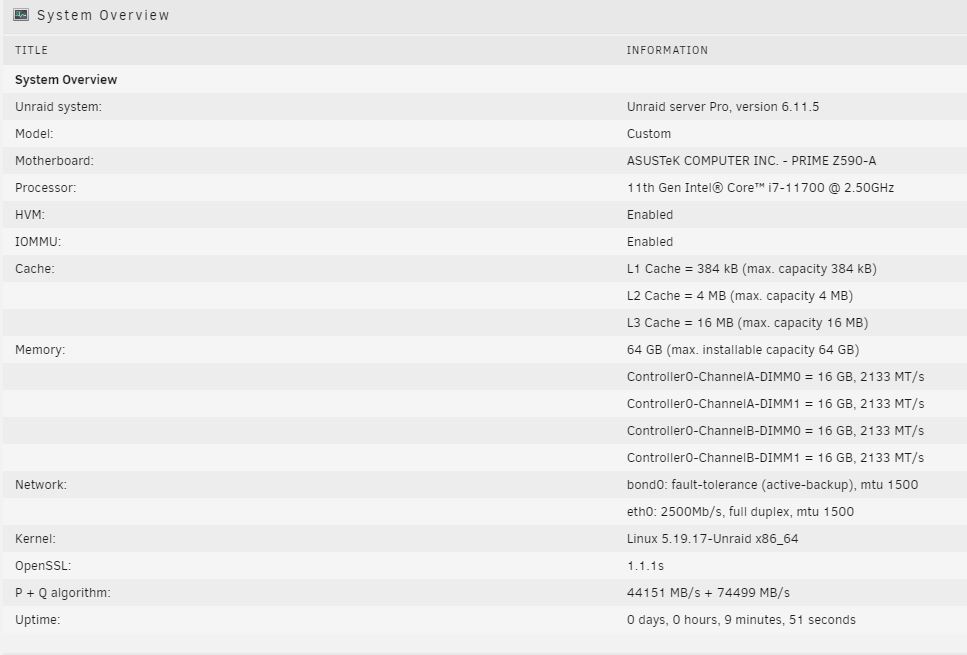
Got it, so is this a problem or is it running at 3600? Thanks!
-
I'm not sure if something is not configured correctly because the ram is showing as 2133 with XMP enabled. The 4 ram sticks are all DDR4 3600 MHz, with the same part number and C18.
-
I have 2x 2TB m.2 drives busting with no issues..
-
So far so good with these settings:
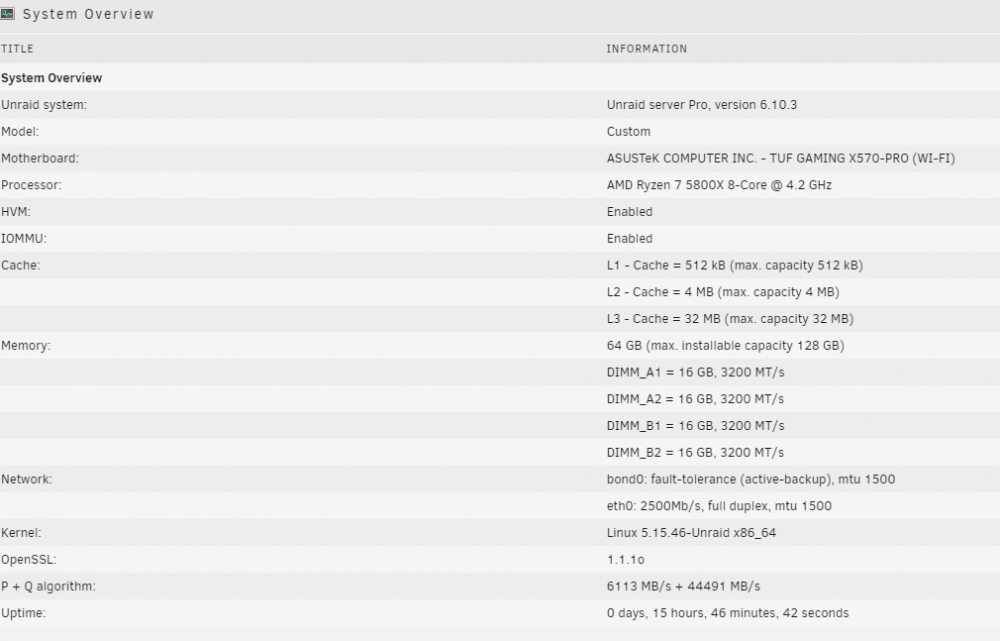
-
still getting restarts, I used the set to defaults in bios and only changed power supply idle control. Everything else is on auto which set the mem to 2133 and cpu to 3800 GHz. The mem should be rated for 3600MHz and cpu is a 4.7 GHz. I have 2x Corsair Vengeance RGB Pro SL 32GB (2x16GB) DDR4 3600MHz (PC4-28800) C18 1.35V Desktop Memory - Black (CMH32GX4M2D3600C18) Hopefully get some stability back...
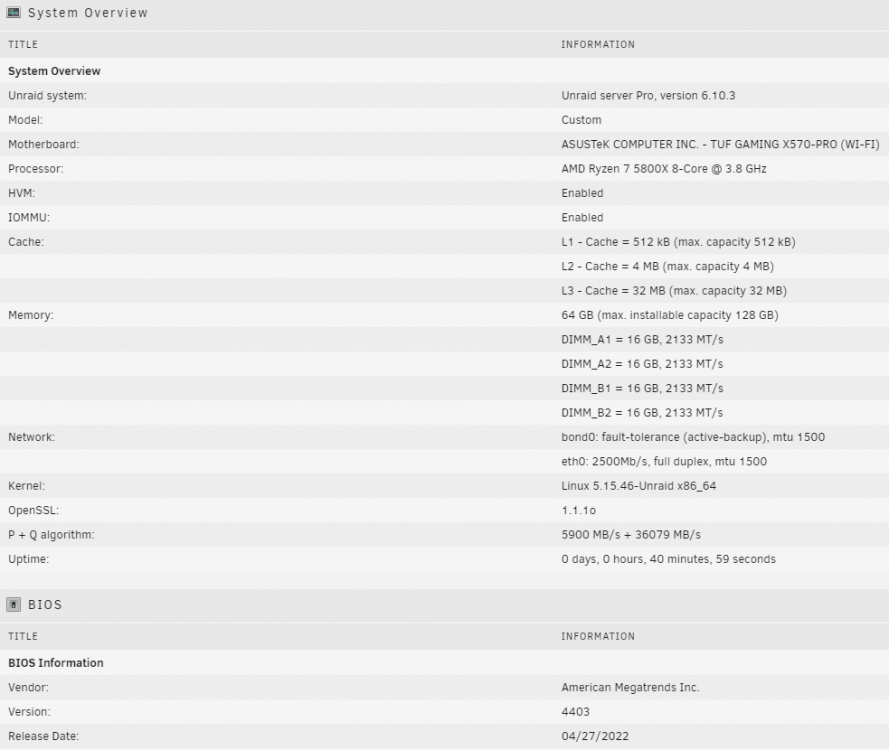
-
Yes, I 4x 16GB sticks and 5800X CPU with this mobo on the newest bios (May 22). The random rebooting seemed to have stopped @ 2666 mhz for ram. Seems like anything above that = random restarts
-
Got it, thanks again for your help!
-
I changed this from auto and no more reboots: Power Supply Idle Control (Advanced\AMD CBS\CPU Common Options)
-
What speed are you running the ram at, 3200? What mobo settings have you changed beside the C-State? I get random re-boots @ 4.7 Ghz and ram @ 3200...
-
I turned the CPU down to 3.6 GHz from 4.7 GHz (chip default) and ram to 2666. Seems to be holding now. What is the max suggested CPU speed I can run?
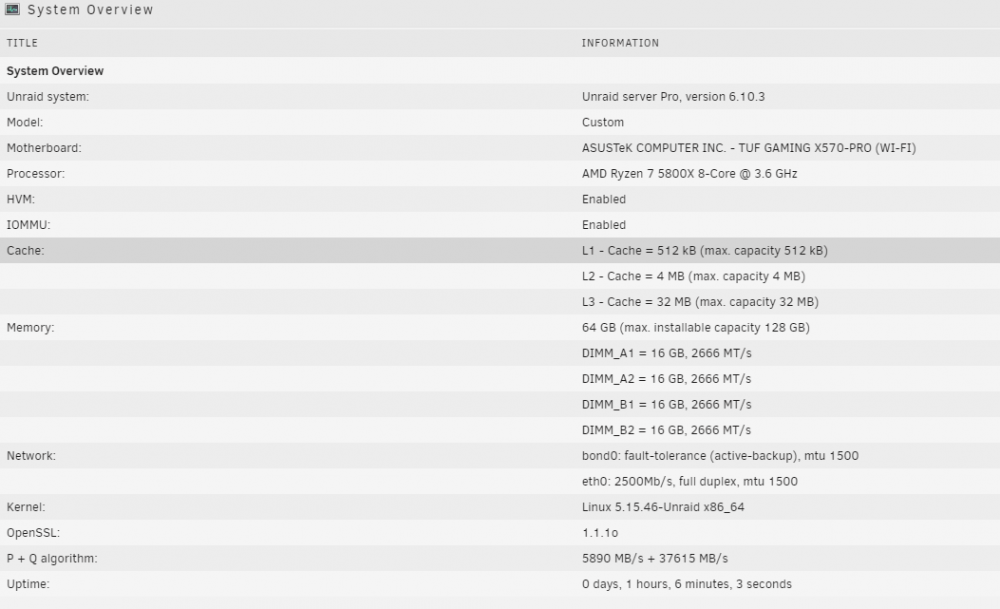
-
Replaced SATA controller with the recommended one but now my server randomly crashes with no errors in the logs I've attached my diags for review. Thanks oohwee-diagnostics-20220831-0744.zip