





mauriceatkinson@btconnect.
Members
-
Joined
-
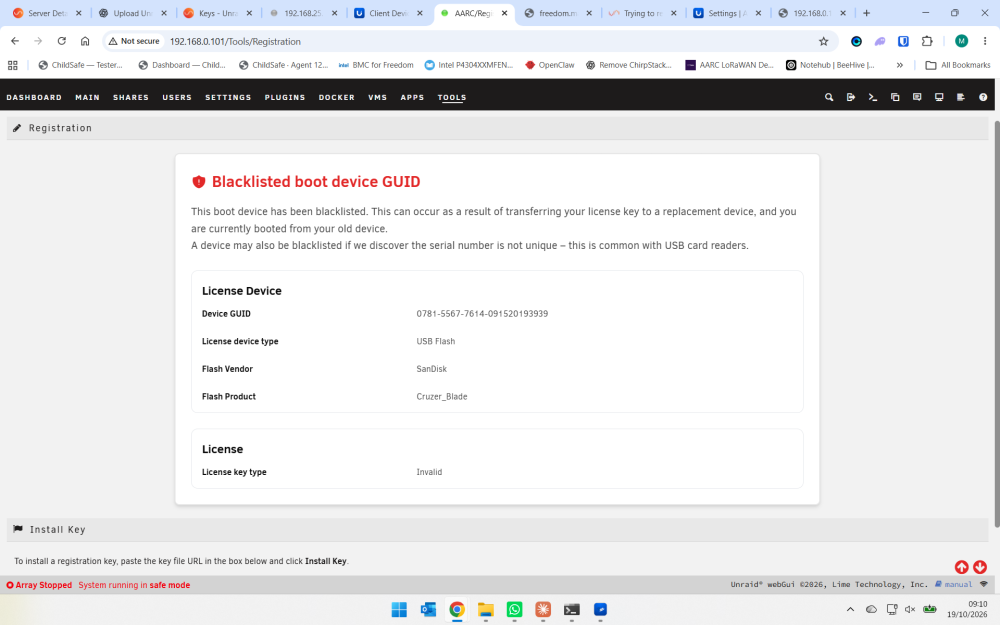
ok booted into safe mode and got the usb blacklisted screen. How do I get the blacklist lifted?
-
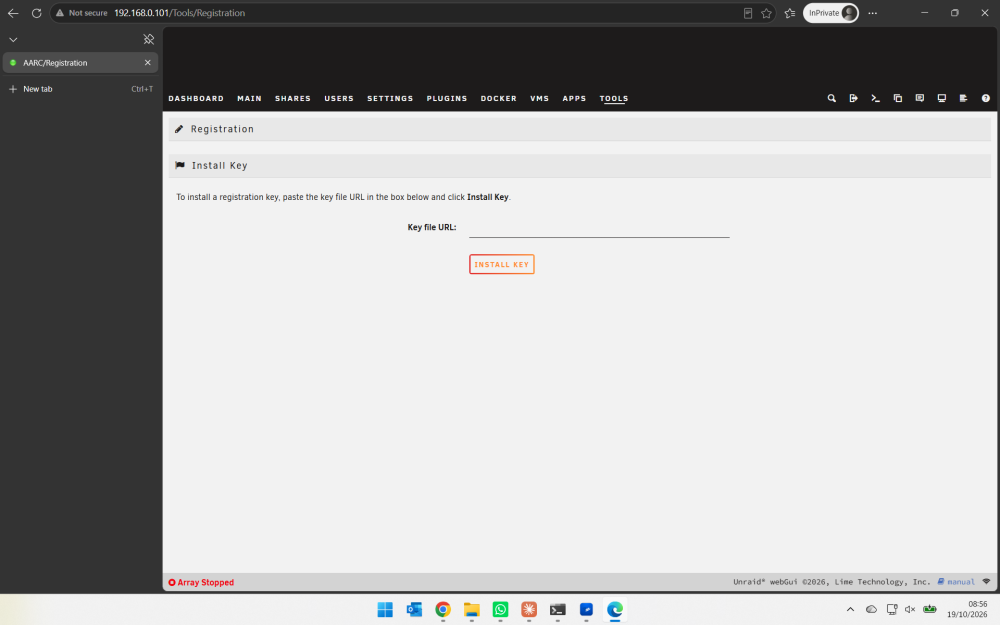
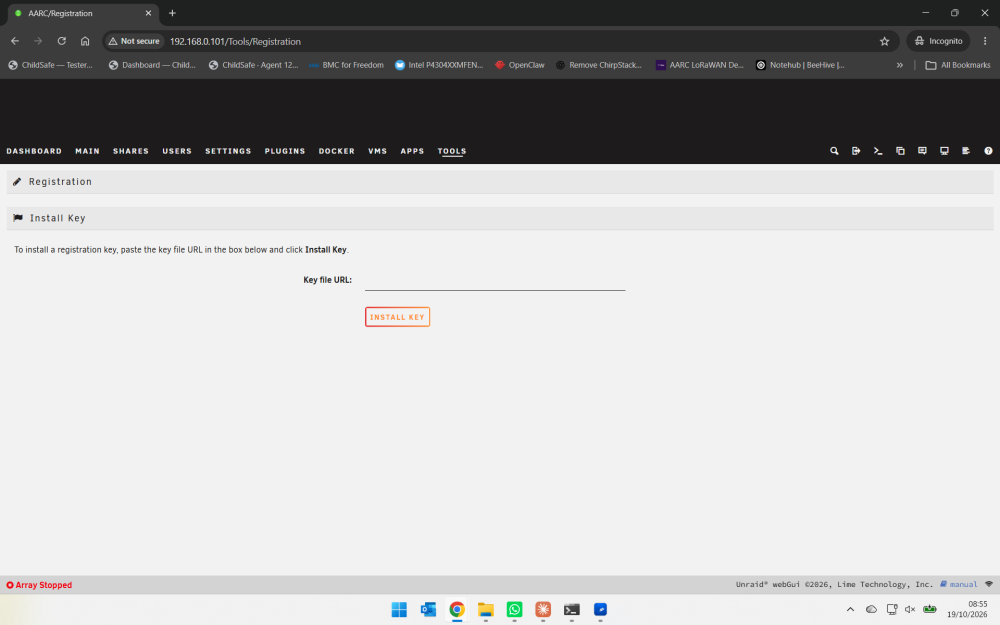
tried incognito usining chrome and edge and still the same page is shown
-
Followed the manual method but now stuck on license issues. Used a new usb stick, copied the license url from Unraid Connect to the server and installed it. Rebooted server and back to same registration screen - see attached. The output below states my usb is blacklisted. root@AARC:~# echo "=== CURRENT REGISTRATION ===" grep -E '^reg(GUID|Ty|State|To)=' /var/local/emhttp/var.ini echo "=== BOOT LICENSE ===" ls -lh /boot/config/*.key echo "=== LATEST LICENSING LOGS ===" grep -Ei 'blacklist|registration|keyfile|flash device' /var/log/syslog | tail -25 === CURRENT REGISTRATION === regGUID="" regTy="Flash device blacklisted" regTo="" === BOOT LICENSE === -rw------- 1 root root 256 Oct 19 14:11 /boot/config/Basic.key === LATEST LICENSING LOGS === Oct 19 14:22:35 AARC rc.local: Backed up: /usr/local/emhttp/plugins/dynamix.my.servers/Registration.page Oct 19 14:22:47 AARC emhttpd: Unregistered Flash device blacklisted (EBLACKLISTED) Oct 19 14:22:47 AARC emhttpd: import 31 flash device: (/dev/sda1) Oct 19 14:22:55 AARC emhttpd: cmdStart: no registration key root@AARC:~#
-
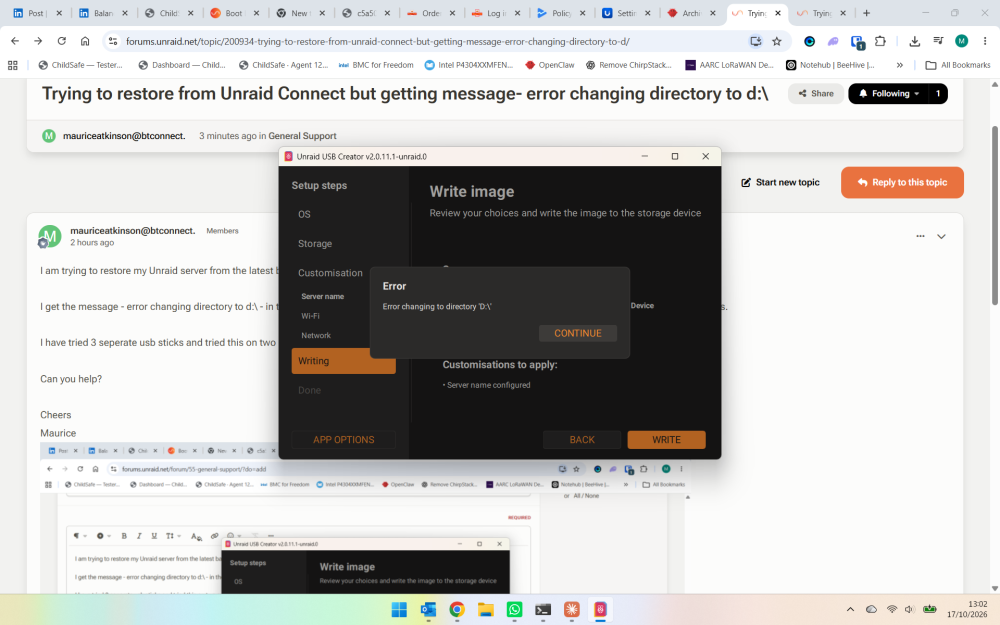
I did this and downloaded latest version of unraid but still I get this error when I agree to usb overwrite -
-
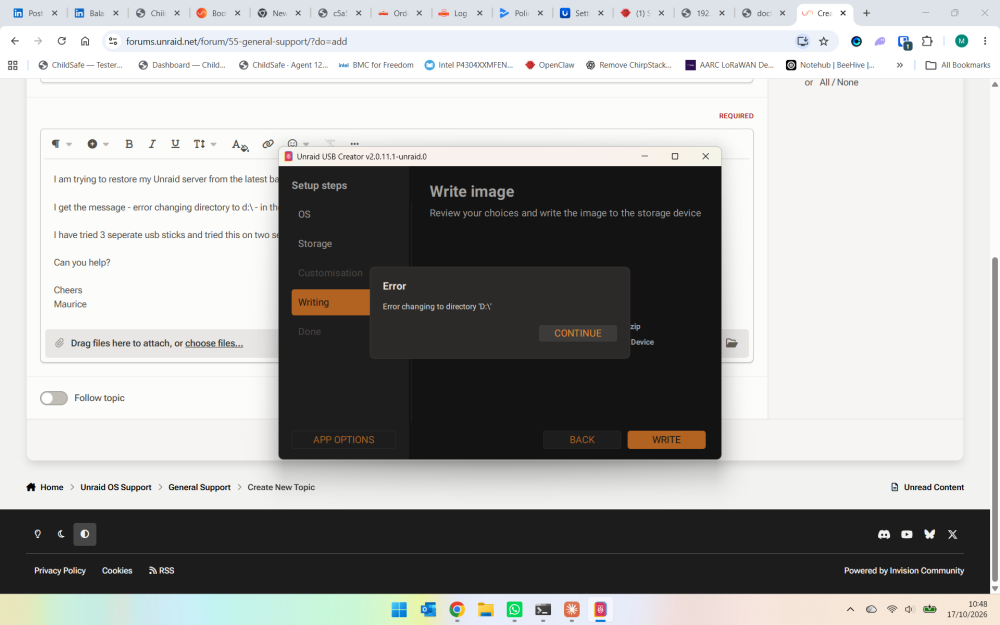
I am trying to restore my Unraid server from the latest backup zip file on the Unraid Connect web site. I get the message - error changing directory to d:\ - in the Unraid Creator app after selecting the custom zip file and agreeing to overwritting the usb contents. I have tried 3 seperate usb sticks and tried this on two seperate windows pcs but get the same error. Can you help? Cheers Maurice
-
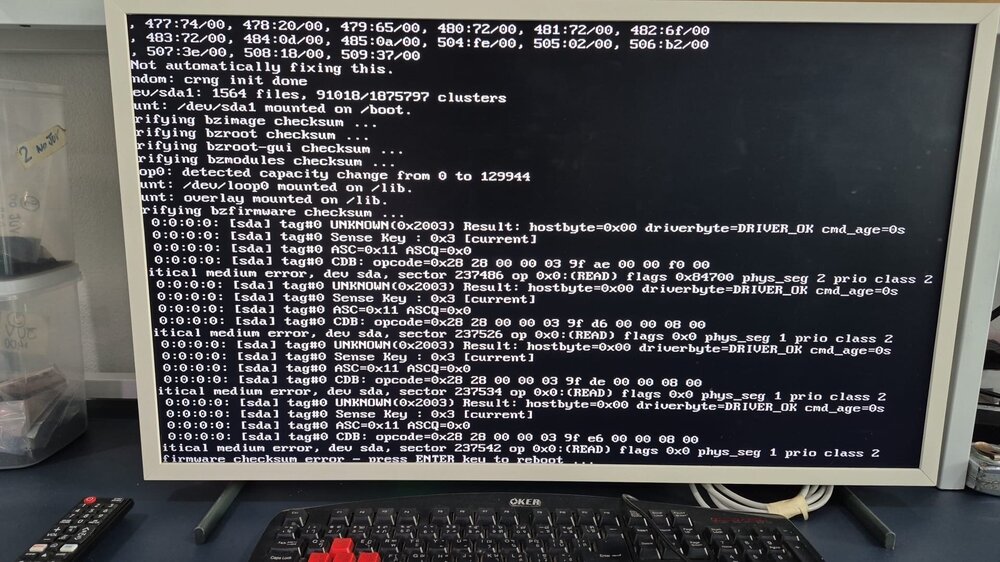
I have an issue with my unraid server after a power failure and I get the firmware checksum error on boot up. I have checked the usb is OK using windows chkdsk and I have changed out the usb stick for a new one but the same problem occurs. What can I do? Cheers Maurice
-
I eventually rebooted the server and the problem resolved itself.
-
HELP!!! I have Unraid 6.12.11 and I have enabled vlans - I can access to the unraid gui on both default (192.168.0.101) and vlan 6 )192.168.24.101) networks. However when I try to start a VM after changing the network source to br0.6 I get the error "internal error: process exited while connecting to monitor" I reverted all the changes so I am now back on thre default network and although I can get access to thr unraid webgui I cannot start the vm. Again i get the message "internal error: process exited while connecting to monitor" Here is the vm logs..... 2025-11-03 21:28:23.199+0000: starting up libvirt version: 8.7.0, qemu version: 7.2.0, kernel: 6.1.99-Unraid, hostname: AARC LC_ALL=C \ PATH=/bin:/sbin:/usr/bin:/usr/sbin \ HOME='/var/lib/libvirt/qemu/domain-5-Autofeeder Control' \ XDG_DATA_HOME='/var/lib/libvirt/qemu/domain-5-Autofeeder Control/.local/share' \ XDG_CACHE_HOME='/var/lib/libvirt/qemu/domain-5-Autofeeder Control/.cache' \ XDG_CONFIG_HOME='/var/lib/libvirt/qemu/domain-5-Autofeeder Control/.config' \ /usr/local/sbin/qemu \ -name 'guest=Autofeeder Control,debug-threads=on' \ -S \ -object '{"qom-type":"secret","id":"masterKey0","format":"raw","file":"/var/lib/libvirt/qemu/domain-5-Autofeeder Control/master-key.aes"}' \ -blockdev '{"driver":"file","filename":"/usr/share/qemu/ovmf-x64/OVMF_CODE-pure-efi.fd","node-name":"libvirt-pflash0-storage","auto-read-only":true,"discard":"unmap"}' \ -blockdev '{"node-name":"libvirt-pflash0-format","read-only":true,"driver":"raw","file":"libvirt-pflash0-storage"}' \ -blockdev '{"driver":"file","filename":"/etc/libvirt/qemu/nvram/1a32648b-0695-f84d-698d-fd4b4bc9d4d0_VARS-pure-efi.fd","node-name":"libvirt-pflash1-storage","auto-read-only":true,"discard":"unmap"}' \ -blockdev '{"node-name":"libvirt-pflash1-format","read-only":false,"driver":"raw","file":"libvirt-pflash1-storage"}' \ -machine pc-q35-7.2,usb=off,dump-guest-core=off,mem-merge=off,memory-backend=pc.ram,pflash0=libvirt-pflash0-format,pflash1=libvirt-pflash1-format \ -accel kvm \ -cpu host,migratable=on,host-cache-info=on,l3-cache=off \ -m 4096 \ -object '{"qom-type":"memory-backend-ram","id":"pc.ram","size":4294967296}' \ -overcommit mem-lock=off \ -smp 4,sockets=1,dies=1,cores=2,threads=2 \ -uuid 1a32648b-0695-f84d-698d-fd4b4bc9d4d0 \ -no-user-config \ -nodefaults \ -chardev socket,id=charmonitor,fd=36,server=on,wait=off \ -mon chardev=charmonitor,id=monitor,mode=control \ -rtc base=utc,driftfix=slew \ -global kvm-pit.lost_tick_policy=delay \ -no-hpet \ -no-shutdown \ -boot strict=on \ -device '{"driver":"pcie-root-port","port":8,"chassis":1,"id":"pci.1","bus":"pcie.0","multifunction":true,"addr":"0x1"}' \ -device '{"driver":"pcie-root-port","port":9,"chassis":2,"id":"pci.2","bus":"pcie.0","addr":"0x1.0x1"}' \ -device '{"driver":"pcie-root-port","port":10,"chassis":3,"id":"pci.3","bus":"pcie.0","addr":"0x1.0x2"}' \ -device '{"driver":"pcie-root-port","port":11,"chassis":4,"id":"pci.4","bus":"pcie.0","addr":"0x1.0x3"}' \ -device '{"driver":"pcie-root-port","port":12,"chassis":5,"id":"pci.5","bus":"pcie.0","addr":"0x1.0x4"}' \ -device '{"driver":"ich9-usb-ehci1","id":"usb","bus":"pcie.0","addr":"0x7.0x7"}' \ -device '{"driver":"ich9-usb-uhci1","masterbus":"usb.0","firstport":0,"bus":"pcie.0","multifunction":true,"addr":"0x7"}' \ -device '{"driver":"ich9-usb-uhci2","masterbus":"usb.0","firstport":2,"bus":"pcie.0","addr":"0x7.0x1"}' \ -device '{"driver":"ich9-usb-uhci3","masterbus":"usb.0","firstport":4,"bus":"pcie.0","addr":"0x7.0x2"}' \ -device '{"driver":"virtio-serial-pci","id":"virtio-serial0","bus":"pci.2","addr":"0x0"}' \ -blockdev '{"driver":"file","filename":"/mnt/user/domains/Autofeer Control/haos_ova-14.1.qcow2","node-name":"libvirt-1-storage","cache":{"direct":false,"no-flush":false},"auto-read-only":true,"discard":"unmap"}' \ -blockdev '{"node-name":"libvirt-1-format","read-only":false,"cache":{"direct":false,"no-flush":false},"driver":"qcow2","file":"libvirt-1-storage","backing":null}' \ -device '{"driver":"virtio-blk-pci","bus":"pci.3","addr":"0x0","drive":"libvirt-1-format","id":"virtio-disk2","bootindex":1,"write-cache":"on","serial":"vdisk1"}' \ -netdev tap,fd=37,id=hostnet0 \ -device '{"driver":"virtio-net","netdev":"hostnet0","id":"net0","mac":"52:54:00:8e:79:9a","bus":"pci.1","addr":"0x0"}' \ -chardev pty,id=charserial0 \ -device '{"driver":"isa-serial","chardev":"charserial0","id":"serial0","index":0}' \ -chardev socket,id=charchannel0,fd=35,server=on,wait=off \ -device '{"driver":"virtserialport","bus":"virtio-serial0.0","nr":1,"chardev":"charchannel0","id":"channel0","name":"org.qemu.guest_agent.0"}' \ -device '{"driver":"usb-tablet","id":"input0","bus":"usb.0","port":"1"}' \ -audiodev '{"id":"audio1","driver":"none"}' \ -vnc 0.0.0.0:0,websocket=5700,audiodev=audio1 \ -k en-us \ -device '{"driver":"qxl-vga","id":"video0","max_outputs":1,"ram_size":67108864,"vram_size":67108864,"vram64_size_mb":0,"vgamem_mb":16,"bus":"pcie.0","addr":"0x1e"}' \ -device '{"driver":"virtio-balloon-pci","id":"balloon0","bus":"pci.4","addr":"0x0"}' \ -sandbox on,obsolete=deny,elevateprivileges=deny,spawn=deny,resourcecontrol=deny \ -msg timestamp=on 2025-11-03 21:28:23.274+0000: shutting down, reason=failed aarc-diagnostics-20251103-2124.zip
-
Thats a pain to have to do this especially as all my vms were setup and have been for ages. Is there an automatic process for backing up libvert?
-
OK I copied the libvert.img file to a different location and configured vm manager to point to that file. I no longer the the error libvert not started and according to the logs it does start. However I still dont see any vms in the vm tab. freedom-diagnostics-20250824-0914.zip
-
I had rebooted before I rasied the issue but I have rebooted again and diagnostics attached. No vm's visible on vm tab. freedom-diagnostics-20250823-1253.zip
-
I updated the size of my docker vdisk as I was getting install failures when trying to install new docker images. I rebooted the system and whilst dockers were fine I have no vm's anymore. I get a message saying libvert not starting in the vm tab. I tried to start libvert and get this message i thought this was a strange message as I cannot understand why docker vdisk is causing this issue. Help much appreciated. freedom-diagnostics-20250823-0937.zip
-
I too am having the same issue with squashfs errors and my vms will not start. - the rest of the system looks OK. Memorytest showed no errors, I am sure I changed out the usb stick recently but this is the next thing to do again.
-
Hi did you ever resolve this as I am getting the same problem now?
-
The fix common problems plugin has reported "Out Of Memory errors detected on your server" and said to post this and the diagnostic file to the forum. The server is still running but I would welcome any pointers to resolve this issue. aarc-diagnostics-20250308-2337.zip


