





mispey
Members
-
Joined
-
Last visited
-
Hi Turl, thanks for the suggestion. I am holding off for now, as I may have found the issue. It appears that some time last week a docker container for sending email needed re-authenticated with my provider. Another container interfaced with that container and it seems to be able to crash the entire system when it tries to send an email but it doesn't work. This means the array also stops functioning properly, and I cannot shut down the server. I am forced to power down the server unclean. The corruption was a symptom of the host OS crashing, the host OS crashing was caused by a container attempting to send an email. When I said starting docker caused the issue, it was because this container was autostarting with all of the other containers. When I reinstalled my Docker image fresh to nail it down, this container was one of the first ones I tested and everything was fine. The server continued to be fine until I installed more containers, and one of them tried to send an email (I assume - I didn't know this at the time). Then, the server went down. I was confused - because when I tried to reinstall the containers that I thought were causing the issue, nothing happened. After hours of stability, I reinstalled more containers, except the email one because I felt like it was not something I needed right away. Even longer later, I reinstalled the email container, and bang down goes the server. I would like to repeat this issue again - but first I tested that the server is truly stable now, by starting the containers that I don't think are problematic, starting to rebuild parity, and I've had no issues for two days now. I'll let parity rebuild finish, and then restart the problem container and see if my server immediately goes down. If it does, I might comment in the thread of the problem container - but would Unraid OS be interested in further information? I assume it's not good that a docker container can kill the host system.
-
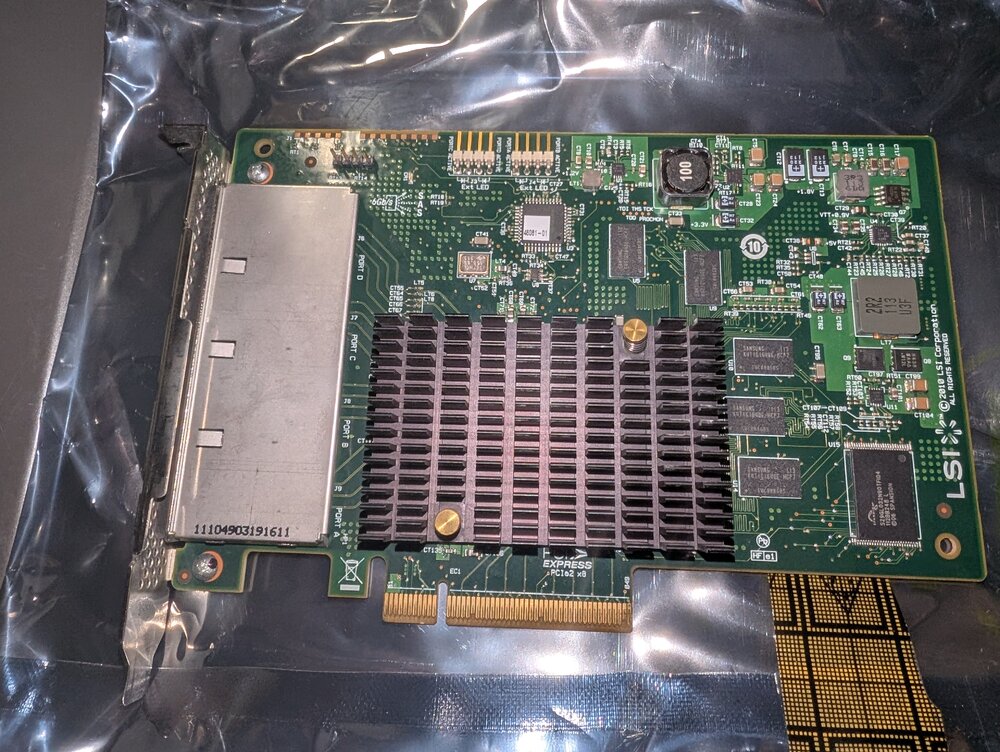
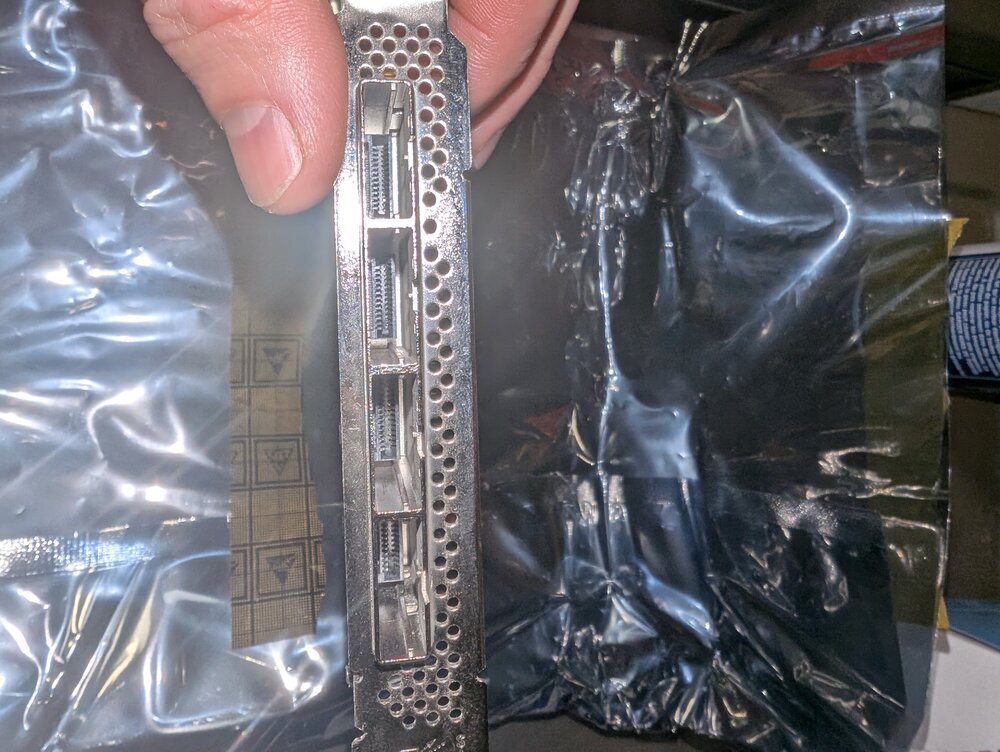
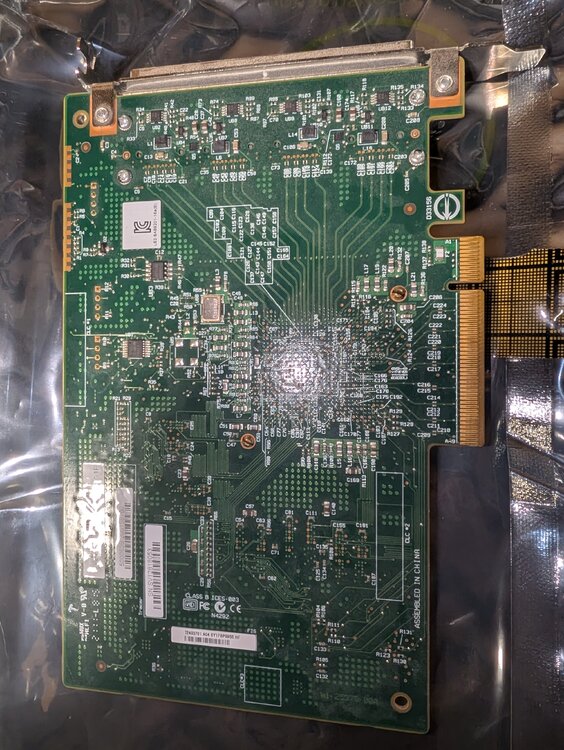
I thought the issue with my server was due to issues with my 9201 card! Turns out, it's fine and the issues were entirely in software. I have no need for two working cards. I bought this card for $70 CAD from a local retailer, hoping to just recover that. I think $70 CAD is a good price since the card is typically more from less reputable retailers, where it may not be flashed to correct firmware or mode. Reputable retailers will take over $100CAD. I've got this listed in a few places but when it sells, I will update this listing. I'm east end of the GTA if you want to pick it up.
-
I haven't made any real progress it seems. I have only Plex running, and the server died. I can try with a different container, but I suspect the issue has little to nothing to do with my...a specific container. The issue is currently happening, so I took a second to look at my system. The UI will hang, I can't do a parity check (it hangs), I can't export diagnostics (it hangs) and I can't stop the array. I cannot stop or start any Docker containers (causes the UI to hang and when it becomes responsive again nothing happened). I can look at the syslog, which I attached. I can't export diagnostics via SSH (diagnostics command). I can look at HTOP but the server is suspiciously quiet - effectively zero IO, extremely low load, no sign of iowait. My next guess is thinking about deleting the config folder and starting over truly fresh. Assuming that something in that config that I brought over is killing Unraid. dane-syslog-20260120-0200.zip
-
Unfortunately, I do not think my server is fixed at all. I got hasty, and installed about 10 of my favourite Docker apps - in an attempt to get things "up and running" enough that I could deal with the rest on the coming weekend. The server UI crashed, and all disks in the array are corrupt again. I will try to be more methodical and get things started slowly. I attached diagnostics again, after corruption, but on the "new hardware". dane-safemode-diagnostics-20260119-1731.zip
-
I renamed my Docker.img file, started Docker again (with a fresh image) and I started reinstalling apps. I have had no issues so far. My server is effectively fixed. What the.... Except that I have no idea why a Docker image, and starting the docker service, would break my server UI, stop all other apps from starting, and corrupt the filesystem on every array disk. That is certainly...something to admire. Preferably, you should only admire from afar. I renamed the broken docker image to "DemonDocker-DONOTOPEN.img" Honestly, I wouldn't blame you if you thought I was dragging my server across a magnet. I cannot make heads or tails to why the Docker.img created this. This screamed hardware issue from the start.
-
I created a fresh USB, but I did restore the old config. This did not improve anything. I decided to pursue the concept of it relating to the HBA. I was able to find a new LSI 9201 locally, flash it to IT mode firmware P20, and install it. And issues persisted. I have decided that the array corruption SPECIFICALLY happens when I start Docker. I have been blaming starting the array, but the various Docker apps start at the same time. It seems if I wait long enough, the Docker page will load, and some Docker apps started but it seems to get hung there, and nothing further will start. I decided to disable Docker, fix the data corruption, start the array, wait a few moments, then stop the array and check for corruption. No issues. On all the same hardware, but fresh trial install and fresh disks, I has no issues. But that might be because I also had no Docker apps running. I have removed the graphics card, and I will start Docker. I am not sure if somehow the graphics card & passthrough is causing problems. From there, I think I have to go Docker App by Docker App and figure out which app is killing my server.
-
I quickly added about 300Gb+ of data to the one disk of the Fresh USB, Fresh OS, Fresh Drives, Old LSI-9201 build. I then stopped the array, and checked for filesystem errors. There is no problems with this setup, and I am having trouble blaming the 9201 for the issues. Hardware Tests: RAM - memtest on the old hardware (5 passes total). PASS. Then, issue reproduced on different RAM sticks from a known working computer. CPU, Motherboard - Issue reproduced on separate hardware LSI 9201 - I have no spare LSI 9201, but I can write data to new disks on a new install, and not end up with corruption? As well, disks that do not go through the LSI 9201 experienced issues similar to other disks. PSU - Multiple PSUs on the 13 disk setup - unless both PSUs failed in a way that results in corruption at the same time, that would be odd. However, I cannot hook up 13 array drives + 1 parity + 2 cache drives to a single PSU to test....so I am hoping this is unlikely to be the problem anyway. Boot USB / Unraid Install - No attempts made. A fresh install and USB worked, but I was also using fresh drives on fresh hardware. In my view, the remaining factor is the USB and unraid install, but it would be weird to think Unraid a bad install of unraid could corrupt disks, then repair them, then corrupt them again on array start? I am going to put in a ticket, to switch my unraid install to a new USB but I am not sure I expect much resolution from doing that - so I am open to any additional tests or ideas. Next Steps? 1) Running a memtest on the RAM from the "new machine" for testing. Do my best to continue to rule out RAM. This feels like a RAM issue. 2) See if I can import the old pool, and get the array started, on a fresh trial USB.
-
Thanks for your help, Jorge. I did the following: 1) Grabbed a computer in the house that we use for another purpose. Plugged in the LSI 9201 from this computer, and hooked up ALL drives from the old machine, plus the old machine's boot USB. Started this up, and the issue did not change at all. What changed - Motherboard, RAM, CPU. PSU powering the mobo changed. What did not change - PSU for the drives remains the same, Harddrives, Boot USB, LSI-9201. Issue remains. 2) Using a fresh USB, install unraid trial. Unhook all previous harddrives, install 2 hard drives (spares unrelated to the problem machine). Put those two drives through the LSI 9201. Initialize the new Unraid install, format the drives into a 2 drive XFS pool without parity. Run a file system check. What changed - [Motherboard, RAM, CPU] Same as the previous test, plus new Boot USB, and Harddrives on the second computers PSU now. What did not change - LSI 9201 No issues. I feel like currently it seems like the hardware that is involved that always produces issues would be: Boot USB, or the PSU. Any thoughts on ideal next steps, let me know. I will first try to put these new drives through some work. I figure maybe the reason there is no issues is that the 9201 hasn't actually done much work, and therefore I haven't really eliminated the 9201 from the issue. I still want to blame the 9201 somehow, but the 9201 was never involved with 3 drives from the beginning, which were always direct SATA to the old motherboard. Is it safe to plug the new fresh OS USB into all of the old hardware? I can somehow import all of my pools, and see what happens? I would need to start the array to test, but with no docker apps installed or anything then nothing should happen.
-
I had 13 disks, plus single parity, working recently. This is a mature system I've run for years. Around the time of recent updates on reboot, one disk (Disk 7) was marked as unmountable due to a file system error. From that point, I thought it was instability - Docker containers would not start and the Docker page would not load, VM page would not load and it felt like trying to load the VM page = UI unresponsive. Rebooting the server or powering down with the WebUI was impossible. Parity check started due to unclean reboot, but was hung at 0%. I was also not changing anything about my setup at the time of the issue (so no new drives, no expanding the array) - other than updating the OS, which prompted the reboot and restart of the array when the issue was first noticed. Updating the OS might be a coincidental thing - I was having an issue with my Home Assistant VM, and decided to reboot to fix it, and therefore I decided to let the OS update apply. It's possible the issue with the VM was a symptom of the problem? I ran a file system check on Disk 7 (in line with this guide - I used the WebUI File systems | Unraid Docs) and the disk was corrupt. I ran the fix, which was successful. But then it was corrupt again upon restarting the array - so I replaced the drive entirely and rebuilt in Maintenance Mode. This seemed successful, so I restarted the array and no improvment to my problem. I ran the xfs_repair check on more disks - I discovered that ALL 13 disks reported corruption. In maintenance mode, I repaired every disk. Every disk successfully repaired, and if I rechecked it, no corruption was found. Then, I rebooted the server and started the array normally. The issues persist. I tried to generate diagnostics to post here, but the operation hangs while generating and no file is created. I cannot restart or shutdown the server using the webUI, and I cannot use the "reboot" command via SSH - the commands hang. I gave it more than 5 minutes. I had to turn off the server unclean. I restarted the server, put the array in maintenance mode. I was able to produce diagnostics (attached). All 13 drives are file system corrupted again if I run a check using the WebUI. Output of Corrupted Drive Check - WebUI tool for xfs_repair: Phase 1 - find and verify superblock... Phase 2 - using internal log - zero log... ALERT: The filesystem has valuable metadata changes in a log which is being ignored because the -n option was used. Expect spurious inconsistencies which may be resolved by first mounting the filesystem to replay the log. - scan filesystem freespace and inode maps... sb_fdblocks 121950207, counted 123903619 - found root inode chunk Phase 3 - for each AG... - scan (but don't clear) agi unlinked lists... - process known inodes and perform inode discovery... - agno = 0 - agno = 1 - agno = 2 - agno = 3 - agno = 4 - agno = 5 - agno = 6 - agno = 7 - process newly discovered inodes... Phase 4 - check for duplicate blocks... - setting up duplicate extent list... - check for inodes claiming duplicate blocks... - agno = 0 - agno = 2 - agno = 6 - agno = 5 - agno = 1 - agno = 7 - agno = 3 - agno = 4 No modify flag set, skipping phase 5 Phase 6 - check inode connectivity... - traversing filesystem ... - traversal finished ... - moving disconnected inodes to lost+found ... Phase 7 - verify link counts... No modify flag set, skipping filesystem flush and exiting. Other Steps done trying to Diagnose This: Memory Test - I ran a memtest overnight, with the standard test of 4 passes. The output is "PASS". While I wait for help/advice I might re-run this right now. USB Boot Drive - I pulled it out, and ran chkdsk in Windows. No issues. I rolled back to 7.2.1 OS, just to see if that resolved anything. No impact on the problem. Nothing of note really during this (like errors during the downgrade) The Disk 7 hardware is messed up somehow. I decided to replace Disk 7 with a new spare. I did this, and rebuilt the disk from parity. No issues with this process, and now Disk 7 is like any other drive in the array. Something is wrong with the LSI 9201-16, or its cables - but then why do disks that are connected via SATA corrupted? Why would all devices corrupt only when the array is started, but repairs work? dane-safemode-diagnostics-20260116-1306.zip
-
From my understanding, a dataset should be automatically created if a share is set to cache only, and the cache is zfs. I have created (manually) datasets for each of my appdata, isos, system, and domains shares. I used rsync to move the data from the folders into the datasets. I create a new share called Test and set it to cache only. A new dataset appears called "Test". However, if an existing share is set to cache only and the data is moved to the cache, a dataset is not created and the manual process must be followed to create a dataset and transfers the data into one. Is this the intended behaviour?
-
The Issue: Creating a ZFS formatted cache pool with two disks mirrored was not possible. Following the standard steps of setting up the pool, assigning two disks, and formatting them resulted in the format failing. The format fails as the disks remain unmounted and Unraid suggests to format them, despite just pressing the format button. This was very consistent - attempt multiple times, preclear the disks and try again, fails. Delete the pool and reset it up, try again, same failure. Restart the server, try again, same failure. Stop array, repeat, fail, etc. Resolution: Follow the same steps but instead as a btrfs cache with the same two disks, or a ZFS pool with RAID0 with the same disks resolved the issue. No changes in hardware or additional steps required to find immediate success. I ended up going with ZFS RAID0, but I tested with success with btrfs before switching to ZFS RAID0 and sticking with it. Additional Troubleshooting Steps Taken: Preclearing the disks, erasing them, deleting partitions, stopping the array a few times, restarting the server, repeating the same steps. This is the logs from the process of trying to setup the zfs mirror pool and it failing. It appears the process fails with the invalid profile, and from there the subsequent steps don't work. After clicking the format button I would see it say "Formatting..." on the Main tab for a moment, before returning to the cache disks being unmountable and Unraid suggests I need to format them. I rinsed and repeated this without any success before discovering the solution was to...just don't use zfs mirror. dane-diagnostics-20230618-2256.zip
-
mispey joined the community
-
Has anyone figured this out? Same here.


