





BlakeB
Members
-
Joined
-
Last visited
Everything posted by BlakeB
-
I'm at 1.5tb cache and 102tb array. I figured that was a decent setup.
-
I guess I'm confused on the mover action here. I thought the action was download to cache then things move to the array, cache->array. My cache usually fills up quickly so not sure I understand the logic of switching it to array->cache.
-
The share is called _Music. diagnostics-20230919-1601.zip
-
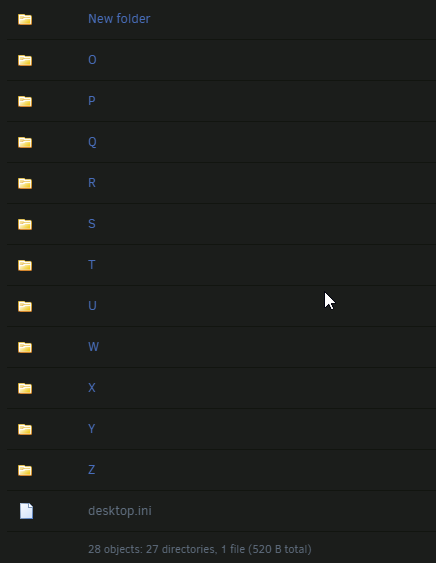
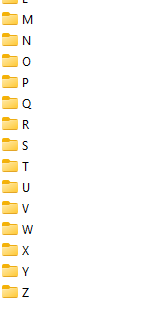
I had one subfolder not reporting in Unraid, so I made a new one in Windows and renamed it. The problem is its not updating in Unraid. Its in my Music folder, V. It still shows as New Folder and doesn't want to update.
-
Sweet. The reboot was the trick. All drives are looking good now. Thanks for the help @JorgeB and @trurl One last diag to make sure the PCIe errors are not logging. diagnostics-20230912-1209.zip
-
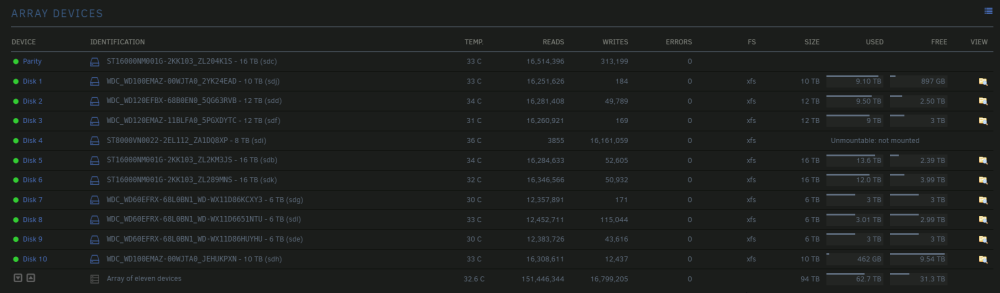
Yes, Disk10 looks like its mounted now, but Disk4 is still showing unmountable even after the parity rebuild. diagnostics-20230912-1120.zip
-
I just tried without the -n Phase 1 - find and verify superblock... Phase 2 - using internal log - zero log... - scan filesystem freespace and inode maps... sb_ifree 5382, counted 5482 sb_fdblocks 2328188686, counted 2345233769 - found root inode chunk Phase 3 - for each AG... - scan and clear agi unlinked lists... - process known inodes and perform inode discovery... - agno = 0 - agno = 1 - agno = 2 - agno = 3 - agno = 4 - agno = 5 - agno = 6 - agno = 7 - agno = 8 - agno = 9 - process newly discovered inodes... Phase 4 - check for duplicate blocks... - setting up duplicate extent list... - check for inodes claiming duplicate blocks... - agno = 0 - agno = 1 - agno = 4 - agno = 3 - agno = 7 - agno = 8 - agno = 9 - agno = 6 - agno = 5 - agno = 2 Phase 5 - rebuild AG headers and trees... - reset superblock... Phase 6 - check inode connectivity... - resetting contents of realtime bitmap and summary inodes - traversing filesystem ... - traversal finished ... - moving disconnected inodes to lost+found ... Phase 7 - verify and correct link counts... Maximum metadata LSN (2:1818096) is ahead of log (2:1817289). Format log to cycle 5. done
-
Parity rebuild of Disk4 was successful. Disk10 is still showing unmountable. I ran a file system check on it and it didn't look like there were any issues. diagnostics-20230912-0954.zip
-
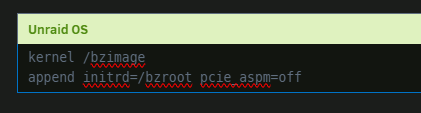
Ah, so you're seeing what fills up my log all the time. I've wanted to solve that too. Just to make sure this is right before applying. The thread has a lot of sub-topics it seems.
-
I'll post and check Disk10 when the rebuild is done. i don't think I can stop the array now that the rebuild is started, should be about 12 hours for the rebuild. I'll post the diag then, or tomorrow.
-
This is what its currently doing in normal mode. I stopped the parity in maintence and started this, its rebuilding but also looked like disk10 and 4 are unmountable.
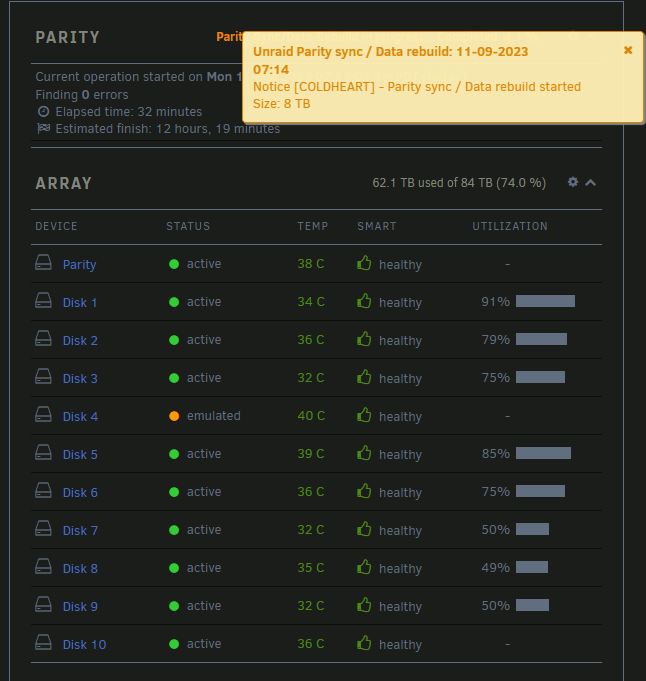
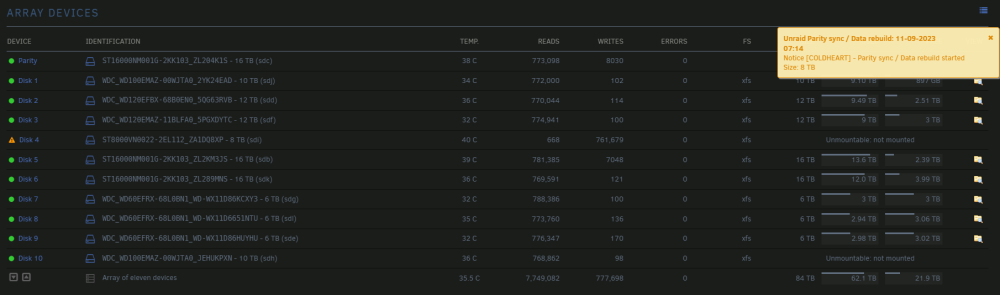
-
Okay. I think I might be in business now. I went into maintenance mode without Disk4 added and corrected the Disk10 to read xfs, stopped the array, added Disk4 back, started again in maintenance mode and its currently reconstructing Disk4!
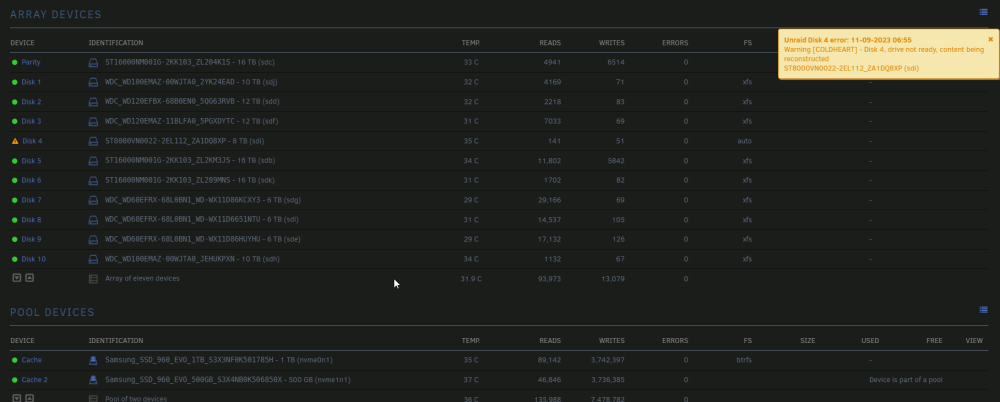
-
I followed these steps, this is what I'm seeing. diagnostics-20230911-0848.zip
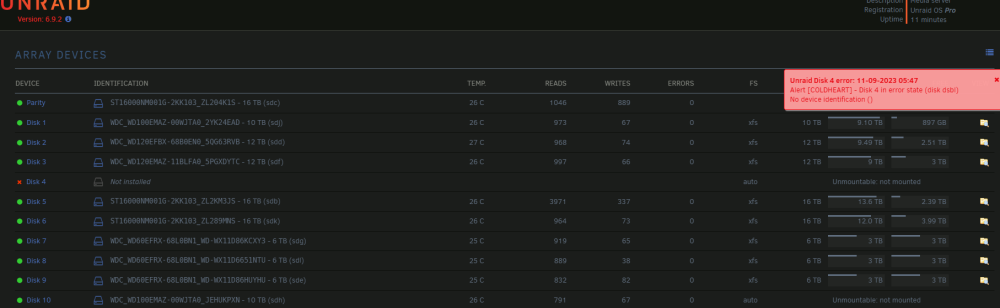
-
Thanks! I'll wait for @JorgeB and try that tomorrow unless they have another idea.
-
No, Disk10 was fine when I had to take out disk4. Its still in there, I never disabled it. Disk10 is the same disk it's always been, that is my question, why it won't recognize it.
-
No, that is the disk that died and I sent back to Seagate. The new one that is precleared is the replacement that I need to parity repair.
-
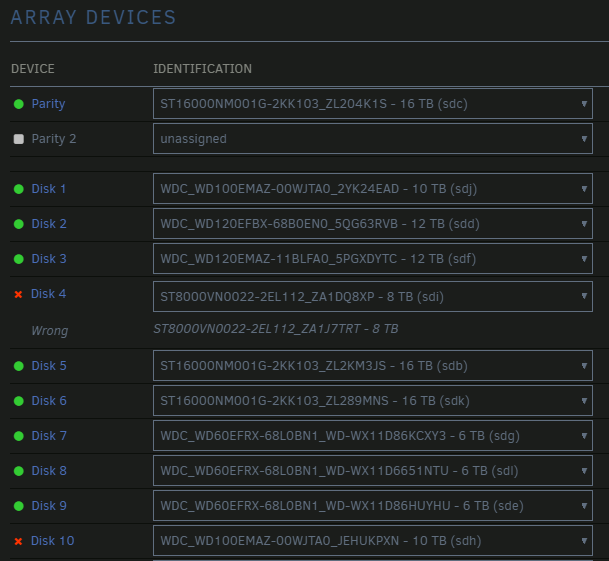
I had a drive that died, I put it in to start the parity rebuilt but one of my other drives is not wanting to connect. I've tried swapping SATA power and data cables with other known good ones and that didn't resolve it. Unraid sees the drive but wants to emulate it, either way I can't start the rebuild because this one drive isn't reporting correctly. I did a smart test on it last night and that showed it fine. diagnostics-20230910-1134.zip
-
Nevermind, I missed the format button at the bottom. I'm good.
-
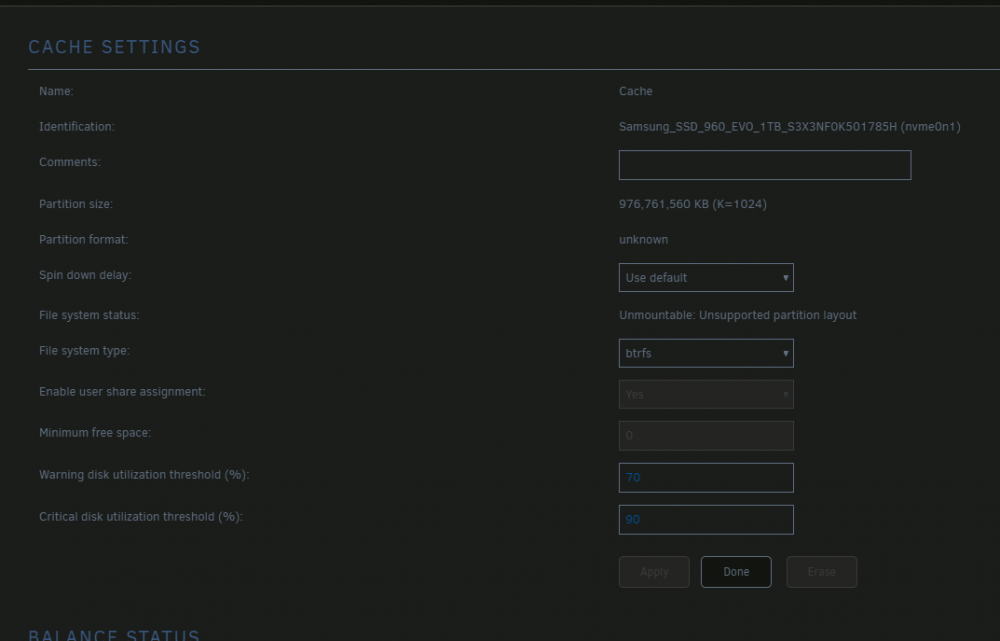
I moved my array to a new system, in the process I upgraded the cache drive to an nvme from a standard SSD. I have two NVMe drives in this box, and both are giving the same message when I try to format them and add them as the cache drive.

-
Confirmed my new drive was bad. The new replacement Precleared normally within a day and the parity was rebuilt in about 26 hours. Awesome.
-
I think the drive was bad. I couldn't even start a pre-read on it. I tried it in another computer last night and same thing. I dropped off the drive for RMA with Newegg this morning.
-
I've had more success with other drives on Preclear than this one. Three days in on the zeroing and at only 3%. Thoughts on what is going on? # # # unRAID Server Preclear of disk 5QG05UME # # Cycle 1 of 1, partition start on sector 64. # # # # # # Step 1 of 4 - Zeroing in progress: (3% Done) # ** Time elapsed: 93:27:07 | Write speed: 0 MB/s | Average speed: 1 MB/s # # # # Cycle elapsed time: 95:34:39 | Total elapsed time: 95:34:39 preclear_disk_5QG05UME_18023.txt


