






-
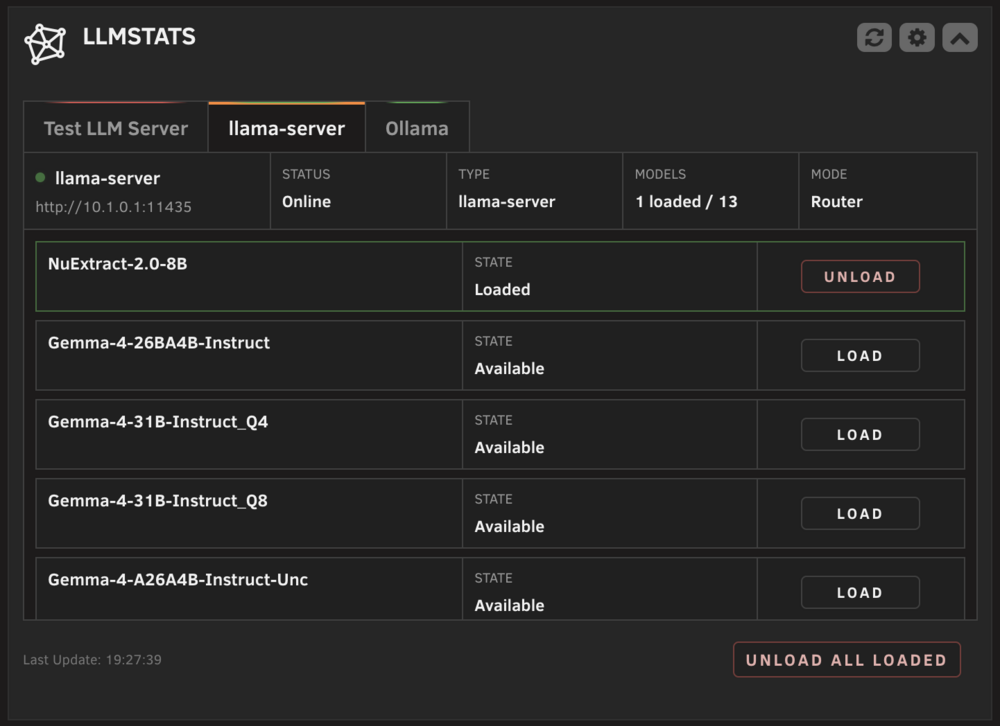
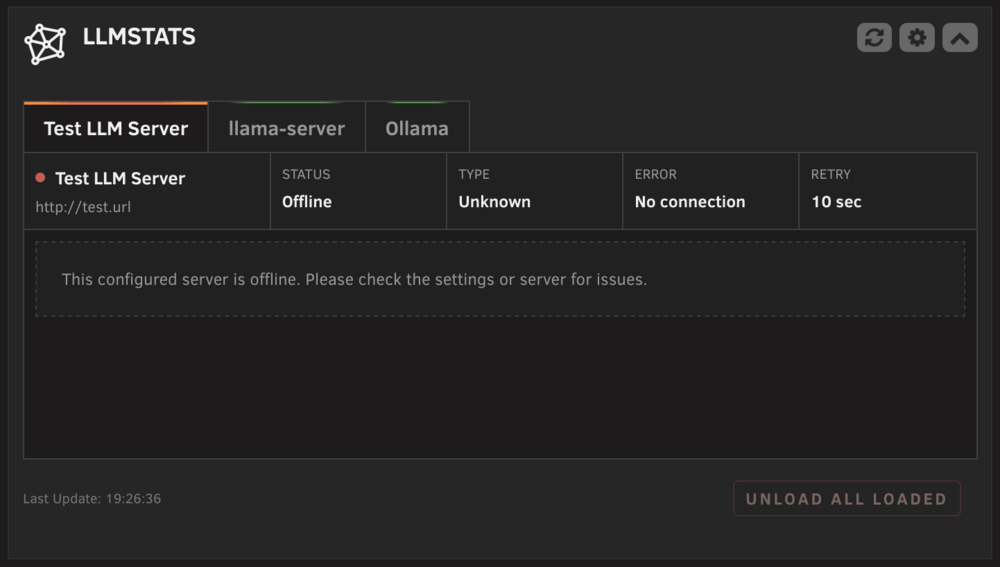
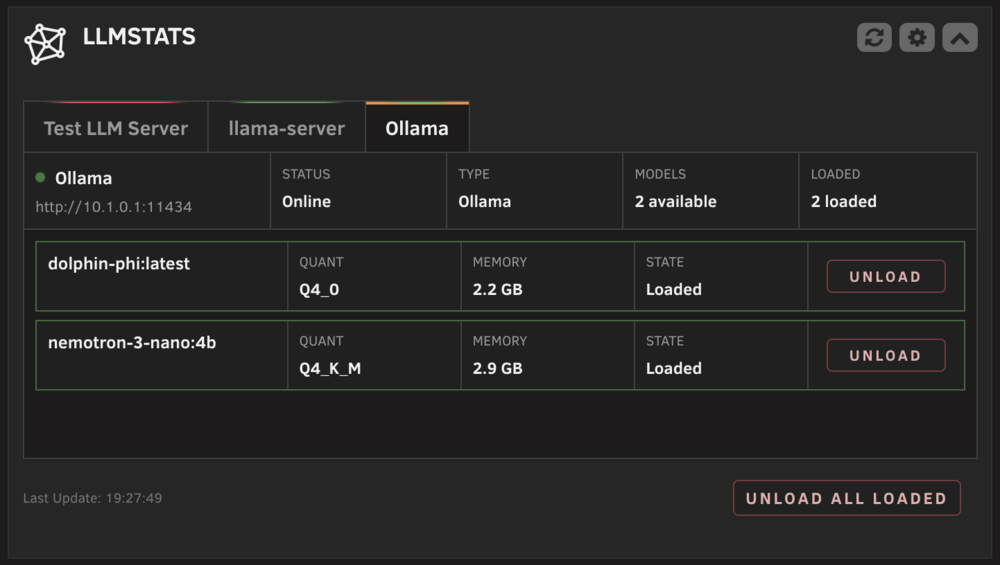
LLMStats Plugin - A dashboard widget for Unraid to view and control locally hosted AI/LLM services. Hi everyone, I'd like to introduce my second plugin for Unraid "LLMStats". I was looking for a simple way to monitor and control my locally hosted LLM directly on the dashboard. Since I couldn't find a solution that fit my needs, I decided to build one myself. Bugs, changelogs and feature requests can be found in the GitHub repo or Community Applications Page. https://github.com/jo-sobo/llmstats-unraid-plugin


-
I have now tested at least 10 different configurations for creating and setting up the share and Time Machine on my Mac. Regardless of the combination—whether changing quota limits, share settings, or other options—Time Machine does not work. I am still receiving the permission errors I described earlier. At this point, I am very certain the issue is not related to how I create or configure the share on the server, as I have ruled out every possible variable.
-
I have created a completely new share with a name never used before. I still get these errors. Does that maybe have something to do with the size of the backup and the share? With my old 256GB Macbook Air / and share set to 512GB i had no Problems. My new Macbook Pro has 1TB and the share is set to 2048GB. I have checked the samba.conf to make sure my old manual edits were not creating new problems. Also the extra configurations set in the GUI are empty and the smb service was restarted.
-
I just checked it mysefl after the UnRaid OS Update and it still does not work. I installed the Update 7.2.3 and after a reboot i deleted the share and created a new one. The export is on "Yes/Time Machine". The Time Machine logs on my Mac still show permission errors, but this time not regarding the renaming of the sparsebundle: Permission Denied on Resource Properties: Failed to get resourceProperties from URL <private> with error Error Domain=NSCocoaErrorDomain Code=257 "The file “timemachine” could not be opened because you do not have the access rights to view it." UserInfo={..., NSUnderlyingError=0x79117a550 {Error Domain=NSPOSIXErrorDomain Code=13 "Permission denied"}} Entitlement Check Failure: kernel: smbfs_vnop_ioctl: Time Machine entitlement check failed Failed to Read Capabilities: TimeMach: Failed to read capabilities for '/Volumes/timemachine', error: Operation not permitted POSIX Permission Denied: TimeMach: attrVolumeWithMountPoint 'file:///Volumes/.timemachine/10.1.0.1/03EEDEDA-F658-4F7F-93CD-7231CE946144/timemachine/' failed, error: Error Domain=NSPOSIXErrorDomain Code=13 "Permission denied" I can copy/move files to that volume using Finder no problem. botcloud-diagnostics-20251219-1435.zip
-
Thanks for that info! I will check the changelogs of the next Unraid versions for Samba updates inlcuding the fixes.
-
Hi @JorgeB , at the moment its Unraid 7.2.2 but i may have updated from 7.2.0 to 7.2.2 while i switched my Macbooks. But i cannot pin that down exactly in that timeline.
-
Hi everyone, I'm struggling with Time Machine backups to my Unraid server via SMB. It worked perfectly on my MacBook Air M2, but after switching to a MacBook Pro M1 Max (both running the same macOS version), it consistently fails. The ProblemTime Machine creates the .incomplete bundle but fails when trying to rename it to .sparsebundle: Failed to rename '.../.incomplete' to '....sparsebundle', error: Error Domain=NSCocoaErrorDomain Code=513 "couldn't be moved because you don't have permission to access timemachine" NSUnderlyingError: Error Domain=NSPOSIXErrorDomain Code=13 "Permission denied" Backup failed: BACKUP_FAILED_DISK_IMAGE_NOT_CREATED (20) EnvironmentUnraid 7.2.2 macOS Tahoe 26.1 (both MacBook Air M2 and MacBook Pro M1 Max) SMB share on XFS array disk Same user account, same network What I've Tried (in order)1. Basic Permission AdjustmentsChanged force user = nobody to force user = jonas Set create mask = 0600, directory mask = 0700 Result: Still failed 2. Removed Force UserRemoved force user and force group completely Changed to create mask = 0664, directory mask = 0775 Result: Manual mv .incomplete .sparsebundle now works, but Time Machine still fails 3. Disabled Unix ExtensionsAdded unix extensions = no (globally and per-share) Result: No change 4. Case SensitivitySet case sensitive = no, preserve case = yes Result: No change 5. Maximum Permissionsguest ok = yes, create mask = 0777, directory mask = 0777 Disabled all ACL/permission inheritance Filesystem set to chmod 777 on Unraid Result: Still fails with same error Interesting ObservationsA test script that creates .incomplete folders and renames them: Fails without sudo (same "Permission denied" error) Succeeds with sudo Manual mv .incomplete .sparsebundle in Terminal works without sudo after permission adjustments Time Machine itself still cannot rename despite all permissions being wide open Current smb-extra.conf[global] unix extensions = no server multi channel support = no ea support = yes vfs objects = catia fruit streams_xattr fruit:metadata = stream fruit:posix_rename = yes [timemachine] path = /mnt/user/timemachine guest ok = yes writable = yes create mask = 0777 directory mask = 0777 force create mode = 0777 force directory mode = 0777 unix extensions = no case sensitive = no inherit permissions = no inherit acls = no store dos attributes = no vfs objects = catia fruit streams_xattr fruit:aapl = yes fruit:time machine = yes fruit:time machine max size = 2048G fruit:metadata = stream fruit:resource = file fruit:posix_rename = yes fruit:veto_appledouble = no fruit:wipe_intentionally_left_blank_rfork = yes fruit:delete_empty_adfiles = yes ea support = yes Why would this work on MacBook Air M2 but fail on MacBook Pro M1 Max with identical macOS version, user account, and network setup? Is there a specific Samba setting or macOS security difference between these machines that could cause this? Any insights would be greatly appreciated!
-
Thanks for your feedback! Please feel free to report any issues you encounter. It's a beta version as I've only tested it on my personal setup.
-
Magnum.308 changed their profile photo
-
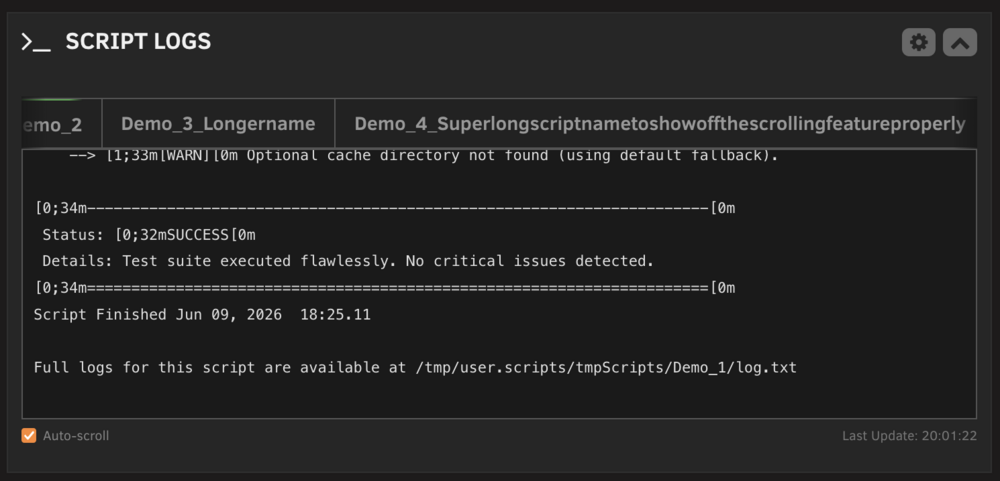
ScriptLogs Plugin - A dashboard widget for Unraid to view the live status and logs of your User Scripts. Hi everyone,I'd like to introduce my first plugin for Unraid "ScriptLogs". I was looking for a simple way to monitor my User Scripts directly on the dashboard. Since I couldn't find a solution that fit my needs, I decided to build one myself. Bugs, changelogs and feature requests can be found in the GitHub repo or Community Applications Page. https://github.com/jo-sobo/scriptlogs-unraid-plugin https://ca.unraid.net/apps/scriptlogs-1w30ctq03o9k6y


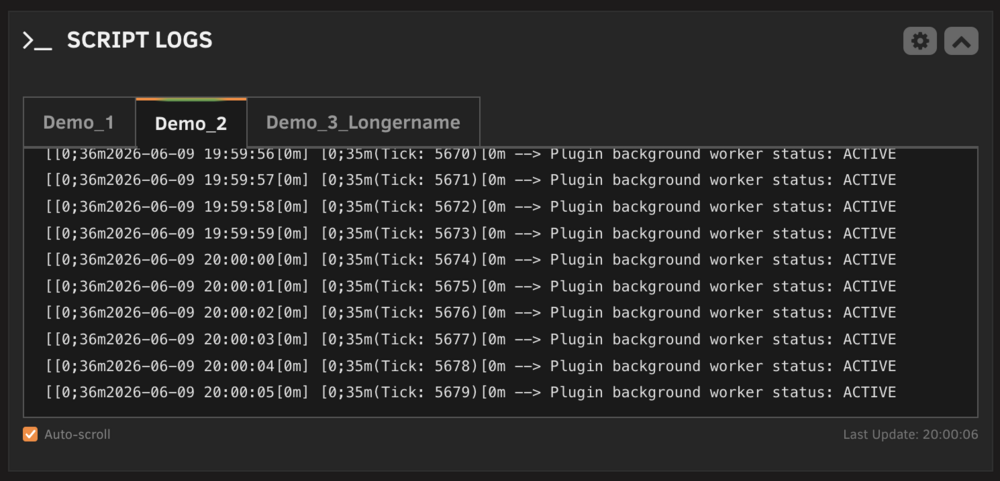
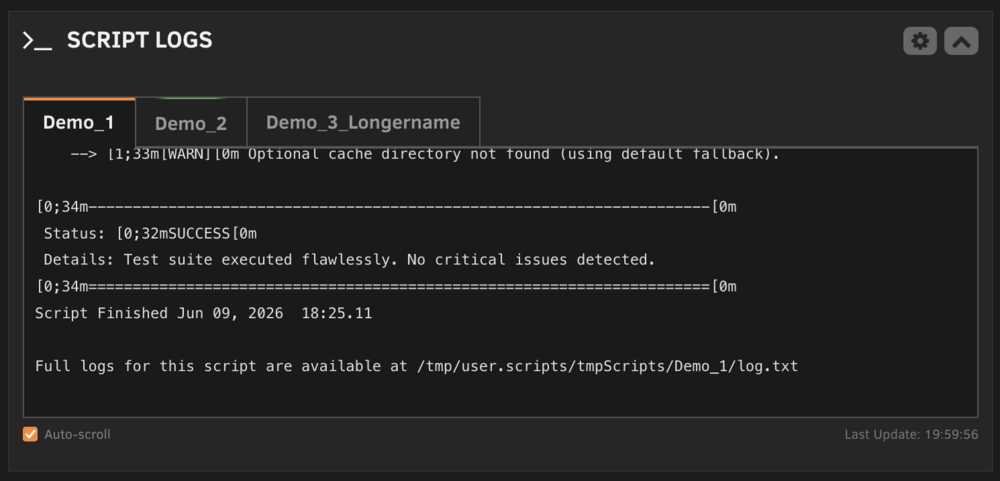
-
I tested the official container and get the same error when HW Acceleration ist enabled.
-
Sure, i will try it out and give you feedback.
-
Here you go: Unraid Version: 6.10.3 Jellyfin Version: 10.8.0 APU: AMD Ryzen 3 PRO 4350GE with Radeon Graphics As i said it worked before with the same files. One Evening i wanted to watch new episodes and then the issue was there. Strangely not only on the new episodes but also on the ones i watched before without any issues. Sadly i cant tell you what exacly was changed/done before the error first appeared. Settings were not changed but updates might have been done. g0ku737-diagnostics-20220623-1914.zip
-
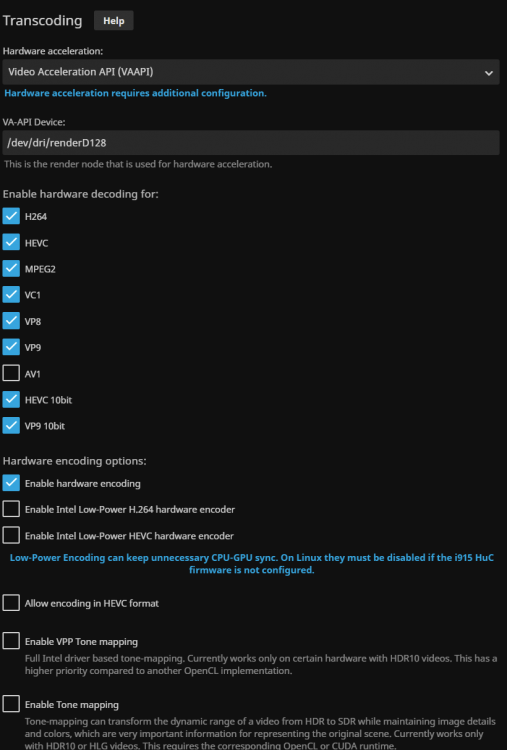
With before i mean that i watched the same files/episodes a few weeks ago and after i got the errors on newer episodes i tried older ones that i certainly knew worked before and got the same error. in the screenshot are my settings:
-
I have always used VAAPI.
-
Hey there, i have a strange problem that appered recently (last jellyfin update maybe): I cant play "MPEG-4 Visual (XviD)" encoded videos. For that part not so strange..but..it worked before..the exact same files. Thats not all. In the Jellyfin App on my Pixel 6 Pro i can watch them no problem. In the browser i get the message: "This client isn't compatible with the media and the server isn't sending a compatible media format." and on my Shield TV it just dont starts playing showing : "to many errors...". Also what is weird: when i watch one of the files on the Pixel the GPU usage is 0% while watching. When i watch a 4k h.264/5 the gpu is utilization is as normal 12-15%. When i deactivate HW acceleration i can play every file just normal but with much higher CPU load. Even when i watch the same file as before on my Pixel 6 Pro the CPU usage is 20-30% higher that with HWA activated which does not make sense to me because the GPU utilization before was 0%. I hope someone can help me. I can provide any data necessary to solve the issue (if you tell me where to get it). Thanks





