





jackfalveyiv
Members
-
Joined
-
Last visited
Everything posted by jackfalveyiv
-
My issue is resolved, a second reboot of my Unraid server solved the problem and transcoding is back to running normally.
-
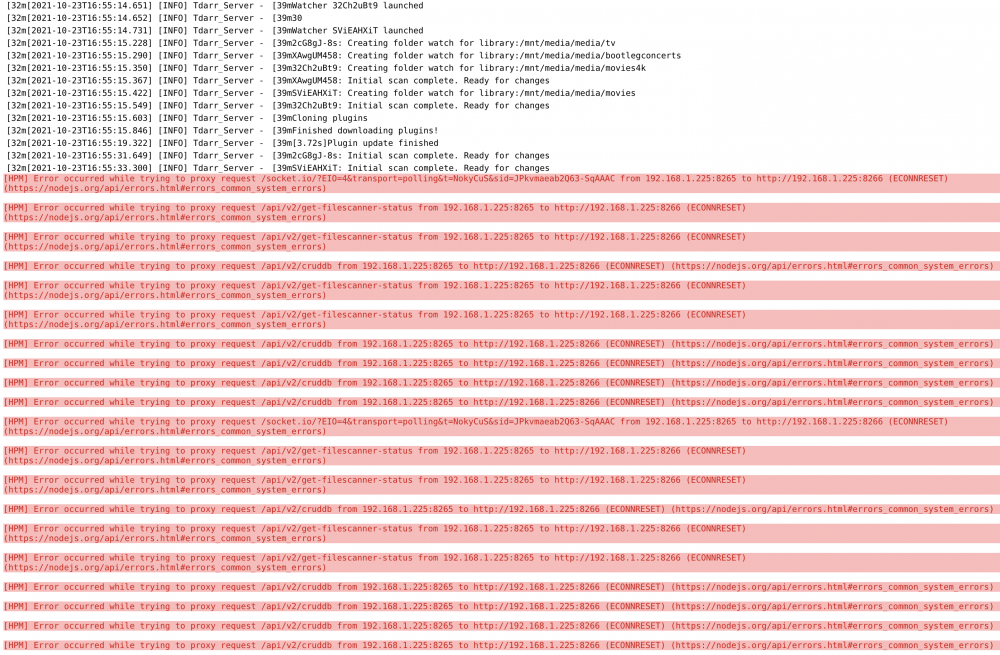
Managed to fight my way through the previous error, but came across a new one. I had been transcoding successfully for the past week, but my Node stopped a few hours ago and I'm receiving the below errors in the log. Both docker containers for Server and Node are running and I haven't made any configuration changes to either one, unsure what has caused this new problem. Also, I can confirm Health Checks are running without an issue, and I am using the GPU for both tasks.
-
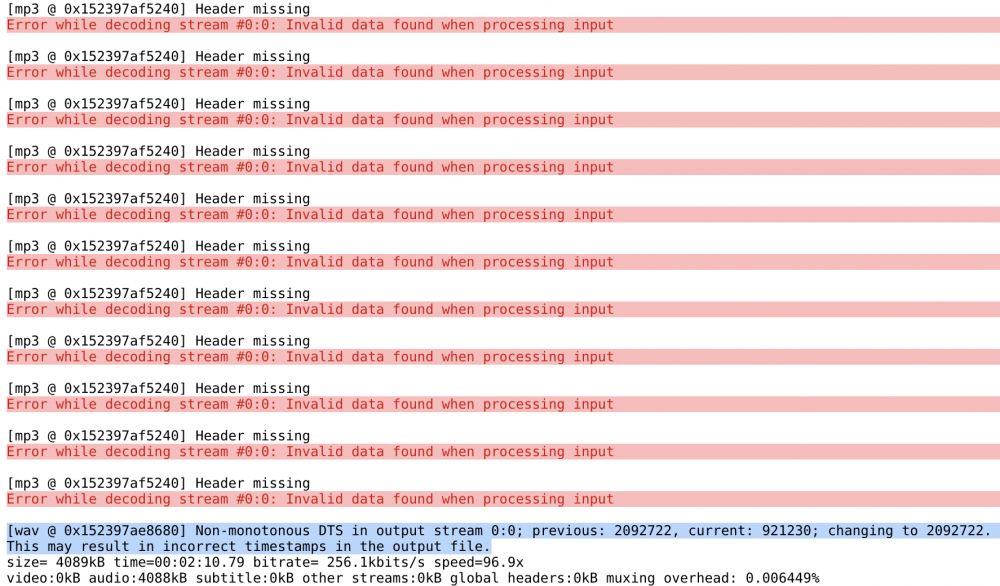
I've been experiencing a problem with file playback. It seems that random movie and TV episodes are failing to play. I have a pre-roll that runs in front of any movie that starts, which pretty reliably loads, but both locally and remotely there seems to be a random assortment of videos that won't play. I have even re-ripped a few DVDs and blurays to try h265, x265, mp4, mkv and at different bitrates, and yet I can't find what is causing the issue. I'm receiving a ton of errors in the Plex docker logs stating the following: [mp3 @ 0x152397af5240] Header missing Error while decoding stream #0:0: Invalid data found when processing input I've been hunting for answers across some of the Reddit Plex subs as well as here to no avail. If can provide me with some additional things to troubleshoot I'd greatly appreciate it.
-
As an update, it seems like file size is not a determinative factor as files as low as 1.4gb are also failing, and I still can't find the reason why.
-
LInking my issue here: I am not sure what is causing the issue, but very consistently larger files are failing while smaller ones are succeeding. I am need a little guidance on what else I can troubleshoot here, but I'm curious whether or not this is related to the plugins I'm using. Any help would be appreciated.
-
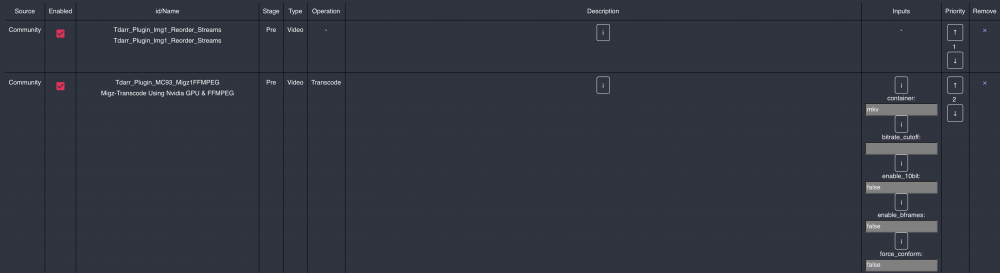
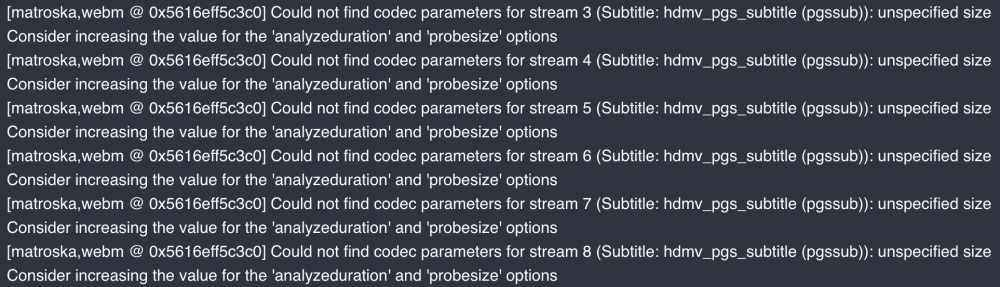
You were correct that my Transcode Cache path was set incorrectly, so thank you for that. After the change, I re-queued the failed transcodes and unfortunately many of the same files are failing, with the same error. I've attached a screenshot of the plugins I'm using, and I will note that the transcodes are going much faster than they were previously, which is of course great. Many of the failed transcodes are Remux Bluray 1080p files, is it possible one of these plugins is having difficulty parsing some of the data? I attached a second screenshot with a sample of one of the information tabs for a failed transcode.
-
I'm running Tdarr in an Unraid Docker, after following the recent Spaceinvaderone guide. I have a large library and am experiencing problems transcoding large files (File sizes ranging from 4gb to 50gb). I keep receiving errors such as: [hevc_nvenc @ 0x55b3f455ef00] OpenEncodeSessionEx failed: out of memory (10) [hevc_nvenc @ 0x55b3f455ef00] No NVENC capable devices found Error initializing output stream 0:0 -- Error while opening encoder for output stream #0:0 - maybe incorrect parameters such as bit_rate, rate, width or height Conversion failed! I also receive an error stating that my /temp directory is out of space when trying to write the file. My /temp share is on a 1TB SSD and I have 32GB of memory, according to the Unraid dashboard I'm not seeing RAM spikes above 70% at most. Tdarr is successfully transcoding other files under 4GB, but I can't find the bottleneck. I tested while running only one worker as well as up to 5 simultaneously, and fairly consistently the smaller files are working, while the larger ones seem to be getting up to 70-80% completion before going into the Error/Cancelled category. There are some files that fail instantaneously. Any help would be appreciated.

-
Great advice, I will do that. Thank you.
-
I was able to fix the issue. My server came up with the wrong IP address, I statically assigned the original IP and everything is operating correctly now. Thank you for the help!
-
I can reach the internet from all other computers on my network, and I can ping google.com from the server. I recently moved to a new house but brought my router along with me, I've been at this location for a few weeks and this issue hasn't arisen yet, but could it be a problem with my public IP having been changed?
-
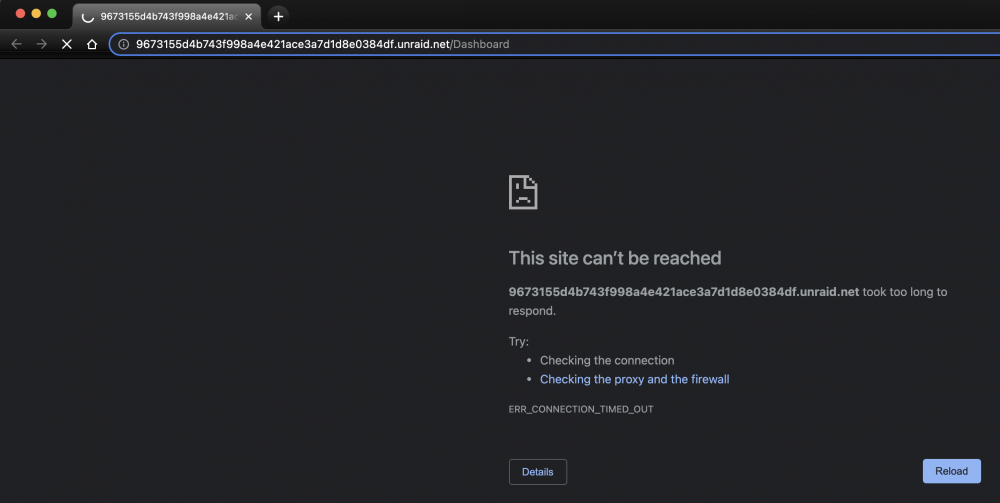
My server had to be rebooted last night and I'm unable to access the web console via https any longer. I can only reach the console via http, however after doing this I was unable to reach my docker apps (Radarr, Sonarr, Lidarr, Organizr, etc) unless I'm using http. I was able to verify the server came up on the same IP it always has and it is showing up on my router. I keep getting an error of a connection timeout whenever I try to get to the encrypted address for the console. I'm struggling to no where to start looking/troubleshooting to remediate this problem. If someone could provide a little guidance as to where I can start, I'd appreciate it greatly.
-
I suppose I'm back where I started as hardware transcoding is working properly on the server, so I'm back to not understanding why a few files are unable to play on any device.
-
I'm seeing a potential issue in the logs: Apr 01, 2021 21:55:43.877 [0x14bb723f1700] DEBUG - [Transcode] Codecs: hardware transcoding: opening hw device failed - probably not supported by this system, error: Generic error in an external library Apr 01, 2021 21:55:43.877 [0x14bb723f1700] DEBUG - [Transcode] Codecs: testing h264 (decoder) with hwdevice nvdec I'm using a RTX 3070 and have the Nvidia Driver installed with driver 465.19.01. I have --runtime=nvidia in Extra Parameters and my GPU is declared under Nvidia Visible Devices in the docker settings. Hardware transcoding was working as recently as yesterday.
-
I'm having an issue with Plex, and I don't know whether or not it is this docker. I am unable to play certain movies on my server, and this seems to have started a few weeks ago. Without rhyme or reason, certain files will not play on my server locally, but they will remotely for some users, but not all. This seems to be regardless of codec, resolution or source, as I would pull multiple variations of the same movie file and yet they still would not play. The odd thing about this is that some, but not all, of my remote users are able to stream the file without a problem, and when I stream the file from a friends' Plex server, the same file that I have on mine, it streams without a problem. I'm unsure if there is a permissions issue or maybe a problem with my hardware transcoding. I am using a GTX 3070 for hardware transcoding and trying to direct play/direct stream this file on Samsung TV, Apple TV, Roku, iOS and Chrome Browser clients and none are playing the file in question. I have attempted the codec deletion method but that didn't fix anything. I have tried reaching out in another thread here and on the Plex forums but have come up short. I'll upload my current Plex logs and my server diagnostics, but could use a hand diagnosing whatever this problem is. PlexLogs.zip trescommas-diagnostics-20210401-2001.zip


