





fxhe
Members
-
Joined
-
Last visited
-
既是正版的,就问技术团队:[email protected]。他们一定会给你答案的
-
I got it and Thanks
-
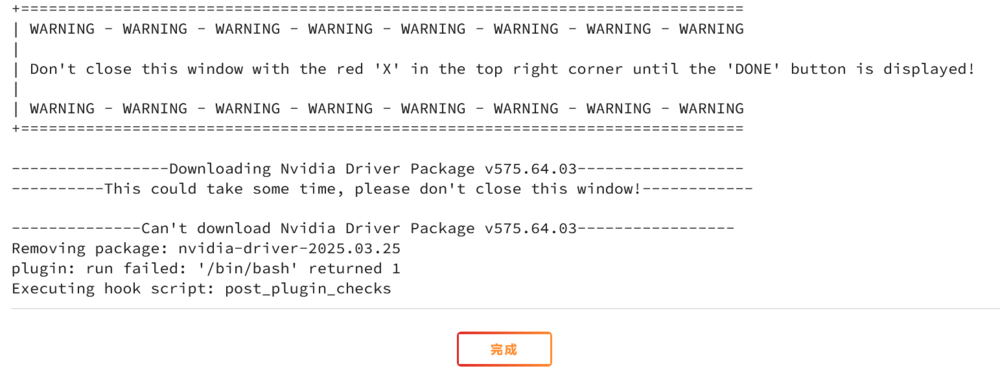
It always appeated when I reinstall the Nvidia-Driver. How to improve?
-
-
tower-diagnostics-20250716-0851.zip
-
The plugin cannot find my NVDIA "GeForce GTX 1080 Ti" driver but I can find it at system devices. What happened?
-
tower-diagnostics-20250623-2033.zip
-
I added a parity disk to my array and it worked. But when I restarted the array, the disk was disabled. I donot know what happed. Please give me a help and thanks.
.thumb.png.b49abea0be7e1e8f2dfcdf58bd3e59ab.png)
-
-
Yes, I found there are errors in one disk. tower-diagnostics-20250611-1122.zip
-
Some of my smb shears don't work, so I checked it in terminal and the sysytem said "/bin/ls: reading directory '.': Structure needs cleaning". How to fix it?

-
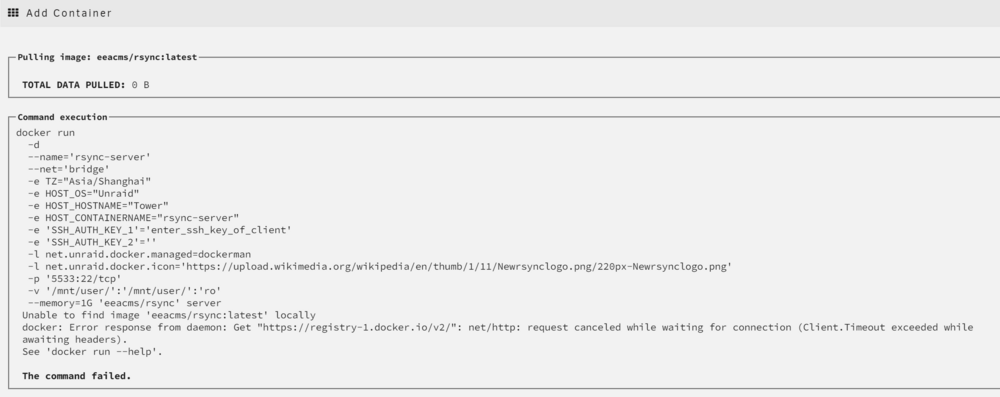
Now, I made CA up to date and did what @Squid said at https://forums.unraid.net/topic/183347-backup-server-active-some-icons-may-not-appear-and-plugin-installations-may-be-affected/#findComment-1504318. Then, I can reinstall transmission so I am sure my proxy's working, but I cannot reinstall syncthing, cannot install luckyBackup and rsync-server. I don't know what wrong.
-
I can reinstall transmission but cannot install rsync-server.
-
Still can't do it。
-
CA is up to date but docker installation was failed. tower-diagnostics-20250101-1041.zip

.png.3c192ef674a9dad6a950c46df67ea00e.png)
