AC-Gamer
Members
-
Joined
Everything posted by AC-Gamer
-
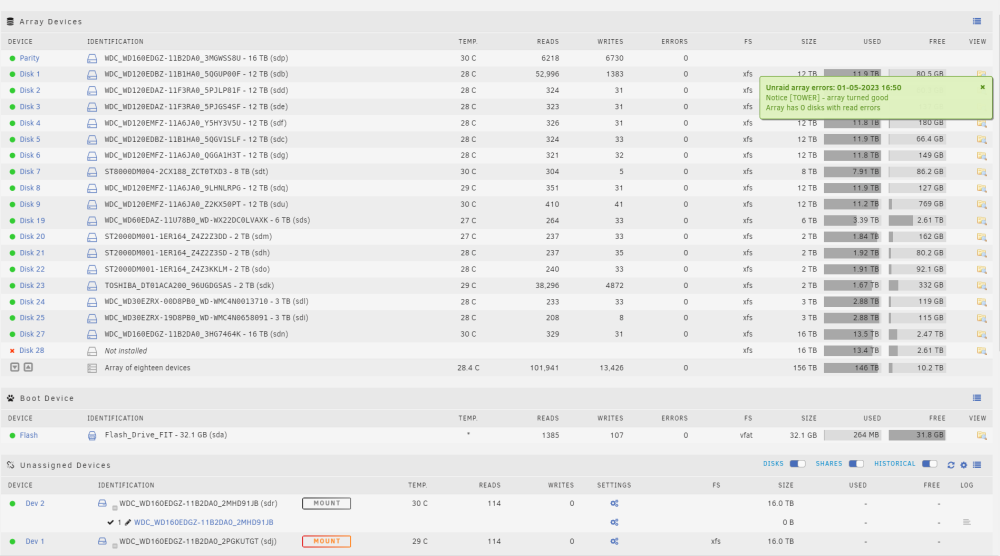
oh I just noticed one of the unmounted drives is marked xfs and one is not, just like all the drives above except the parity drives so this may help tell them apart as well as one can be mounted and one can not be so looks like the drive 11b2dao 2mhd91jb is the parity one
-
Im not 100% sure which one of the unmounted was the disk 28, and yes the other was the parity2 drive, unfortunately I don't have any spare drives of equal size but if you think it would be better to wait to rebuild, I will order one as I don't have any backups to the data on the unraid to answer your other question. Lots of family videos and pictures that aren't replaceable but I understand when it comes to computers some things cant be avoided. Should I run a self test on the drives?
-
just noticed the insane amount of errors as well

-
sorry it took so long, I spent most the night checking the connection and making sure the nic card didn't come unseated as I read on another forum that was a known issue, I didn't have any spare power supply's but I did switch them out with another dell r710 I have running and it seems they are good. I took a diag but am hestiant to shut the server down again and try to rebuild to two drives it dropped till I hear back from you so will just let it run for a bit and see how it goes till then. tower-diagnostics-20230501-1852.zip
-
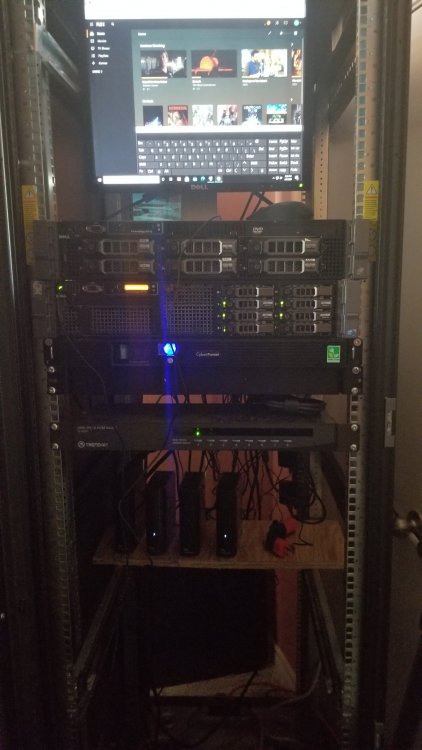
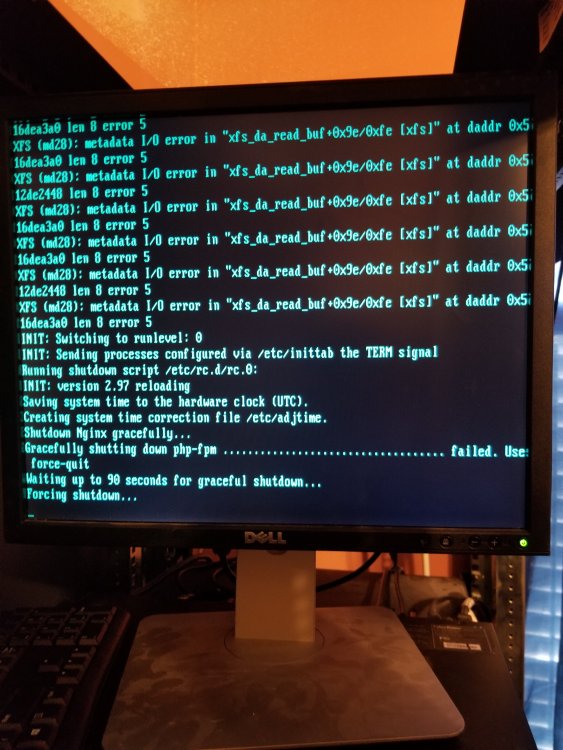
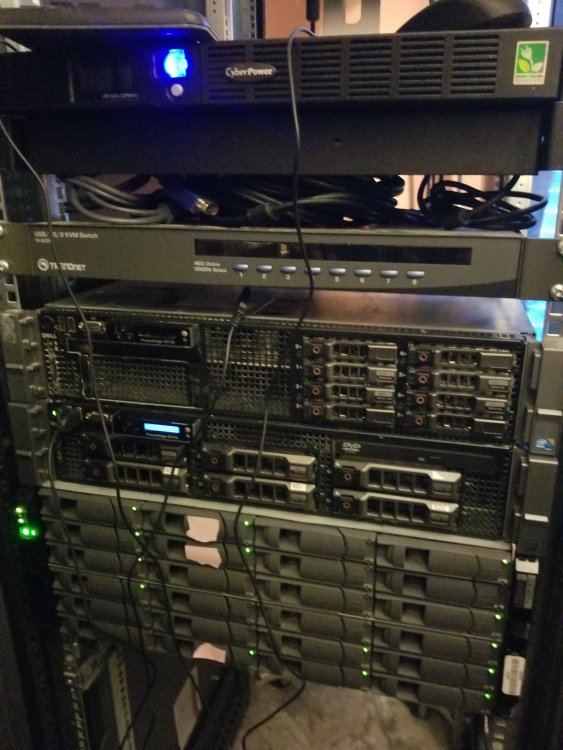
so I was able to get the unraid to boot back up but this time the two drives that were disabled were no longer showing up as even plugged in so I attempted to do as you said and shut it down and check the power and cables but upon trying to shut down it froze and wouldn't go any further. I let it run for around 6 hours as not wanting to interrupt it with another unclean shut down but to no avail, the hard drives stayed spun up the entire time and the cpu bounced back and forth from 60 to 80 percent usage, I eventually went over and hit the power button and watched as the system tried a forced shut down, another hour later and it still had failed to shut down so I held the button until it finally shut down. I know I know, this probably made this even worse, though I felt like there wasn't much choice at this point at it was no longer responding to any input and was simply spin its wheels at full speed most likely causing damage in its own right. I have the logs from before I tried to shut down and during the shut down when it was still responsive, as well as a picture of the screen as it tried to forcibly shut down. I fear the worse with this atm but trying to stay hopefully. any help would be greatly appreciated. my system consist of a dellr710, net app ds4246, and Cyberpower ups tower-diagnostics-20230430-0419.zip tower-diagnostics-20230430-1005.zip
-
so a few days ago I ran into a problem with my unraid server and was thankfully able to get it sorted out with the help of those of you on here esp gorge but now a day later Im running into even worse issuses. The problem started with my system no longer showing any content and had to do a reboot to fix the problem. I was also have a issuse with one of my hard drives at the time being disabled, so I went out and bought a new drive and was in the process of rebuilding when a second hard drive failed, and then one of the parity drives failed while rebuilding. this sounds really bad and could use any help you guy have to offer, Ill post both logs below so you can see what changed in just a couple days. 1844 one is the most recent. tower-diagnostics-20230429-1844.zip tower-diagnostics-20230426-1226.zip
-
Thank you so much Jorge you have saved my ass yet again, It was such a simple solution and of that I am thankful if not a bit embarrassed. I owe you a drink my friend. Thank you again this worked beautifully.
-
Hey guys I just got home from work to find my unraid system is not working at all. I have no idea what to do and hope someone can give me direction. I've had issues in the past but have always been able to work them out as I at least get an error code or something but this time nothing it just wont let me do anything. So Im able to log into the system via the webpage interface and can move around and see things but as far as accessing the hard drives themselves or any of the information on them I can not, nor are any of my dockers working, in fact they dont even show up, instead it says things like Libvirt service failed to start or docker service failed to start. Im kinda at a lose as to what to do next if any one can even point me in the right direction I would be forever grateful as I have a lot of information and hate to say am freaking out a little. Ive attached the log files down below. I tried to restart the system once but as far as I can tell the system has been up the entire time before with no power outages. tower-diagnostics-20230426-1226.zip
-
sorry for the long delay but that seemed to work well, zero sync errors found now, although I have had weird issues with plex skipping videos now so not sure if its related or a new problem but thanks for the help with solving this one.
-
Thanks Trurl, Ill give that a shot when this parity finishes, will take a few more days and will update if it fixed the problem then
-
Hey guys so quick question, a few weeks ago I was in the hospital and away from my house due to my mother braking her leg, and at the time the best I can tell the power went out. I have a UPS but guess it didn't last the full duration of the power outage and shut down. I cant tell if it did as it was suppose to and shut down cleanly or if it was a dirty shut down and at some point the power came back on and rebooted. It was running a parity check (these tend to take about 4 days on my system due to the size of the array) and the power went out again. I again don't know if it was a clean shutdown as I was away for about 3 weeks. When I got back the Plex app had all sorts of issues which I finally resolves and everything else seemed to be working fine until I noticed after another parity check I was getting a very small amount of sync errors (7) which I never had before. I've read a number or post talking about this and some say if its a small amount and doesn't grow larger its nothing to be concerned with, others say it could be a cable or NIC card compatibly problem, I really cant seem to find a good answer to this so figured Id post my Diagnostics and hope maybe one of you guys out there could tell me for sure what the issues is before it grows into a bigger one. As I mentioned before I have a fairly large array and don't wish to risk losing it if I can get in front of this situation before it turns worse. Its in the process of running another check which is scheduled to finish in 5 days and has already found (2) sync errors its corrected. tower-diagnostics-20230101-1205.zip tower-smart-20230101-1036.zip
-
Went ahead and ran the -L as you suggested Phase 1 - find and verify superblock... sb root inode value 18446744073709551615 (NULLFSINO) inconsistent with calculated value 128 resetting superblock root inode pointer to 128 sb realtime bitmap inode value 18446744073709551615 (NULLFSINO) inconsistent with calculated value 129 resetting superblock realtime bitmap inode pointer to 129 sb realtime summary inode value 18446744073709551615 (NULLFSINO) inconsistent with calculated value 130 resetting superblock realtime summary inode pointer to 130 Phase 2 - using internal log - zero log... ALERT: The filesystem has valuable metadata changes in a log which is being destroyed because the -L option was used. - scan filesystem freespace and inode maps... sb_icount 0, counted 15744 sb_ifree 0, counted 295 sb_fdblocks 2929199537, counted 27301763 - found root inode chunk Phase 3 - for each AG... - scan and clear agi unlinked lists... - process known inodes and perform inode discovery... - agno = 0 - agno = 1 - agno = 2 - agno = 3 - agno = 4 - agno = 5 - agno = 6 - agno = 7 - agno = 8 - agno = 9 - agno = 10 - process newly discovered inodes... Phase 4 - check for duplicate blocks... - setting up duplicate extent list... - check for inodes claiming duplicate blocks... - agno = 0 - agno = 1 - agno = 6 - agno = 8 - agno = 7 - agno = 5 - agno = 2 - agno = 9 - agno = 3 - agno = 10 - agno = 4 Phase 5 - rebuild AG headers and trees... - reset superblock... Phase 6 - check inode connectivity... - resetting contents of realtime bitmap and summary inodes - traversing filesystem ... - traversal finished ... - moving disconnected inodes to lost+found ... Phase 7 - verify and correct link counts... Maximum metadata LSN (1:152289) is ahead of log (1:2). Format log to cycle 4. done I shut down the array and brought it back up and all is well in the world, I cant thank you enough for this jorgeB, I know my problem was a lot like the others but pulling the trigger on something like this and potentially losing so much data is nerve racking, having you guys here to ask for help but more so reassurance we are doing the right thing is incalculable. Thank you again Jorge I cant say that enough.
-
Hey guys , having a bit of an issue I'm hoping you all can help out with. I have a dell r710 I was adding a new 16tb hard drive to and without thinking I removed two hard drives to add more screws to the case since the last time I put them in I was short and only used 1 screw. I should have spun the server down but didn't and when I put them back in they weren't working any more, the array took a couple days to rebuild the drives but now that they are done its saying they are still UNMOUNTABLE: NOT MOUNTED. I found a post about this https://wiki.unraid.net/Check_Disk_Filesystems#Checking_and_fixing_drives_in_the_webGui and spun the server up in maintenance mode to run a xfs test on one of the 2 drives that isn't working, using -nv as it recommends and comes back with the following status Phase 1 - find and verify superblock... bad primary superblock - bad CRC in superblock !!! attempting to find secondary superblock... .found candidate secondary superblock... verified secondary superblock... would write modified primary superblock Primary superblock would have been modified. Cannot proceed further in no_modify mode. Exiting now. that forum doesn't cover this response nor did this one that closely resembled my problem I'm worried about what to do next for risk of losing all the data on them, any help would be greatly appricatated Edit-- Using -v I got the following Phase 1 - find and verify superblock... bad primary superblock - bad CRC in superblock !!! attempting to find secondary superblock... .found candidate secondary superblock... verified secondary superblock... writing modified primary superblock - block cache size set to 1838016 entries sb root inode value 18446744073709551615 (NULLFSINO) inconsistent with calculated value 128 resetting superblock root inode pointer to 128 sb realtime bitmap inode value 18446744073709551615 (NULLFSINO) inconsistent with calculated value 129 resetting superblock realtime bitmap inode pointer to 129 sb realtime summary inode value 18446744073709551615 (NULLFSINO) inconsistent with calculated value 130 resetting superblock realtime summary inode pointer to 130 Phase 2 - using internal log - zero log... zero_log: head block 305435 tail block 305431 ERROR: The filesystem has valuable metadata changes in a log which needs to be replayed. Mount the filesystem to replay the log, and unmount it before re-running xfs_repair. If you are unable to mount the filesystem, then use the -L option to destroy the log and attempt a repair. Note that destroying the log may cause corruption -- please attempt a mount of the filesystem before doing this. I'm a little nervous about doing anything that can result in all the data being lost so forgive me asking for clarification but when it says to unmount and remount the drives is it referring to a command or does it want me to spin down the server and unmount the two drives spin up the server and down again and remount them? if so I've done this once before when the drives stopped working the first time showing the unmountable message and that's what prompted the parity rebuild. Should I do it again? or should I use the -L to force it and patiently risk a lose of data as a last resort? Second Edit, spun the server down out of maintenance and back into normal mode and one of the two drives mounted and is fully working, should I use the -L for the last remaining drive not working?
-
I got the LSI card drivers updated but it still wont recognize the DS4246, I've tried a number of different types of hard drives and wirers just in case, as well as am using a different card so the only thing left would be the DS itself right? tower-diagnostics-20211218-2355.zip
-
thanks for the assist Jorge, nice to know its at least being detected even if no hard drives are showing up, I've been looking into updating the firmware but never done it before so found this video that used megaraid to update the firmware but doesn't say where he found the drivers, few forums later I found that broadcom now owns LSI (https://docs.broadcom.com/site-search?page=1&per_page=10&q=LSI SAS 9200-8e) but still couldn't find the right drivers, any idea I can get them? If the drivers don't appear to be the issue, what do you think It might be?
-
Thanks for the help Jorge tower-diagnostics-20211214-1442.zip
-
I have a dell r710 with a H200 Lsi 9210-8i flashed in IT for unraid and it all works fine, but purchased a Lsi 9200-8e-duel port sas+sata pci express hba, qsfp+sff 8436 to sff 8088 mini sas cable ddr, and the netapp 4246. I've heard its just plug and play and while the lights come on and the system boots it doesn't show any of the drives, I found another forum talking about trouble shooting this ( but none of the suggestions worked so was hoping and post here would yield some results. Do I need to flash the LSI card to IT mode? is it another setting I can check do I need bigger or smaller hard drives? I'm kind of at a lose atm.
-
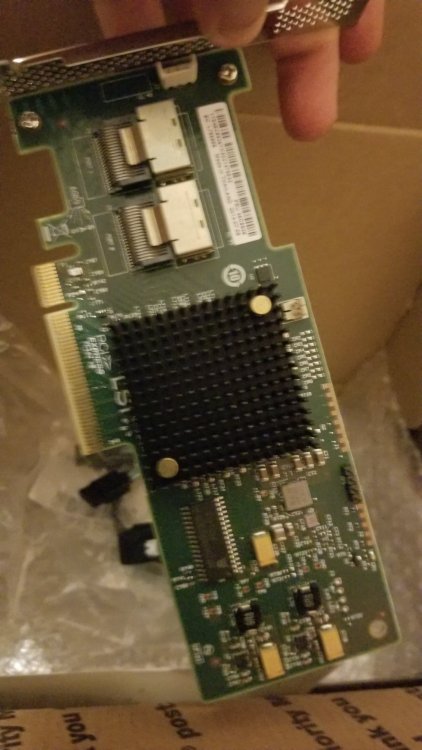
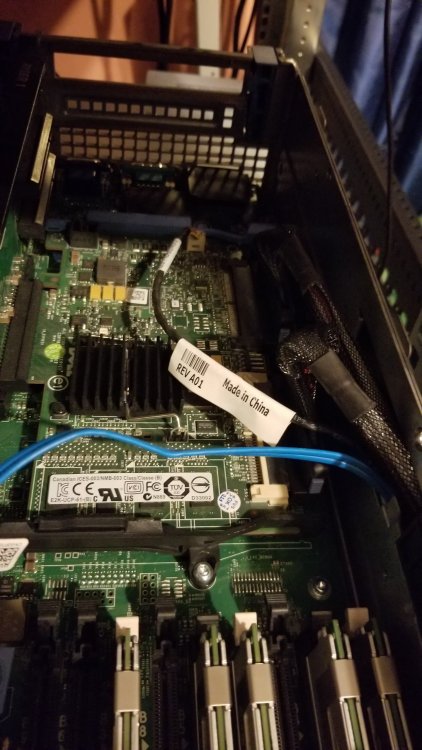
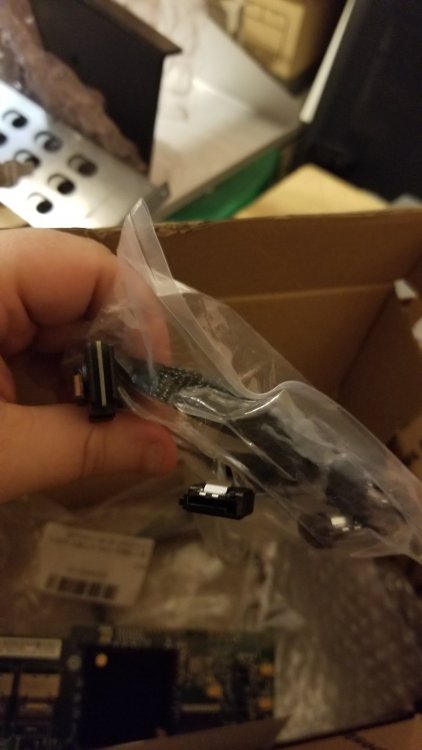
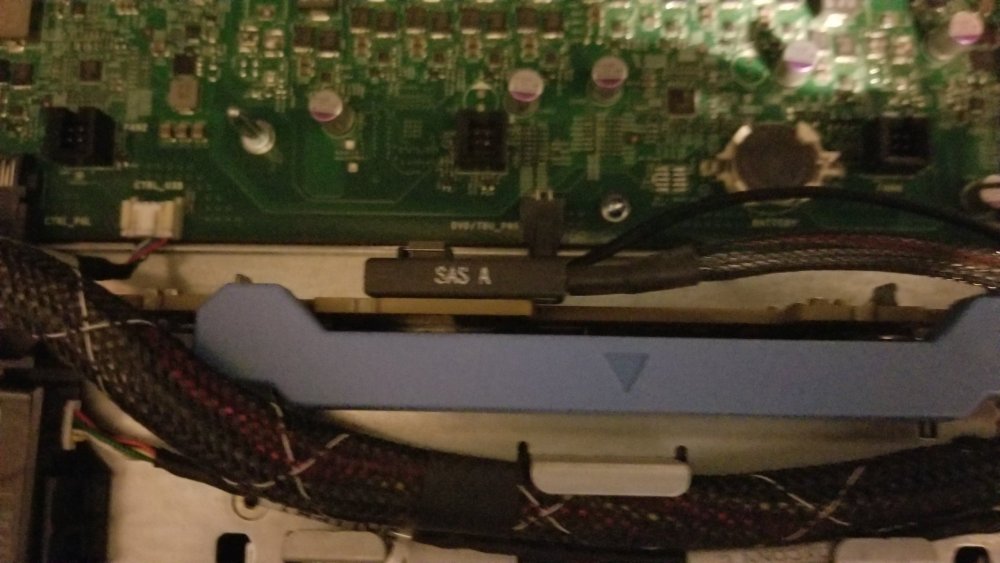
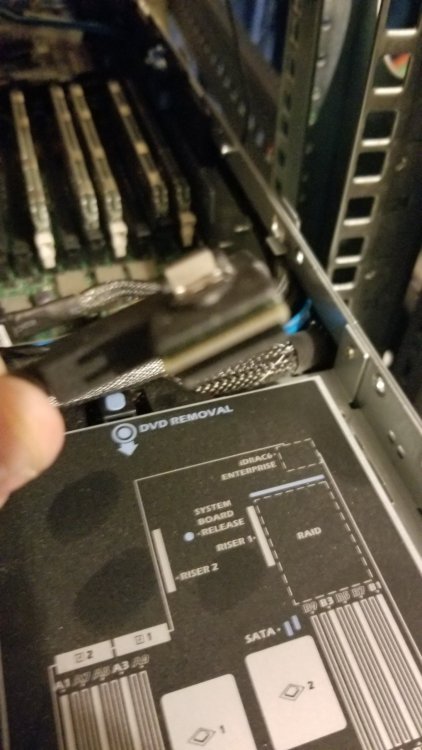
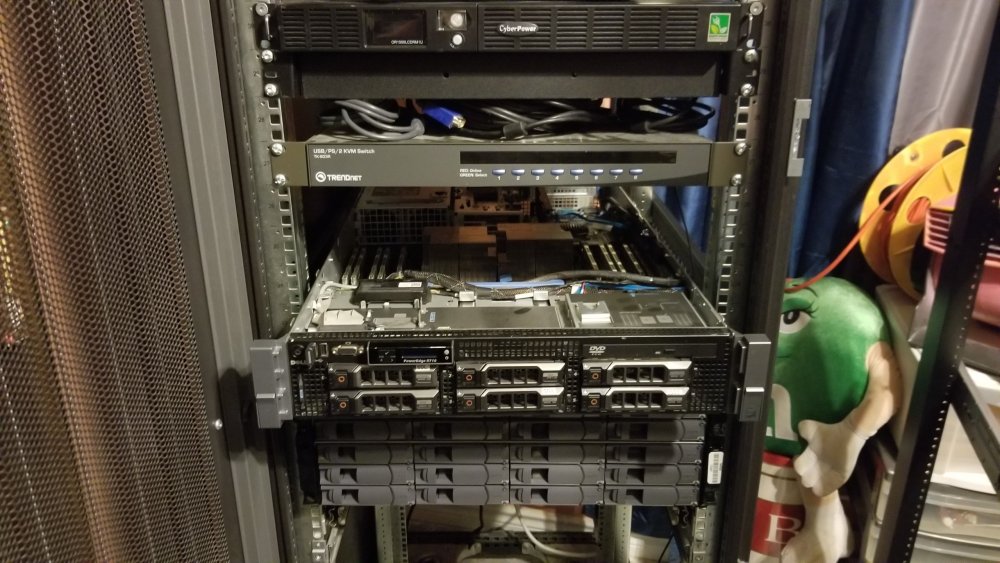
So I've finally decided to plop the money down on a better system then using the external hard drives and did as you guys suggested and bought a HBA non raid card for my dell r710, I even went further and purchased a NetApp DS4246 Disk Array Shelf, a LSI SAS 9200-8e-HP 8-Port, 6Gb/s DUAL PORT SAS+SATA to PCI Express HBA card and a 40G QSFP+ SFF-8436 to SFF-8088 Mini SAS Cable DDR For NetApp DS4243 DS4246 1~5 M cable to connect them all together only to open my server and find out that the raid card I have doesn't connect to my backplane, after all the reading I've been doing this would mean I need a reverse breakout cable and cards correct? I've hit so many roadblocks and made so many mistakes building this server I could really use a hand with this finale part, if any one could help or suggest the best card for this make up Id be eternally grateful, spending so much money and nothing to show for it but stress and at times less of a understanding then when I started is tough to deal with. links below for what I bought recently https://www.ebay.com/itm/224194226238?ssPageName=STRK%3AMEBIDX%3AIT&var=523122992742&_trksid=p2060353.m2749.l2649 https://www.ebay.com/itm/324570148307?ssPageName=STRK%3AMEBIDX%3AIT&_trksid=p2060353.m2749.l2649 https://www.ebay.com/itm/202404952486?ssPageName=STRK%3AMEBIDX%3AIT&_trksid=p2060353.m2749.l2649 Dell 6gb Dual-external-port PCIe SAS Non-RAID HBA - 012DNW - Free shipping on 2+
-
https://www.broadcom.com/support/knowledgebase/1211161451027/what-are-the-disk-drive-and-array-size-limitations-with-the-lsi- I could be reading this wrong, as I said up top so still new to all this but if LSI cards would work for a 12tb that would be amazing, any information on that would be very helpful. (update) Looks like your right it can recognize larger drives This forum post is a bit different then what I'm looking for as it doesn't talk about the dell r710, should there be anything I need to watch out for when picking a LSI card?
-
Looked into your suggestion of using the LSI Controller card and found a forum talking about what I need to do to flash and get it working. But once I replace my perc i6 with the LSI the server It should in theory be able to recognize hdd's of a size larger then 3tb correct? So my 12 tb would be able to just plug in and be used as single unraided drives till I install UNraid? (Update) After reading more, I see the LSI card will still have the same limitations on the HDD size of 2-3TB but I'm guessing you were suggesting them as a way to remove the hardware raid from being an issue.
-
First time user of unraid so alot to learn but had a few questions I couldn't find the answers to yet so if anyone can help or point me in the right direction Id appreciate it. I have a 2 Dell r710's one with a 2.5 HHD's, 1tb each and the other with 3.5 HDD's, 2tb each. I'm using one for a plex server with 4, (12tb external hdd) and 1, (8tb external hdd) plugged into them with movies and want to expand them with another 8, (12tb hdd) but as it stands right now I have no redundancy for my setup. I originally planned to mount the drives in the r710s and use a raid 5 or 6 but found out after the fact they only support 2-3tb hdd depending on the raid controller. I also picked up a free md1000 but those also have a limit on space so left with using the servers as the processors and adding in external drives at this point. So my main question is if Unraid can and will support a bunch of external HDD in redundancy and if there is a far better route I should be taking with this. I am rather new with servers and delving into this side of things so trying to make heads or tales of other forums I've read up on is extremal difficult to even begin to understand.