





Ichithekiller
Members
-
Joined
-
Last visited
-
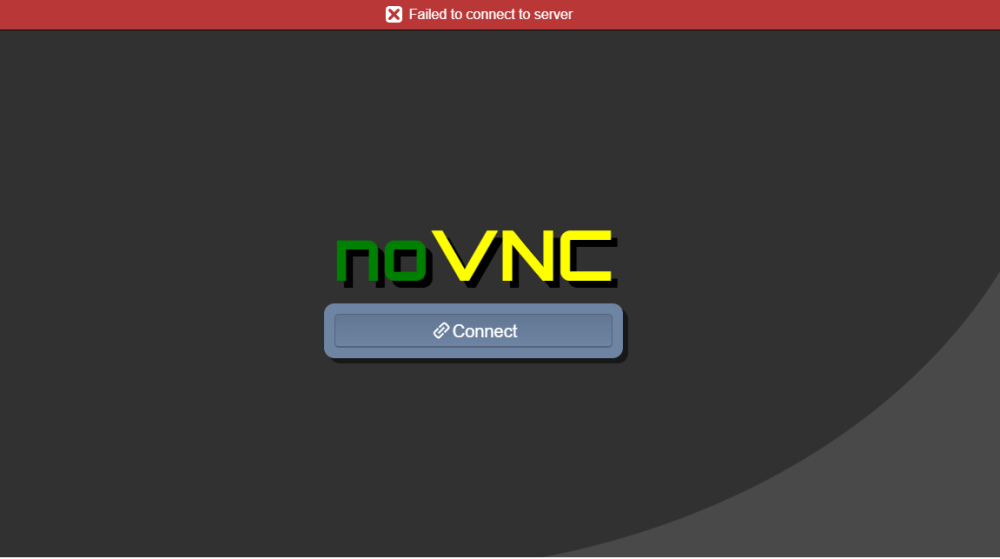
Hey. I having an issue running this container. I open the WebUI and it just says "Failed to connect to server. No VNC." It worked the very first time I opened it after install. Was able to sign in to my account. Had to close the window and come back later. After that, it started saying this. Nothing changed in my server. Not sure what happened.
-
00000000-00000fff : Reserved 00001000-0009dfff : System RAM 0009e000-0009efff : Reserved 0009f000-0009ffff : System RAM 000a0000-000fffff : Reserved 000a0000-000bffff : PCI Bus 0000:00 000e0000-000e3fff : PCI Bus 0000:00 000e4000-000e7fff : PCI Bus 0000:00 000e8000-000ebfff : PCI Bus 0000:00 000ec000-000effff : PCI Bus 0000:00 000f0000-000fffff : System ROM 00100000-868f2017 : System RAM 03000000-03a00816 : Kernel code 03c00000-03e4afff : Kernel rodata 04000000-04127f7f : Kernel data 04471000-045fffff : Kernel bss 868f2018-86901057 : System RAM 86901058-86902017 : System RAM 86902018-86947e57 : System RAM 86947e58-86948017 : System RAM 86948018-86968a57 : System RAM 86968a58-86969017 : System RAM 86969018-8698d657 : System RAM 8698d658-92fc8fff : System RAM 92fc9000-92fc9fff : Reserved 92fca000-94deefff : System RAM 94def000-97b9bfff : Reserved 97b9c000-97e1bfff : ACPI Tables 97e1c000-97fbffff : ACPI Non-volatile Storage 97fc0000-98efefff : Reserved 98eff000-98efffff : System RAM 98f00000-9fffffff : Reserved a0000000-dfffffff : PCI Bus 0000:00 a0000000-a10fffff : PCI Bus 0000:02 a0000000-a0ffffff : 0000:02:00.0 a0000000-a0ffffff : nvidia a1000000-a107ffff : 0000:02:00.0 a1080000-a1083fff : 0000:02:00.1 a1100000-a1100fff : 0000:00:1f.5 a2000000-a30fffff : PCI Bus 0000:01 a2000000-a2ffffff : 0000:01:00.0 a3080000-a3083fff : 0000:01:00.1 a3100000-a3afffff : PCI Bus 0000:09 a3b00000-a3cfffff : PCI Bus 0000:06 a3b00000-a3bfffff : 0000:06:00.0 a3b00000-a3bfffff : igc a3c00000-a3c03fff : 0000:06:00.0 a3c00000-a3c03fff : igc a3d00000-a3efffff : PCI Bus 0000:03 a3d00000-a3dfffff : 0000:03:00.0 a3e00000-a3e3ffff : 0000:03:00.0 a3e00000-a3e3ffff : mpt3sas a3e40000-a3e4ffff : 0000:03:00.0 a3e40000-a3e4ffff : mpt3sas a3f00000-a3ffffff : PCI Bus 0000:07 a3f00000-a3f03fff : 0000:07:00.0 a4000000-a40fffff : PCI Bus 0000:04 a4000000-a4003fff : 0000:04:00.0 a4000000-a4003fff : nvme a4100000-a4101fff : 0000:00:17.0 a4100000-a4101fff : ahci a4102000-a41027ff : 0000:00:17.0 a4102000-a41027ff : ahci a4103000-a41030ff : 0000:00:17.0 a4103000-a41030ff : ahci e0000000-efffffff : PCI MMCONFIG 0000 [bus 00-ff] e0000000-efffffff : Reserved e0000000-efffffff : pnp 00:03 fed20000-fed7ffff : Reserved fed20000-fed7ffff : pnp 00:03 fed91000-fed91fff : dmar0 feda0000-feda0fff : pnp 00:03 feda1000-feda1fff : pnp 00:03 fee00000-fee00fff : Local APIC fee00000-fee00fff : Reserved ff000000-ffffffff : Reserved ff000000-ffffffff : pnp 00:04 100000000-85fffffff : System RAM 4000000000-7fffffffff : PCI Bus 0000:00 4000000000-4011ffffff : PCI Bus 0000:02 4000000000-400fffffff : 0000:02:00.0 4010000000-4011ffffff : 0000:02:00.0 4012000000-40121fffff : PCI Bus 0000:09 4012200000-4012200fff : 0000:00:15.0 4012201000-4012201fff : 0000:00:15.1 4012202000-4012202fff : 0000:00:15.2 4020000000-4031ffffff : PCI Bus 0000:01 4020000000-402fffffff : 0000:01:00.0 4030000000-4031ffffff : 0000:01:00.0 4032000000-40320fffff : 0000:00:1f.3 4032100000-403210ffff : 0000:00:14.0 4032100000-403210ffff : xhci-hcd 4032110000-4032113fff : 0000:00:1f.3 4032114000-4032117fff : 0000:00:14.2 4032118000-40321180ff : 0000:00:1f.4 4032119000-4032119fff : 0000:00:16.0 403211d000-403211dfff : 0000:00:14.2
-
Just tried that. I type the first line and hit enter. Type second line and hit enter. It says this: bash: /sys/class/vtconsole/vtcon1/bind: No such file or directory Type 3rd line and hit enter. It says this: bash: echo: write error: No such device
-
Here are the new diagnostics. Here is last part of the windows 10 log after I start the VM: 2022-03-05 20:32:14.227+0000: Domain id=1 is tainted: high-privileges 2022-03-05 20:32:14.227+0000: Domain id=1 is tainted: host-cpu char device redirected to /dev/pts/0 (label charserial0) 2022-03-05T20:32:16.931901Z qemu-system-x86_64: vfio-pci: Cannot read device rom at 0000:01:00.0 Device option ROM contents are probably invalid (check dmesg). Skip option ROM probe with rombar=0, or load from file with romfile= 2022-03-05T20:32:33.959494Z qemu-system-x86_64: terminating on signal 15 from pid 10664 (/usr/sbin/libvirtd) 2022-03-05 20:32:36.361+0000: shutting down, reason=destroyed ichithetower-diagnostics-20220305-1532.zip
-
Finally got a chance to try this. Didn't work unfortunately.
-
I should have posted that from the start. duh. lol Here ya go! Just updated to 6.9.2 as well ichithetower-diagnostics-20220301-1901.zip
-
Hey, Running 6.9.1 I am having an issue getting VM's working. I recently installed a second SSD to use for my VMs. My Domains share is on the new SSD. ISO and VirtIO on the cache drive in my ISO's folder. I use the template for Windows 10. The VM starts up, but I can't seem to get video output. The card has been bound and was previously working on another VM I setup. Decided to delete it and install a new one. Same ISO and VertIO I was using before. Not sure what to do next. What other info is needed to help diagnose this? Thanks! Here is the log for the Windows VM: -rtc base=localtime \ -no-hpet \ -no-shutdown \ -boot strict=on \ -device ich9-usb-ehci1,id=usb,bus=pci.0,addr=0x7.0x7 \ -device ich9-usb-uhci1,masterbus=usb.0,firstport=0,bus=pci.0,multifunction=on,addr=0x7 \ -device ich9-usb-uhci2,masterbus=usb.0,firstport=2,bus=pci.0,addr=0x7.0x1 \ -device ich9-usb-uhci3,masterbus=usb.0,firstport=4,bus=pci.0,addr=0x7.0x2 \ -device virtio-serial-pci,id=virtio-serial0,bus=pci.0,addr=0x3 \ -blockdev '{"driver":"file","filename":"/mnt/user/domains/Windows 10/vdisk1.img","node-name":"libvirt-3-storage","cache":{"direct":false,"no-flush":false},"auto-read-only":true,"discard":"unmap"}' \ -blockdev '{"node-name":"libvirt-3-format","read-only":false,"cache":{"direct":false,"no-flush":false},"driver":"raw","file":"libvirt-3-storage"}' \ -device virtio-blk-pci,bus=pci.0,addr=0x4,drive=libvirt-3-format,id=virtio-disk2,bootindex=1,write-cache=on \ -blockdev '{"driver":"file","filename":"/mnt/user/isos/WIN10.PRO.20H2.SUPERLITE+COMPACT.U3.X64.GHOSTSPECTRE.(N-V3).iso","node-name":"libvirt-2-storage","auto-read-only":true,"discard":"unmap"}' \ -blockdev '{"node-name":"libvirt-2-format","read-only":true,"driver":"raw","file":"libvirt-2-storage"}' \ -device ide-cd,bus=ide.0,unit=0,drive=libvirt-2-format,id=ide0-0-0,bootindex=2 \ -blockdev '{"driver":"file","filename":"/mnt/user/isos/virtio-win-0.1.190-1.iso","node-name":"libvirt-1-storage","auto-read-only":true,"discard":"unmap"}' \ -blockdev '{"node-name":"libvirt-1-format","read-only":true,"driver":"raw","file":"libvirt-1-storage"}' \ -device ide-cd,bus=ide.0,unit=1,drive=libvirt-1-format,id=ide0-0-1 \ -netdev tap,fd=34,id=hostnet0 \ -device virtio-net,netdev=hostnet0,id=net0,mac=52:54:00:cd:b2:0e,bus=pci.0,addr=0x2 \ -chardev pty,id=charserial0 \ -device isa-serial,chardev=charserial0,id=serial0 \ -chardev socket,id=charchannel0,fd=35,server,nowait \ -device virtserialport,bus=virtio-serial0.0,nr=1,chardev=charchannel0,id=channel0,name=org.qemu.guest_agent.0 \ -device vfio-pci,host=0000:01:00.0,id=hostdev0,bus=pci.0,addr=0x5 \ -device vfio-pci,host=0000:01:00.1,id=hostdev1,bus=pci.0,addr=0x6 \ -device usb-host,hostbus=1,hostaddr=10,id=hostdev2,bus=usb.0,port=1 \ -device usb-host,hostbus=1,hostaddr=6,id=hostdev3,bus=usb.0,port=2 \ -device usb-host,hostbus=1,hostaddr=19,id=hostdev4,bus=usb.0,port=3 \ -sandbox on,obsolete=deny,elevateprivileges=deny,spawn=deny,resourcecontrol=deny \ -msg timestamp=on 2022-02-27 15:54:00.244+0000: Domain id=8 is tainted: high-privileges 2022-02-27 15:54:00.244+0000: Domain id=8 is tainted: host-cpu char device redirected to /dev/pts/0 (label charserial0) 2022-02-27T15:54:03.211775Z qemu-system-x86_64: -device vfio-pci,host=0000:01:00.0,id=hostdev0,bus=pci.0,addr=0x5: Failed to mmap 0000:01:00.0 BAR 1. Performance may be slow 2022-02-27T15:54:05.072679Z qemu-system-x86_64: vfio-pci: Cannot read device rom at 0000:01:00.0 Device option ROM contents are probably invalid (check dmesg). Skip option ROM probe with rombar=0, or load from file with romfile= 2022-02-27T15:55:30.781900Z qemu-system-x86_64: terminating on signal 15 from pid 5732 (/usr/sbin/libvirtd) 2022-02-27 15:55:33.383+0000: shutting down, reason=destroyed
-
Hey. Yes, talking about just using it in a VM. Sorry for the confusion, I have not heard of VFIO bind until your post and assumed I needed the plugin for using a card. I was going off of Spaceinvader One's videos and dont believe he mentioned it in his VM videos (I could be wrong though). Will give this a try as soon as I get a chance. Thanks!
-
Diagnostics report was before I manually deleted it from the flash drive. After I did that, it installed with no issue. Ah. Got ya. I did not realize the plugin was only for dockers. Didn't read the fine print, just assumed I needed it for a card to work. Sorry for the confusion. I'm still fairly new to unraid and VERY new to VMs. I will give VFIO bind a try. Thanks!
-
Ended up doing what itimpi said and deleted the plugin and matching folder from the flash drive. Was able to reinstall the plugin. Plugin shows up under both settings and plugin screens again. My Quadro m2000 shows up under installed GPUs like before. Still no video output on already made (and previously working) VMs unfortunately though. Not sure why..
-
Just tried that. It says "no such file or directory" Nothing under the plugin page. under settings it has the Nvidia driver page. I go to the settings page and click Nvidia drivers. Hit download and it says this: "-----ERROR - ERROR - ERROR - ERROR - ERROR - ERROR - ERROR - ERROR - ERROR------ ----Can't get Production Branch version and found no installed local driver----- -----Please wait for an hour and try it again, if it then also fails please----- ------go to the Support Thread on the Unraid forums and make a post there!------" Here is the diagnostics report. ichithetower-diagnostics-20220201-1859.zip
-
Sorry, should have specified. The vm starts, but there is no video output from my video card now. When I go to Nvidia drivers in the settings screen it doesn't have my card listed anymore, but I can select the card from the edit vm page. Server has access to internet. Able to update other plugins/ docker containers with no problem. No add blocking software. Have rebooted it with no change for both instances. Is there a way to manually delete a plugin so I can try to reinstall again?
-
Hey all. Having an issue with Nvidia drivers. Running 6.9.1 Recently got VMs working with a Quadro m2000 card. Was working great. A new update for the drivers popped up, so I tried to install it. Wouldn't install and says this when I try to install: -----ERROR - ERROR - ERROR - ERROR - ERROR - ERROR - ERROR - ERROR - ERROR------ ----Can't get Production Branch version and found no installed local driver----- -----Please wait for an hour and try it again, if it then also fails please----- ------go to the Support Thread on the Unraid forums and make a post there!------ Tried again later a few times. Lo luck. VMs are not working now. Tried to uninstall the plugin to reinstall to see if that fixed it. it uninstalled.. kinda. Still shows up under the settings page, but isn't listed on the plugins page. Under the settings page I click Nvidia driver and it doesn't show my card anymore. Trying to reinstall says this: First this pops up with an ok/cancel: This application has additional requirements Compatible nVidia GPU You hit ok, then it says this this: plugin: installing: https://github.com/.../unrai.../raw/master/nvidia-driver.plg plugin: downloading https://github.com/.../unrai.../raw/master/nvidia-driver.plg plugin: downloading: https://github.com/.../unrai.../raw/master/nvidia-driver.plg ... done +============================================================================== | Skipping package nvidia-driver-2022.01.20 (already installed) +============================================================================== -----ERROR - ERROR - ERROR - ERROR - ERROR - ERROR - ERROR - ERROR - ERROR------ ----Can't get Production Branch version and found no installed local driver----- -----Please wait for an hour and try it again, if it then also fails please----- ------go to the Support Thread on the unRAID forums and make a post there!------ plugin: run failed: /bin/bash retval: 1 Updating Support Links Finished Installing. If the DONE button did not appear, then you will need to click the red X in the top right corner Not sure what to do at this point.. is there a way to manually remove the plugin in unRAID?

