






kumper33
Members
-
Joined
-
Last visited
-
Got this all set up and working to Plex. Is there a buffer setting I can change in TVHeadend? Plex likes to stop playing 1-2 during a 2-hour hockey game for example. Thank You
-
I wish I knew how to code or where to even start.
-
Is there any alternative to Varken right now?
-
To add to 3, I don't notice a delay if a drive spins up. To be honest, it takes 5-8 seconds to start anything.
-
Ok figured it out; it was my damn snapshots taking up space. I deleted a bunch of old snapshots, and it's back to normal. I didn't realize ZFS Master was not refreshing, so it didn't occur to me. Noob Mistake 😃
-
Here is the file, thank you gibblet-diagnostics-20240930-1352.zip
-
I was able to grab it from the thumbdrive, just seemed odd. Hopefully both issues are related.
-
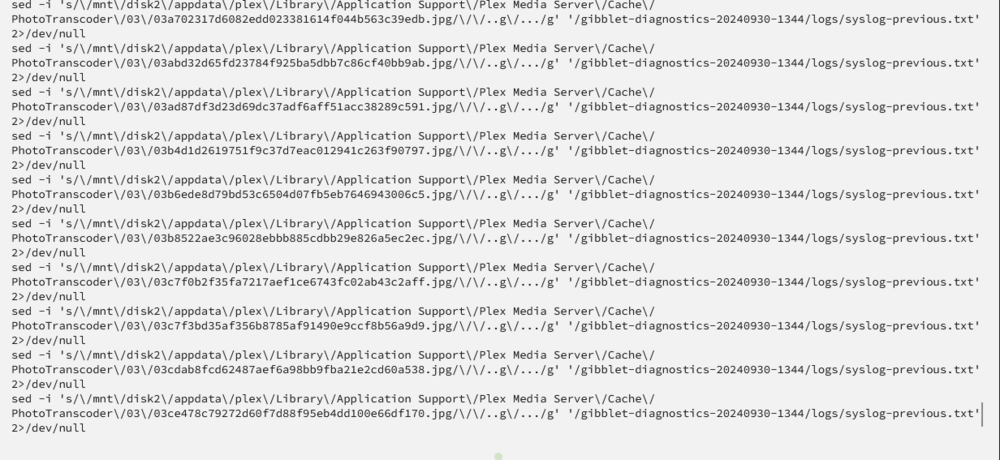
I am trying to download the Diagnostic zip for another issue, but it keeps crashing the browser. It seems to be chewing through many files in a plex folder in the attached image. I don't have any data on Disk2, so I am unsure what is happening. Everything is on my cache pool for my appdata folder.
-
I'm trying to get the file, but the browser keeps crashing; the log files seem stuck on some Plex artwork. I am going to see if I can fix it now.
-
Ah yes, doing that now.
-
Hey All, I have 2TB NVME drives in mirror, so 1TB of usable space. The GUI says 800 GB used and 166GB free, but when I compute the space on each folder (On the cache pool), it shows I am only using ~250 GB. Am I missing somewhere to look? Or what am I missing? Thank You
-
Would be neat to have people on the podcast to explain their setup and what they run. Give everyone ideas on what to do with it. Between my VM's to perform very specific things (old dumb hardware) and HA running O2 concentrators for my father-in-law. Not sure how I would do without Unraid. This is besides the Plex/Arrs. Also, live TV for Tennis/Golf Channels may be more important to him right now than breathing. Anytime I explain to friends, what the humming black box in the basement does, it's just such a long list.
-
We took in the father-in-law around four months ago and between: Home Assistant = To control oxygen from 2L/Min to 6L/Min when he gets up using a Hue Remote. Lots of backup and safety in place, this is so he can up his oxygen before he gets up and doesn't have to shout for us. Channels DVR, with all the Tennis/Golf and Hockey he can watch. Plex, no explaining needed Roomba, to mop and vacuum when we head to bed (HA to turn on lights so it can see) This keeps the dust to essentially 0 Basement air quality and another (old Roomba) to pick up dust downstairs where the oxygen concentrators are. I could not have done it without Unraid and, of course, the other dockers, but it's been running with 0.0 issues for four months. It may have started as just a simple HA and Plex box, but it pulls its weight. Well done UnRaid Team.
-
Thank you, I was searching for that very thing. Cheers
-
I currently have 2x500 GB nvme drives for my unraid cache is zfs. I purchased two 1 TB drives to replace them. I am not 100% sure the process but was planning on. 1) Backup 2) Pop out one drive and toss in the new 1TB 3) Let it rebuild 4) Pop out the other 500 GB 5) Let it rebuild My question was will the ZFS cache pool grow to 1 TB? Thank you everyone.


