





Shesakillatwo
Members
-
Joined
-
Last visited
-
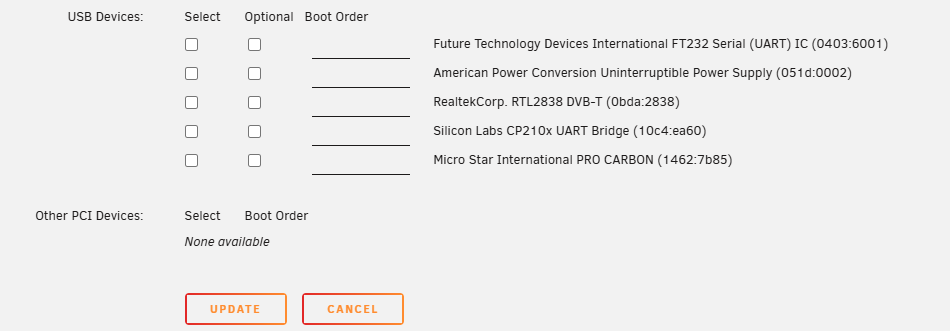
I purchased a "Coral M.2 Dual Edge TPU" to install in my Unraid Server to use with my Blue Iris Windows VM. I installed this card and can see it in my Unraid "Systems Devices" as can be seen in this image: The two TPUs are 28 and 29 within the IOMMU group 10 with multiple other system items. The option to select the check box and pass this through to the VM is not there so I am not sure how pass it through. Any help would be appreciated. It also does not show as an option in the VM settings as shown below:

-
Thanks so much for the response!
-
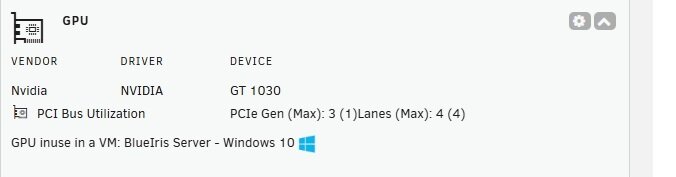
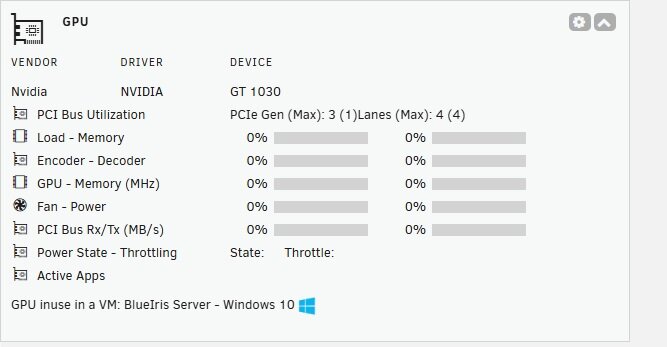
Just installed this plugin so I can see the details on my NVidia 1030 which I am passing through to my Blue Iris VM. I can definitely see lower CPU usage since passing this GPU through but I wanted to see some details. Upon installing this plugin I see the following in my Dashboard: If I click the expand arrow I see the below image for 3 seconds or so then it goes back to the first image. Based on the second image I do not appear to be getting data but I am also unsure why the expanded display with the "Zero" results does not stay open or active. Thoughts???
-
I have a BlueIris Windows 11 VM running on my Unraid Server. Following some Youtube instructions I attempted to set up the GPU Passthrough to an NVidia Graphics card I had installed changing the Video and Audio settings in the VM template to the card versus the virtual settings which have been there since standing it up. This did not function and did not leave me an option to go to the VM console. So I changed the two settings I had changed back to where they were and now the VM boots, I can VM Console to the Machine, but the screen is black and it does not appear BlueIris is running. I can do a remote Ctl-Alt-Del and the task manager comes up and is visible but I am not sure what I can do from there. WHen I close that I go back to the blank screen. THought on how to get back to video and get my VM operational again???
-
I figured it out. Some things changed including the network source for the VMs after the upgrade. Not sure why, but I reset this and all looks ok now. Thanks.
-
I upgraded my Unraid Server CPU from a Ryzen 5 2600 to a Ryzen 5600G Today. I also upgraded my Bios to ensure CPU Support. I followed recommended steps I found on line. On restarting my server after the upgrades everything appeared to be fine, however upon closer inspection my two VMs are on a network I do not recognise. My network is in the 192.168.0.0/24 range and both of my VMs are receiving IPs in the 192.168.122.0. I do not know what this network is or where these IPs (leases???) are coming from. Since these are not on my correct network they are not working properly. My blueiris VM can not access cameras and I cannot even access my Home Assistant VM. I have double checked all the Bios settings after rebootand tings look fine. I changed nothing in Unraid as part of this upgrade. Any thought on how to get these back to the correct network?
-
This morning the VM Backup ran successfully and the VM restarted and connected all the USB devices without any problems. Guess things are OK! Thanks so much!
-
I have worked through my Cache Pool issue which required several array restarts. As of now the restarting of the array which causes the VMs to restart seem to correctly load the USB connections correctly. In a few days the VM backup will run and the VMs will be restarted. When this happens I will post an update. At this point I am kinda suspecting that the Cache Pool issue is what started my whole issue???
-
I have completed these steps and as of now all seems good! Thanks so much for all your assistance!
-
So I assume my steps are: Stop the array Install the new drives assign one of the new drives as the second Cache Drive in the pool start the array and let things settle / balance / copy Stop the array again replace the original Cache Drive in the pool with the second new drive added in step 2 above start the array again and let things settle / balance / copy All should be done and back to normal
-
dataserver-diagnostics-20240606-1041.zip The file is attached. The actual Cache Drive Failure was a few days back so hopefully this has what you need to look at. The Cache Drive just went missing.........
-
The other night my Server began its monthly parity check. When I got up in the morning it was still running and at about 70% Complete. It appeared to be moving forward fine with no errors. However, I was unable to access any of my Docker Containers or VMs. So I rebooted the Server and upon restart the array did not start due to the fact that one of the two SSD drives on my Cache_apps pool was reported as missing. It was noted that I could start the array with the single Cache drive so I did so. While it took longer than normal the Array did come up and all VM's and Docker containers "Seem" to be functioning. As I understand it I am now running on one cache drive as things sit. I do however now have on my Shares Tab an orange triangle next to the share names that used that pool and if I mouse over the triangle it says that "Some or all files unprotected". I have new drives arriving today and these are larger than the current working drive and the failed drive which we both 240GB. My question is the correct way to reset the Cache_apps pool to use the two new drives with minimum disruption or down time as my security Cameras and Home Assistant system run on this server. I clearly am also not really comfortable with the message that is appearing as I definitely do not want to have to rebuild the entire server. Thanks in advance for any hints/assistance.......
-
I had a separate issue with one of my Cache Pool Drives today so I need to look at that and determine what needs to be done so I will not look at this for a few days. Will reach out when I have that solved!
-
Assuming I did this right, this is what I get: root@DataServer:~# /usr/local/emhttp/plugins/usb_manager/scripts/rc.usb_manager vm_action "homeassistant" prepare no pools available root@DataServer:~# I also tried this: root@DataServer:~# /usr/local/emhttp/plugins/usb_manager/scripts/rc.usb_manager vm_action homeassistant prepare no pools available root@DataServer:~#
-
I am able to attach to the usb.ini file and see it's content. I may just delete the connections in USB Manager and recreate them and see if this works next time the VM Backup runs. That will be this Saturday May, 8th. I will let you know if that works then........ Thanks so much for all your help!

