





pkoasne
Members
-
Joined
Everything posted by pkoasne
-
FCP doesn't say anything more than: Invalid folder users contained within /mnt Generally speaking, most times when other folders get created within /mnt it is a result of an improperly configured application. This error may or may not cause issues for you More Information Output of ls -la /mnt # ls -la /mnt total 0 drwxr-xr-x 17 root root 340 Nov 25 06:46 ./ drwxr-xr-x 21 root root 440 Nov 25 07:05 ../ drwxrwxrwx 5 nobody users 52 Nov 25 04:40 cache/ drwxrwxrwx 5 nobody users 51 Nov 25 04:40 disk1/ drwxrwxrwx 6 nobody users 85 Nov 25 04:40 disk2/ drwxrwxrwx 8 nobody users 127 Nov 25 04:40 disk3/ drwxrwxrwx 6 nobody users 87 Nov 25 04:40 disk4/ drwxrwxrwx 4 nobody users 45 Nov 25 04:40 disk5/ drwxrwxrwx 5 nobody users 67 Nov 25 04:40 disk6/ drwxrwxrwx 5 nobody users 67 Nov 25 04:40 disk7/ drwxrwxrwx 8 nobody users 127 Nov 25 04:40 disk8/ drwxrwxrwx 9 nobody users 146 Nov 25 04:40 disk9/ drwxrwxrwt 4 nobody users 80 Nov 25 06:49 disks/ drwxrwxrwt 2 nobody users 40 Nov 21 06:33 remotes/ drwxrwxrwt 2 nobody users 40 Nov 21 06:33 rootshare/ drwxrwxrwx 1 nobody users 51 Nov 25 04:40 user/ drwxrwxrwx 1 nobody users 51 Nov 25 04:40 user0/
-
folders "remotes" and "rootshare" appear in /mnt. I've read in other threads that this was due to the UD plugin but comments say that has already been resolved in the plugin. I checked all my docker and VM configs and find no reference to those folders.
-
Thank you. It was kind of you to take the time to do this.
-
https://libretranslate.com/ https://hub.docker.com/r/libretranslate/libretranslate
-
I had to add write permissions to the /appdata/matrix folder to get it to write the config files.
-
libretranslate/libretranslate thank you
-
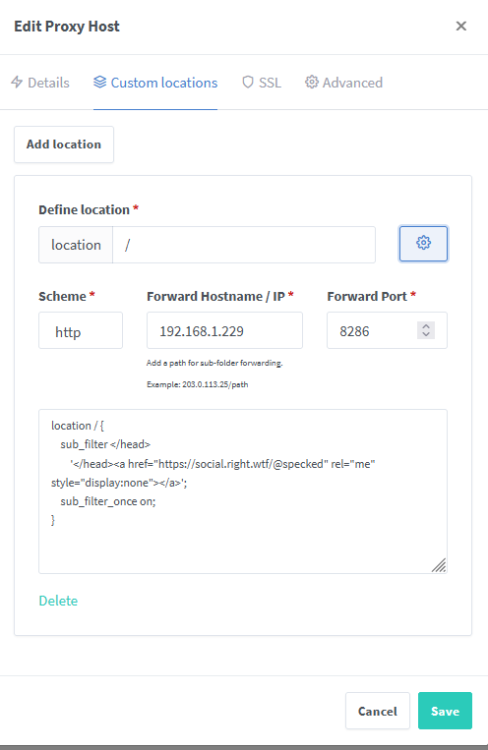
thanks. I think i got it working. If i enter "location /" it replaces the existing (working) location /{} in the config file. If I enter it without that, it just adds it to the file but not in the predefined "location /" section and seems to work. testing now. thanks
-
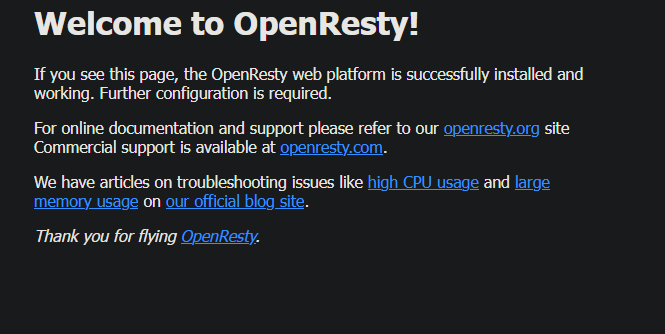
I'm trying to inject a link into every page served but having issues. location / { sub_filter </head> '</head><a href="https://example.com" rel="me" style="display:none"></a>'; sub_filter_once on; } When I try this as Advanced Configuration or as Custom Location I see a "Welcome to OpenResty!" page. Anyone know how I can do this?
-
https://join-lemmy.org/docs/en/administration/install_docker.html thanks
-
Yeah, the docs are wrong. There is no "owner" role anymore. Sounds like you got it but for anyone else: go to the docker's console and run this: RAILS_ENV=production tootctl accounts modify ACCOUNTNAME --role admin
-
There is a docker available as of today. I had to add the variables listed here to get smtp to work: https://peterbabic.dev/blog/setting-up-smtp-in-mastodon/


