






ailliano
Members
-
Joined
-
Last visited
Everything posted by ailliano
-
thanks !this fixed the refreshing issue after the docker update single or update all.
-
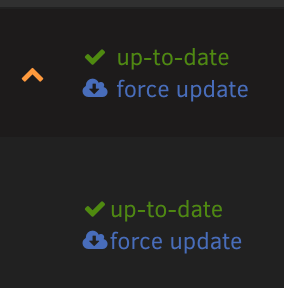
works fine, you need docker "advanced view" button checked on the right right above "uptime"
-
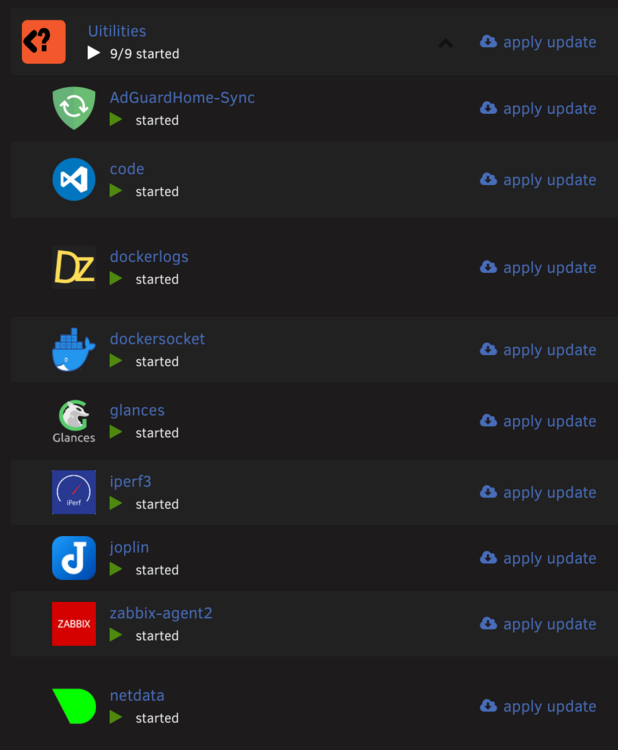
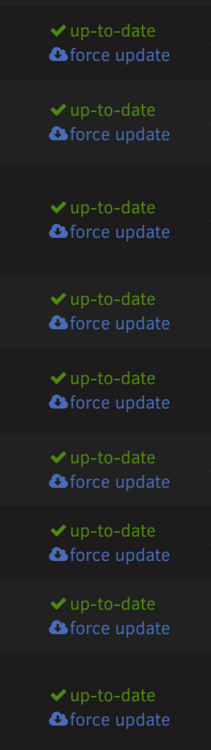
is there any issues with dockers showing updates , even if is just 1 the whole folder shows apply update, and even after update it doesn't go away, i exported a backup and when no folders configured the single docker that needed the update shows fine. I even deleted the docker.img and recreated everything thinking it was corrupted. Refreshing page shows a force update for all of them, even if no advanced view is checked

-
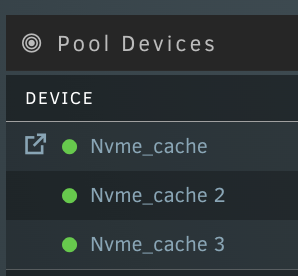
Hey all, pls help I never removed anything, all 3 drives are 2 months old, I tried to do an online but got zpool online nvme_cache /dev/nvme0n1p1 warning: device '/dev/nvme0n1p1' onlined, but remains in faulted state use 'zpool replace' to replace devices that are no longer present pool: nvme_cache state: DEGRADED status: One or more devices has been removed by the administrator. Sufficient replicas exist for the pool to continue functioning in a degraded state. action: Online the device using zpool online' or replace the device with 'zpool replace'. scan: scrub repaired 0B in 00:02:45 with 0 errors on Wed Jul 26 12:19:49 2023 config: NAME STATE READ WRITE CKSUM nvme_cache DEGRADED 0 0 0 raidz1-0 DEGRADED 0 0 0 /dev/nvme0n1p1 REMOVED 0 0 0 /dev/nvme1n1p1 ONLINE 0 0 0 /dev/nvme2n1p1 ONLINE 0 0 0 errors: No known data errors In Unraid they all show green, no errors
-
I didn't lol
-
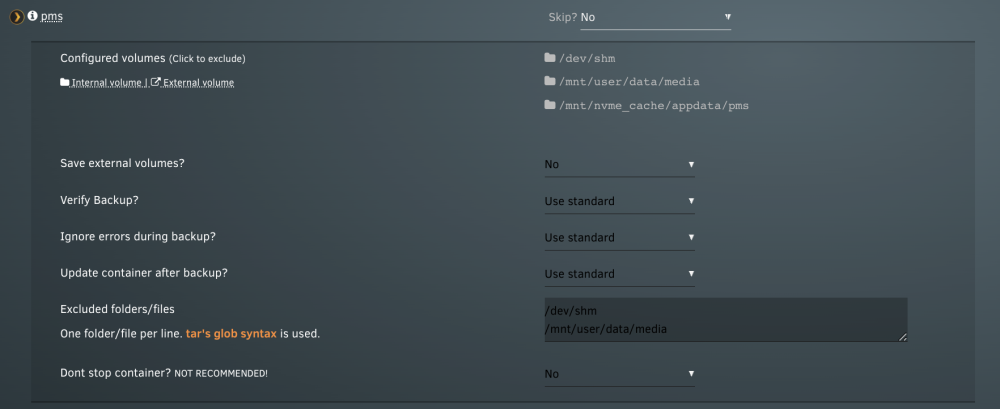
any way to skip all my media from being backed up , I have to manually exclude
-
Any way to not let the container run as root ? I have the PID and PGID configured but the container is still writing as root in media files.
-
@EDACertonThank you for great explanation, makes a lot of sense I have another host in a different location, I want to be able to vpn in and navigate throughout the network so i advertise it as an exit node, however in this case tailscale is installed on WSL and has a separate network (172.27.16.0/20) than the host Windows 192.168.0.0/24, I tried to advertise both routes, but I still have no access to the internet or the 192 network, I'm sure since the wsl adds another layer I'm not reaching something network wise. Setup is this WindowsHost(192.168.0.0/24)<>WSL Tailscale(172.27.16.0/20)<>Internet command: sudo tailscale up --advertise-exit-node --advertise-routes=192.168.0.0/24, 172.27.16.0/20 --reset Thank you
-
just tried that, NICE no dns issues, I can get in too. You're the best ! last q, why did tailscale up --accept-routes=false --advertise-exit-node --advertise-routes=172.18.108.0/24 --accept-dns=false this work instead of my regular command what do --accept-routes=false and --accept-dns=false fix ? Trying to understand what they do in the first place, I have another unraid in different site I need to set up
-
okay seems like everything is good, even Dockers can find updates now, only issue is my log getting spammed with May 10 18:24:31 Loki tailscaled: 2023/05/10 18:22:57 dns: resolver: forward: no upstream resolvers set, returning SERVFAIL May 10 18:24:31 Loki tailscaled: 2023/05/10 18:22:57 dns: resolver: forward: no upstream resolvers set, returning SERVFAIL May 10 18:24:31 Loki tailscaled: 2023/05/10 18:22:57 [RATELIMIT] format("dns: resolver: forward: no upstream resolvers set, returning SERVFAIL") May 10 18:24:31 Loki tailscaled: 2023/05/10 18:23:07 [RATELIMIT] format("dns: resolver: forward: no upstream resolvers set, returning SERVFAIL") (22 dropped) May 10 18:24:31 Loki tailscaled: 2023/05/10 18:23:07 dns: resolver: forward: no upstream resolvers set, returning SERVFAIL May 10 18:24:31 Loki tailscaled: 2023/05/10 18:23:07 dns: resolver: forward: no upstream resolvers set, returning SERVFAIL May 10 18:24:31 Loki tailscaled: 2023/05/10 18:23:07 [RATELIMIT] format("dns: resolver: forward: no upstream resolvers set, returning SERVFAIL") May 10 18:24:31 Loki tailscaled: 2023/05/10 18:23:16 [RATELIMIT] format("dns: resolver: forward: no upstream resolvers set, returning SERVFAIL") (10 dropped) May 10 18:24:31 Loki tailscaled: 2023/05/10 18:23:16 dns: resolver: forward: no upstream resolvers set, returning SERVFAIL May 10 18:24:31 Loki tailscaled: 2023/05/10 18:23:16 dns: resolver: forward: no upstream resolvers set, returning SERVFAIL May 10 18:24:31 Loki tailscaled: 2023/05/10 18:23:16 [RATELIMIT] format("dns: resolver: forward: no upstream resolvers set, returning SERVFAIL") May 10 18:24:31 Loki tailscaled: 2023/05/10 18:23:26 [RATELIMIT] format("dns: resolver: forward: no upstream resolvers set, returning SERVFAIL") (22 dropped) May 10 18:24:31 Loki tailscaled: 2023/05/10 18:23:26 dns: resolver: forward: no upstream resolvers set, returning SERVFAIL May 10 18:24:31 Loki tailscaled: 2023/05/10 18:23:26 dns: resolver: forward: no upstream resolvers set, returning SERVFAIL May 10 18:24:31 Loki tailscaled: 2023/05/10 18:23:26 [RATELIMIT] format("dns: resolver: forward: no upstream resolvers set, returning SERVFAIL") May 10 18:24:31 Loki tailscaled: 2023/05/10 18:23:36 [RATELIMIT] format("dns: resolver: forward: no upstream resolvers set, returning SERVFAIL") (22 dropped) May 10 18:24:31 Loki tailscaled: 2023/05/10 18:23:36 dns: resolver: forward: no upstream resolvers set, returning SERVFAIL May 10 18:24:31 Loki tailscaled: 2023/05/10 18:23:36 dns: resolver: forward: no upstream resolvers set, returning SERVFAIL May 10 18:24:31 Loki tailscaled: 2023/05/10 18:23:36 [RATELIMIT] format("dns: resolver: forward: no upstream resolvers set, returning SERVFAIL") May 10 18:24:31 Loki tailscaled: 2023/05/10 18:23:46 [RATELIMIT] format("dns: resolver: forward: no upstream resolvers set, returning SERVFAIL") (22 dropped) May 10 18:24:31 Loki tailscaled: 2023/05/10 18:23:46 dns: resolver: forward: no upstream resolvers set, returning SERVFAIL May 10 18:24:31 Loki tailscaled: 2023/05/10 18:23:46 dns: resolver: forward: no upstream resolvers set, returning SERVFAIL May 10 18:24:31 Loki tailscaled: 2023/05/10 18:23:46 [RATELIMIT] format("dns: resolver: forward: no upstream resolvers set, returning SERVFAIL") May 10 18:24:31 Loki tailscaled: 2023/05/10 18:23:56 [RATELIMIT] format("dns: resolver: forward: no upstream resolvers set, returning SERVFAIL") (22 dropped) May 10 18:24:31 Loki tailscaled: 2023/05/10 18:23:56 dns: resolver: forward: no upstream resolvers set, returning SERVFAIL May 10 18:24:31 Loki tailscaled: 2023/05/10 18:23:56 dns: resolver: forward: no upstream resolvers set, returning SERVFAIL May 10 18:24:31 Loki tailscaled: 2023/05/10 18:23:56 [RATELIMIT] format("dns: resolver: forward: no upstream resolvers set, returning SERVFAIL") May 10 18:24:31 Loki tailscaled: 2023/05/10 18:24:06 [RATELIMIT] format("dns: resolver: forward: no upstream resolvers set, returning SERVFAIL") (22 dropped) May 10 18:24:31 Loki tailscaled: 2023/05/10 18:24:06 dns: resolver: forward: no upstream resolvers set, returning SERVFAIL May 10 18:24:31 Loki tailscaled: 2023/05/10 18:24:06 dns: resolver: forward: no upstream resolvers set, returning SERVFAIL May 10 18:24:31 Loki tailscaled: 2023/05/10 18:24:06 [RATELIMIT] format("dns: resolver: forward: no upstream resolvers set, returning SERVFAIL") May 10 18:24:31 Loki tailscaled: 2023/05/10 18:24:16 [RATELIMIT] format("dns: resolver: forward: no upstream resolvers set, returning SERVFAIL") (22 dropped) May 10 18:24:31 Loki tailscaled: 2023/05/10 18:24:16 dns: resolver: forward: no upstream resolvers set, returning SERVFAIL May 10 18:24:31 Loki tailscaled: 2023/05/10 18:24:16 dns: resolver: forward: no upstream resolvers set, returning SERVFAIL May 10 18:24:31 Loki tailscaled: 2023/05/10 18:24:16 [RATELIMIT] format("dns: resolver: forward: no upstream resolvers set, returning SERVFAIL") May 10 18:24:31 Loki tailscaled: 2023/05/10 18:24:31 [RATELIMIT] format("dns: resolver: forward: no upstream resolvers set, returning SERVFAIL") (16 dropped) May 10 18:24:31 Loki tailscaled: 2023/05/10 18:24:31 dns: resolver: forward: no upstream resolvers set, returning SERVFAIL
-
Do you have any other subnet routers that are advertising the same route? I have a synology running tailscale too sudo tailscale up --advertise-exit-node --advertise-routes=172.18.108.0/24 --reset Can you access Unraid via its Tailscale address? Yes If you set accept routes to false, can you get back in locally? yes I can just tried root@Loki:~# tailscale up --accept-routes=false --advertise-exit-node --advertise-routes=172.18.108.0/24 --accept-dns=false Some peers are advertising routes but --accept-routes is false
-
okay just tried, now having another issue when I do tailscale up --accept-routes --advertise-exit-node --advertise-routes=172.18.108.0/24 --accept-dns=false I lose connection to unraid locally, ssh dies right after the command, all my dockers are unreachable as well.
-
sure ! loki-diagnostics-20230510-1754.zip
-
Noticed some of my dockers with the infamous "not available" problem, I looked at the logs and seems that tailscale plug in is rate limiting DNS queries ? I use tailscale up --advertise-exit-node --accept-routes --advertise-routes=mysubnet/24 May 10 17:11:13 Loki tailscaled: 2023/05/10 17:10:03 [RATELIMIT] format("dns udp query: %v") May 10 17:11:13 Loki tailscaled: 2023/05/10 17:10:12 [RATELIMIT] format("dns udp query: %v") (1 dropped) May 10 17:11:13 Loki tailscaled: 2023/05/10 17:10:12 dns udp query: context deadline exceeded May 10 17:11:13 Loki tailscaled: 2023/05/10 17:10:12 dns udp query: context deadline exceeded May 10 17:11:13 Loki tailscaled: 2023/05/10 17:10:12 [RATELIMIT] format("dns udp query: %v") May 10 17:11:13 Loki tailscaled: 2023/05/10 17:10:32 [RATELIMIT] format("dns udp query: %v") (5 dropped) May 10 17:11:13 Loki tailscaled: 2023/05/10 17:10:32 dns udp query: context deadline exceeded May 10 17:11:13 Loki tailscaled: 2023/05/10 17:10:32 dns udp query: context deadline exceeded May 10 17:11:13 Loki tailscaled: 2023/05/10 17:10:40 dns udp query: context deadline exceeded May 10 17:11:13 Loki tailscaled: 2023/05/10 17:10:40 dns udp query: context deadline exceeded After I do tailscale down and check for updates all my dockers are green again. Any suggestions ?
-
correct I usually leave it blank, since I don't have a domain.
-
Thanks for checking, what domain would I use ? is that the WORKGROUP ?
-
Sure ! loki-diagnostics-20230503-1427.zip
-
It will ask for password once I submit that
-
sudo mount -t cifs -o username=unraid //172.18.108.100/Unraid DS918/ very simple and worked right away.
-
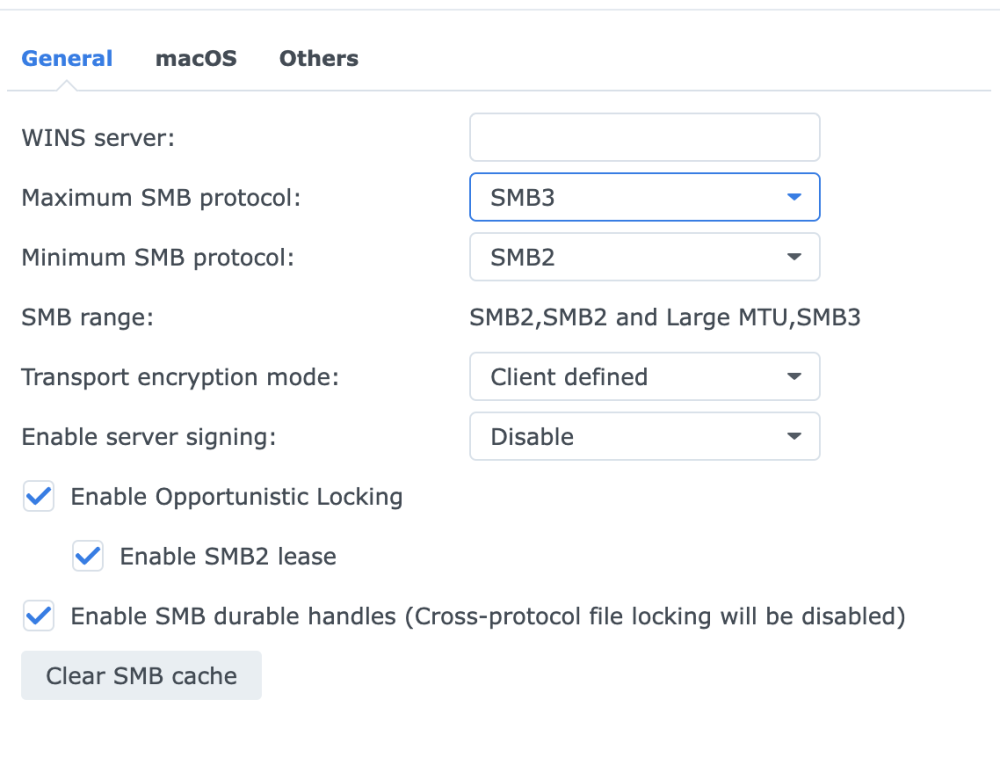
Synology shows that the linux vm is connected with SMB3 but not sure about the specific version. even then I have synology to allow SMB2 except v1.0 which should be compatible between unraid and synology. I can do NFS again but was trying to take advantage of Multi-channel support.
-
I was able to successfully mount Synology share with CIFS on a linux vm, it's using SMB3 , unraid is the only one that can't mount this synology and not sure what else to look.
-
A windows host can mount a synology share without issue, I can either mount a drive in windows explorer, or I can go in the network and navigate the share there. With that said, it means that the Synology is not the issue, ports are open otherwise windows wouldn't be able to mount the same folder I'm trying to mount in the Unraid, correct ?
-
I did the following upon your suggestion @dlandon - Rebooted Synology NAS - Checked ports 119-445 (Open) and Firewall on Synology is OFF - Rebooted Unraid - Windows can mount the Synology without issue, as a Drive. not just navigating the share. The issue is unraid/plug-in I believe
-
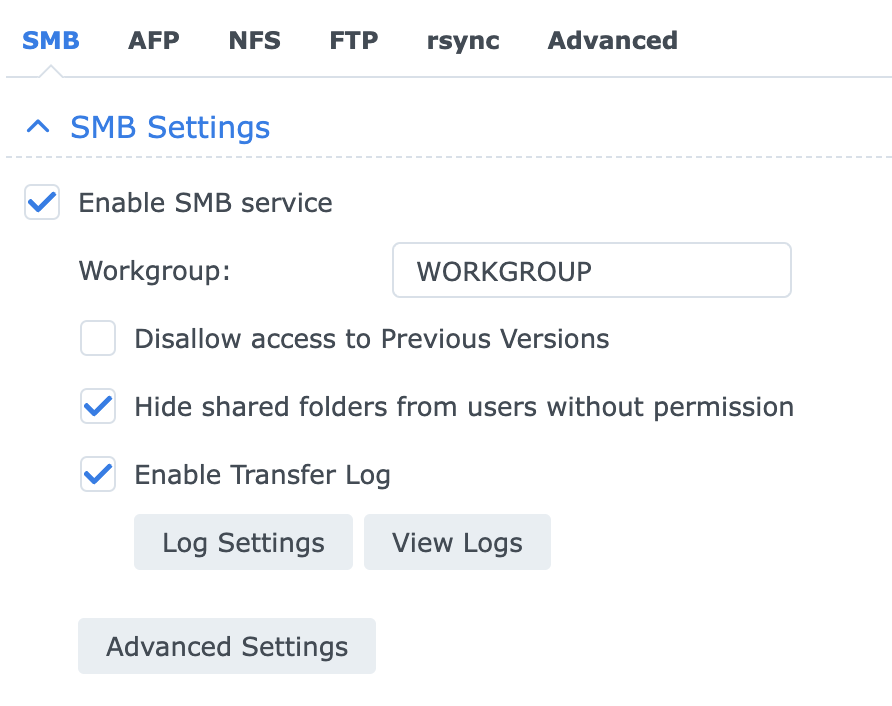
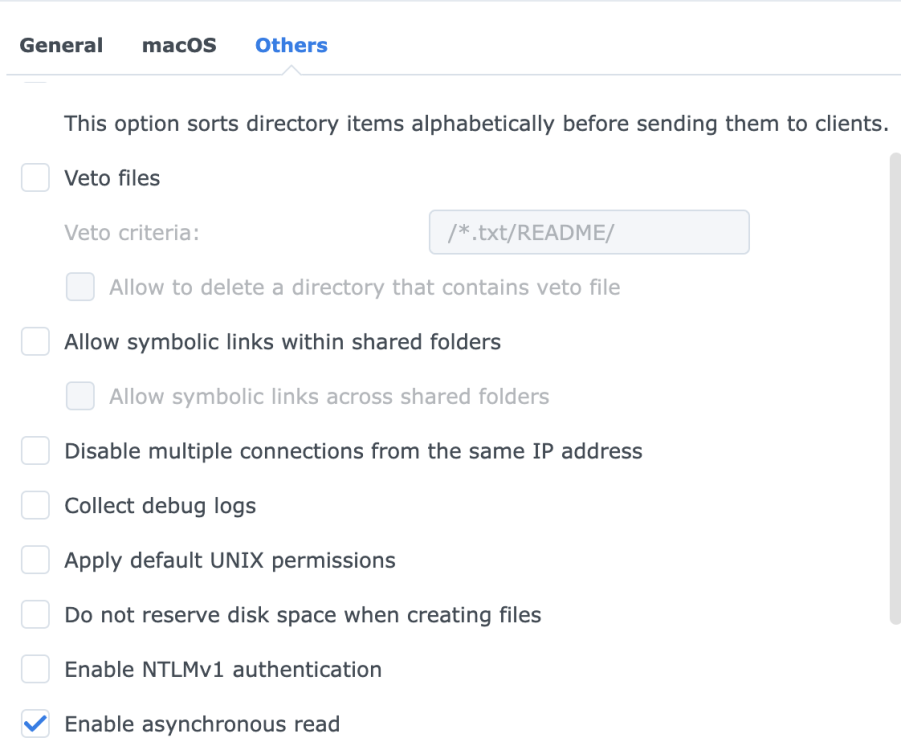
Anything I can do in the Synology ? @dlandon
-
Anything out of the ordinary ? I never changed anything here and unraid always worked on previous versions.




