HHUBS
Members
-
Joined
Everything posted by HHUBS
-
Seems like this author is not active and will also abandon this in the future 🤷♂️
-
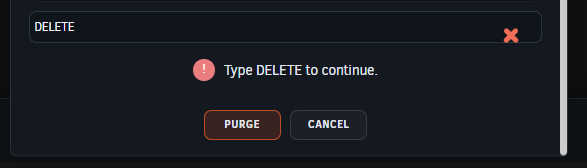
How to purge quarantine folders? When I try to delete folders in quarantine, it doesn't delete it even if I already type the DELETE words. It just keeps on this screenshot:
-
That did the trick, the "Force Install" option. Thank you.
-
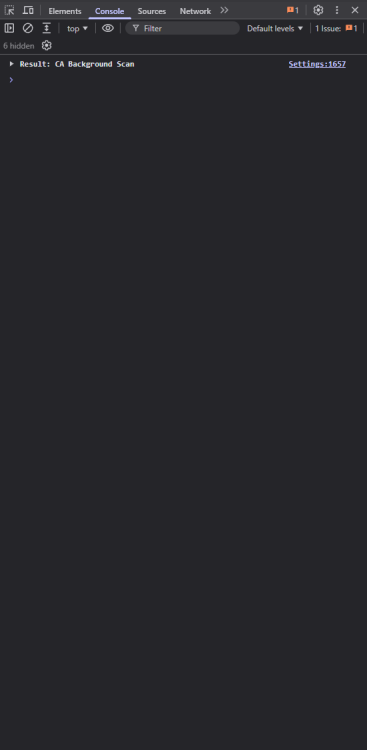
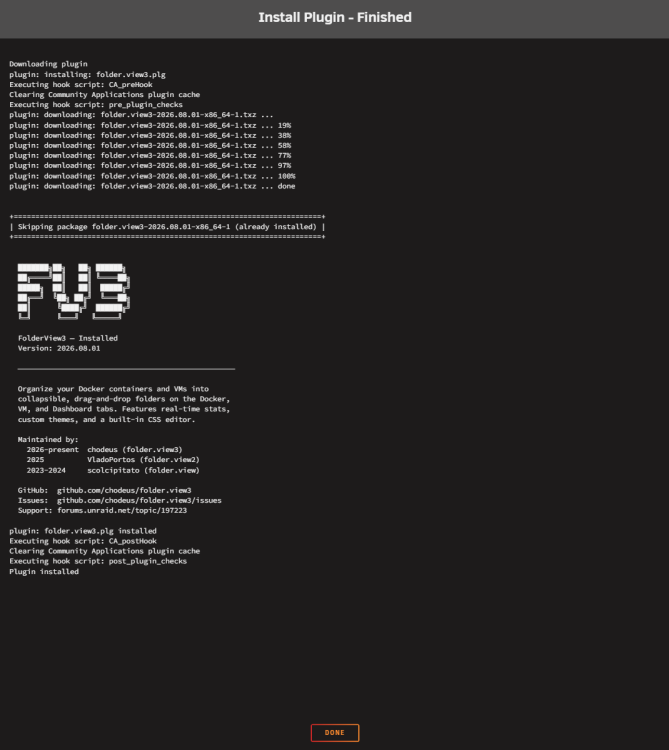
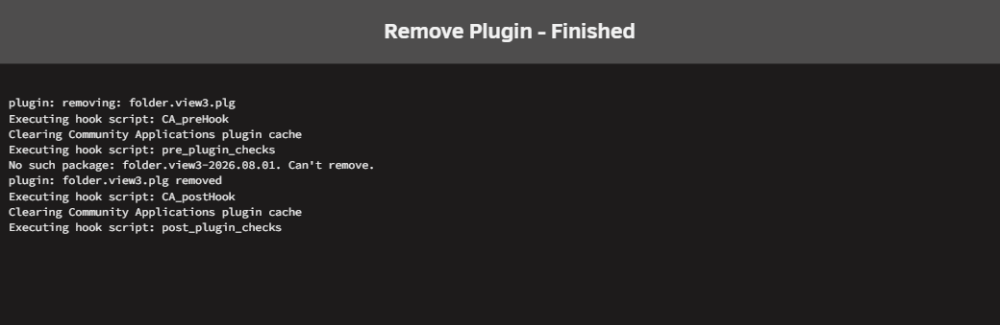
Yes uninstalling and reinstalling the whole plugin. Yes. I hard refresh my browser. Also, tried different browser. This is what it look like in the browser dev console: When I install the plugin. When I uninstall the plugin: @chodeus Can you try this on your end? Uninstalling and reinstalling the whole plugin? Thanks. BTW, these are the logs on syslog: Aug 13 20:57:42 HHUBS plugin-manager: executing inline script: /bin/bash '/tmp/inline4-folder.view3.sh' Aug 13 20:57:42 HHUBS plugin-manager: folder.view3.plg removed Aug 13 20:58:26 HHUBS plugin-manager: executing inline script: /bin/bash '/tmp/inline1-folder.view3.sh' Aug 13 20:58:26 HHUBS plugin-manager: creating: /boot/config/plugins/folder.view3/folder.view3-2026.08.01-x86_64-1.txz - downloading from URL https://raw.githubusercontent.com/chodeus/folder.view3/main/archive/folder.view3-2026.08.01-x86_64-1.txz Aug 13 20:58:26 HHUBS plugin-manager: checking: /boot/config/plugins/folder.view3/folder.view3-2026.08.01-x86_64-1.txz - MD5 Aug 13 20:58:26 HHUBS plugin-manager: running: upgradepkg --install-new /boot/config/plugins/folder.view3/folder.view3-2026.08.01-x86_64-1.txz Aug 13 20:58:26 HHUBS plugin-manager: executing inline script: /bin/bash '/tmp/inline3-folder.view3.sh' Aug 13 20:58:26 HHUBS plugin-manager: folder.view3.plg installed Aug 13 21:02:49 HHUBS plugin-manager: executing inline script: /bin/bash '/tmp/inline4-folder.view3.sh' Aug 13 21:02:49 HHUBS plugin-manager: folder.view3.plg removed Aug 13 21:03:09 HHUBS plugin-manager: executing inline script: /bin/bash '/tmp/inline1-folder.view3.sh' Aug 13 21:03:09 HHUBS plugin-manager: creating: /boot/config/plugins/folder.view3/folder.view3-2026.08.01-x86_64-1.txz - downloading from URL https://raw.githubusercontent.com/chodeus/folder.view3/main/archive/folder.view3-2026.08.01-x86_64-1.txz Aug 13 21:03:09 HHUBS plugin-manager: checking: /boot/config/plugins/folder.view3/folder.view3-2026.08.01-x86_64-1.txz - MD5 Aug 13 21:03:09 HHUBS plugin-manager: running: upgradepkg --install-new /boot/config/plugins/folder.view3/folder.view3-2026.08.01-x86_64-1.txz Aug 13 21:03:09 HHUBS plugin-manager: executing inline script: /bin/bash '/tmp/inline3-folder.view3.sh' Aug 13 21:03:09 HHUBS plugin-manager: folder.view3.plg installed Aug 13 21:04:23 HHUBS plugin-manager: executing inline script: /bin/bash '/tmp/inline4-folder.view3.sh' Aug 13 21:04:23 HHUBS plugin-manager: folder.view3.plg removed.
-
@chodeus I tried to uninstall and install this but after installation the settings page doesn't appear anymore. Can you please check?
-
Done. Please see https://github.com/junkerderprovinz/unraid-apps/issues/5 thanks.
-
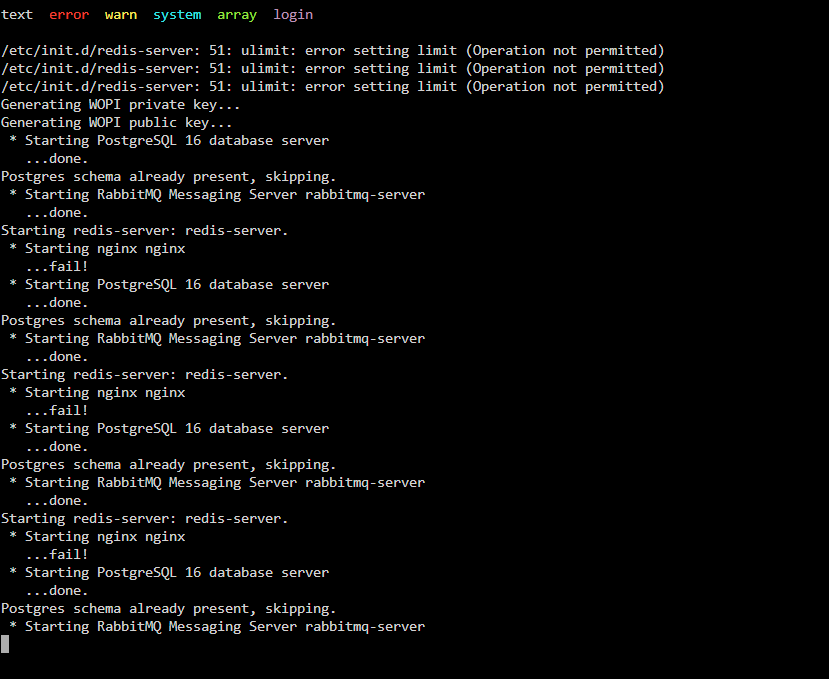
Thanks. But when I tried the updated template and installing second instance of euro office to test, I got the below error. The nginx fail.
-
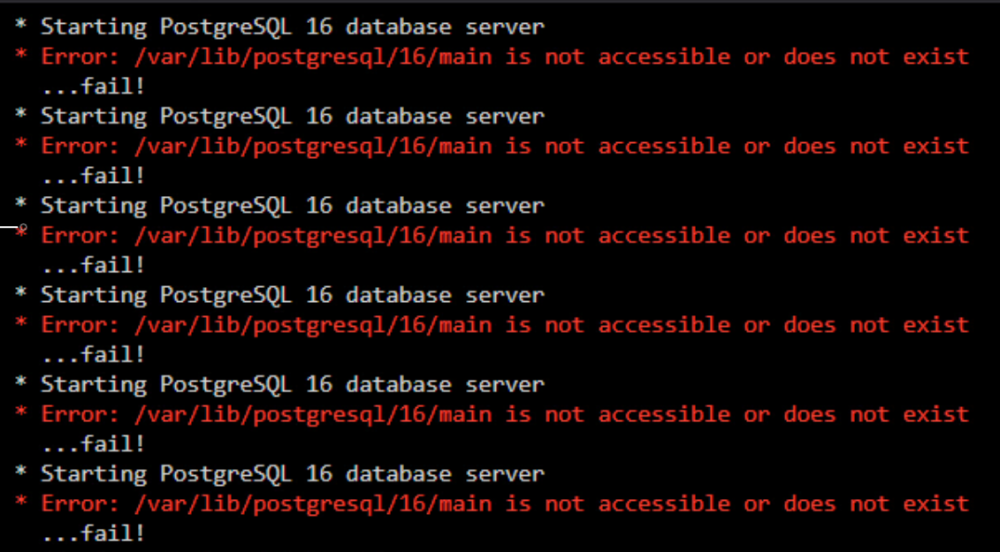
@Junker der Provinz hello, when I install euro office I get the below error. I just supplied the JWT secret and I get this error.
-
APNG works. Thanks. I didn't know APNG exists until today. BTW, does svg icons works before on unraid containers?
-
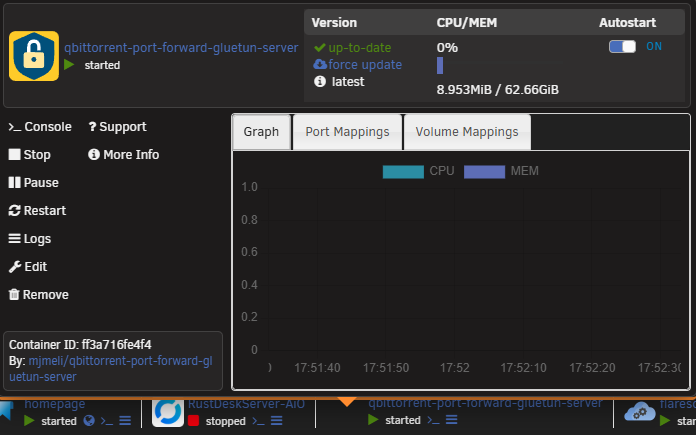
Does this supports svg animated icons? I dunno if this is Unraid(I'm on unraid 7.3.1) or the folderview3(I'm on version 2026.08.01) plugin but when I add svg(animated) icons to containers but it doesn't show. I will only show when I click(single left click) the container. For example: When I click it:

-
I tried the temporary solution to copy the question.png to the folder but it keeps removing itself. Dunno why but I just downgrade to 7.3.1.
-
Came here I experience the same just today. Also log size is 100%.
-
Thanks. I updated the plugin today and it works. Many thanks for your hard work. 👍
-
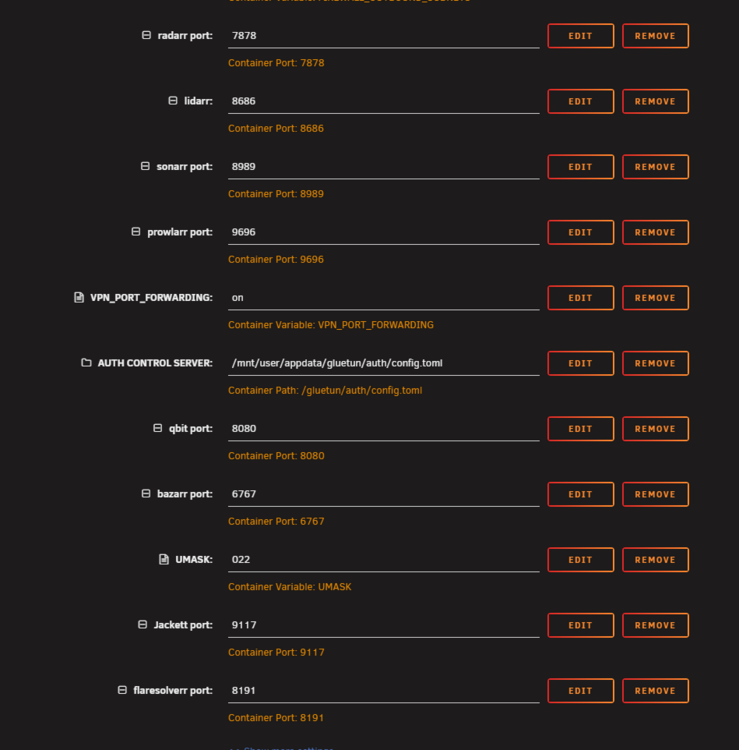
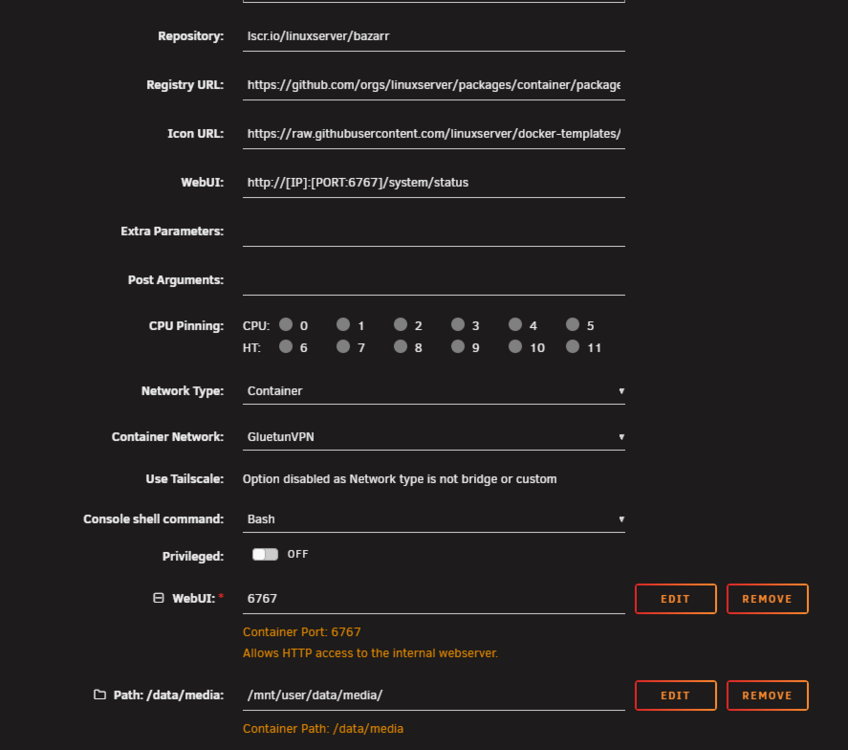
"you'd manually set the webui in the container template" Can you please let me know if I need to put it in the GluetunVPN or in the Bazarr(for example) template? Here's my GluetunVPN: This is for Bazarr(for example). Where should I put the one your saying? Please let me know. Thank you.
-
Hi @chodeus can you please check? Dockers that have network type to a container does not have the "web gui" icon. For example, my qbittorrent and arr stacks(which network type is GluetunVPN) does not have the gui icon. In the folderview2, it does have it.

-
When I try to use mover, it doesn't do anything. When I try unbalance plugin, I gain same storage like 10 GB but I need at least 80 GB to complete the btrfs conversion. Some of the files that I move has not gain me storage. Why is that? I don't know if I can make it to 80 gb of free storage.
-
Can the move be done by the "mover" or should I use unbalance plugin? Also, can I start the docker or should I wait to fix this mess before starting docker?
-
@JorgeB It got an error on the last part: 😭 .


-
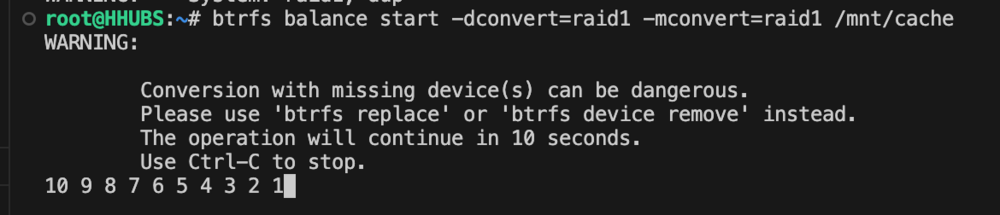
It says: Is this ok?
-
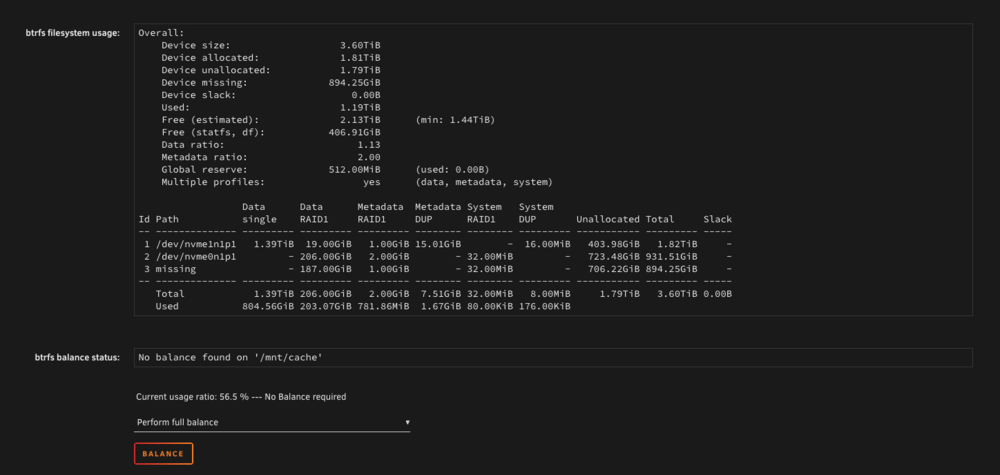
@JorgeB I typed it on the terminal and I got this error: ERROR: unknown profile: raid ERROR: invalid convert argument This is the file system usage
-
@JorgeB Can I just do a restore on my USB flash drive because I can't remove cache 3 no matter what I do. I have backup from like 2 days ago. Is that an easier fix? If yes, how can I do it?
-
Here it is. hhubs-diagnostics-20260323-1830.zip BTW, where did you find out that there is a problem on the cache pool on the diagnostics? I want to know too where can I find it.,
-
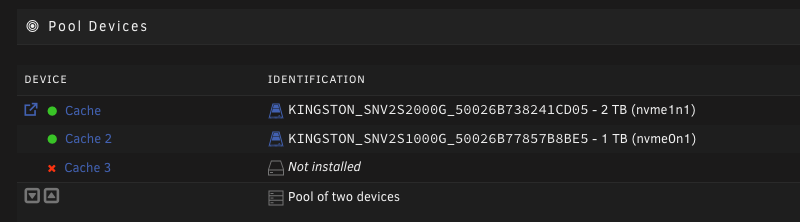
@JorgeB I created Cache pool of 2 devices but still cache 3 is there and "not installed". I want to remove Cache 3. How can I do it? I'm playing on it earlier, that's why my webgui got crashed. How can I remove it safely?
-
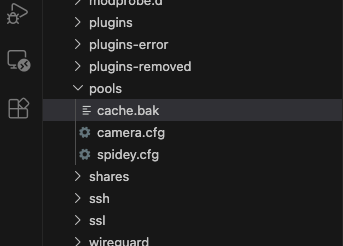
Done. Unraid starts and I can access webgui now. Array has started but docker and VM failed to start. No cache pool also in Main tab. What should I do next? The diagnostics attached here is the diagnostics creating during reboot. Should I post diagnostics after the Unraid has started and create on Tools > Diagnostics? tower-diagnostics-20260323-1725.zip
-
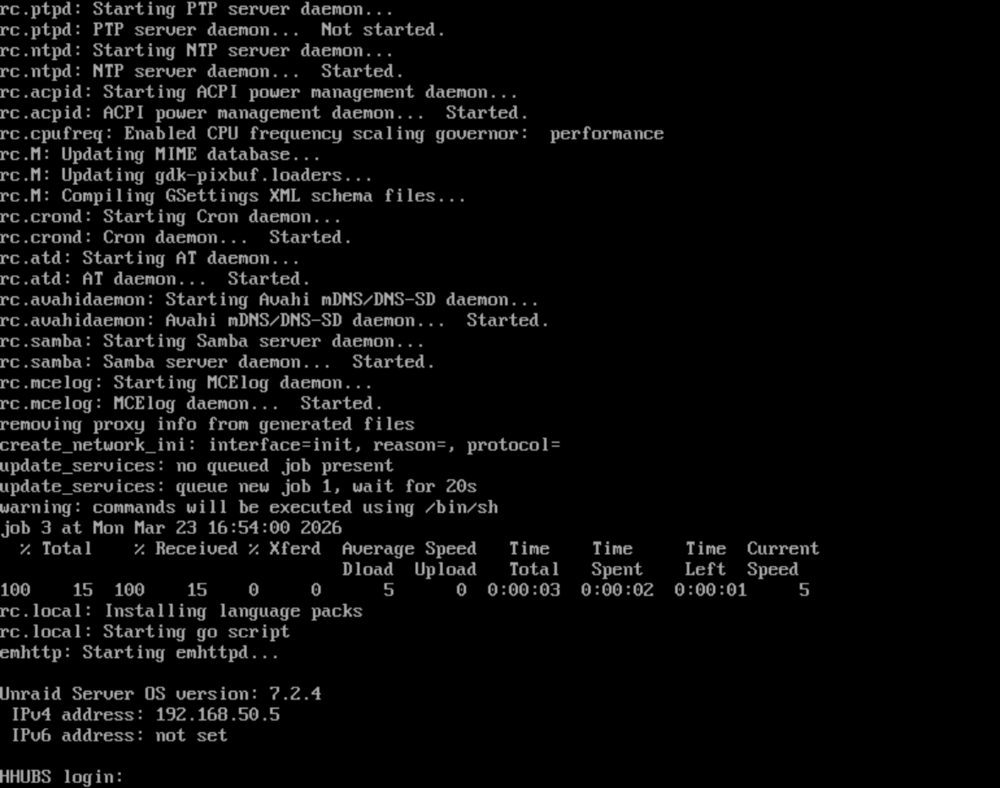
Hello, Please help me, I can't access my unraid server. I can only access SSH. The server login into this but no webgui, no share, no docker. tower-diagnostics-20260323-1340.zip