





petchav
Members
-
Joined
-
Last visited
Everything posted by petchav
-
It's ok, normally I managed to fix it, I'll push on a new branch, git. "fix-space-name" If you can confirm that it works for you, I'll push on master.
-
@ramair02 Ok I understand the problem I'll look into making a fix, send me a private message with your email address or other social network. I'll send you a corrected version if it works for you then I'll publish it on the github (I have no other way to test that the fix works well ^^) edit: ok you created a github issue, I hadn't seen, no need to PM me
-
Hi guys I'm the author of the restore backup script, I've just seen that I have several comments here and under the youtube video regarding VM names with spaces such as "windows 11". Unfortunately, I don't have a Unraid server at the moment, so I'm unable to run any tests. I'm saying this from memory, but it seems to me that I've tested the case where the VM has a name with a space and it worked like this. When the script tells you "Enter name of virtual machine, like:” You can try typing the VM name between "" like this: "Windows 11”. So on the screen it should look like this: Enter name of virtual machine, like: "Windows 11" @ramair02 I hope this solves your problem. (use the original unmodified script) If it doesn't work, you'll have to give me more information, an error message or something, because without a server at my disposal I really can't tell what's going on.
-
In the link you gave me, it says that overclocks are not recommended, and indeed my GPU was overclocked via an app on Windows. I deleted the app, and it doesn't seem to crash any more. I'll wait a bit to be sure, but if it solves the problem, I'll land the topic as resolved. Thanks for your help
-
Another crash, this time with the syslog, I hope it will be useful. syslog-10.0.0.2.log
-
Thank you for this valuable information. I have just activated syslog server, and I'm going to request the computer again to cause the crash. I will post the result as soon as it happens again
-
Hello, It's been 2 times that my server crashes and shuts down for no reason think I'm playing on a windows 11 VM. I don't understand where this can come from and I don't really understand the logs in the system logs section. In case it matters, once it has crashed press the start button, is not enough. I have to turn off the power supply with the On Off button for the computer to start up again. I am sending you my diagnostic report. It was generated immediately after the crash once the computer was restarted. I sincerely hope that you can help me to find out where the failure comes from. unraid-diagnostics-20220628-2050.zip
-
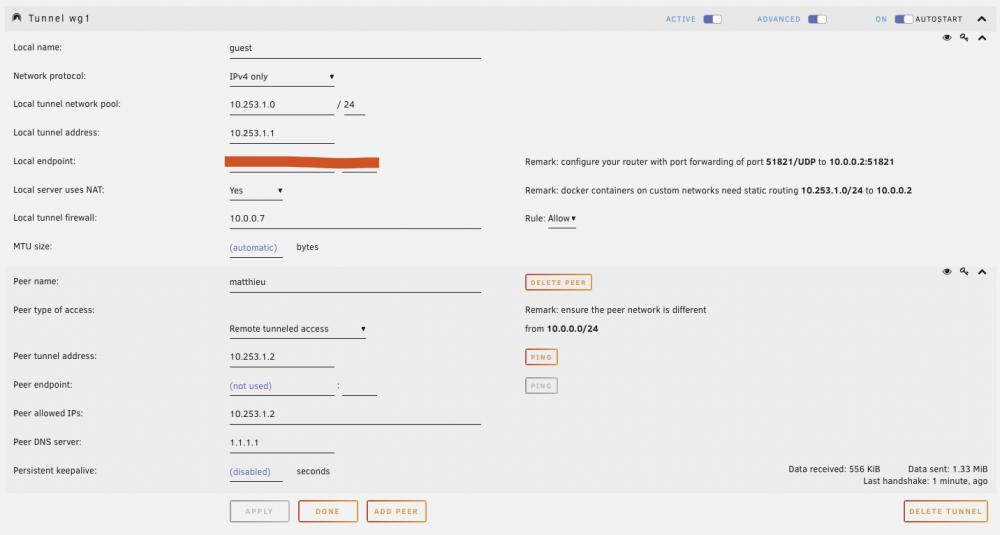
Hello, I have created 2 VPN tunnels on my server, one "admin" and one "guest". The admin has access to everything and that's what I want. On the other hand, I don't understand how the "Local tunnel firewall:" parameter works because I put it in deny mode and then I added the ip address of the vm I want to allow. Example 10.0.0.7 But, when I connect with the vpn guest I have access to all the devices on the network. But I would like only the indicated ip to be accessible. Thanks for your help, I hope my question is asked in the appropriate topic
-
Damn, it works I don't understand why it doesn't work with my DNS! I use a docker with AdGuard Home and it works for all other devices. Thanks a lot @jude If you ever have an explanation of why I can't use my DNS I'd love to hear it.
-
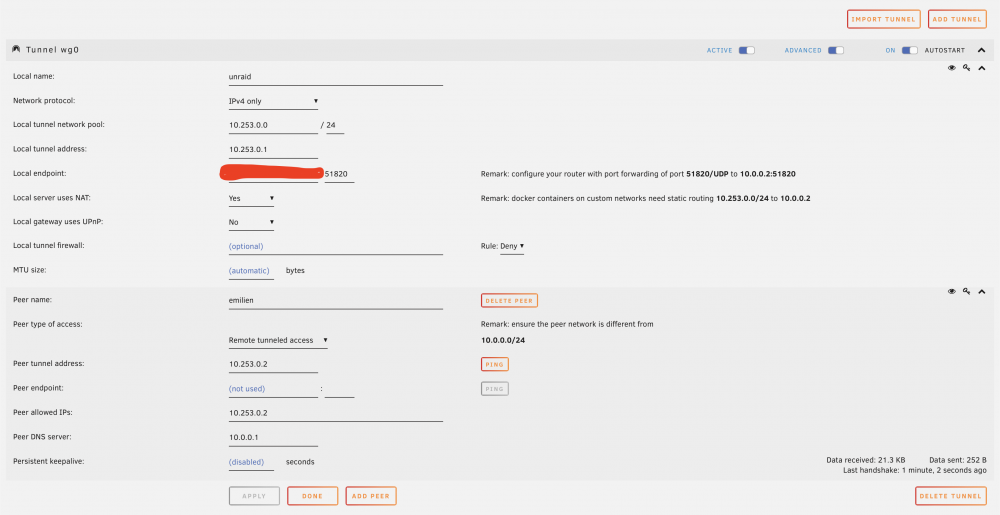
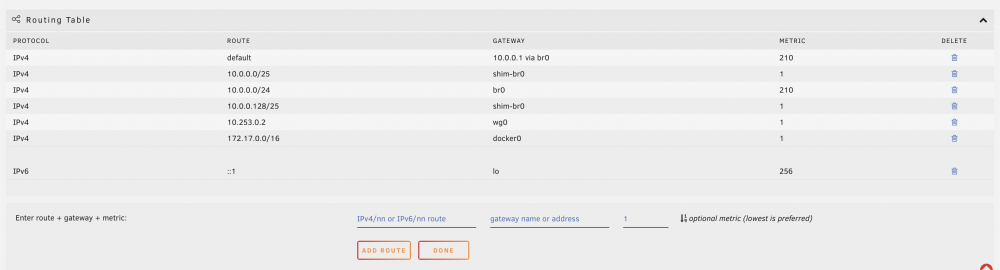
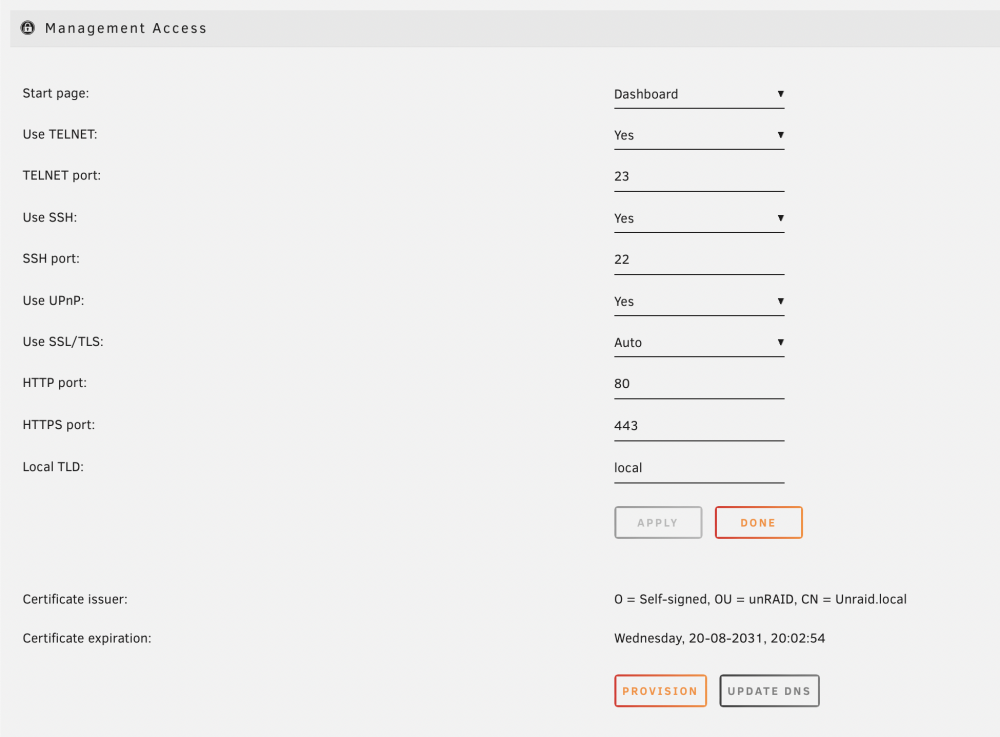
This is my current configuration, maybe there is an inconsistency that I don't see
-
Anyone have any idea what I can check? I'm looking at tutorials and solutions, but this doesn't fix my problem. 😢
-
Hello, my VPN connection was working perfectly for several months. I had followed the instructions and set up a "Remote tunneled access" connection with a "local endpoint:" which had a duckdns.org address. Recently, I bought a domain name and I now use home.firstname-lastname.com to connect to my local network. So I deleted my WireGuard configuration and start over with a "local endpoint" = home.firstname-lastname.com, still in "Remote tunneled access". I have access to the local network and to the devices, 10.0.0.1, 10.0.0.3 etc, but I can't search on the internet when the VPN is active. To make matters worse, I reset the original configuration with duckdns.org thinking it was a problem with my domain name, but now even the original configuration creates the same problem with impossible internet searches. Please, can you help me to see more clearly?
-
Indeed, my script should probably be improved in terms of user input management. I didn't think about the fact that a VM could have a name with a space. I'll see if a solution is possible.
-
I made a video to show how the restoration script works.
-
Hello everyone. I created a small bash script to automate the restoration of a virtual machine backup. It's the first time I participate in the creation of a tool for the community, so please be lenient 😅 I created a repository with some explanations and to consider your feedback or improvement. https://github.com/Emilien-Lambert/Unraid-VM-Backup-Plugin-Restoration-Script I hope you find it useful 😃
-
Hello, This morning, I tried to restore the backup of a VM made with the VM Backup plugin. I must have made a wrong manipulation or broken something because now I have the message "Libvirt Service failed to start." which is displayed in the VMS tab of Unraid. Here is the procedure I tried to follow to restore my VM: - Stop all VMs $ unzstd 20220124_0200_vdisk1.img.zst $ mkdir /mnt/user/domains/Ubuntu $ cp /mnt/user/myName/Backup/virtual_machine/Ubuntu/20220124_0200_vdisk1.img /mnt/user/domains/Ubuntu/Ubuntu_vdisk1.img $ cp /mnt/user/myName/Backup/virtual_machine/Ubuntu/20220124_0200_Ubuntu.xml /etc/libvirt/qemu/Ubuntu.xml Just after this last command, I was expecting the VM icon to be displayed in the Unraid dashboard, but it's not the case. I think the wrong manipulation comes from the last command because now I have 2 libvirt in /etc/ /etc/libvirt/ /etc/libvirt-/ libvirt is empty and libvirt-/ is filled with files in the qemu folder I also have a backup of libvirt.img, but I do not know what it is used for, maybe it is necessary? I hope I have been as explicit as possible, Thank you in advance for your precious help EDIT : After a restart of the server, no more message "Libvirt Service failed to start". But I have this message when I try to start my Ubuntu vm: " operation failed: unable to find any master var store for loader: /usr/share/qemu/ovmf-x64/OVMF_CODE-pure-efi.fd " In my backup folder, I have a file like below, but I don't know if I should put it in the error path. I'm afraid to do something wrong 20220124_0200_a95ed675-8ce5-ae1b-e1a6-7b8bdd583a7b_VARS-pure-efi.fd unraid-diagnostics-20220129-1434.zip
-
Thanks for the explanations
-
Thanks for the answer, so it would be a design flaw in my processor, I don't quite understand? So, I can ignore this error nothing serious really?
-
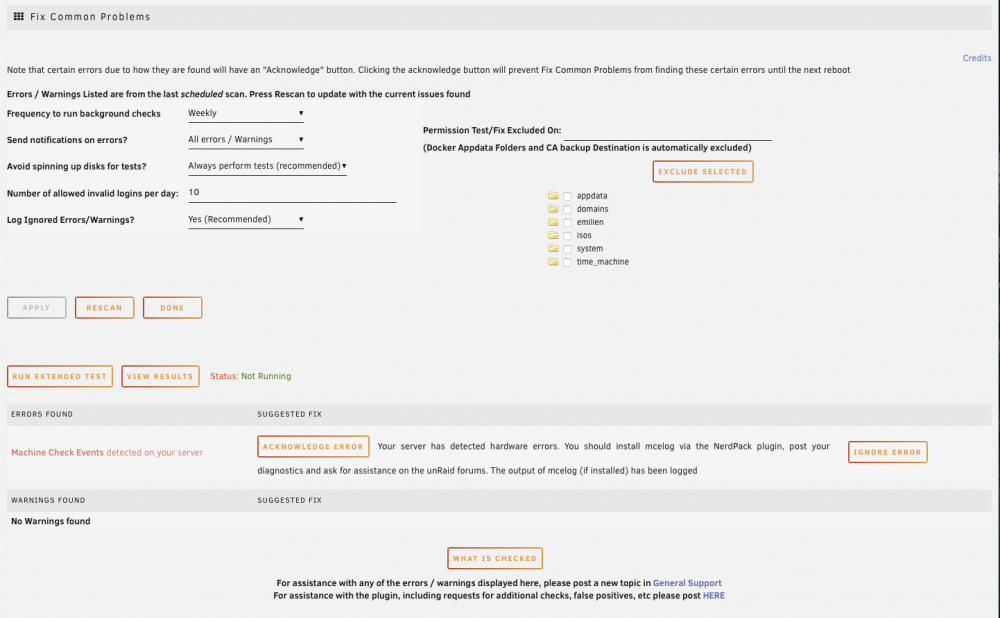
Hello everyone, The fix common problems plugin found a hardware error on my server. I followed the instructions and installed mcelog via NerdPack and generated a diagnostic that I attach to this post. I hope you can help me to see more clearly, I also noticed that one of my hard drives had an orange icon 👎 since Thank you in advance unraid-diagnostics-20211121-1052.zip
-
Perfect so thank you very much for your help
-
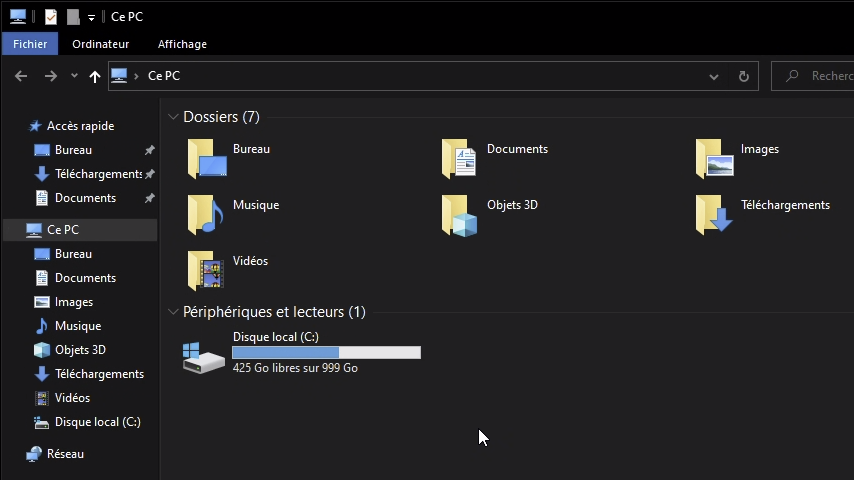
It seems to work much better, there are still 421GB free on windows and 378GB on unraid. Is this normal?
-
Hello to all, I have a 1TB ssd drive for my windows 10 VM in cache only. On windows there is 1TB of disk with 450GB free. But after several months of use, the Shares menu of Unrais indicates that my disk has only 80GB free. I really don't understand why, since I'm in cache only and only my VM uses this hard drive, when I delete a game the space doesn't seem to be free in the unraid interface. Thanks in advance for your help

-
Thanks a lot ✌️, problem solved! I removed the SSD that was causing the problem and everything works great now
-
A new diagnosis here. After some research, I installed the "Fix Common Problems" plugin and there was an error saying that my cache was in read-only. So I ran a "Check Filesystem" with the -Lv options to fix any errors. The check got stuck on the following lines Format log to cycle 4. xfs_repair: pwrite failed: Input/output error libxfs_bwrite: write failed on (unknown) bno 0x3a383710/0x40000, err=5 xfs_repair: Releasing dirty buffer to free list! found dirty buffer (bulk) on free list! xfs_repair: pwrite failed: Input/output error libxfs_bwrite: write failed on (unknown) bno 0x3a383b10/0x40000, err=5 xfs_repair: Releasing dirty buffer to free list! found dirty buffer (bulk) on free list! I don't know if this can be useful, but it seems that it didn't work properly ps: I don't have any important data on my server, if it is necessary to format the disks it is not a problem. unraid-diagnostics-20210823-1037.zip
-
Ah great thank you for this information I will quickly try with xfs Edit : This does not change anything



