Exes
Members
-
Joined
-
Last visited
Everything posted by Exes
-
This is sick!
-
I unfortunately do not. They are merging code bases, so I imagine they are working out all the kinks
-
They are using a separate branch. It's still technically the old version
-
I thought @Squid said they forked it?
-
Thanks guys I will retest again
-
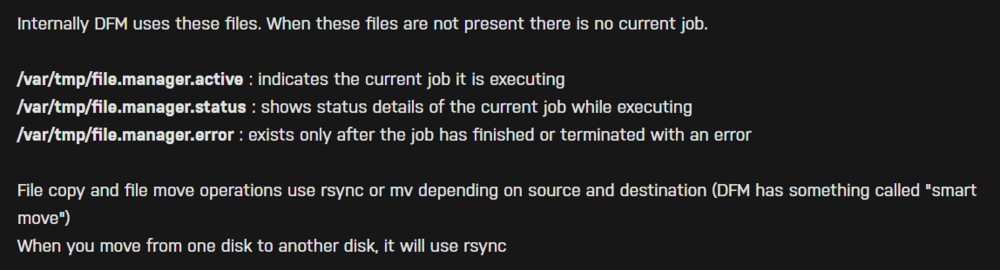
Why would you post something on there? The solution is right there. Delete the one that says active
-
I am at my wits end, my server randomly reboots and I'm not sure why. Posting diagnostics shortly after it rebooted and the logs leading up cd1git-unraid-diagnostics-20250329-1613.zip unraid logs.txt
-
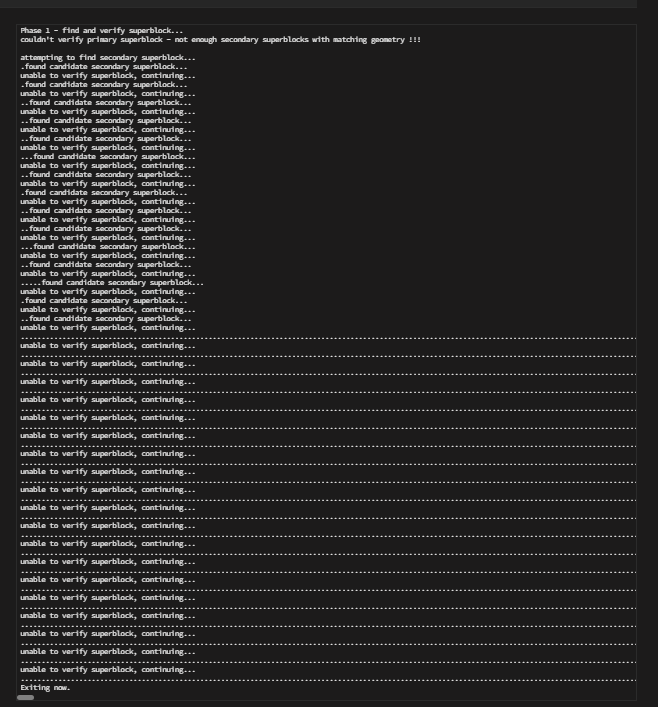
This is what I get when running xfs_repair
-
The drive is going bad or something, it just disabled again even after I switched cables. Would I be fucking myself over if I bought a new one?
-
You mean because it wrote that to parity? It was fine (from what I could tell) until I accidentally hit the power cable. I tried the xfs_repair and it didn't get past phase 1, something about not enough super blocks Edit: My parity check was before all of that happened too
-
I still have the replacement plan from Best Buy, I could just get a new drive tomorrow if that'd be the safest idea haha
-
These are both the shucked Western Digital 14 TB drives but I get your point
-
Out of curiosity, I do have another drive that I was pulling stuff off of that is the same size. If I replace the Drive1, would that be a better idea?
-
Running now
-
Ah just saw this, can you let me know what I should do regarding my last post?
-
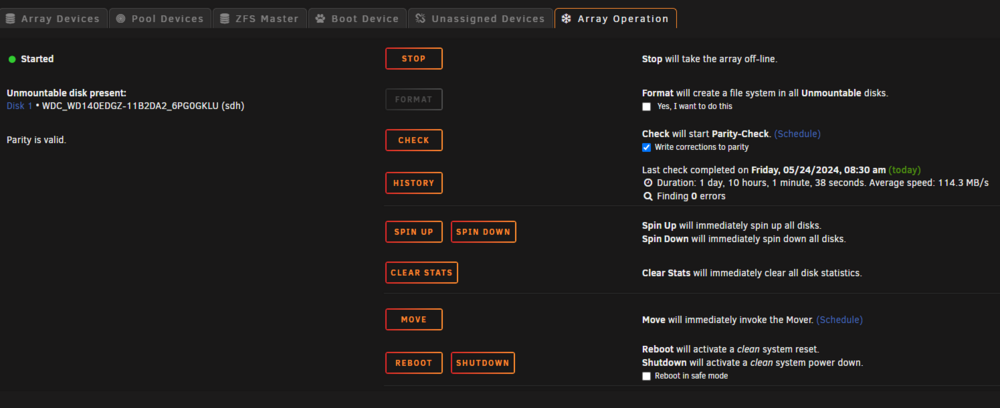
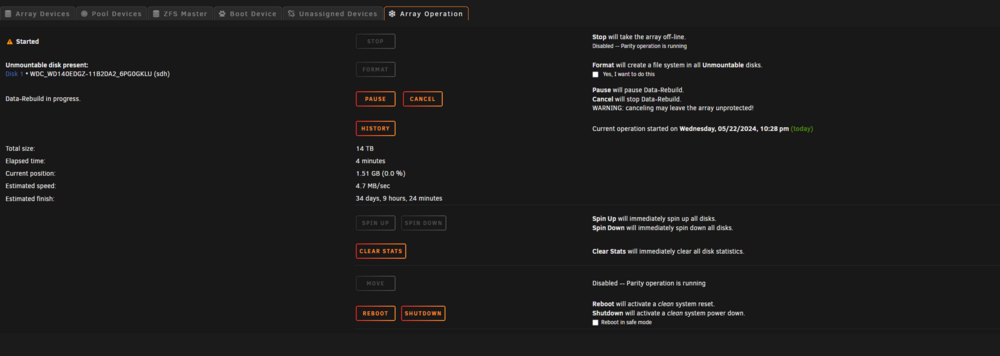
So it finished rebuilding but it still says this. Do I need to go into maintenance mode and redo it? I don't want to lose anything on the drive. Or should I test the drive first above? cd1git-unraid-diagnostics-20240524-1309.zip

-
Not yet it's rebuilding but no longer saying it's disabled. Should I stop the rebuild and do that? It didn't say it was disabled though
-
it is saying it's unmountable but rebuilding
-
cd1git-unraid-diagnostics-20240522-2230.zip tried a new cable and it looks like it's working. is this a good sign?
-
cd1git-unraid-diagnostics-20240521-1535.ziphere you go
-
cd1git-unraid-diagnostics-20240508-1916.zip Done, also, thank you for not giving me crap. I've tried Reddit and people just aren't helpful there
-
Yeah I've rebooted it, then unmounted it and mounted using unassigned drives, just to check. I've never been able to get a drive to go from Disabled to Enabled without completely rebuilding it. I am not sure if it's the power cables I have or my luck is bad
-
I know this may seem stupid but I brushed up against one of the power connectors to one of my drives and it says it's Disabled and the device is emulated. After browsing the drive and doing SMART tests, I can confirm it's fine. I have had issues getting it to rebuild the drive and frankly (I know it may seem stupid) but, I lost about 6-8 TB doing that one time. It wants me to reformat the drive for some reason, I tried following this link but I just don't get the option when I tried to rebuild I would like to just accept the risk and edit whatever file is causing it to say that. One of the main reasons is I am getting UDMA errors on another drive (I think one of the resistors, I think, might be going as it got replaced recently) and I'm worried that something will mess up rebuilding it causing me to lose everything. And if I replace the drive with UDMA, I'm sure I will get an error saying I can't add 2 drives. I would like to avoid having to rebuild everything on one drive, run a parity check, then replace the other on. If I sound like I'm all over the place, I apologize, this has been giving me anxiety. cd1git-unraid-diagnostics-20240507-1743.zip
-
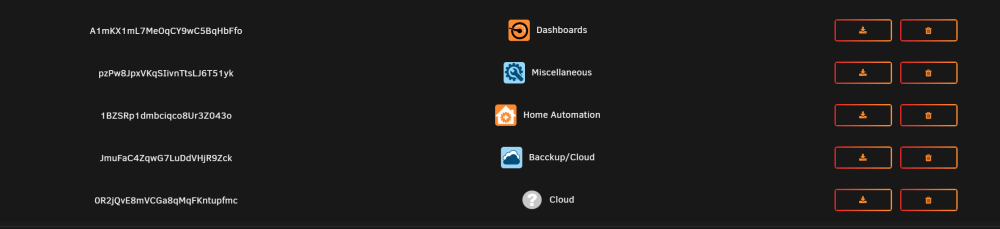
Having an issue where It won't let me create new folders. Every time I add it, it appears in the settings docker (2).jsonBut not on the Docker Tab. I also can't see the Backup/Cloud one either. It started happening when installing the Nextcloud-AIO-Mastercontainer and used a regex to add all of them. I'm attaching my docker json
-
I accidentally hit the power cable on one of my drives and it says it's disabled. I did a full SMART test and it passed, and just mounted it and verified it has all the files. Am I safe to start rebuilding?