Cemion
Members
-
Joined
-
Last visited
Everything posted by Cemion
-
Thanks for help. By default no file generated, you must uncomment it in config.
-
Guys, somebody know maybe where is something normal like plex, with 1 time payment becouse realy owncloud / nextcloud is shit. Then it didnt get new error, it lags
-
Start the manual updater app. It work for me ./owncloud/occ upgrade https://central.owncloud.org/t/problem-upgrading-via-occ-command-from-10-1-0-4-to-10-2-1/20926
-
Sorry but it shit app, it kill my proxy config. DONT use this
-
The same question lol. Dont undestands why people didnt write it in description/comments... Not first app with same problem
-
More info about you configuration in 3 point. What you mean in web? it avalible using domain or local ip adress?
-
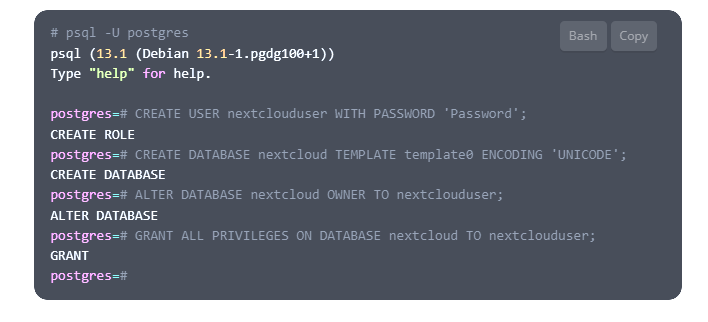
Run with postgresql14 postgres://USERNAME:USERPASSWORD@[DBIP]:DBPORT/DBNAME?sslmode=disable&connect_timeout=10 it avalible for me in http://10.10.10.2:8065/ Check log as i remember after connection i get error win config and change owner and group in postgres db psql -U postgres CREATE USER 'user' WITH PASSWORD 'Password'; CREATE DATABASE 'DBNAME' TEMPLATE template0 ENCODING 'UNICODE'; ALTER DATABASE 'DBNAME 'OWNER TO 'user'; GRANT ALL PRIVILEGES ON DATABASE 'DBNAME' TO 'user';