danilodino
Members
-
Joined
-
Last visited
-
sorry for the delay, several tests and same result, I changed the memory, formatted the hard drives in another system, changed the flashdrive, removed the GPU. It's still the same. I noticed that it now happens when I start the array homelab2-dino-diagnostics-20250508-2007.zip
-
I did a new installation, using a slightly old USB stick. It restarts on its own or simply freezes. I've already changed the RAM stiks and it's still going. I'm putting in the log files. I hope someone can help me. syslog-previous.txt syslog.txt
-
have a server with an exclusive nvme for the cache and the vms, it is already 3 years old, 1 month ago it started to present a problem where it stops reading the nvme drive and it returns to normal whenever I restart it. I'm putting the log files in the post. I count on the help of someone here to try to solve this problem. for now, thank you very much tw-nas-diagnostics-20230317-2125.zip syslog-192.168.0.210.log
-
Hi guys, I bought a server with unraid and I want to change the registration email. It is possible? Yours sincerely.
-
here the diagnostics. tw-nas-diagnostics-20220805-1711.zip
-
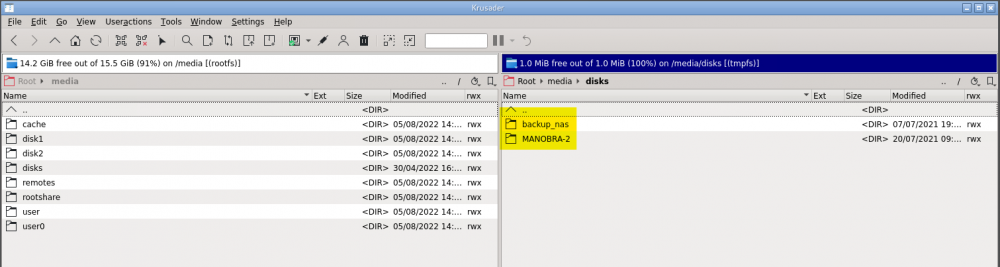
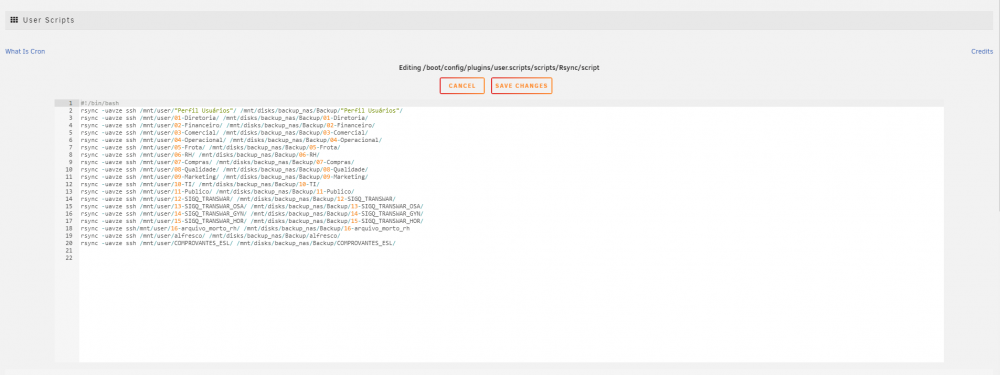
Hello guys. I have two drives that I use to back up my array. They worked normally. Now they appear as mounted but does not show the folders within it. Even if I disconnect and connect, they go back to the same state. The folders don't even appear in Krusader. I only see the drives. Here is the script used in user scripts and rsync. All the folders still exists in the drive. Thanks.


-
Hello, it is the 3rd disk that is disabled. The disks are working normally and out of nowhere, they show up as disabled and I have to change the disk to remount my shared folders. I need help, I'm putting the log files in the post Thanks. unraid-dino-diagnostics-20211113-1252.zip

-
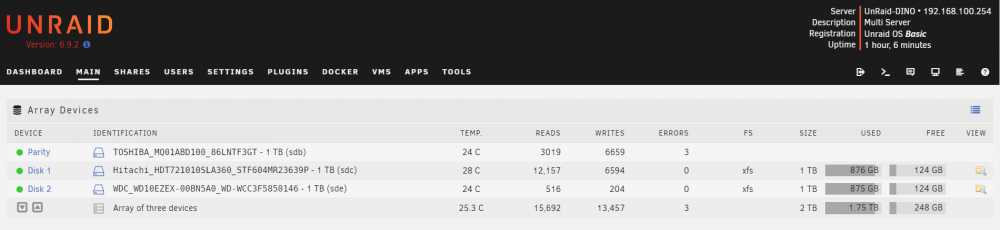
Hi everyone, i have the same error here. Same config as the @MarUl, but my disk1 just fail. Replace, Rebuild (22 hours) and now my shares is gone. Inexplicably the Media Files folder appears as a file, I don't know if that would be the problem. I really need help, this unraid is for personal use, but I was scared about it because I have one running in the company. Thnaks a lot! unraid-dino-diagnostics-20211026-0939.zip