





last.rogue
Members
-
Joined
-
In unraid fix common problems, it is showing the following warning: Tunarr (ghcr.io/chrisbenincasa/tunarr:latest) has the following comments: Default tag (:latest) does not exist on dockerHub Additionally, this application has been blacklisted from Community Applications for that reason. This seems to have just started up recently. And I noticed on the github page it shows the following instructions for installation: docker pull ghcr.io/chrisbenincasa/tunarr:edge Is this something to be concerned about? Is there anything that can be done to resolve this?
-
Thanks, I'll do some more reading. I appreciate the links! And to clarify, NPM is not at play here. NGINX is, but it is baked into the Heimdall container. I will look at layering NPM onto it, but I haven't considered it because the use case I have had around it has been managing multiple subdomains, and I'm just not sure how I would set that up with Tailscale yet. I have simply been creating a new machine by toggling the 'use tailscale' option in each container I want to connect to my Tail Network. If I can use NPM's container, connect it to my Tail Network, use Serve to allow HTTPS access to it, and use that as a reverse proxy isolated to my Tailnet then I think I would rather do that as I could have isolated docker networks connected to the NPM container. Just a matter for me of figuring out how to do that.
-
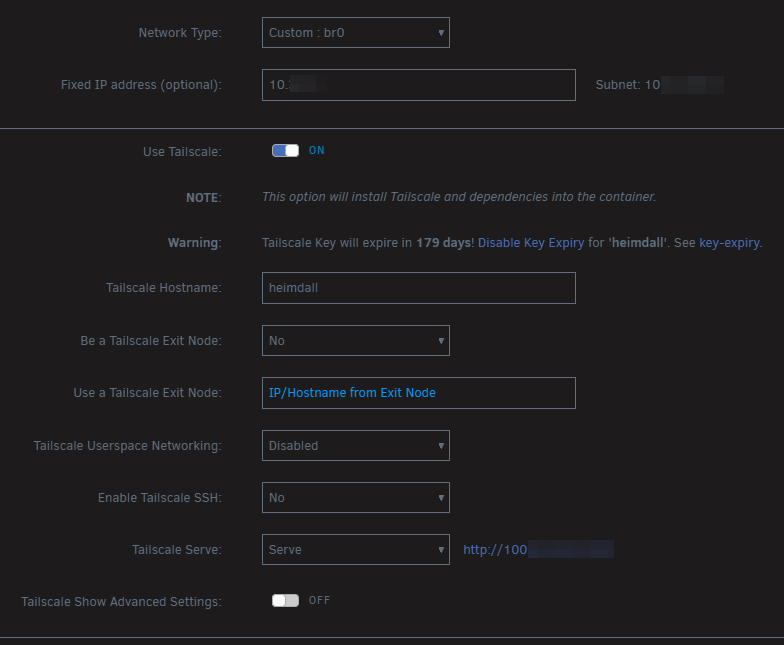
Ah more background may be needed for some context. I am using a custom network and assigning an IP to the heimdall docker instance. As I do for Ombi which works just fine. Heimdall is the tailscale hostname, and Serve is selected for the serve option: It creates a separate machine with a reserved IP and does not tie it to my unraid host. I have stayed away from funnel as my understanding is that opens it up to the public internet. Which is not what I want to do in this case. And as a validation of that, I am not able to access this resource from the public internet using the hostname unless I'm connected to my tail network.
-
Thank you for your reply! To clarify, I am not using NPM in this instance, NGINX is baked into the heimdall CA docker template. I do have NPM as a CA docker template. But I am not using it in this instance. Are you proposing I switch to using NPM with tailscale?
-
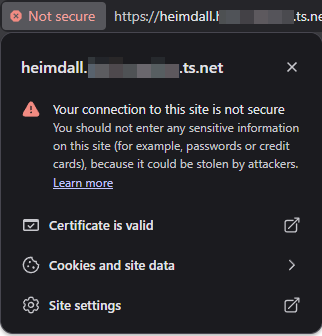
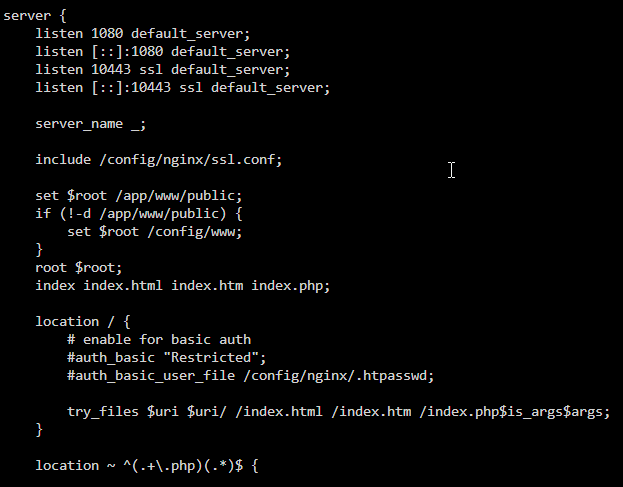
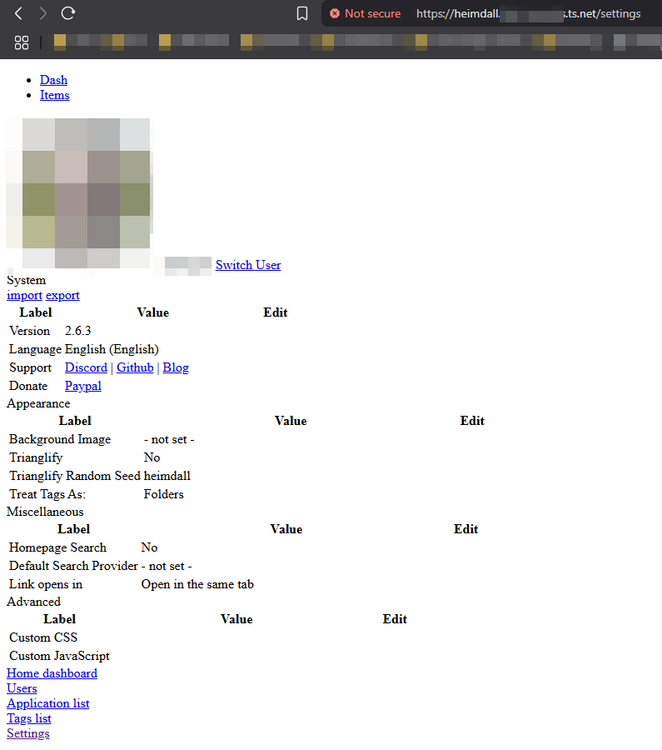
I am trying to setup HTTPS Serve functionality on several docker containers. I have some working, particularly where the docker configuration does not already use port 80/443 for it's internal container ports. In cases where there is a port/service binding conflict, how can I best configure Tailscale to be used to serve content over HTTPS? An example of a docker container I'm having issues with is Heimdall. In the logs, when starting up, tailscale is successfully installed and connected. However. it will error out before starting the NGINX service stating that port 443 is already in use. I have worked around this reconfigured the NGINX /heimdall/nginx/site-confs/default.conf file to listen on different ports. e.g 80 changed to 1080 and 443 changed to 10443: However, I cannot connect to the Tailscale endpoint over port 443. I must use the HTTP or HTTPS port configured in the NGINX configuration. And the certificate on HTTPS is the self-signed cert provisioned with the docker container. What I have tried so far: I have attempted to change the Tailscale Serve Port from 80 (the default) to the NGINX configured port of 1080. This results in a redirect from http to https with a security warning saying the connection is not secure (but it says the certificate is valid?): And the page itself is a malformed HTML version of the page showing just basic text and no CSS formatting. I have attempted to change the Tailscale Serve Port from 1080 to 10443. This results in the following error: 400 Bad Request - The plain HTTP request was sent to HTTPS port I have also attempted mucking with some of the other parameters: Tailscale Serve Target (e.g. localhost:1080) Tailscale Serve Protocol (e.g. https) Tailscale Serve Protocol Port (e.g. =443) The three above having mixed results and usually ending in a broken configuration where I had to completely remove the container and appdata folder for heimdall. I do have HTTPS Certificates enabled in DNS Settings in my Tailscale account. Other containers seem to mostly work fine when the docker container port is not 80/443. An example of where it is working fine is Ombi where it uses port 3579. Are there any suggestions I can try to make this function over simply https and port 443 with the let's encrypt cert issued from Tailscale being presented by the service?
-
I just noticed a page back or so that people were having the same issue as me. Didn't intend to quote anyone specifically. As for moving from plexpass to non-plexpass version, I'm not sure why you would want to do that. But there are are some potentially major different components between the two. The templates I believe for either are different as well. You could pull up the template on another tab and compare the two. If they are the same at least the templates are the same. However, looking at the latest tag on docker hub between the two there are some noticeable differences in commands and file sizes. If it were me I would backup my appdata folder for plexpass before making a non-standard change like that.
-
Regarding the plex server not starting up due to the update within the last 2 days. As a temporary workaround I reverted to a previous version. Edit the docker template and update the repository to: binhex/arch-plexpass:1.31.1.6716-1-01 Apply it and it will re-download and run that previous version. If you want to update this later when a new version is released, you will have to manually revert that repository value back to what it was. It did give a 503 error when first starting up. It mentions something about migrating databases, just let it sit and do this for a while. For other previous versions or similar tags, you can look here: https://registry.hub.docker.com/r/binhex/arch-plexpass/tags
-
You will just need to wait until an update to the container is made available. It should be available now as I just updated. You could go into your docker tab in unraid, scroll to the bottom, and click check for updates (if you don't already see an apply update button next to your plex container).
-
I am fairly new to UnRAID, but in my research I have stumbled across something that Spaceinvader One posted on his youtube channel a few years back. There may be a better way since then, but this may get you going sooner than later. The process goes through describing adding a cache pool, but later in the video it goes over how to upgrade or replace a cache drive leveraging Krusader. Here's where they start discussing upgrading or replacing the cache drive (time 8:40):

