GeorgeJetson20
Members
-
Joined
-
Last visited
-
This is resolved by restoring a urbackup backup onto another drive but then ran into a problem where windows was saying not activated, needed to copy the original UUID and MAC address over to new backup and update the NVAR template line and now fully back online but wish I knew the real reason the problem occurred in the first place
-
Can anyone else help? I am not able to boot the VM at all. I am kind of stuck and not how to remedy this.
-
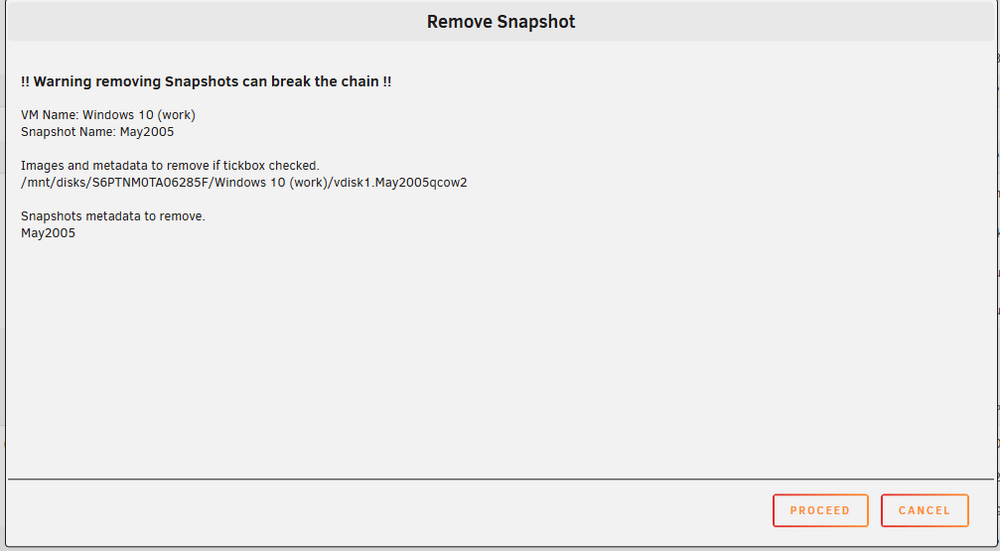
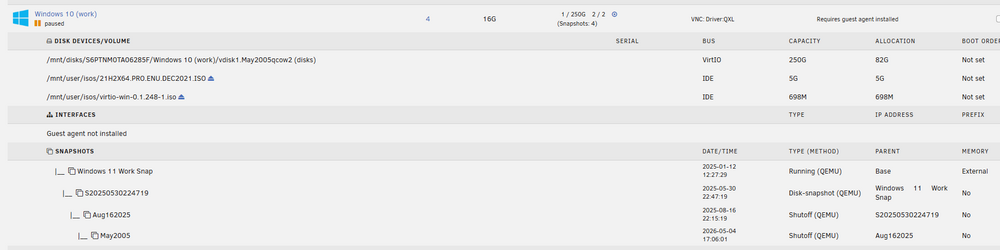
Strike, My libvirt is in system which is normal, i think you asked that. Here is the results of the line from terminal: qemu-img check -f qcow2 "/mnt/disks/S6PTNM0TA06285F/Windows 10 (work)/vdisk1.May2005qcow2 I tried to remove the oldest snapshot but for all the snapshots, I get this message - But it's not running for certain. Let me know what else I can possibly do to get this going.


-
I figured to try this but I get this message when trying to delete the most recent snapshot. I don't quite understand how the snapshots work on unraid because it does not work the way VMware does the snapshots. This is the message I get when trying to remove most recent.. I am afraid to break it worse.,
-
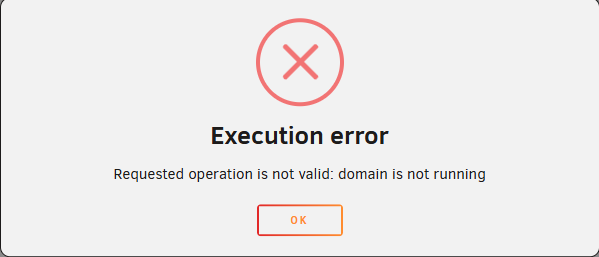
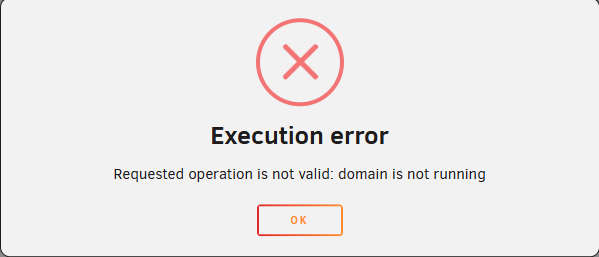
It was fully working in the morning and up... Walked away for 3 hours and it was not running anymore and i had to force shutdown the VM because it was getting this message when I clicked the pause (to try to resume, but i never saw that message before). It was saying something about Nginx is not valid and I got this message. I didn't try to restore snapshots to do anything because i didn't want to make it worse.. You mentioned no space on drive. But what is weird is that I have 1 TB SSD and this is 250G and I have another 250G for another VM and its fully running still - Are the snapshots taking alot of space?? If the actually data on the drive is 88G, is each snapshot also 88G ?? that would explain some of the space and probably can delete a snapshot.. let me know if im on the right track or not?
-
I guess since no one has responded, it's really broken ???
-
I will attach diagnostics in case it's needed. I tried rebooting the entire server but the same issue. Not sure what to do (I have snapshots but before I do anything, waiting for instructions) - The vm in VNC mode starts but the spinning white circle just stops. In VM's it shows paused but i did hard shut down and rebooted entire server and it keeps happening. tower-diagnostics-20260611-1715.zip



-
Definitely working 100% this fixed the issue.
-
It's made it more than 1 hour so I will know 100% by Wednesday but it looks like it did resolve the issue. Who would have thunk it!
-
That would be a super easy fix, I will try that and report back!
-
I upgraded 2 of my 3 servers to 7.3.1 and noticed one issue that can hopefully be easily corrected. When running my ubuntu VM, I keep getting kernel panic causing complete stop of my remote desktop session. I checked online and it said to use the latest Machine Q35-10.2 but between 10-15 minutes after running the vm, it stops. Any hints with this? Before 7.3.1 I had 7.2.3 and no issue. Any ideas? If you need my diag, let me know but this one sounds like an easy fix? I also had another Ubuntu VM and tried it and same thing occurred with the kernel panic so it's got to be with something when it got upgraded. phantekone-diagnostics-20260608-1205.zip
-
I upgraded 2 of my 3 servers to 7.3.1 and noticed one issue that can hopefully be easily corrected. When running my ubuntu VM, I keep getting kernel panic causing complete stop of my remote desktop session. I checked online and it said to use the latest Machine Q35-10.2 but between 10-15 minutes after running the vm, it stops. Any hints with this? Before 7.3.1 I had 7.2.3 and no issue. Any ideas? If you need my diag, let me know but this one sounds like an easy fix?
-
Is there any workaround? I need provoxyvpn to be operational - I hope this is resolved because I would like to get rid of usb drive finally
-
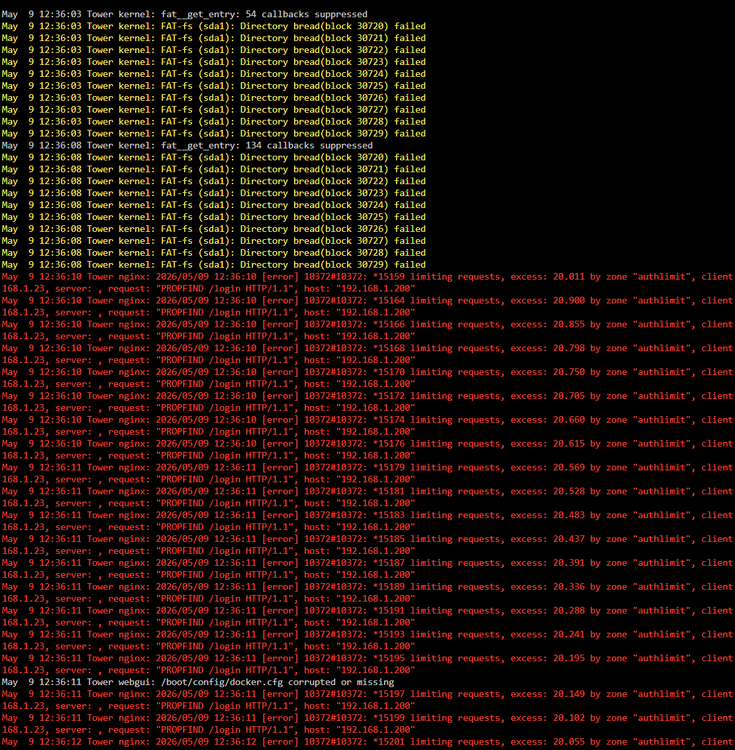
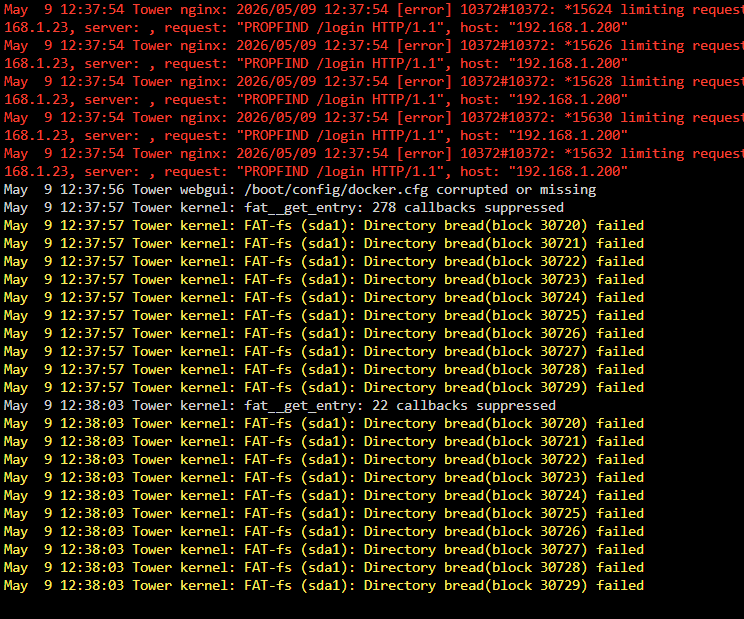
If it is the flash drive, not sure what to do because I can't replace it again automatically - I shutdown, put the flash into my pc and repaired it and copy everything to local pc do i have a full backup of the USB. Still not sure what is going on. I ran a memory test for hours on 128g and did not get any errors. Is the motherboard failing? just not sure what is going on. I am using the same usb thumb drives in all 3 of the servers and the other 2 never had any issue with that I also ordered 3 MLC USB Drives on Amazon, but delivery is scheduled for NEXT Saturday so I need to survive until then (if the usb drive is the issue).
-
Now I started seeing this - Lots of these scrolling on the screen - the array completely stopped First I noticed I couldnt get to a share, then got the usb stick is bad (this was just replaced 9 days ago) so I don't think that is the issue -