






xsk
Members
-
Joined
-
Last visited
-
因为中国大陆地区IP被官方论坛屏蔽了,你必须使用非大陆地区的IP来访问也就是说得开vpn。感觉官方论坛已经放弃中国大陆用户了。 但如果有故障通过邮件提工单还是会回复的。
-
ZFS也不是都是优点,扩容缩容的灵活性就不如unraid的校验盘阵列,而且基本不要想单盘休眠节电了。
-
不行你就转成raw image, 或者qcow2, 我试过qcow2可以直接在unraid里用。
-
停阵列,新建一个配置,然后cache pool增加一个slot,选择新盘,然后启动阵列就完事了。
-
ZFS pool不会替代Array的。 两个东西各有各的用处,但6.13可能会提供不需要array单独建ZFS pool的功能了,目前即使你建立了ZFS pool, array还是不能删掉的,至少要留一块盘(u盘都行)。
-
macvlan的问题官方还没有完全解决呢
-
据我所知不能直接加盘,你需要备份数据,然后删掉再重建为raidz。
-
ZFS主要扩容比较麻烦,一开始要计划好容量, unraid的校验盘机制付出性能的代价换来的是灵活性。
-
默认只能回退到上一个版本,如果你升级之前是6.11 应该可以。
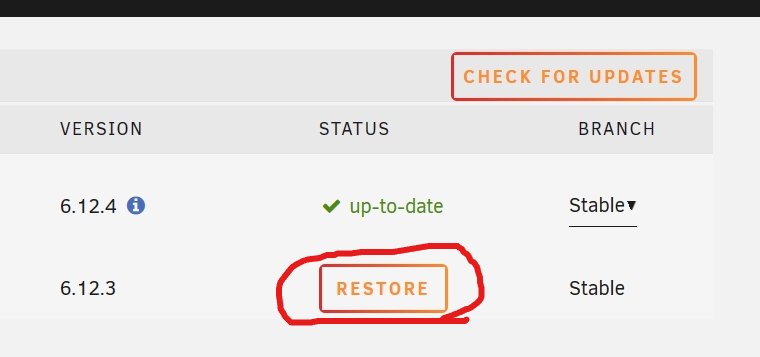
-
docker如果用的macvlan就有可能出现失联,我的反正改ipvlan就好了。
-
我的理解是简单的说,正常的磁盘文件写入的时候校验盘数据都是同时正常地更新的。但是数据盘文件可能会发生意外的数据变动(或者说错误地更新了,或者发生错误)校验盘并不知道。所以需要定期进行Parity Check, 执行频率应该根据自己的实际情况平衡安全和效率来选择。
-
重启nginx后过一阵webgui还是会随机挂掉,试试关闭ipv6吧
-
i have same issue, i just disabled ipv6 and let's wait to see.
-
只能ssh进去reboot diagnostics都生成不了日志文件 要么回滚6.11.5
-

