





megalodon
Members
-
Joined
-
Last visited
-
BradJ did you ever get this working? Im on the latest version of Unraid with the APC SMC1000i-2UC and I can't get any load readings.
-
No but I appreciate you trying to help.
-
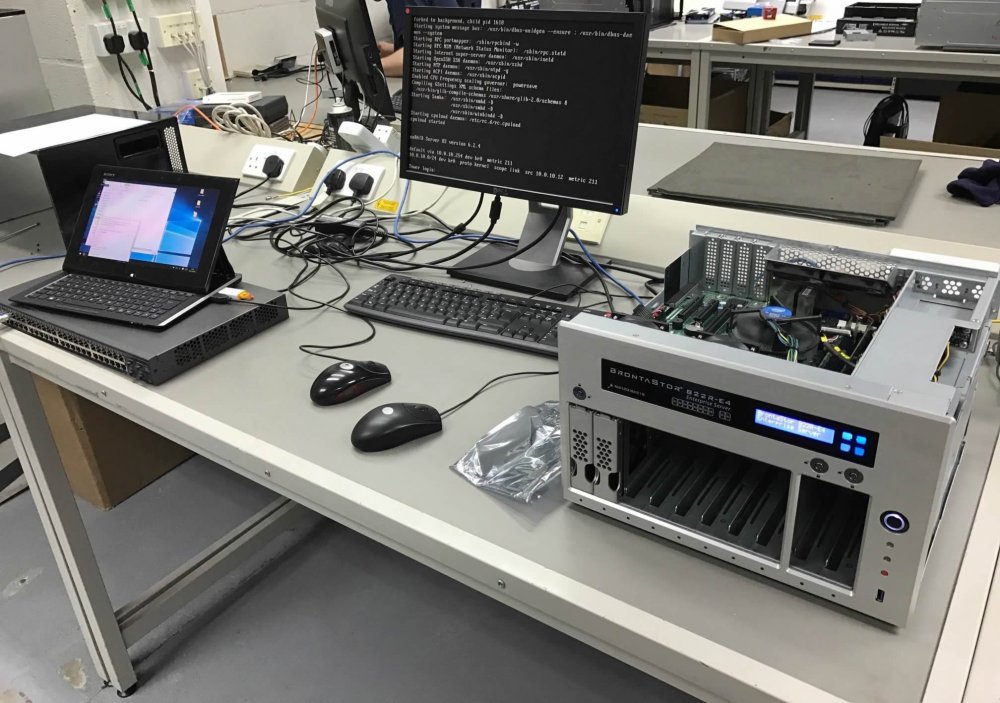
Im using a Brontastor Server which has an LCD display and buttons which was originally designed for use with open-e (The display and buttons). Can we add support to use this with regards to temperatures, drive status, capacity used/free etc. www.armari.co.uk Thanks Guys The display is a Crystalfontz 631 LCD, so Unraid would have to provide support for it. https://www.crystalfontz.com/product/usblcddriver https://www.crystalfontz.com/product/linuxexamplecode There is a free linux based monitoring tool available here - http://lcdproc.org/ https://sourceforge.net/projects/lcdproc/files/lcdproc/0.5.6/lcdproc-0.5.6.tar.gz/download in unraid allows you to add stuff to it, you could try to install lcdproc
-
Thanks Leifgg, thats a great help.
-
I wondered if anyone had the system temp settings for the AsRock E3C226D2I Mini ITX Motherboard. Thanks
-
This is interesting RobJ as I can recall once when cache_dirs was running after a reboot I watched as chat_dirs read all my disks from 1 to 8 but missed disk7. After reading the disks and them all spinning down I browsed my openelec box and disk7 spun up but not the others. This could be in relation to the problem you have identified.
-
I don't care how I install cache dirs, either standalone or from Dynamix. But I need to know the correct go file command so it scans all drives and folders 4 deep. Thanks
-
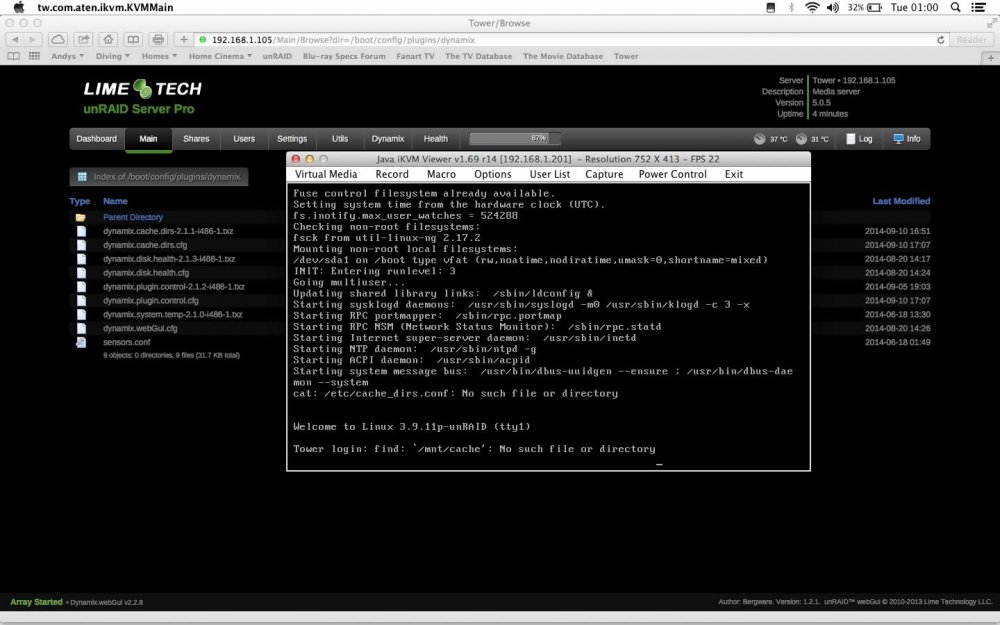
Okay so I removed cache_dirs and the go file and then installed it from the Dynamix plugins page. I have some errors coming up. All I have done is set the depth to 4 folders deep in the settings. Bonienl sent this message so I really need joeL to look at it. I was quite happy running cache Dirs and the go file but was having problems so my thought was to remove it and run it from Dynamix control panel but Im still having errors. It looks like my original errors were to copying the go file command another user posted as I only wanted to scan 4 folders deep. This is the message Bonienl sent me on the Dynamix forum page and the image of my errors is posted as well: The latest version of "Dynamix Cache Dirs" downloads the cache_dirs script made available here on the forum. The file is unzipped and placed in the /usr/local/sbin folder. This approach ensures that always the latest available version of cache_dirs is used. Dynamix builds a GUI wrapper around it, which allows the user to enter parameters using the browser. Upon execution these are given as the actual CLI options for cache_dirs. Looking at the source code of cache_dirs I see it does a hard coded search in /mnt/disk* and /mnt/cache, which explains the warning messages you get. These are harmless, but you may want to ask Joe to make a correction (e.g. test if Cache drive exists).
-
No its not. Im going to remove cache dirs and the line from the go file and install it from dynamix, maybe that will work better. Thanks
-
I found this post to joeL a while ago: --- End quote --- The cache_dirs program will re-schedule itself when it finds no mounted disks. (Or thinks there are no mounted disks) Why would I have or it think there are no mounted disks?
-
The only thing relating to cache dirs is my go file which is: /boot/cache_dirs -w -d 4
-
I have attached a log that shows that my cache dirs scheduled a read after a spin down of the disks for no apparent reason. Can anyone explain what is happening please. log.txt
-
Thanks trurl
-
Thanks trurl I did read that and could see the -e to exclude but its written like this -e "*Junk*" so I didn't know if you need the Asterisk and or the speech marks. I mean should I just add -e .TemporaryItems to my go file.
-
JoeL because Im using a Mac to access my unRAID server I always end up with a load of .TemporaryItems folders over my disks and cache dirs always scans them. I don't know if it makes any difference but is there a way to exclude these folders from being scanned or will it make no difference at all.

