





Fastbobo
Members
-
Joined
-
Last visited
-
Hi friends, I've been using Tautulli on my Unraid server for a few months, I realized that when I open tautulli the 2 parity disks and disk 1 always remain on, I set it to turn off after 15 minutes of inactivity, if I close tautulli after 15 minutes they all turn off regularly, I have Appdata on the cache, do you know why it keeps my disks active? is there any setting to touch? Sorry for the english, I use google translate.
-
Thanks a lot, the problem was the extra parameters, my mistake, thanks again!
-
Ok, I attach screeshot, what do you mean by Plex Token?
-
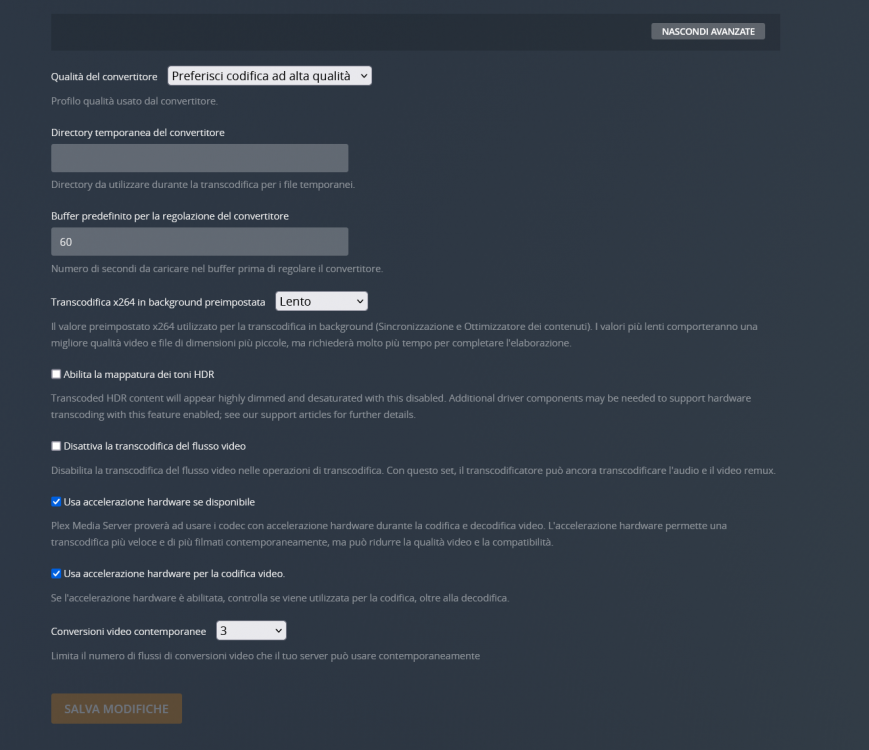
I just tried to remove Plex from the terminal and reinstall it, unfortunately nothing has changed, it continues to use only the CPU, I also tried to disable the integrated gpu from the bios and leave only PCIE but even so it uses only CPU. I do not know what to do...
-
Sorry for the delay, I had not seen the answer, I am attaching diagnostics, do you intend to reinstall plex?
-
Thanks, I asked in that thread. EDEIT: If someone can help me here too it's fine, in my opinion it's not a driver problem, because the card is seen without problems, it should be a plex configuration the problem.
-
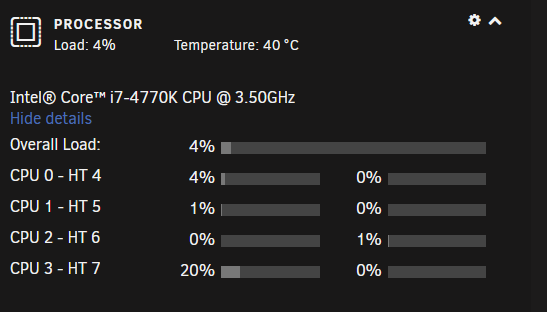
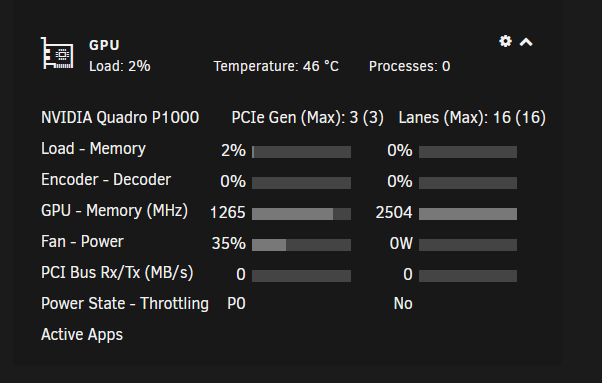
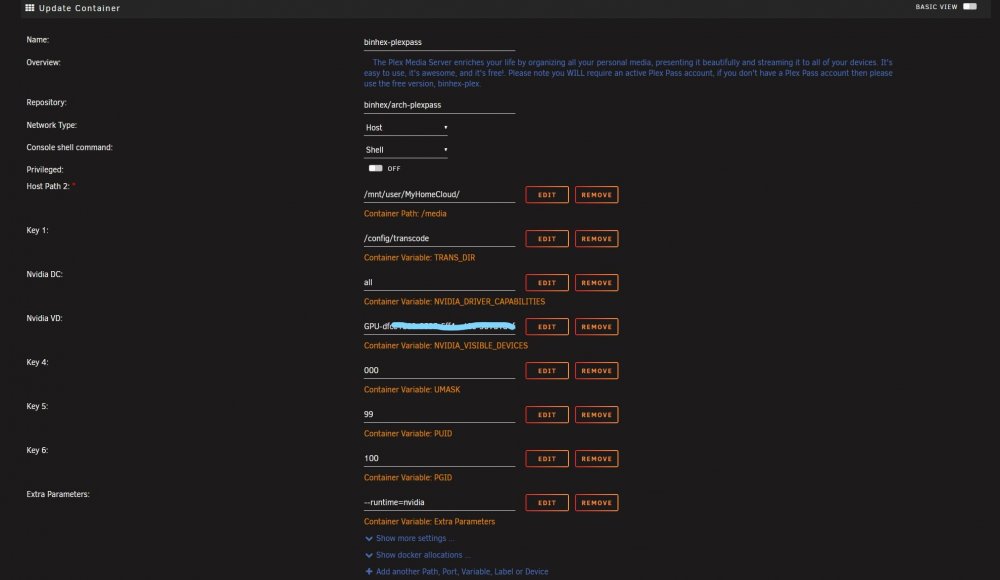
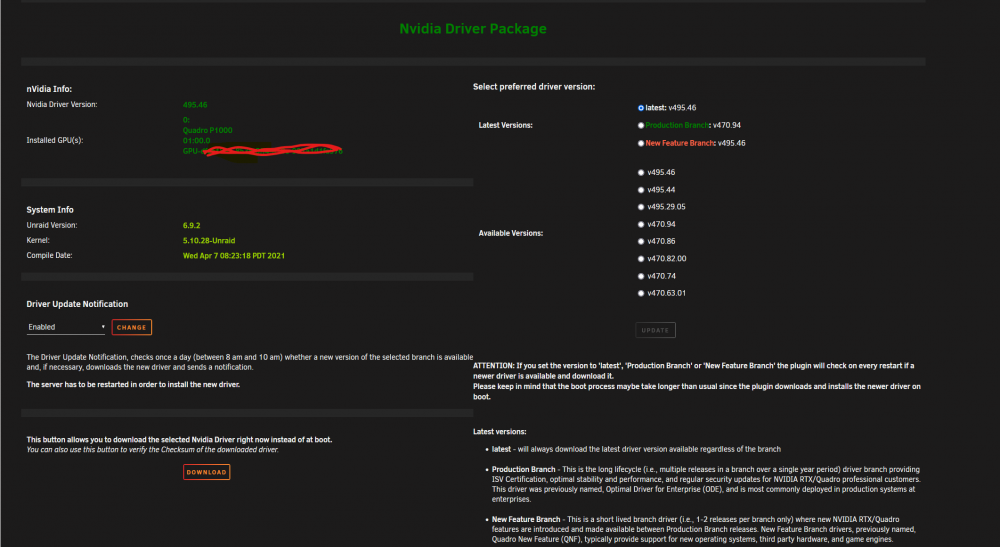
Hi all friends, I am writing to you from Italy, sorry for my bad English, 3 months ago I changed my PC and with the old hardware I made a NAS with Unraid 6.9.2, I installed binhex-plexpass and configured with my Plex Pass account. The problem is for hw transcoding, I installed a Quadro P1000 with Nvidia Drivers, GPU detected and I also see the status via GPU Statistics, I followed all the online tutorials but the transcoding continues to do it via the CPU. I configured Plex with NVIDIA_DRIVER_CAPABILITIES on "all", Extra Parameters on "--runtime = nvidia" and I entered my GPUUUID on NVIDIA_VISIBLE_DEVICES, I enabled hardware transcoding from the Plex settings but nothing to do, it doesn't work it just uses the CPU. I always have the CPU at 80% load during remote streaming and the GPU at 2% and the writing (hw) does not appear. Anyone know what the problem may be? I also tested with a GTX 1050Ti and a GTX 780 with the same result, so I rule out a GPU problem. If it can be useful I put the hardware list of the nas: Asus Z97-PRO GAMER Intel Core ™ i7-4770K 16GB DDR3 Ram Nvidia Quadro P1000 I hope I have explained well, I thank in advance whoever will help me.
-
Yes, I've already seen that topic, I followed the guide in the second post: But unfortunately it doesn't work...😭
-
Fastbobo joined the community
-
Hi all friends, I am writing to you from Italy, sorry for my bad English, 3 months ago I changed my PC and with the old hardware I made a NAS with Unraid 6.9.2, I installed binhex-plexpass and configured with my Plex Pass account. The problem is for hw transcoding, I installed a Quadro P1000 with Nvidia Drivers, GPU detected and I also see the status via GPU Statistics, I followed all the online tutorials but the transcoding continues to do it via the CPU. I configured Plex with NVIDIA_DRIVER_CAPABILITIES on "all", Extra Parameters on "--runtime = nvidia" and I entered my GPUUUID on NVIDIA_VISIBLE_DEVICES, I enabled hardware transcoding from the Plex settings but nothing to do, it doesn't work it just uses the CPU. Online in some tutorials they say to set Extra Parameters to "--device / dev / dri: / dev / dri" and insert the following string in the go file: #Setup drivers for hardware transcoding in Plex modprobe i915 chmod -R 777 / dev / dri even so it doesn't work, I always have the CPU at 80% load during remote streaming and the GPU at 2% and the writing (hw) does not appear. Anyone know what the problem may be? I also tested with a GTX 1050Ti and a GTX 780 with the same result, so I rule out a GPU problem. If it can be useful I put the hardware list of the nas: Asus Z97-PRO GAMER Intel Core ™ i7-4770K 16GB DDR3 Ram Nvidia Quadro P1000 I hope I have explained well, I thank in advance whoever will help me, the videos on Youtube I have already seen them all, please do not post them.



