tcomputerchip
Members
-
Joined
-
Last visited
-
After a lot of back and forth with the vendor. It seems this option while exists as a docker is no longer supported. They recommend using a VM for stability and support. Since the price point is a bit much to add to my home lab costs I decided to stay with duplicati. Once I corrected all the backup issues with 360 it also corrected duplicati. The core issue was I set my archive folder to read only. While this should work in most cases these backup tools seem to not like that. I needed to add read + execute on all files for the backups to not error. I find this puzzling but not a problem if that’s what is needed. I prefer reliable backups. For now that is duplicati. I would happily pay for these services if it’s a lifetime membership for example. But a yearly subscription that does not support docker is a deal breaker for me.
-
I am using 6.12.6 2023-12-01 build with the v3.0R and everything works just fine. I did find setting 9000 vs 9014 made a difference. I must set both the server and client to 9014. Also you must enable Jumbo frames on your switch. Configure all clients with the same MTU you intend to interface with the unraid server. I have been up and running for about 6 months.
-
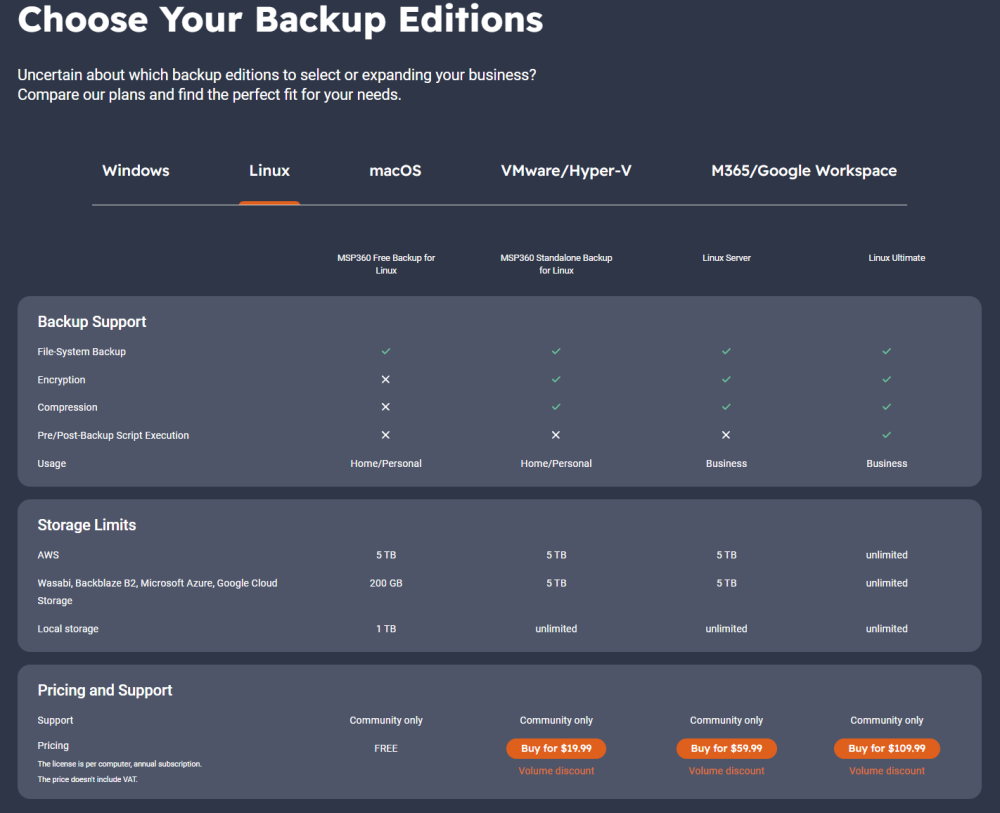
Hey everyone, for those just starting with CloudBerry (now msp360 backup). The docker container does not bring you to the license page when you click the link (as of 1/23/2024). The website is a bit confusing. You need to scroll down to the bottom of the page and click "MSP360 Standalone Backup" or click this link: https://www.msp360.com/msp360-standalone-backup/ Once on the standalone page, if you scroll almost to the bottom, a section that is embedded in the page has "tabs" in it (horrible design if you ask me), you must click the "linux" tab to see the price options: This was a little confusing for me so I thought I would share. I have still not setup backups but I intend to switch to MSP360 to replace duplicati that has only been giving problems recently.
-
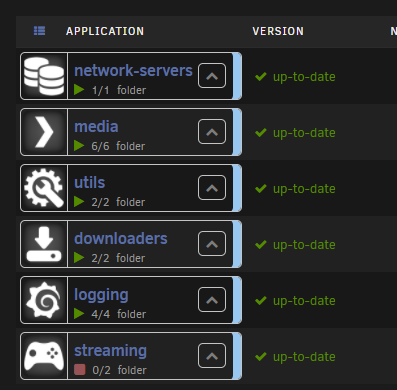
Thanks for the great icons, was going to make some of my own until I came across yours. I have been using the docker.folder plugin. I just updated the icons to look like this, thanks for the simple but effective icons: