





b01000100
Members
-
Joined
Everything posted by b01000100
-
Thank you for the response. I understand that I can manually copy this file, but what I'm really after is the knowledge of how to set this up in luckyBackup. I have other single files in different locations I'd like to backup for various reasons. I picked this one because it just happened to me (the whole Preferences.xml being 0 and needing to be restored from a manual backup) and figured it was a good example. In this case, I had a power outage that messed up my Plex Preferences.xml. I manually copied over a backup that I had manually created. I have other individual files where I don't want to have to remember to back them up. The goal here is to be able to create a task in luckyBackup where I can point it at any given single file and tell it to back it up to a specific location so that I can schedule that task to run regularly without me having to manually save anything. Setting up a task in luckyBackup where I give it the Source/Destination folders and create a list of a single item to include seems like it would be the answer, but it isn't working like that. I have an incorrect assumption or mismatched expectation somewhere, and I'm looking to learn enough to correct it.
-
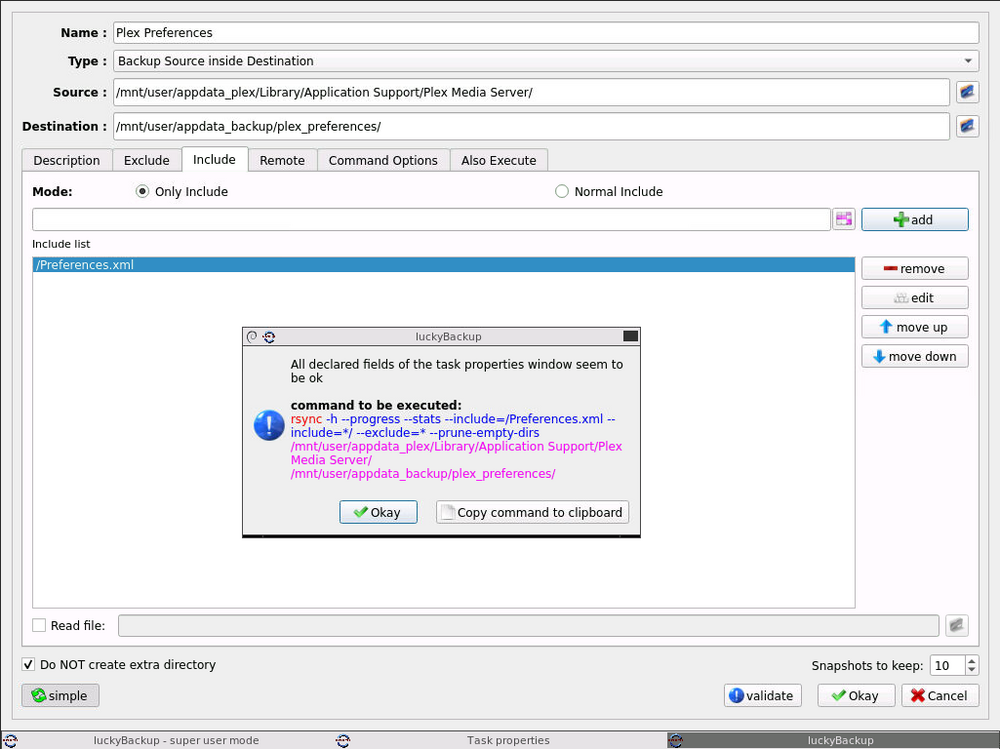
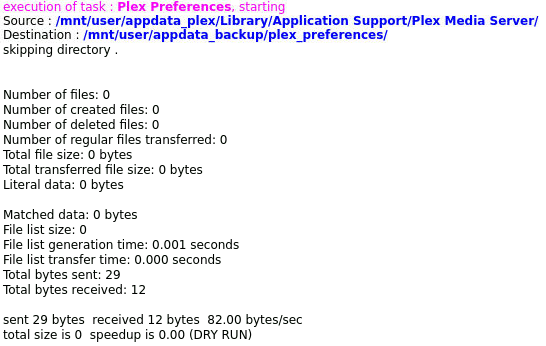
Hello everyone, I'm looking to get some help with luckyBackup. I had an issue where my Plex Preferences.xml ended up being 0 KB after a power outage. I figured I could use luckyBackup to back up a copy of that file and learn how to use luckyBackup at the same time. I don't have any experience with luckyBackup or rsync, and I can't quite get the task to work. Here is how I have it set up: Everything is unchecked in all of the other tabs. I just want to grab a copy of that file and back it up. I don't need 10 snapshots of it, but I was trying to get a feel for how to back up specific files, as I have need to do this elsewhere. I tried Normal Include, too, but I still get 0 files. Here is what a dry run produces (same results if I run it regularly): The Source and Destination folders both exist and are at those locations. I also tried by selecting the same Source but excluding everything but the file I wanted. I tried searching for answers before posting, but everything I found was for backing up all of unraid. I'm just looking at how to set things up so I can backup a single file here and there where I want. Backing up everything is a different story.
-
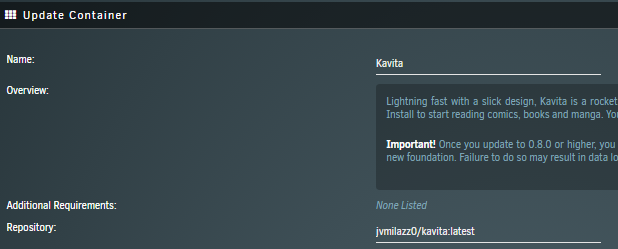
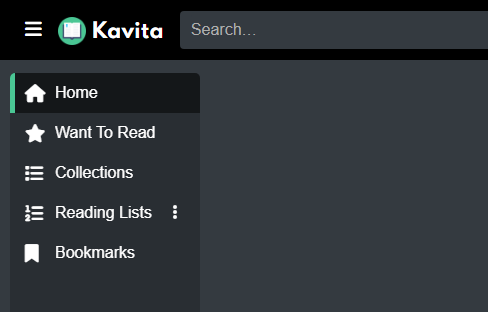
I am currently getting the nag screen to update to jvmilazz0/kavita:latest. I changed this in the Update Container screen, let it do its thing, and I'm still getting the error. I then removed the image and reinstalled - still get the nag screen. When I updated it myself, I used :latest. When I reinstalled it, :latest was left off. I added it back in after I still got the nag screen. If I Okay through the nag screen, it loads into Kavita but nothing works (and nothing shows up). I can still browse and access the books through my devices. I normally don't even log into Kavita, so I didn't see any warnings for updates as they were happening. Any ideas on what I could do to fix it?
-
OK, so I found another forum topic that addresses this. I have no idea how I missed it the first time searching. Let's blame it on the celebration last night. Here is the forum topic that helped me: BTRFS CACHE FULL AND READONLY I disabled Docker and VMs, stopped the array, restarted the array, and then was able to run the mover. That will clear up some space initially so that I can take care of everything else. The key component of the post linked above was this: Sure enough, that worked. Once again, JorgeB to the rescue. Thank you, itimpi, for the callout of no Minimum Free Space value being set. I'll get that set now.
-
Thanks for the callout. I stopped everything that can write, and I'll be sure to set that value if I can get things fixed up (trying to leave things as-is for now until I'm sure I won't make anything worse by changing some setting somewhere).
-
Everything has been working as expected for a long while. Last night I was downloading a bunch of stuff, and it caused my cache to completely fill up. I got warning emails this morning saying it was full. I thought I could go out and delete some unnecessary things/move some files around. When I tried to do this using Krusader, everything acts like it is in readonly mode. I generated diagnostics (attached) and looked at the syslog file. Among everything else, I see the following two lines: BTRFS: error (device sdk1) in btrfs_finish_ordered_io:2736: errno=-28 No space left [...] BTRFS info (device sdk1): forced readonly Googling those lands me some posts saying to free up space. I was going to copy some files to another server and delete them from this server, but the readonly won't let me delete anything after copying. Is there a way to clean everything up and get it back to normal without losing anything? forwarduntodawn-diagnostics-20230101-0855.zip
-
Awesome, I really appreciate the help. The other topics like this had me worried. I don't know what I don't know, so I like to have the extra feedback. I had to start it without it assigned and then stop/reassign it. After that, it seems like everything is fine.
-
I'm running into a problem on my server. These messages started kicking out yesterday. The server had been running for quite a while, and it was at the beginning of a parity check. I searched for this message, but none of the issues that came up seemed to mention what I was seeing. I am getting this in the email: Event: Unraid Cache disk message Subject: Warning [FORWARDUNTODAWN] - Cache pool BTRFS missing device(s) Description: TEAM_T253A3001T_112105070221078 (sdc) Importance: warning I can see the drive in the pool: The drive is also showing up in the Unassigned Devices right now too - at the same time: Is there a way to recover from this? I have a drive I could use to swap things over to, but if this is just a simple fix, I'd prefer to avoid that. It was in the middle of a parity check, so I let that finish and just now powered off the server. Attached are the diagnostics I just grabbed after the parity check completed. forwarduntodawn-diagnostics-20220624-1146.zip


-
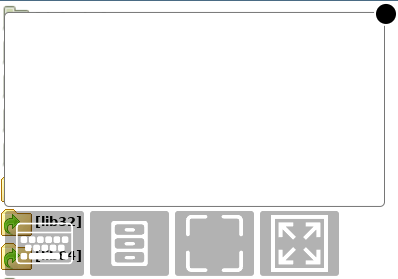
I figured this out. It was being added in gclient/rdp.ejs. I copied the file out to a different folder in appdata, edited it to remove the extra stuff, and then mapped that file back to the file inside of the container. After removing/readding the container, the black dot was gone. I'm sure the black dot is useful for someone, but it wasn't for me. An alternative to this is to use the ability to run scripts on these lsio containers: Customizing our Containers
-
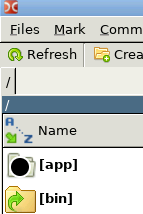
Does anyone have any idea what the black dot is: If I click on it, it expands into a place to type with a few extra options: If I type into that box or use the on-screen keyboard button, it puts text into the filter box of Double Commander. I looked through the settings but didn't see anything about it. I thought maybe it was part of some other OSD software somewhere, but it only shows up in the WebUI of Double Commander. I can move it around (slowly) to a spot that is out of the way, but I'd prefer to turn it off if anyone knows how.
-
I just wanted to say thanks to you guys for helping me. I'm all set now after masking all of the 3.3v pins. I really appreciate your time.
-
Hot damn, it worked for the parity drive too! I am going to keep masking the pins off and seeing what happens.
-
Well holy hell. I just grabbed one of the drives that was failing, masked off that pin, and the motherboard picked it right up. What in the world? I haven't tried all the others yet. I mean, I have had this array set up for a while and have been using it with no issues. I didn't even think to try it because they have all been working. Assuming this is the issue for all of them, maybe I was just lucky and had them on a power splitter that was somehow letting them work?
-
No. I had them all hooked up using SATA power splitter wires (1 connection to 5). I've tried several splitter cables that I have. The ones that are on them right now are brand new out of the packages (not that they could be bad, but still). I've also tried powering them directly from the cable coming from the power supply. I also tried swapping power supplies. Think it might be the 3.3v pin thing with some shucked drives? I've been using these for a while now with no issues. They spin up if I put them in a SATA dock, so I didn't think to mess with masking the pin. I can give it a try if that is what you are thinking.
-
Yes they were. Every one of the 5 missing drives was shucked. Other drives that are still working are also shucked. The two parity drives were bought and shucked at the same time - one still works and the other is missing.
-
Here is the original post if you want to look at a dissertation of my problems:
-
To note, there are no glaring errors showing up in the log, and I didn't post any diagnostics because the drives themselves just don't show up. If I connect them directly to the motherboard, they do not show up in the BIOS. I didn't figure diagnostics would help much.
-
This one isn't specific to Unraid that I can tell, but I am stuck in a bit of a spot. After swapping out a SATA card for a SAS HBA, I have 5 drives showing up as missing. They do not show up with new IDs or in the unassigned devices list; they are just not detected by the expansion cards (or the motherboard if I plug them in directly). They are detected on another computer if I put them in a SATA dock. I was in the middle of a parity check using the plugin that splits it across several days. It was paused before I powered down the server. I didn't really think about it at the time. I saw in another thread that swapping to a SAS HBA would cause the disk IDs to change, but that didn't seem to happen with my setup. My array started back up and put all of the correct disks in the proper places. Is there anything that I can check to figure out why 5 relatively new drives went from working to missing?




