





chansearrington
Members
-
Joined
-
Last visited
Everything posted by chansearrington
-
Just following up here. Everything turned out fine with this. All data was still there and the arrays are done rebuilding.
-
@itimpi Got it! Thank you!
-
Ah, ok. Got it. @itimpi Just to make sure I understand... The data in the parity drives isn't essential to keep all the data in the other drives. So put the drives in any order and rebuild both parity drives All the data in the other non-parity drives will be fine as long as none of them fail during the parity rebuild?
-
@JonathanM No, I don't. 😞
-
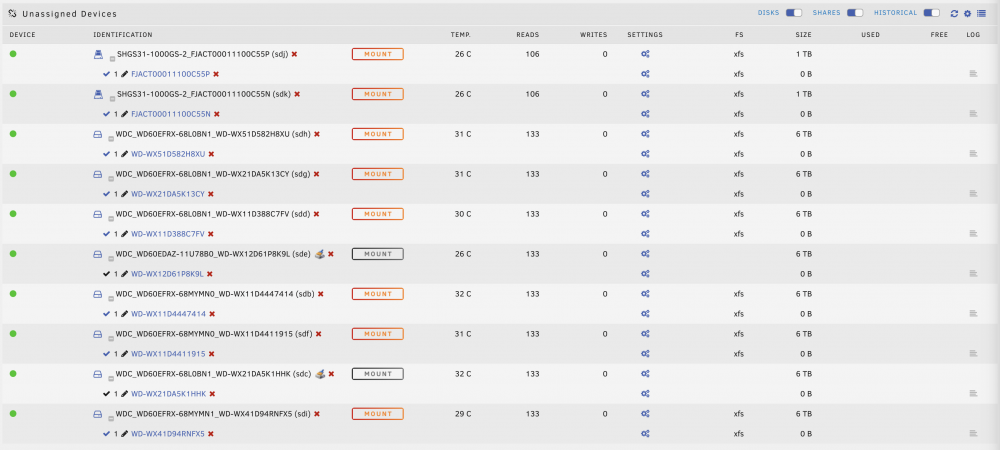
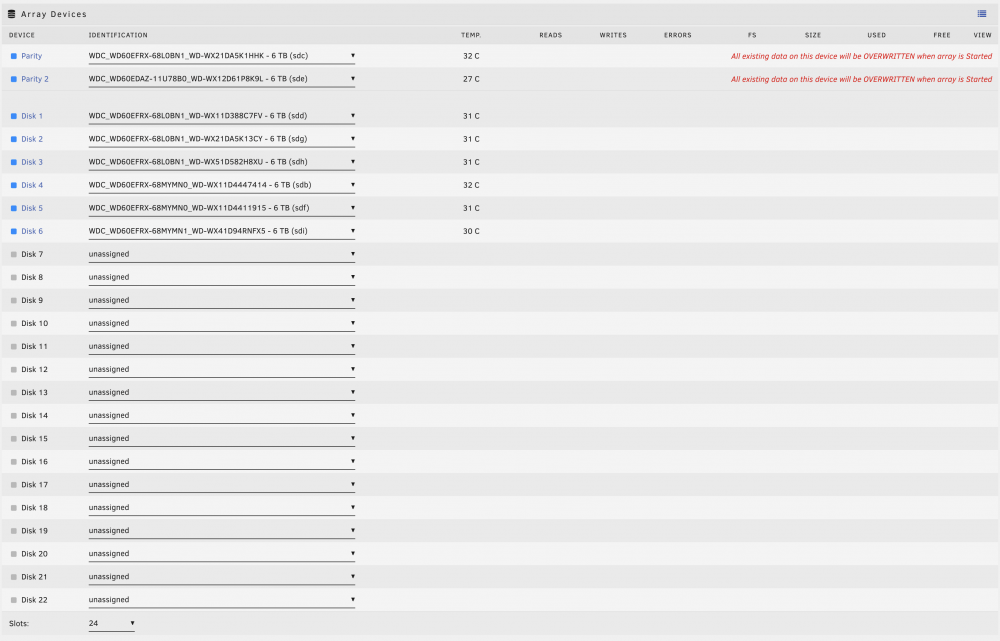
Hoping someone can confirm my assumptions or point me in the right direction: System setup Array 2x Parity Drives (each 6TB) 6x Drives (each 6TB) Cache 2x Cache Drives Background I needed to upgrade my cache drives To do so, I: turned off docker turned off VMs Moved everything off of cache drives to arrary drives by setting all cache settings to "yes" Stopped the array Created a new config Preserved assignments for Arrary Drives did NOT preserve cache drives assignments New config correctly showed new all original array devices in the correct order New confirg showed old cache drives as being un-assigned turned off the machine and installed the new cache drives Turned on the machine Config now shows ALL devices being unassigned Parity drives show as "unmountable" and unassigned Putting them back into the array shows that "All existing data on this device will be OVERWRITTEN when array is started" I DID NOT screenshot my device order (noob mistake I won't make again) Questions How do I put all these drives back the way they were? Does it even matter? Do I care that my parity drives will be overwritten? I know two of the drives are parity (the show as greyed out / unmountable based on other forum posts), but I don't know which one is parity 1 vs parity 2 Devices before I assign them: Devices after I assign them:
-
This tutorial helped a ton, @DannyG Thank you! Quick question on wiring from my HBA to the NetApp. My HBA has two ports and my NetApp has 4 ports (2 in the top thing, 2 in the bottom thing). I understand that I need to go from my HBA to the "square icon" port on my NetApp But should I connect two cables from my HBA controller to my single 4246? Is there a benefit? Here's an image. https://imgur.com/a/hKeQ2Ai


