





Born8bit
Members
-
Joined
-
Last visited
-
I slowly start to feel like the stupid king of weird stuff. After messing around with ports I started inverstigating inside the container and found out, that server.prefs and the docker scheme did not match, it was port 9002 inside the container. I deleted the docker, the image and the appdata folder, after reinstall it all worked like a charm and I am left puzzled, once again. Anyway thanks lads for sharing thoughts, merry christmas to all around.
-
I have issues connecting to the webUI. Installation is per default settings, but there is no reply on any of the TPC ports Network type: Bridge 172.17.0.19:3483/TCP - 192.168.2.2:3483 172.17.0.19:3483/UDP - 192.168.2.2:3483 172.17.0.19:9000/TCP - 192.168.2.2:9000 172.17.0.19:9090/TCP - 192.168.2.2:9090 I recall that I had a hard time with LMS, same thing, but for the love of it cannot recall how I fixed/bodged it.
-
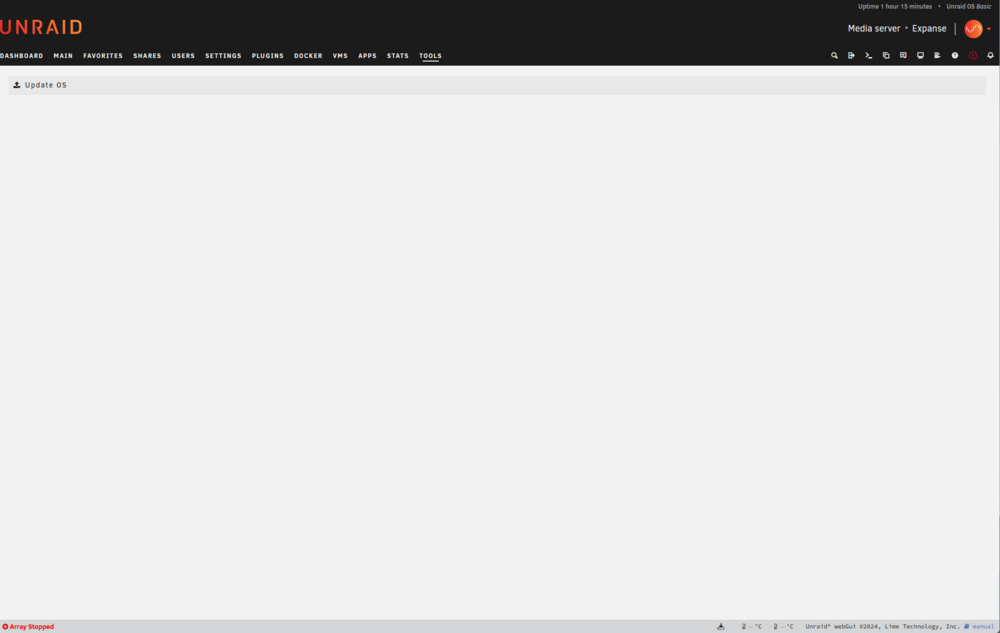
Well that's funky ... I did update plugins and only one claimed to be out of date. Now I ran it again to verify the server can actually connect to the internet, and the unraid api did update, now things are working again. The Tools - Upgrade was blank, now it relocates me to the Unraid Connect website, still not happy about having to go through a cloud/online service, I did prefer the old way.
-
It's already a very slow download (170KB/s), but at around 15MB out of the 19,8MB it is getting worse, and somewhere between 16MB and 17MB the download will die. I am on 500MBit fiber and have downloads running on other machines/Youtube on TV all running fine at the exact same time - so most likely not due to bandwidth on my side. Which would only explain the speed not the death, anyway. Since beta cannot be d/l'ed manually and I don't want to brick things even if it's only a secondary server, I seem to be SOL. This is somewhere between "anybody got similar problems" and a rant.
-
Well the topic gives it away, I have a USB stick with a test install, basic license and currently on 7b1. It cannot log into Connect, as it seems to use an old (?) URL in the popup/relocate. "Page not found: /server/register" As I cannot log into Connect, I cannot update my beta server since there seems to be no download for 'latest'. The archive only shows stable releases. That's a real bummer in my opinion. I honestly love convenient stuff, but once the manual ways get disabled, things are going the Microsoft way.
-
This got asked before but received no reply, so here we go again: Without any changes whatever, I can no longer add more than 1 torrent file at once - I can add single files over and over to the Add Window, that will work, but if I select 2 more files from the +File button and the file dialog, it will corrupt everything, all files show the same content and none of them will work. Nothing is logged since all I can do is abort. It's a minor thing, but still annoying.
-
Because often buttons don't show up (or disappear to the right). I just had the issue with a suspended machine, it only showed the force stop button, but not the resume button.
-
Is there still any development going on for ControlR? Talking about the VM tab, for ages it has been telling me "Coming soon" when selecting any VM, I'd be fine with a selection of all available commands, nothing extra needed for now (would be nice, but not being able to e.g. force stop is really bad).
-
I did a major check at one point, all config files were in line with latest templates (they aren't anymore, but that's for services like bitwarden and it runs fine regardless). [migrations] started [migrations] 01-nginx-site-confs-default: skipped [migrations] done usermod: no changes ------------------------------------- _ () | | ___ _ __ | | / __| | | / \ | | \__ \ | | | () | |_| |___/ |_| \__/ Brought to you by linuxserver.io ------------------------------------- To support the app dev(s) visit: Certbot: https://supporters.eff.org/donate/support-work-on-certbot To support LSIO projects visit: https://www.linuxserver.io/donate/ ------------------------------------- GID/UID ------------------------------------- User uid: 99 User gid: 100 ------------------------------------- using keys found in /config/keys Variables set: PUID=99 PGID=100 TZ=Europe/Berlin URL=### removed ### SUBDOMAINS=### removed ### EXTRA_DOMAINS= ONLY_SUBDOMAINS=true VALIDATION=http CERTPROVIDER= DNSPLUGIN= EMAIL=### removed ### STAGING=false Using Let's Encrypt as the cert provider SUBDOMAINS entered, processing SUBDOMAINS entered, processing Only subdomains, no URL in cert Sub-domains processed are: -d ### removed ### E-mail address entered: ### removed ### http validation is selected Certificate exists; parameters unchanged; starting nginx The cert does not expire within the next day. Letting the cron script handle the renewal attempts overnight (2:08am). **** The following active confs have different version dates than the samples that are shipped. **** **** This may be due to user customization or an update to the samples. **** **** You should compare the following files to the samples in the same folder and update them. **** **** Use the link at the top of the file to view the changelog. **** ┌────────────┬────────────┬────────────────────────────────────────────────────────────────────────┐ │ old date │ new date │ path │ ├────────────┼────────────┼────────────────────────────────────────────────────────────────────────┤ │ 2023-02-05 │ 2023-02-13 │ /config/nginx/proxy-confs/bitwarden.subdomain.conf │ └────────────┴────────────┴────────────────────────────────────────────────────────────────────────┘ [custom-init] No custom files found, skipping... [ls.io-init] done. Server ready And as I said, it's not the point that it's not working - to the contrary, it's like A+. Once I hit the update button (which should not have anything to do with the config files in the appdata) the mentioned file will appear in the wrong directory again, I can move the file, it will work again .... rinse and repeat. I am by no means a docker expert, hardly an apprentice even, but this cannot be related to the .conf file above, or any other of the .conf files in this folder as none of them refer to the stream.conf file in any way.
-
At this point, swag is driving me crazy ... After each update, I get this error message: nginx: [emerg] "stream" directive is not allowed here in /etc/nginx/conf.d/stream.conf:3 So I move the file like this: mv -v /etc/nginx/conf.d/stream.conf /etc/nginx/stream.d/ and restart the docker, all is fine. Next update, same procedure - and I don't get it, how come this file always ends up where supposedly it's not supposed to be? I checked all the config files that were outdated, but none were related to stream.conf, most were just newer templates, I transitioned but keep getting the same problem.
-
I know, the title is somewhat bait and I do apologize. But it's not easy to put in words, alas here I go: I made the step from a Xeon e3-1231v3 on an ASUS Z97 Pro Gamer to the Ryzen 5 1600AF on an AsRock B450 Pro 4, and despite it being the newer and according to numbers more potent system, things weren't smooth: Getting the VM with GPU passthrough to run took a lot of time, HDMI sound was crackling until I did some MSI tweaking in the Windows VM which took care of 90% of the issues. Linux I could not get it to not sound crappy. VMs experienced short stalls, like hitting CPU limit, but htop showed no such condition. Happened many times with no obvious reason (just browing websites in the Windows VM eg.) on board sound could not be passed through due to being in a shared IOMMU group (despite ACS override) USB soundcard was just like the HDMI sound, but this time no fix through MSI So after a lot of trying, asking and trying more, drinking and then trying crazy stuff I gave up and reverted. VM with GPU went up instantly, on board sound can be passed through and is almost perfect, USB not tested yet because not actually needed. So my question, is the B450 just a "bad" platform, would an X_70 board make things better or is Intel simply the better platform for unRAID? I am no side's shill, I run AMD on 3 game/surf/work machines in the house and they are great. As stated above, this is no request for tech support, rather getting feedback from others that had similar issues, B450 victims users preferred
-
I could finally solve this issue by renaming and recreating the libvirt.img (who would have thought of that). https://forums.unraid.net/topic/127334-psa-if-you-move-your-server-to-a-totally-different-platform-consider-flushing-libvirtimg @JorgeB thanks for looking into despite things coming from a strangely different different direction.
-
I think this might fit in here, although it's also a hardware related topic ... you tell me or move accordingly. Short intro: I was trying to move my server to a new mainboard, things went badly. (Xeon@Z97 -> Ryzen@B450) Long intro: After replacing the mainboard system started, array went up and I ended up with BTRFS errors. Things didn't make sense, I tried a different PCIe socket for the HBA, nothing helped. Today, my OCD kicked in and told me to get to the bottom of things, and I realized I never tried to start services step by step. So this is what I did (new system): Start system (no auto-array) Disable docker and VM Start array, things look good. Start docker, still all is well Start VM service, and red alert it is. So I disabled the two VMs that are on auto start since I assumed they did something to my system, but to no avail. Then I renamed the old libvirt.img and had the system create a new one, and voila, there we are stable and sound. I have since then added all my VMs back to the system, apart from minor issues that are h/w related (cannot passthrough the onboard sound), everything works now, in fact I am currently typing on a VM that passes the primary GPU (GTX960) through, and that's usually what causes a major headache. So the conclusion is, if you are moving to an entirely different platform and are experiencing strange errors, check if it works with VM service disabled and if so, rename your libvirt.img and try again. If that doesn't help, you can easily revert, if it does, be as happy as I am now. Cheers to all the lovely people here.
-
I have a VM with GPU passthrough running as a daily system, and all is fine (internet works, can access unRAUD GUI), but when it comes to dockers on the host machine, it's a split thing: Some I can reach just fine, like Krusader, Deluge, Prowlarr (all on bridge, running host IP with their port). Others, like TinyMM, MKVToolNix show their top bar with a "Server disconnected (code:1006)" red X. Docker log will show this: The fact that all dockers above have the same network type, the same IP and only different ports and will still not connect the same way doesn't make sense to me. Also I don't know if this is a docker issue or a VM issue, so I went to General. Might be worth mentioning that the VM has it's own IP and all other machines on my network can access all of the dockers without issue.
-
Sadly this board only has two x16 slots, and this wouldn't explain why I can access files on disks attached to this HBA when mounted as unassigned and why I could use this controller with a test rig with the old HDDs. These are things I had in mind first, also, but they don't explain other observations.

